TOOLNAVIA / BUYING GUIDE
Close Power Dialer vs Predictive Dialer: Is Scale Worth $40 More?
The short answer
At a glance
- Best for
- Teams comparing sequential Growth dialing with multi-rep Scale predictive dialing through a measured trial.
- Price model
- Fresh page displays $35/$99/$139 in a save-up-to-50% view; final cart and usage control.
- Check first
- No hands-on account test; verify plan, billing cycle, country, usage, consent and abandonment rules in current trial/cart.
Short verdict
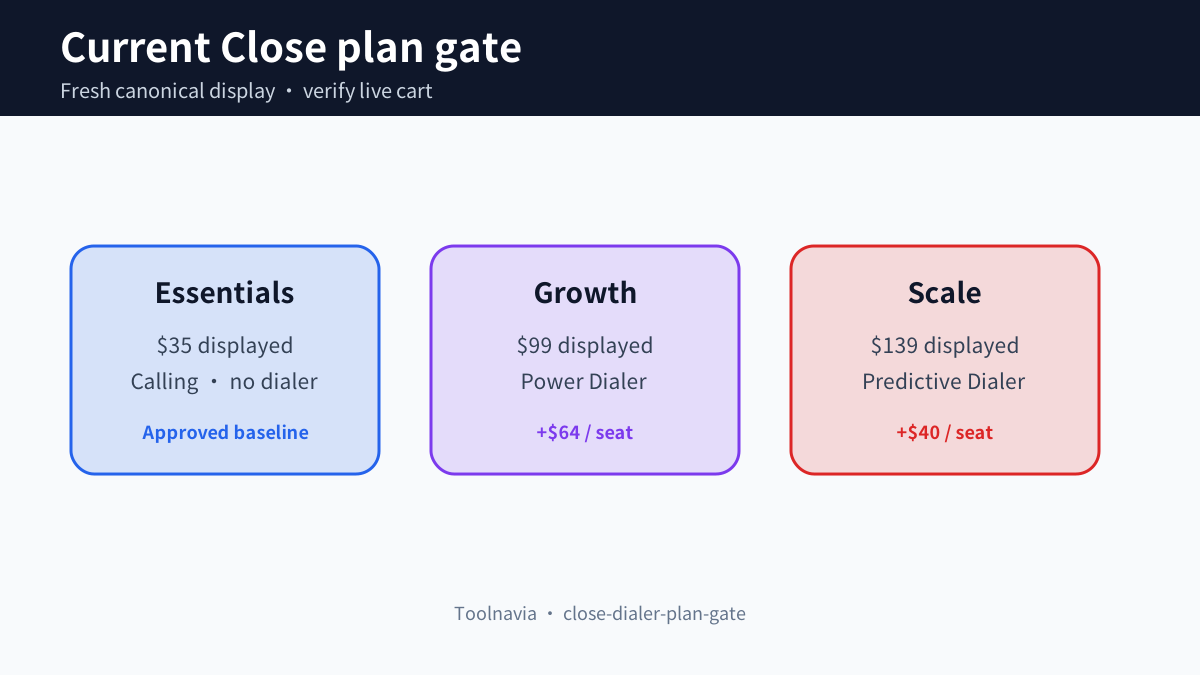
Close Essentials is the approved baseline offer, but it does not include either automated sales dialer discussed here. The current Close pricing page puts the sequential Power Dialer on Growth at a displayed $99 per user per month and the Predictive Dialer on Scale at $139. That makes the visible Scale premium $40 per user per month before calling usage, numbers, taxes, AI credits or other variable costs. The fresh page also shows Essentials at $35 and labels these values under a save-up-to-50% billing view; this guide therefore treats them as the current displayed annual-equivalent figures, not guaranteed monthly-cart prices. The older Toolnavia monthly figure is retained only as a disclosed conflict and does not control this decision.
The practical choice is simple: buy Growth when one rep should work one Smart View sequentially and every answered call can reach that rep. Test Scale only when several reps are available together, the list is large enough to justify parallel dialing, and the team can measure and control abandoned calls. Close itself says predictive dialing works best with multiple callers and may stay near 1× for a solo rep.
Affiliate disclosure: Toolnavia may earn a commission if you use the approved Close Essentials referral link. The link does not turn Essentials into Growth or Scale, and it does not change the plan shown in your live cart.
What the two dialers actually change
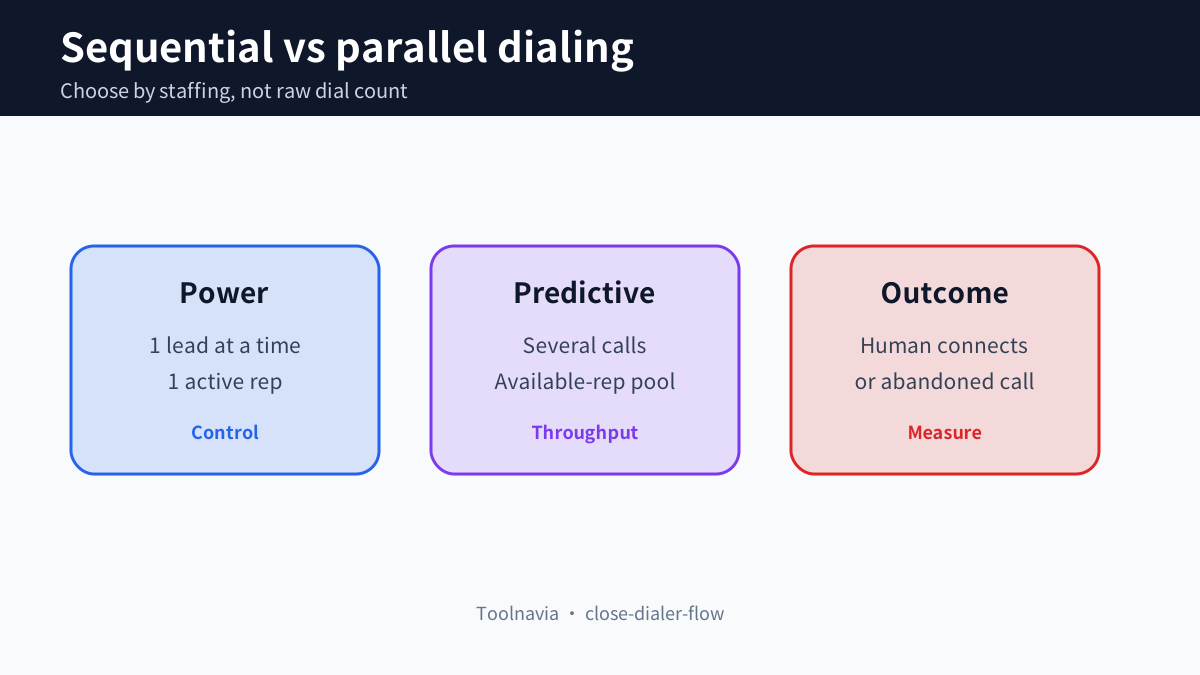
Power Dialer works through a Smart View one lead at a time. A rep starts the list, Close places the next call after the current attempt finishes, and the rep stays in control of each conversation and disposition. This removes manual number entry and dead time without creating multiple simultaneous answered calls. It is the safer baseline for one caller, small lists, mixed research-and-call work, or teams that cannot keep several reps continuously available.
Predictive Dialer places several calls at once and connects a rep only when a person answers; voicemail, busy signals and unanswered calls do not reach the rep. Close adjusts the dialing rate using available users, answer rate, abandonment rate, average dials before pickup and conversation length. The throughput gain therefore comes from pooling several available reps—not from a magical faster button for one person.
There is also a contact-selection boundary. Close documents that Power and Predictive Dialers call the primary number of the primary contact. They cannot use the automated dialer to call every number on one contact, several contacts on one lead, or the same number repeatedly in a session. A list that depends on secondary numbers may underperform even when the plan entitlement is correct.
Plan gate and current displayed cost
The fresh canonical page places built-in calling on Essentials, Power Dialer on Growth and Predictive Dialer on Scale. At the displayed $35, $99 and $139 figures, the arithmetic is $64 per seat from Essentials to Growth and another $40 from Growth to Scale. For five seats, that second step is $200 per displayed billing month; for ten seats it is $400. These are calculations from the page, not a coupon, negotiated quote or promise about a monthly contract.
Calling and SMS remain usage-based. Close says most outbound calls are around $0.02 per minute and phone numbers start at about $1 per month, but it also says usage is passed through at cost. Treat those figures as planning examples only. Final country, number type, destination, taxes, billing cycle and live cart control the bill.
Essentials can still be the right purchase when the team needs CRM, email, calling and SMS but will dial manually. Growth is the first documented plan that unlocks Power Dialer. Scale is the documented Predictive Dialer plan. Do not attach an unapproved Growth or Scale affiliate URL: the only approved exact offer in the current Toolnavia registry is Essentials, and this article keeps that boundary visible.
Predictive dialing has an abandonment budget
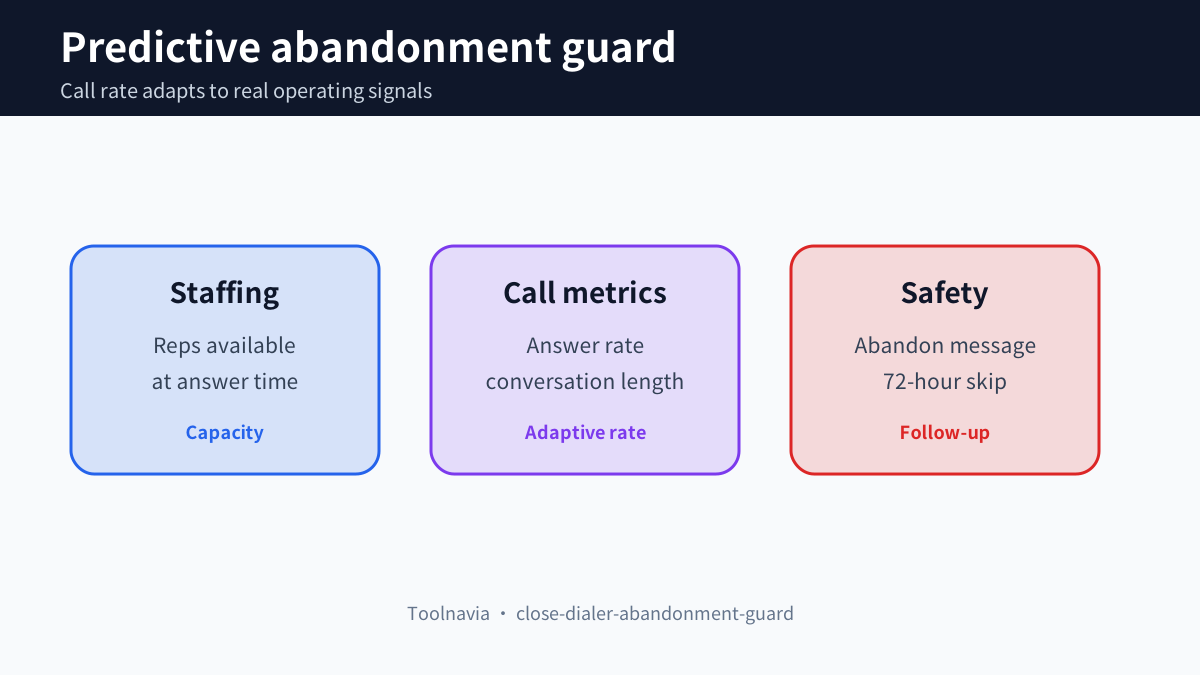
Before predictive calling starts, Close requires an organization-wide abandonment message containing the organization name and a callback number. An abandoned call occurs when a lead answers and no user is free. Close then skips leads abandoned within the last 72 hours, and it continuously adjusts the call rate using staffing and call metrics.
This is not merely a settings task. The buyer needs a staffing rule: how many reps are logged in, how long conversations run, who pauses before notes, and what happens when several answers arrive close together. Close recommends multiple callers and says the most effective operation is with larger groups; a single user may not see the ratio rise above 1×.
Regulation and consent vary by jurisdiction, list source and call purpose. This guide cannot certify compliance. Review local telemarketing, recording, caller-ID, do-not-call, consent and abandonment requirements with qualified counsel before using any automated or predictive mode.
A seven-day proof test before upgrading
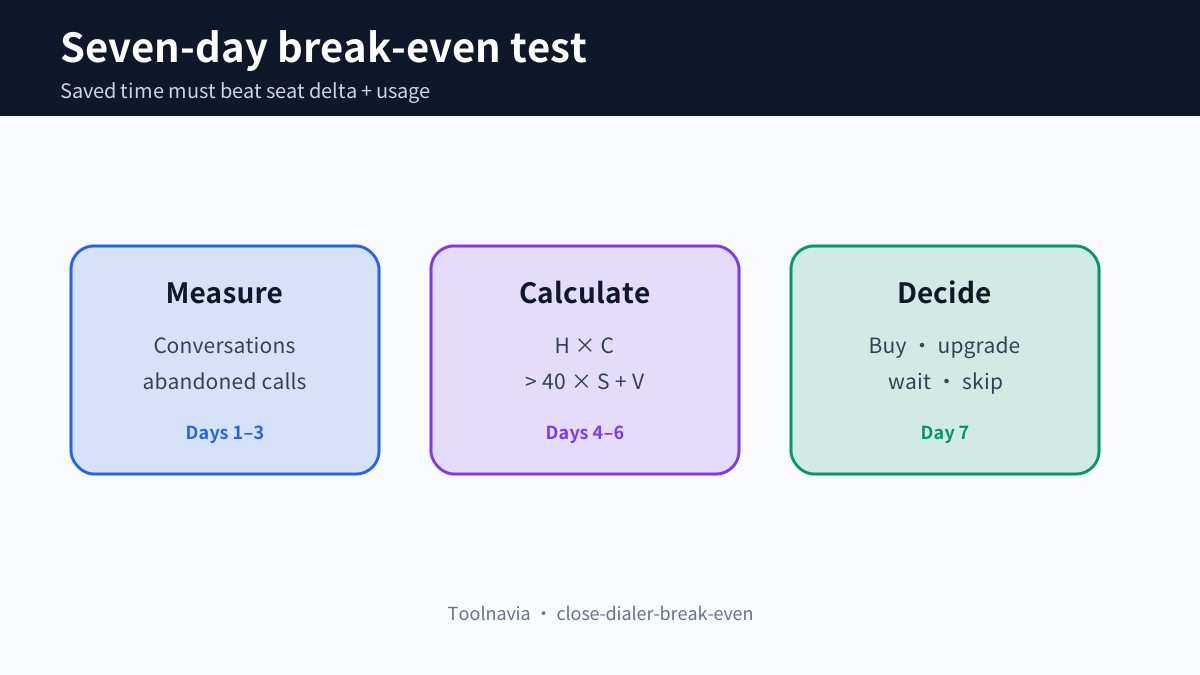
Day one: clean one Smart View. Confirm the primary contact and primary number, remove ineligible records, and record the list size. Run Power Dialer with one rep for a fixed block. Capture attempts, human answers, conversations, voicemail/busy outcomes, connected minutes and time spent on notes.
Days two and three: repeat the same list definition with two or more reps. Verify caller ID, local presence if used, number ownership and the abandonment message. Do not start with an aggressive ratio. Record answered calls that reached a rep, abandoned calls, average conversation length, reps available at answer time and the 72-hour skip behavior.
Days four through seven: compare productive conversations per paid rep-hour, not raw dials. Also track number reputation, complaints, opt-outs, callback handling and the amount of cleanup required after the session. HubSpot's current power-dialer workflow also emphasizes a visible call list, caller-number selection and outcome logging; Aircall frames one-line versus multi-line modes as a buyer choice; Kixie shows that multi-line dialing may add a separate human-detection layer. These comparisons are useful test ideas, not proof of Close behavior.
Break-even model
Let **H** be rep-hours saved per month by moving from Growth to Scale, **C** the loaded hourly cost of a rep, **S** the number of Scale seats, and **V** the extra monthly telephony and number cost created by higher volume. Using the current displayed $40 seat delta, the upgrade breaks even only when:
**H × C > 40 × S + V**
For example, ten Scale seats add $400 on the displayed plan arithmetic before usage. If the loaded rep cost is $35 per hour, the predictive workflow needs to recover more than 11.4 rep-hours monthly just to cover that seat delta, and more after usage. This is a decision model, not a forecast.
Do not count every extra dial as value. Count qualified conversations, meetings or accepted next steps, then subtract abandoned-call follow-up, complaints, number replacement, list cleaning and manager time. If the team cannot measure those costs, it cannot prove that Scale is cheaper than Growth.
Buy, upgrade, wait or skip
Buy Essentials when the team needs the core CRM and built-in communication but does not need an automated dialer. Use the approved referral only for that exact baseline.
Choose Growth when one-at-a-time list dialing removes enough manual work and each answered call should reach the active rep. Its Power Dialer is the documented middle ground.
Upgrade to Scale only after a multi-rep trial proves that parallel calling raises productive conversations enough to cover the $40 displayed per-seat delta, incremental usage and abandonment operations. Wait if fewer than four reps are normally available together, list quality is inconsistent, or the team cannot staff callback and compliance controls. Skip automated dialing if consent, caller-ID or reputation risk cannot be managed.
The safest purchase is the lowest plan that passes the test with real Smart Views, real staffing and the current cart.