TOOLNAVIA / BUYING GUIDE
Close Call Coaching: Is Essentials Enough—or Do You Need Scale?
The short answer
At a glance
- Best for
- Sales teams that need to decide whether live outbound call coaching justifies Scale rather than buying Essentials by mistake.
- Price model
- Do not freeze a price. Current cart controls plan, seats, taxes, numbers, minutes, renewal and add-ons.
- Check first
- No live account test was performed; plan names, country availability, permissions, seat pricing and usage costs must be verified in the current trial and cart.
Short verdict
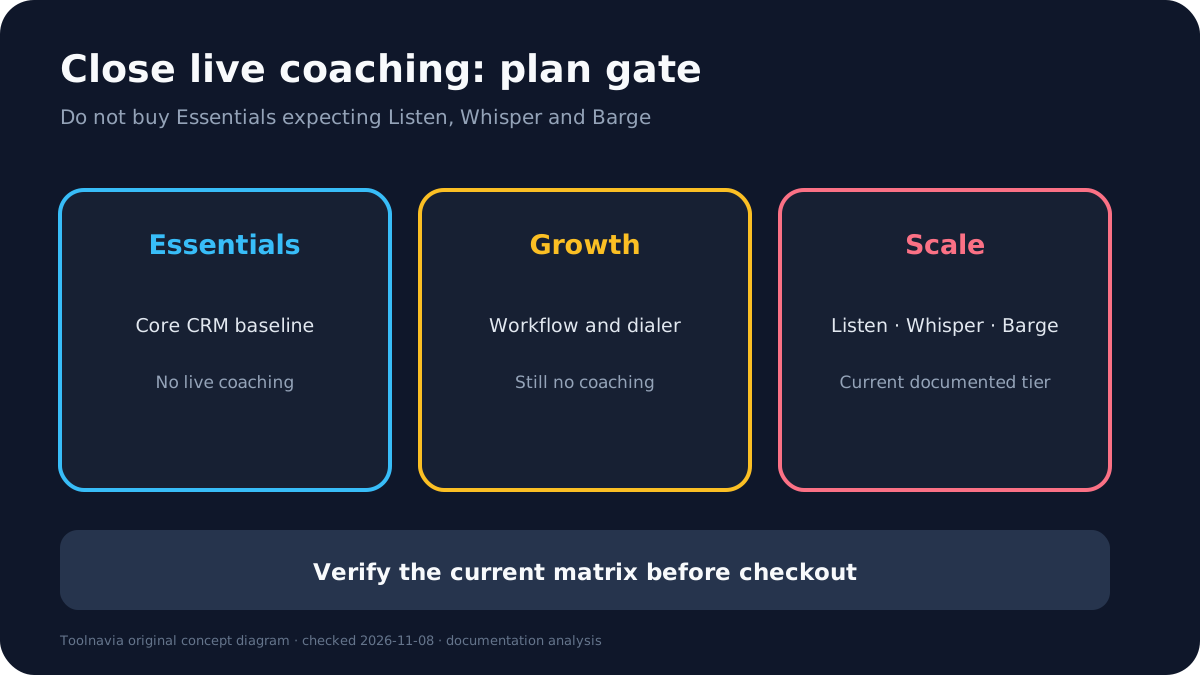
Do not buy Close Essentials expecting live call coaching. Close's current Help Center says Call Coaching is available on Scale and legacy Enterprise plans, and the current pricing comparison places Listen, Whisper and Barge only in its last plan column. Essentials remains the approved baseline offer for teams that need the CRM, email, calling and collaboration foundation, but it is not the documented route to live coaching.
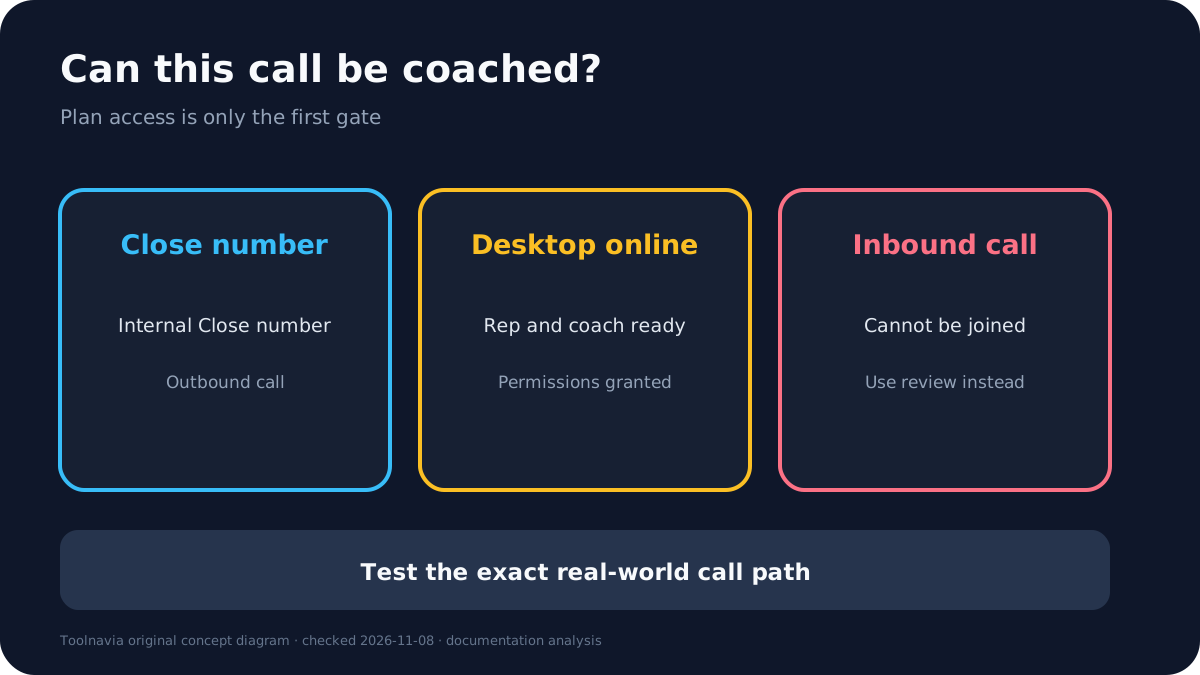
The purchase decision is therefore not “Does Close have coaching?” It is “Will enough managers use live coaching on eligible calls to justify moving the relevant seats to Scale?” Test that answer during the free trial, because the feature has operational limits: it works on outbound calls made inside Close with Internal Close numbers, online desktop users and the correct permissions. Inbound calls cannot be joined.
Affiliate disclosure: Toolnavia may earn a commission from the approved Close Essentials link at no extra cost to you. That link does not turn Essentials into Scale. The current feature matrix, final cart, taxes, seat count, minutes, numbers and renewal terms control.
Why Essentials does not satisfy the coaching requirement
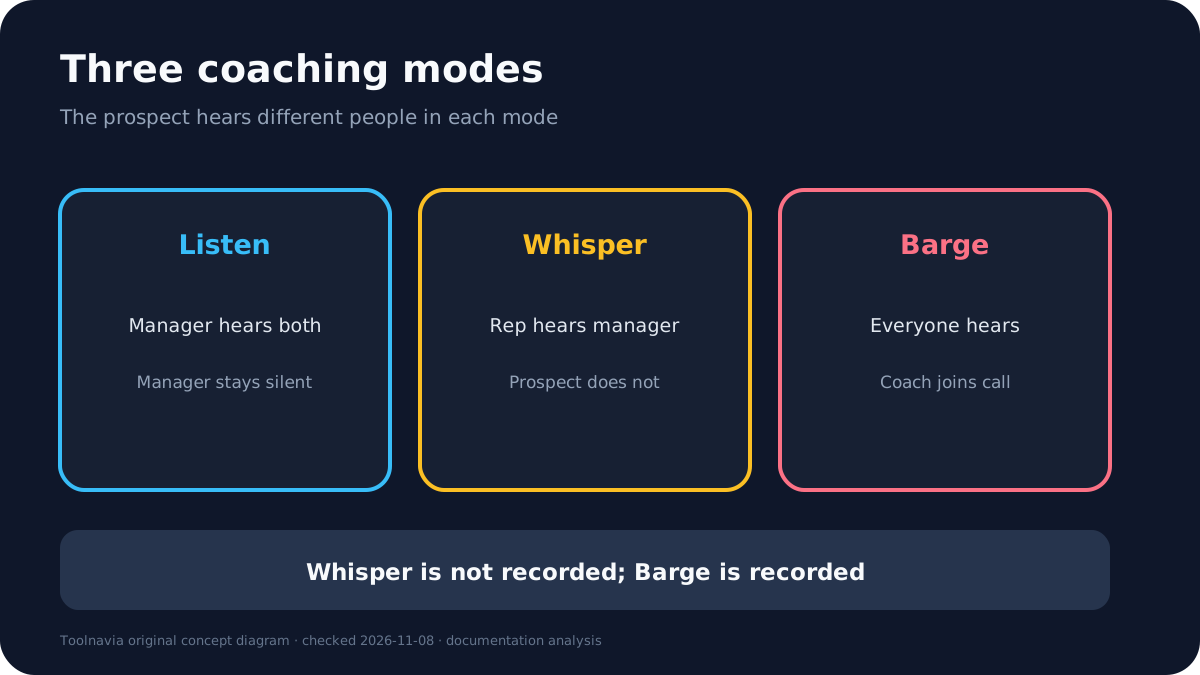
Close Call Coaching has three distinct modes. Listen lets a manager hear the salesperson and lead without speaking. Whisper lets the manager speak to the salesperson while the lead cannot hear the manager. Barge lets the manager join so both sides hear them.
Those modes are different from replaying a recording after the call. Recording retention helps quality review, compliance and later feedback, but it cannot rescue a live objection or guide a new rep in the moment. Teams that only need post-call review should compare their retention requirement with the existing recording workflow before paying for live coaching.
The current official documentation is specific: Scale and legacy Enterprise are the coaching tiers. Solo, Essentials and Growth should not be treated as if they include the live controls. If a sales page, reseller summary or old screenshot says “Enterprise,” do not guess that it means the current Essentials or Growth plan. A fresh independent Close plan analysis also maps Listen, Whisper and Barge to Scale, which supports the safer interpretation without overriding official evidence.
What Scale unlocks—and where it stops
Scale unlocks the current documented plan gate, but it does not make every conversation joinable. Call Coaching works on outbound calls made from Close using Internal Close numbers. Close says inbound calls cannot currently be joined for technical reasons.
The rep and coach also need the practical setup to work. Available users must be online in the desktop app, and permissions are separated between Listen and Whisper/Barge. That matters for organizations where trainees may listen but only managers may intervene. Multiple coaches can participate, but more participants do not automatically improve a call.
Recording behavior changes by mode. A manager's Whisper audio is not captured in the call recording; a manager who Barges is recorded. The team should decide whether the final recording needs to contain the coaching intervention and whether local consent or monitoring rules require an additional process.
Run a real trial before upgrading seats
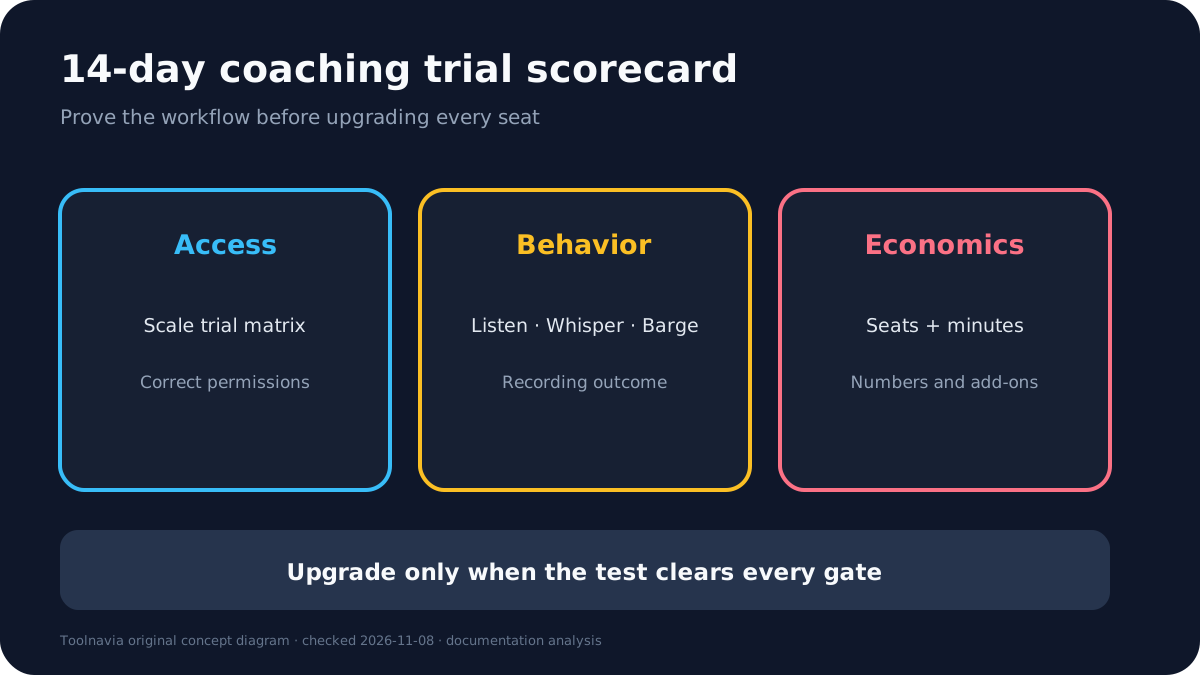
Use the 14-day trial with one manager, one experienced rep and one new rep. First confirm that the account exposes the current Scale feature set. Assign the intended coaching permissions instead of testing as an all-powerful administrator.
Next place an outbound call through the exact Internal Close number the team would use. Confirm that the manager can find the active call from Team Management, the Lead page or Conversations. Test Listen, then Whisper, then Barge. Ask the lead-side tester what they can hear in each mode.
Finally, end the call and inspect the recording. Confirm that Whisper is absent and Barge is present. Repeat the test with an inbound call so the team sees the non-joinable boundary rather than discovering it during onboarding. Document browser or desktop-app state, permissions, number ownership and any delay.
Count the whole cost, not only the seat upgrade
Close's current pricing page treats calling and SMS as usage-based. It says most outbound calls cost around two cents per minute and numbers start around one dollar per month, but those are approximate public figures, not a guaranteed bill. Final pricing, country, carrier, tax and usage control.
Build the budget from the number of seats that actually need coaching, not the entire company by habit. Add calling minutes, Close numbers, recording retention requirements, manager time, onboarding and any compliance review. A manager who coaches two calls a month may not justify the same upgrade as a floor manager supervising live outbound sessions all day.
The upgrade can still be economical if faster rep ramp, fewer avoidable call failures and better live assistance exceed the incremental seat cost. But that is a measurable hypothesis. Track coached calls, ramp time, conversion or quality outcomes during the trial instead of using feature availability as proof of value.
Compare a separate calling stack fairly
Dialpad Sell and Aircall also document live monitoring or coaching capabilities, but they package them differently. Dialpad distinguishes its Sell product and contract choices; Aircall separates Essentials, Professional and add-ons and currently notes a three-license minimum.
A fair comparison includes CRM synchronization, seat minimums, phone numbers, minutes, recordings, transcripts, live modes, analytics, integrations and contract length. A cheaper-looking calling tool can become expensive after the CRM, integration and minimum-seat layers are added. Close can be simpler when the team already works inside Close and wants the coaching event attached to the Lead timeline.
Do not compare Close Essentials alone with a competitor's coaching tier. Compare the actual Close Scale workflow and total bill with the competitor product that truly includes the required modes.
Buy, wait, or skip
**Buy Essentials** when the team wants Close's baseline CRM and calling workflow but does not need live Listen, Whisper or Barge. Use the approved link only for that documented fit.
**Upgrade to Scale** when managers will coach eligible outbound Close-number calls often enough to justify the seat difference, and the trial proves permissions, desktop presence, recording behavior and usage economics.
**Wait** when the public pages still show conflicting Enterprise versus Scale wording, the cart or matrix is unclear, or the team has not tested its real number and call direction.
**Skip the upgrade** when most coaching needs are inbound, post-call review is sufficient, or a separate calling platform fits the required modes and total cost better.