TOOLNAVIA / BUYING GUIDE
Close CRM API Limits: Will Your Integration Keep Up?
The short answer
Close Essentials is a plausible fit for a custom CRM sync, but included API access does not mean unlimited capacity. Before paying for seats, measure your busiest workload and prove that throttled requests and interrupted webhooks recover without losing or duplicating sales records. This is a documentation-based buying guide, not a production benchmark.
At a glance
- Best for
- Teams able to test and operate a custom CRM integration.
- Price model
- Essentials: $49/user monthly or $35/user/month billed annually; integration operation costs extra.
- Check first
- No guaranteed universal throughput; shared limits and recovery duties remain.
Start with the workload, not a bigger plan
Write down every connector, import job and dashboard using the same Close organization. Count calls per business event: receiving a lead might require a search, a create or update, and an activity write. Ten incoming leads can therefore generate considerably more than ten requests.
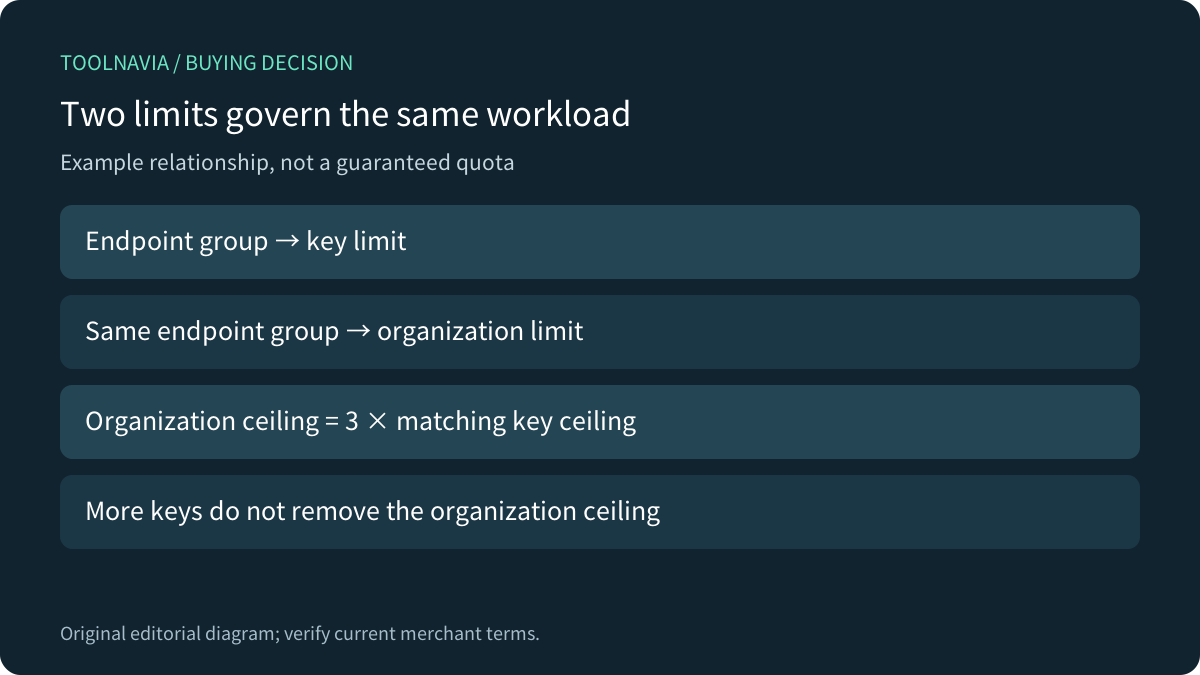
Close groups limits by endpoint and applies both API-key and organization constraints. The organization ceiling is currently three times the corresponding per-key limit. Its 20-RPS example explains the relationship; it is not a universal quota. Read the live response headers for the actual endpoint. Buying more seats or rotating keys does not establish extra capacity.

Webhooks trade polling for recovery work
Event delivery can reduce repeated searches for changes. Close also provides a 30-day event-log window, useful when an integration must reconcile missed changes. Neither feature removes the need to monitor the receiving service.
Close requires a timely successful response, retries failed deliveries and does not guarantee event order. An overloaded or persistently failing subscription can be paused. The documented organization subscription cap also distinguishes ordinary subscriptions from selected automation-platform subscriptions. Check the applicable route rather than assuming a Zapier allowance applies to your custom receiver.
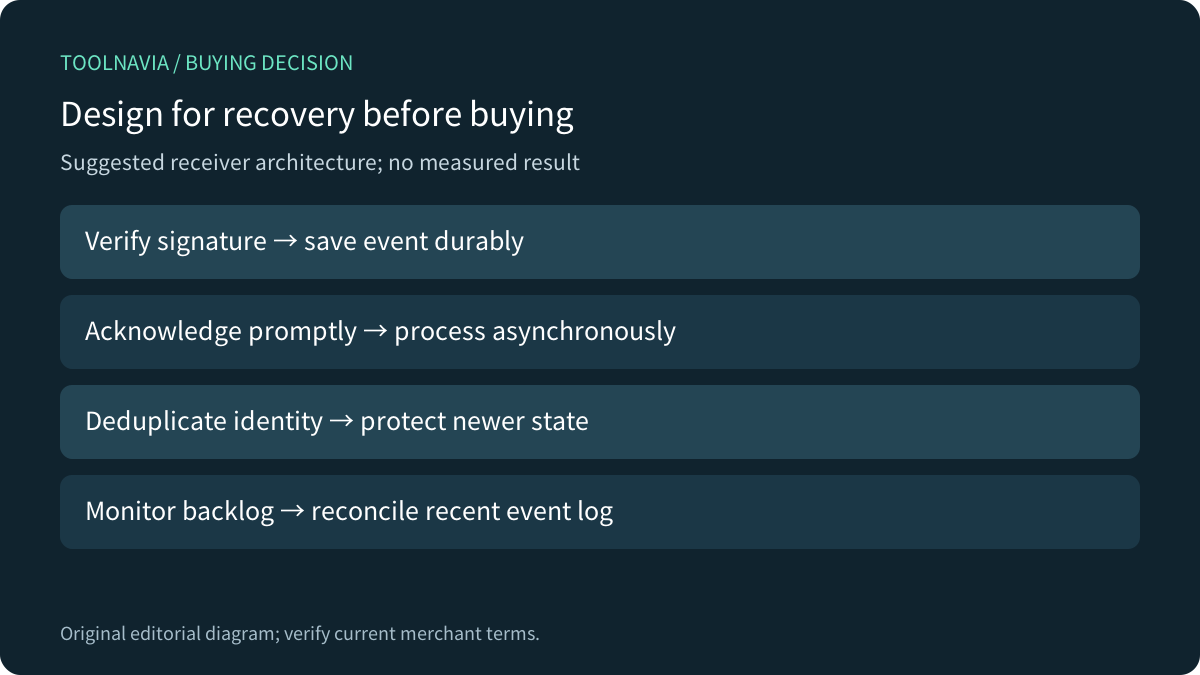
A practical receiver stores the event durably, acknowledges it promptly and processes it asynchronously. Verify signatures, deduplicate by event identity and prevent an older event from overwriting newer business state. Those are implementation recommendations, not a claim that Close handles your downstream system automatically.

Budget the whole integration
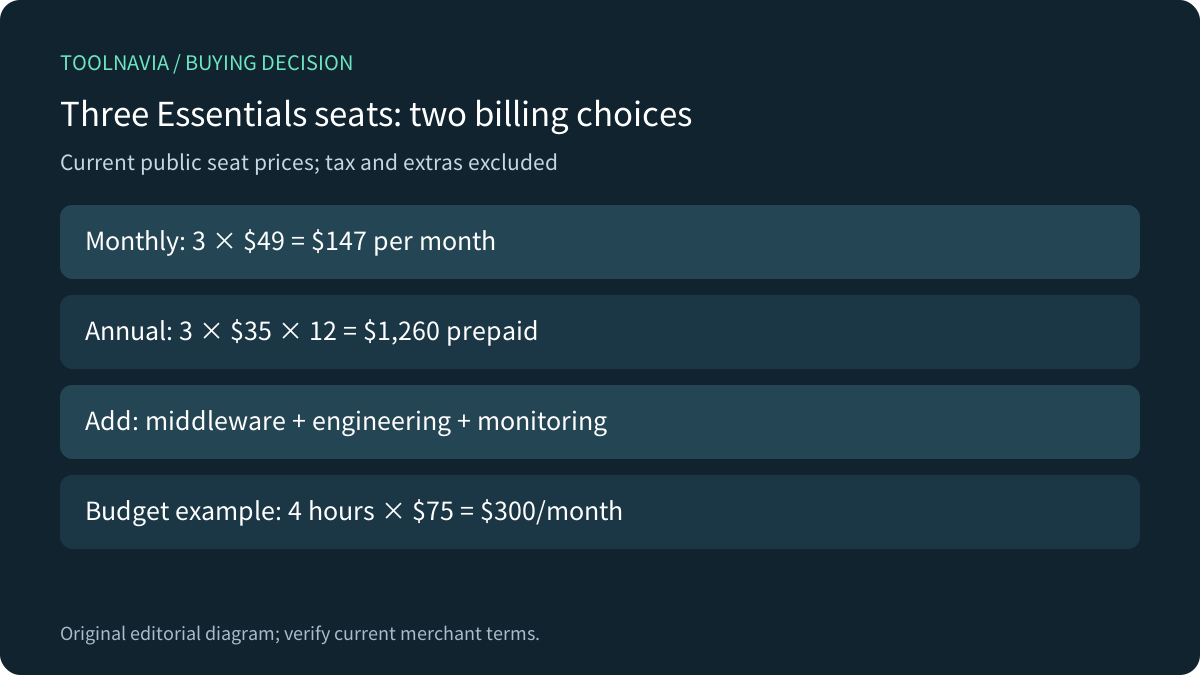
The current public Essentials price is $49 per user on monthly billing or $35 per user per month billed annually. For three seats, that is $147 monthly or $1,260 prepaid for twelve months, before taxes and other charges. API access and native automated Workflows are separate entitlements: the pricing page includes API access while Essentials excludes Workflows.
Add middleware subscription and task costs, initial development, monitoring and incident recovery. As an illustrative budget—not a vendor quote—four maintenance hours at $75/hour add $300 per month. That can exceed the three-seat CRM bill. Ask a provider what happens when retries multiply billable tasks, who restores a paused subscription and whether support includes reconciliation.

Compare the capacity model fairly
Pipedrive describes a daily token budget linked to plan and seats, plus burst controls. Salesforce discusses organization request entitlements and monitoring. These are different accounting models, so raw plan names or one advertised quota do not form a fair comparison. Apply the same representative workload to each.
Your automation layer adds another constraint. Zapier explicitly says a successful webhook response can precede delayed processing during heavy activity. A receipt from the bridge therefore does not prove the CRM action finished. HubSpot's production OAuth guidance similarly shows that token lifecycle, permissions and monitoring remain ongoing engineering work.
These alternatives are research references, not additional Toolnavia purchase recommendations. Choose a CRM for its sales workflow and verified integration behavior together.
Run a purchasing acceptance test
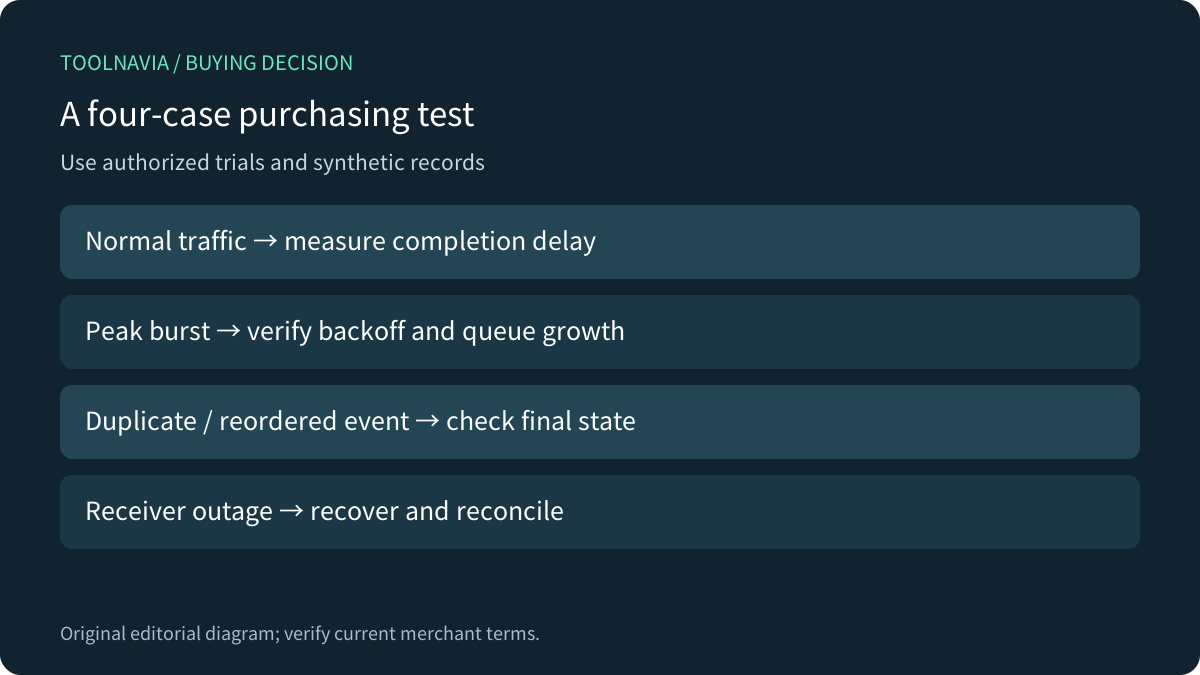
Use an authorized trial and synthetic records. Prepare a normal hour, a peak burst, a bulk import and an outage-recovery case. Record endpoint groups, request counts, header values, queue depth and completion time.
Then deliberately exercise throttling in a controlled test environment, replay a duplicate event and deliver two updates out of order. Confirm there is one intended record and the newest state survives. Disconnect the receiver, restore it and reconcile against the event log. Verify the complete downstream result, not just a 200 response.
Agree on business thresholds before running the test: maximum lead-assignment delay, acceptable backlog age, recovery time and duplicate count. Do not stress a live sales account or expose customer data simply to generate a benchmark.

Buy only when ownership is clear
Choose Essentials when its CRM capabilities fit and the representative integration passes the agreed thresholds with a named operator and a realistic support budget. Keep monthly billing while a major connector remains unproven. Request merchant clarification if the measured endpoint allowance cannot support the workload; do not assume upgrading the plan changes it.
Wait when recovery depends on manual guesswork, order matters but is unhandled, or nobody owns monitoring. A cheaper seat price cannot compensate for missed leads. Review the [approved Close offer](https://refer.close.com/qrcyqrkrw8i6) only after the test, and save the selected term, renewal and final order.
*Affiliate disclosure: Toolnavia may earn a commission from eligible Close referrals. That does not alter the recommendation to validate capacity and total operating cost.*