TOOLNAVIA / BUYING GUIDE
CCleaner Professional: $29.95 First Year, Then $44.95—Is Pro Worth It Over Free?
The short answer
At a glance
- Best for
- One-PC Windows users who want recurring automated maintenance instead of manual Free cleanup.
- Price model
- Current US: $29.95 first year; $44.95/year current renewal for Professional
- Check first
- Future renewal can change, driver updates are hardware-dependent, and Toolnavia did not benchmark speed or stability.
Verdict
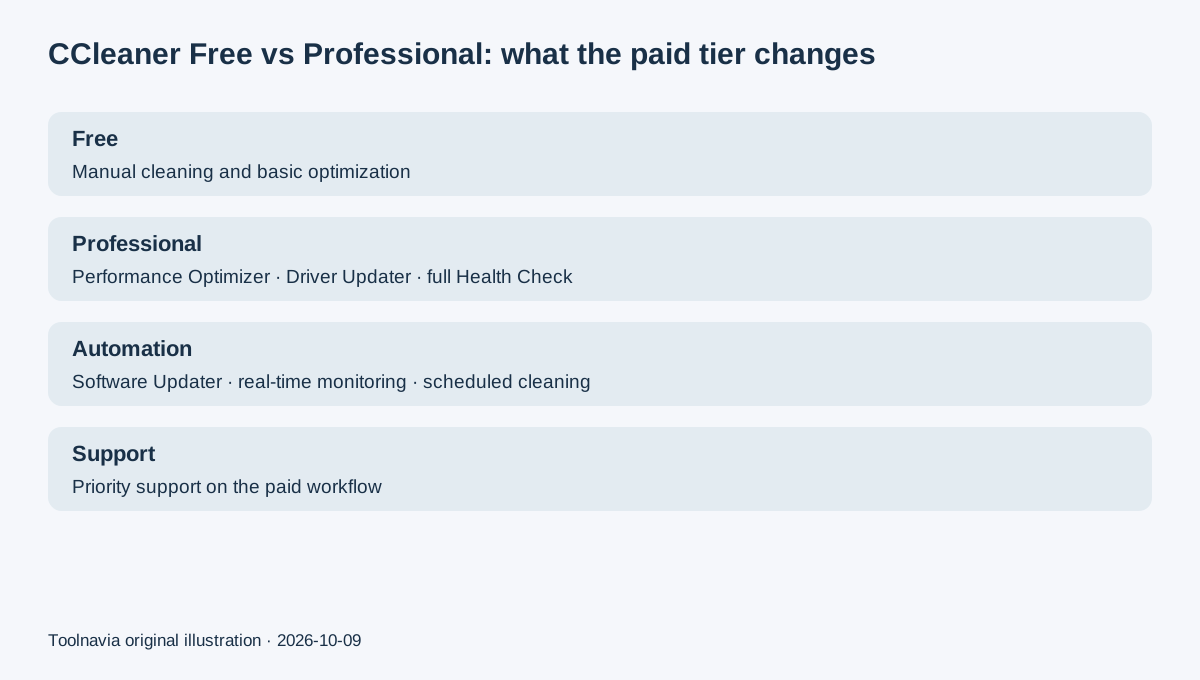
CCleaner Professional is mainly worth paying for when you want maintenance to run automatically instead of remembering to clean and update a Windows PC by hand. The current US page lists Professional at $29.95 for the first year and shows a $44.95/year renewal. CCleaner Free still covers basic manual cleaning, so the upgrade decision should center on automation, Driver Updater, Performance Optimizer, full Health Check, Software Updater, real-time monitoring, and scheduled cleaning.
Free is enough if you only clean manually
CCleaner Free can remove browser/system junk, clear selected privacy traces, and handle basic one-off cleanup. If you are comfortable opening the app yourself and managing software/drivers separately, Free can remain the sensible choice.
Professional adds the maintenance layer: Performance Optimizer can put background apps into a reduced-resource state, Driver Updater checks hardware drivers, full Health Check exposes more speed/security actions, Software Updater can automate application updates, and scheduled cleaning plus real-time monitoring reduce the amount of manual maintenance. These are documented functions, not Toolnavia measurements of how much faster a specific PC becomes.
Four reasons Professional can be worth the upgrade
**Automatic maintenance.** Scheduled cleaning and real-time monitoring matter if cleanup is useful only when it happens consistently. A user who already follows a manual maintenance routine may not gain much from paying for automation.
**Driver and software updating.** Professional includes Driver Updater and Software Updater, which can reduce the number of separate update checks you perform. Updates should still be reviewed on important production PCs before broad deployment; this article does not claim every new driver improves stability.
**Full Health Check and Performance Optimizer.** These paid tools add startup/resource-management and broader maintenance actions beyond the Free workflow. Treat vendor speed claims as marketing unless you test them on your own machine.
**Priority support.** Professional includes priority support, which can matter if the utility is part of a regular maintenance workflow rather than an occasional free cleanup.
$29.95 first year, then $44.95 at the current renewal
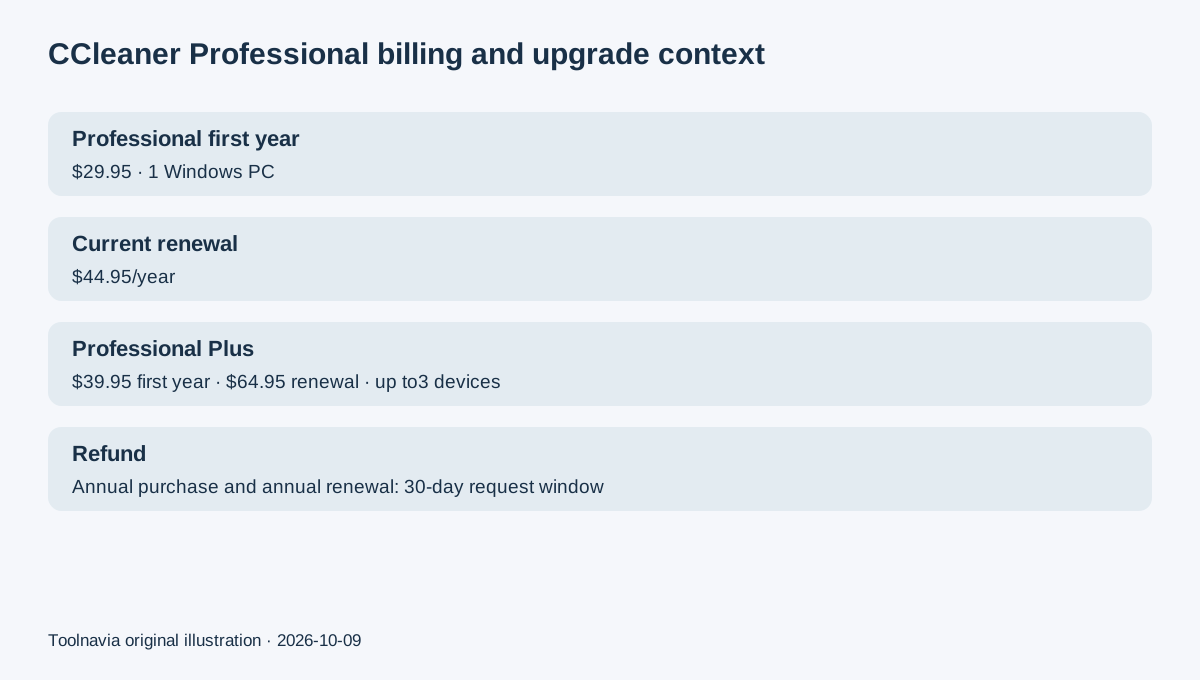
The current CCleaner PC page shows Professional at $29.95 for the first year, equivalent to $2.50/month, and explicitly compares it with the current $44.95/year renewal. The subscription auto-renews unless you turn renewal off. CCleaner's EULA says the company sends advance notice with the next renewal amount, and that renewal prices can differ from the previous period.
That means $44.95 is the current published renewal for this offer, not a lifetime price guarantee. Save your purchase confirmation and review the next billing notice before renewal.
If you need more devices or bundled utilities, Professional Plus is the more relevant upgrade. The current page shows Professional Plus at $39.95 first year and $64.95/year renewal for up to three devices, and the bundle adds Recuva file recovery plus Speccy hardware inventory. Do not pay for Plus only because its name sounds more complete; the extra device scope and bundled tools should solve a real need.
Refund and cancellation are separate controls
CCleaner's current cancellation/refund policy gives direct annual subscriptions a 30-day money-back window after the initial purchase. It also allows a full refund of a subsequent annual renewal if requested within 30 days of that renewal charge. Turning off auto-renewal only stops future billing; the subscription continues through the already-paid term. Third-party store purchases can follow different rules.
That makes a simple check worthwhile: find the subscription portal, note the renewal date, and test the cancellation path before the first year is over. If you want a refund after an eligible charge, submit that request separately.
Market context
Avast Cleanup Premium currently shows $29.88 first year for one Windows PC and a $65.99/year renewal. Glary Utilities Pro currently advertises $19.97/year for up to three PCs with a $19.97 renewal. CleanMyMac is Mac-only and currently costs $39.95/year for one Mac, while Revo Uninstaller Pro starts at $24.95 for a one-PC one-year update subscription with lifetime use of the purchased version. These are price-and-scope references, not performance rankings.
Next step
Use CCleaner Free first on a noncritical Windows PC. If manual cleaning already solves the problem, stay free. If you repeatedly want automatic cleanup, driver/software maintenance, full Health Check, Performance Optimizer, or priority support, Professional has a concrete reason to exist.
CCleaner's official Affiliate Program is open through CJ and advertises up to 35% commission with a 45-day referral window. Toolnavia approval and its actual commission tier are unverified, so affiliate tracking remains disabled.