TOOLNAVIA / BUYING GUIDE
Camtasia Essentials Screen Recorder: When Watermark-Free Editing Pays
The short answer
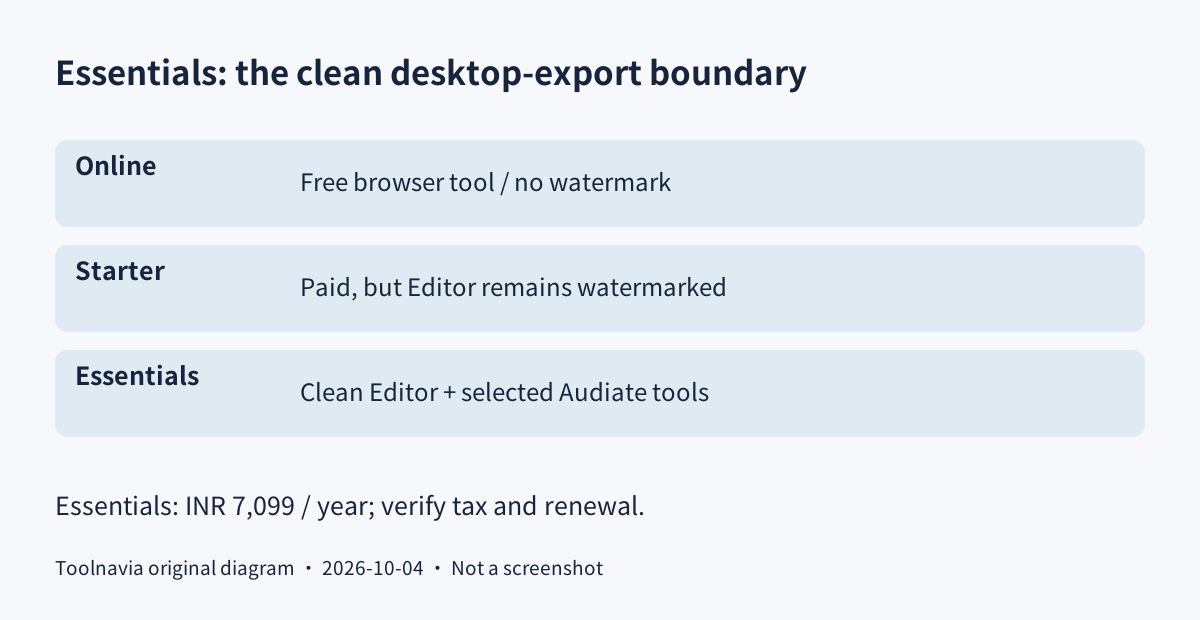
Camtasia Essentials makes sense for repeatable screen-based lessons that need editable narration, cursor guidance and clean desktop-video exports. Do not buy the cheaper Starter plan expecting it to remove the Editor watermark. The official store currently displays ₹7,099 yearly in Indian rupees; this is a regional reference, not a US-dollar quote.
This is an official-document analysis, not a Toolnavia recording or performance test.
At a glance
- Best for
- Recurring screen-first tutorials needing multitrack revisions, cursor guidance, reviewed captions and clean Editor exports.
- Price model
- Observed INR7,099 yearly; tax and renewal unconfirmed
- Check first
- Simple browser clips, transferable team seats, a perpetual-license requirement or buyers needing unverified concurrent activations.
Free Online, free Editor and paid Essentials are different
Camtasia Online is a separate browser recorder advertised as free and watermark-free. It may cover a quick demonstration without a desktop subscription. The desktop Editor's free version has no time limit but watermarks exported videos. Essentials, Create and Pro remove that Editor restriction; paid Starter does not. Test the actual desktop workflow before choosing the license.
Four capabilities for a lesson that needs editing
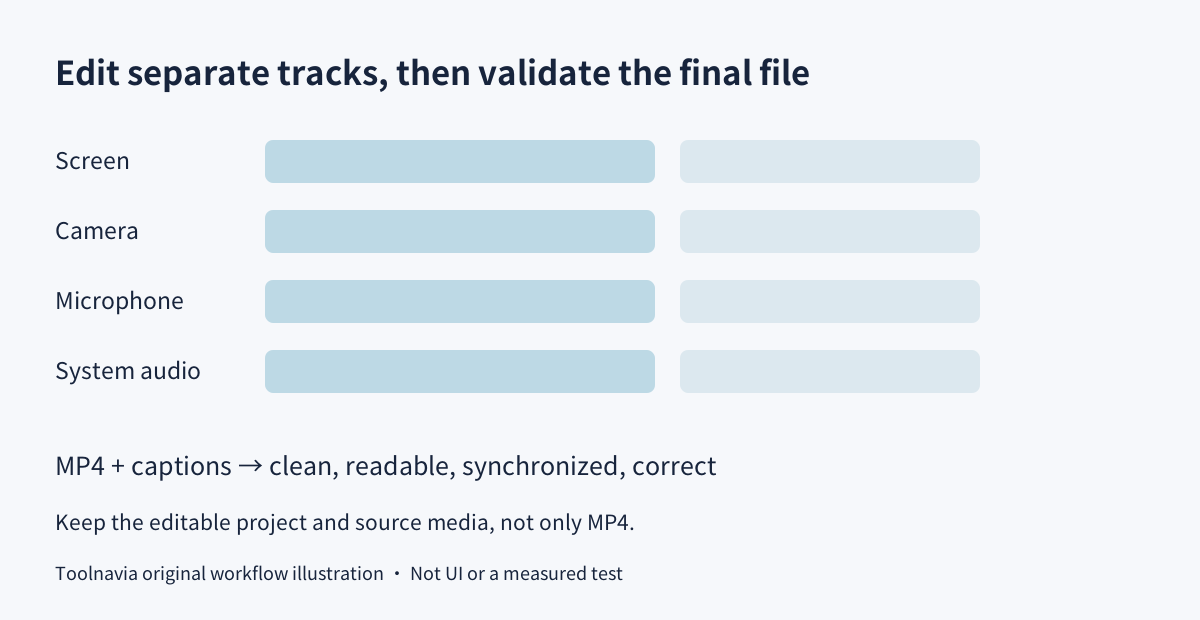
**Separate tracks instead of one flattened recording.** Screen, webcam, microphone and system audio can be captured independently. You can reposition a presenter, trim a spoken mistake or adjust a sound layer without rebuilding everything. After a cut, replay both sides to check lip-sync, narration timing and the on-screen action; separate tracks create control, not automatic correctness.
**Guide attention with the cursor and zoom.** Cursor paths, click emphasis, callouts and zoom help a viewer find a small control. Use them to clarify the action actually demonstrated, not to manufacture a click that did not occur. Check the output at a realistic viewing size so labels remain legible.
**Edit spoken content through text.** Essentials includes selected Audiate functions: transcription, text-based editing, hesitation removal and synchronization with Editor. That is useful for removing a repeated sentence without searching every waveform. Review the transcript and listen to each join: deleting a word can change meaning or cut an essential action. AI-generated scripts and voiceovers are higher-plan features, not automatically part of Essentials.
**Deliver captions with the lesson.** Caption generation and export can support viewers watching without sound. Correct names, numbers and timing manually, then check the caption file in the destination player. Generated captions alone do not prove accuracy or accessibility compliance. Quizzes and SCORM export are also listed, but an interactive lesson needs separate testing inside the intended learning platform.
₹7,099 annually: verify currency, seats and renewal
The observed Individual store shows Essentials at ₹7,099 per year, Create at ₹9,999 and Pro at ₹29,999. Essentials is therefore ₹2,900 below Create at this display. Compare an upgrade only when generated scripts or voices are necessary; two unchanged Essentials payments would total ₹14,198. These calculations are not a tax-inclusive invoice or a renewal promise.
Confirm your checkout's country, currency, tax, full annual charge and next renewal before paying. New Individual plans are subscriptions, not legacy perpetual licenses. Canceling a renewal leaves access for the remaining paid term; export finished deliverables and retain project media before the term ends.
Individual plans are non-transferable and activated by the purchaser's account. The general product FAQ mentions two devices, while the specific Individual license comparison lists one activation. Use the narrower one-active-device assumption and obtain clarification before depending on concurrent use. Teams needing reassignment should use the relevant Business route.
Essentials already includes Snagit, so check existing account or organizational entitlements before buying it separately. Its included Audiate access is selective, not the entire Pro suite. Direct purchases have a 14-day refund window and require uninstalling the software; reseller orders follow the seller's process.
Suggested acceptance test: a one-minute software lesson
Prepare a test account with no customer data and define one visible outcome. Check system requirements, screen-recording permissions, microphone input and available recording space. Capture screen and narration, adding a webcam only when it helps the explanation.
Trim one deliberate false start, add a cursor highlight at the decisive control and review the transcript before removing filler. Export an MP4 and the required captions. These are proposed evaluation steps, not a Toolnavia test result.
Play the files outside Editor. Confirm the paid export has no watermark, the smallest label is readable, narration remains synchronized and the example reaches the promised result. Keep the editable project with its source media; a finished MP4 alone is not an editable project backup.
Choose the smallest plan that solves the delivery problem
Keep the free browser recorder or existing tools for simple clips. Choose Essentials for recurring desktop lessons requiring multitrack revisions and clean exports. A higher tier is justified by a named missing feature, not by the number of AI labels. TechSmith's cash affiliate applications are open, but Toolnavia approval is unverified and tracking remains disabled.