TOOLNAVIA / BUYING GUIDE
AOMEI FoneBackup Professional for Local iPhone Backup: Annual Renewal or Lifetime License?
The short answer
At a glance
- Best for
- Windows households that want selective local iPhone backup and transfer across several PCs.
- Price model
- Official surfaces: $35.95/$39.95 yearly and $53.95/$59.95 lifetime; verify checkout and tax
- Check first
- Windows-first; official price surfaces conflict; annual cancellation path is undocumented; encrypted health, keychain and app data need an Apple recovery path.
Verdict
AOMEI FoneBackup Professional is a practical buy for Windows households that want local, selective iPhone backups and transfers across several PCs. It is less compelling if you need Mac support, prefer Apple's own workflow, or have not tested a restore. Choose the annual plan when your need may be temporary; choose lifetime only after the free edition proves that the data types and restore path you care about work on your devices.
Four jobs the paid plan handles
Keep selected data on storage you control
FoneBackup can keep photos, videos, contacts, messages and music on storage you control rather than forcing every task through a cloud subscription. Selective backup is useful when you want an accessible photo archive or a restorable contact set without copying everything.
Combine backup with selective transfer
The software combines backup with transfer. AOMEI describes PC-to-iPhone, iPhone-to-PC and iPhone-to-iPhone workflows, with previews and item selection. That can save time when you are replacing a phone but do not want a blind, all-or-nothing migration.
Verify iCloud and WhatsApp workflows
The same interface includes iCloud data management and WhatsApp transfer or backup features. Treat those as workflows to verify, not promises that every app record will move perfectly. Make a test backup and restore before erasing or trading in the old phone.
Cover a multi-PC household
Both personal Pro plans cover unlimited mobile devices on up to five PCs. That is unusually generous for a household with multiple Windows computers. By comparison, AnyTrans prices its ordinary plans for one computer, while MobileTrans lists one PC and up to five mobile devices. iMazing uses a subscription tied to device slots. Other same-category license and store pages reinforce that device limits and purchase terms vary by vendor.
Annual versus lifetime cost
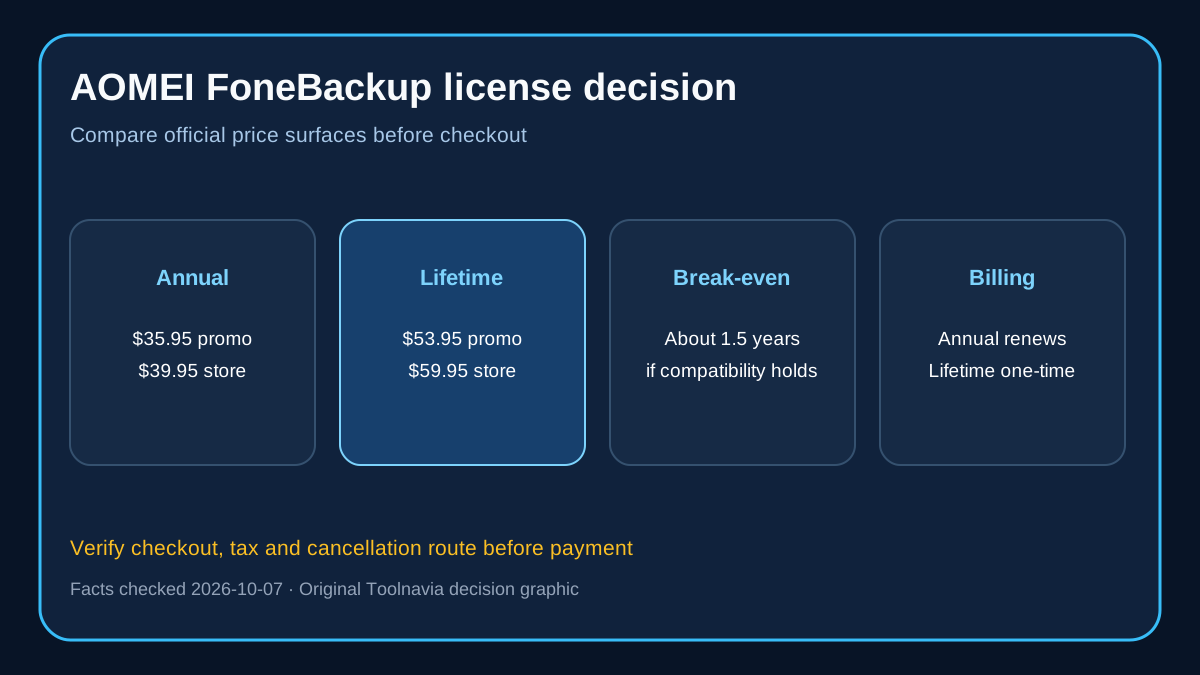
The official FoneBackup plan page showed a promotional $35.95 yearly price and $53.95 lifetime price when checked on October 7, 2026. The general AOMEI store simultaneously showed $39.95 yearly and $59.95 lifetime. Those are different official surfaces, so the safe purchase rule is to treat $39.95 and $59.95 as reference prices and verify the final checkout.
At either pair of prices, lifetime costs about one and a half annual payments. The arithmetic favors lifetime if you expect to use the product for more than roughly 18 months. The non-price risk is compatibility: a perpetual license is only valuable if the software continues to support your Windows and iOS setup.
The yearly plan renews automatically until canceled. AOMEI says subscriptions can be canceled, but the FoneBackup page does not document the exact account or payment-provider steps. Set a reminder before renewal and keep the order email. The lifetime plan is described as a one-time payment with lifetime upgrades.
Refunds, taxes and checkout boundaries
AOMEI advertises a 90-day unconditional money-back guarantee and instant license delivery. Its sales FAQ says tax or VAT may be added after you enter billing details, so the displayed page price may not be the final charge. Preserve the checkout receipt and confirm that the order summary says yearly or lifetime before paying.
Important limits
FoneBackup is primarily a Windows desktop tool. The mobile companion app is not a full substitute for the PC software, and user reviews on Apple's App Store describe limitations when it is used alone. The open cash-paying affiliate route and partner sale prove commercial eligibility, not Toolnavia approval, so tracked links remain hidden. A local backup is also not protection against drive failure unless you copy that backup to another disk or another secure location.
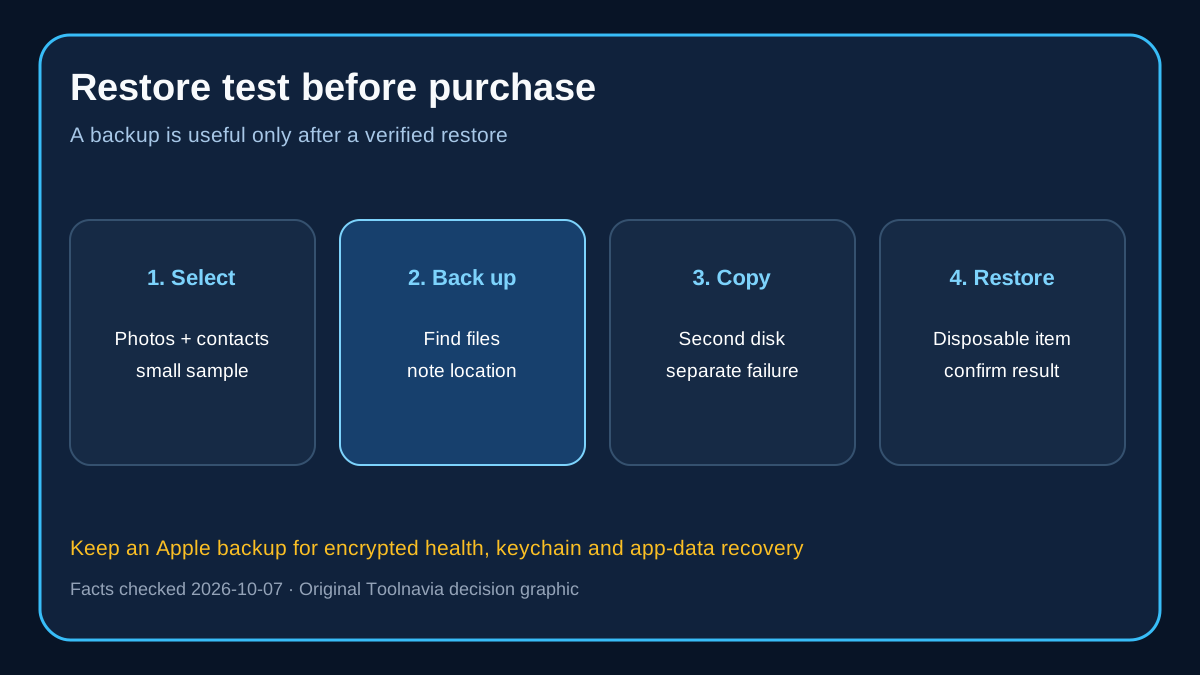
Do not assume that every iPhone data type is exported in an ordinary, browsable format. AOMEI's page lists supported categories, but backup, transfer and full-device migration are different jobs. If encrypted health, keychain or app data matters, keep an Apple backup as a second recovery path.
Next step
Install the free edition first. Back up a small set of photos and contacts, locate the backup on disk, and restore a disposable item. Then test the transfer workflow you actually need. If those checks pass and you expect more than 18 months of use, the lifetime plan is the better value; otherwise start with annual and record the renewal date.