TOOLNAVIA / BUYING GUIDE
FastRecovery: Lost Partition or Deleted Files?
The short answer
Buy FastRecovery for a defined recovery task, not because a disk disappeared from File Explorer. Deleted files inside a recognized volume, a lost partition and a RAW volume are different states. Identify the affected disk before choosing a scan; a deeper file search is not automatically permission to restore partition structure. No recovery operation was performed for this guide.
At a glance
- Best for
- Logical recovery after distinguishing existing volume,file loss and partition structure.
- Price model
- Professional has monthly/yearly renewing and one-time Lifetime options;verify current exact order.
- Check first
- Mode/version matters;partition recovery changes structure;physical faults require specialist assessment.
Classify the disk before choosing a button
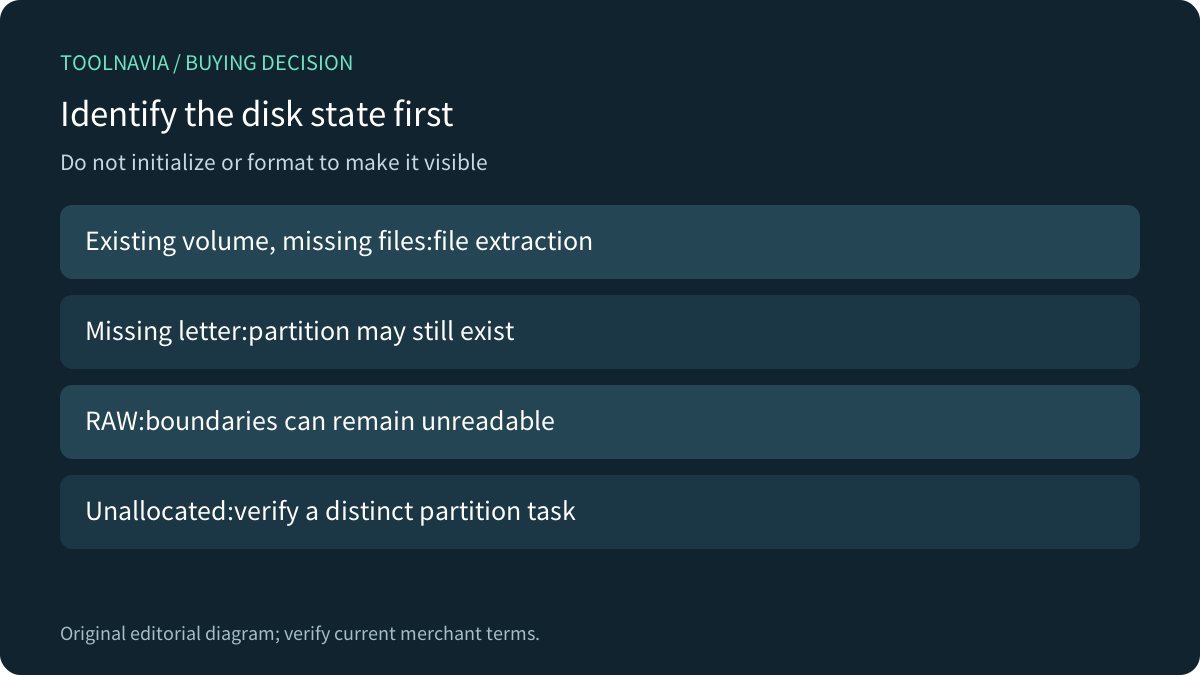
AOMEI's current partition guide distinguishes unallocated space, a recognized volume without a drive letter, an existing RAW volume and an unstable or missing disk. A missing letter can leave the original partition present. RAW means Windows cannot read a usable file system; it does not prove the partition boundaries are gone.
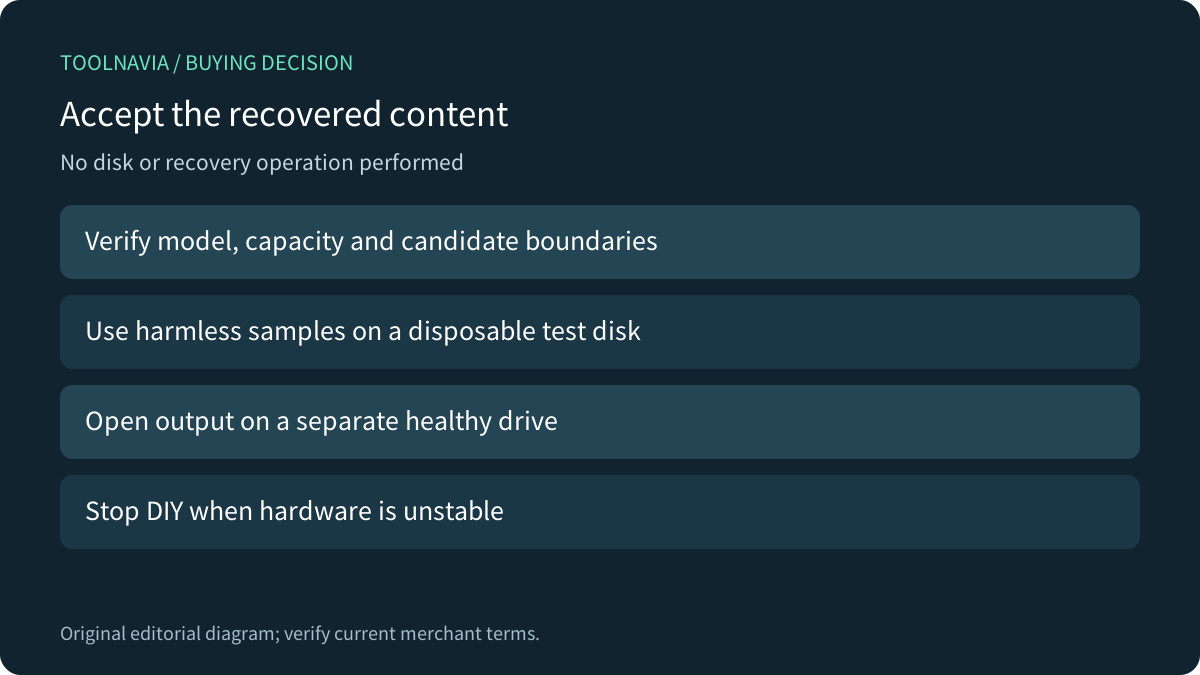
Record the physical disk's model, capacity and displayed layout without initializing or formatting it. Do not create a replacement volume simply to make a drive letter reappear. If the disk repeatedly disconnects, makes unusual noises or develops persistent read errors, pause DIY recovery and seek an appropriate specialist assessment. Scanning software does not repair physical damage.

Separate file scanning from partition restoration
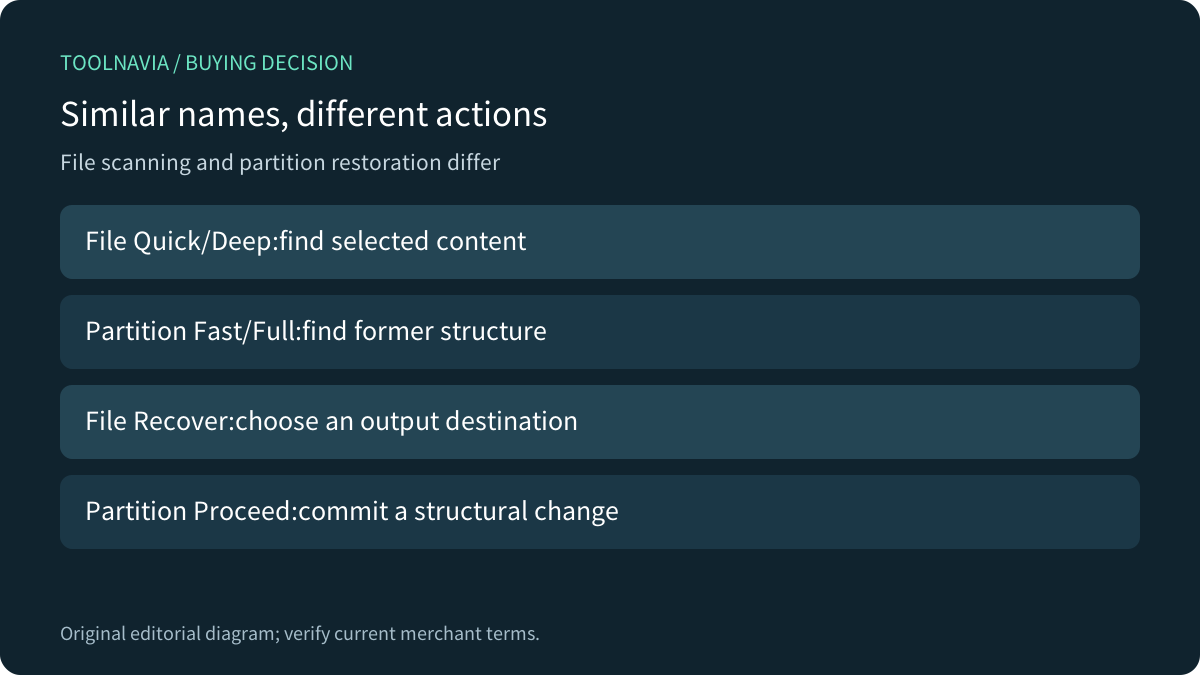
FastRecovery's scan guide describes Hard Drive Recovery for existing partitions and file paths, USB/SD Card Recovery and Partition Lost Recovery for extracting files. A separately documented Partition Recovery feature searches for a former partition and can restore access to the volume. Similar names do not establish identical actions.
File recovery selects found content and an output folder. Partition recovery eventually commits a structural change to the selected disk. Before any such commit, verify the physical disk and candidate boundaries; do not treat a search result as authorization to press Proceed on an irreplaceable original.
Read the version history beside the older FAQ
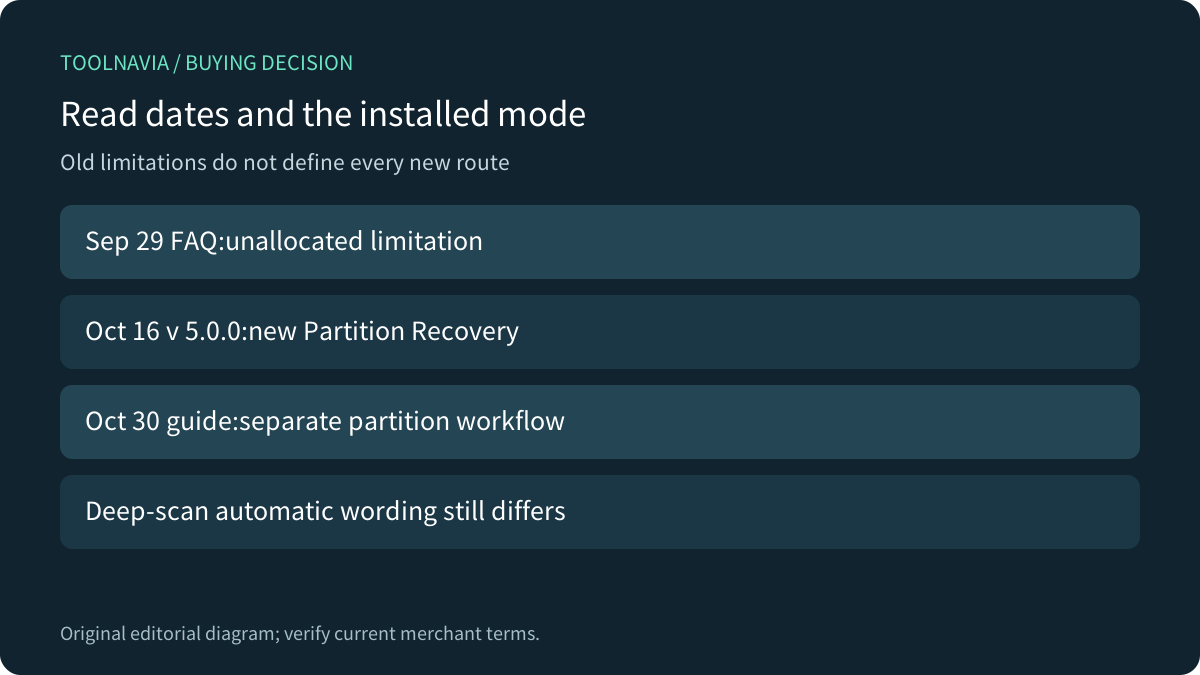
The September 29,2026 FAQ says recovery from unallocated space is unsupported in its described file-recovery workflow. The changelog records a new Partition Recovery feature in version 5.0.0 on October 16, and the October 30 scenario guide documents that route. The dates explain why an older limitation cannot safely describe every newer mode.
This is not proof that any unallocated region is recoverable. Confirm the installed version, available mode, license and actual disk state before paying. The partition guide uses Fast Search followed, if necessary, by Full Search; these names should not be confused with a file-recovery screen's Quick Scan and Deep Scan.

Confirm how this screen starts a deeper scan
The main scan instructions say Hard Drive Recovery starts a quick scan and allows a manual Deep Scan afterward, while USB/SD and Partition Lost Recovery start deep scanning. The same page's FAQ says a deeper scan follows automatically; the separate technical FAQ describes clicking it manually. The current wording is inconsistent.
Use the actual installed screen and status rather than assuming automatic escalation. Choose the correct target first, then use only the supported next step. A longer sector search can locate additional content, but it cannot guarantee original names, paths or intact files.
Inspect results before changing structure
For partition candidates, the official scenario guide asks you to compare file system, capacity, start and end sectors, and partition type. For file results, FastRecovery offers Type/Path views, search and filters, and preview before recovery. Confirm representative content rather than relying on a plausible label.
A visible restored volume is not proof that every file survived. Conversely, a signature-recovered file with a generic name may still contain useful content. Open representative recovered documents, images and archives from a separate healthy physical drive before deciding the result meets the task.

Compare what other recovery products actually promise
EaseUS separates local-disk, missing-path and reconstructed file results and also documents lost-partition rescue. Its workflow and eligibility checks belong to EaseUS, not to the FastRecovery license.
Disk Drill explains that metadata-based scanning can preserve names and paths, while signature recovery may return generic names when metadata is unavailable. Ontrack lists lost-partition, RAW and imaging capabilities separately across its product comparison. Those distinctions make feature-by-feature mode and edition checks more useful than a universal recovery percentage.
Make the purchase conditional on the right task
Professional is the exact one-computer offer considered here. Its store distinguishes automatically renewing monthly/yearly terms from one-time Lifetime. Confirm the current selected term, OS compatibility, tax and license before payment;paying does not improve damaged source data.
On an authorized disposable test disk, record the original layout and known sample files, then rehearse only the relevant mode. Verify the resulting files independently. For a real incident, preserve the source and use expert assistance when structural uncertainty or data value makes experimentation inappropriate.

Choose file recovery for a verified extraction task;consider partition restoration only when its distinct scope and candidate have been established. Then [review the current FastRecovery Professional offer](https://www.jdoqocy.com/click-101895278-17232584). Toolnavia may earn commission from eligible purchases. No disk scan, partition change, file recovery or purchase was carried out here.