TOOLNAVIA / BUYING GUIDE
AOMEI FastRecovery 5.0.1: Can a USB Scan Resume After Disconnect?
The short answer
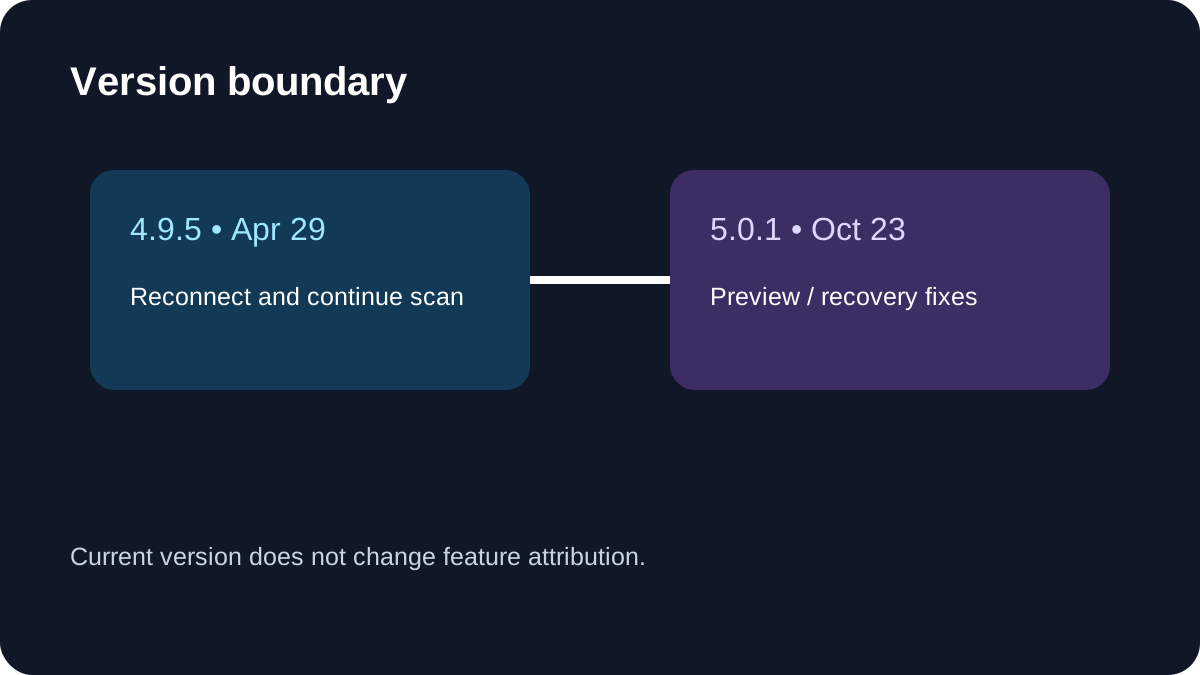
AOMEI FastRecovery 5.0.1 is unusual in one narrow but useful way: AOMEI says that if a device is accidentally disconnected during a scan, reconnecting it can let the scan continue from the interruption point instead of restarting. The vendor introduced that behavior in version 4.9.5; the current 5.0.1 release adds separate preview and recovery fixes, so do not describe reconnect-resume as a new 5.0.1 feature.
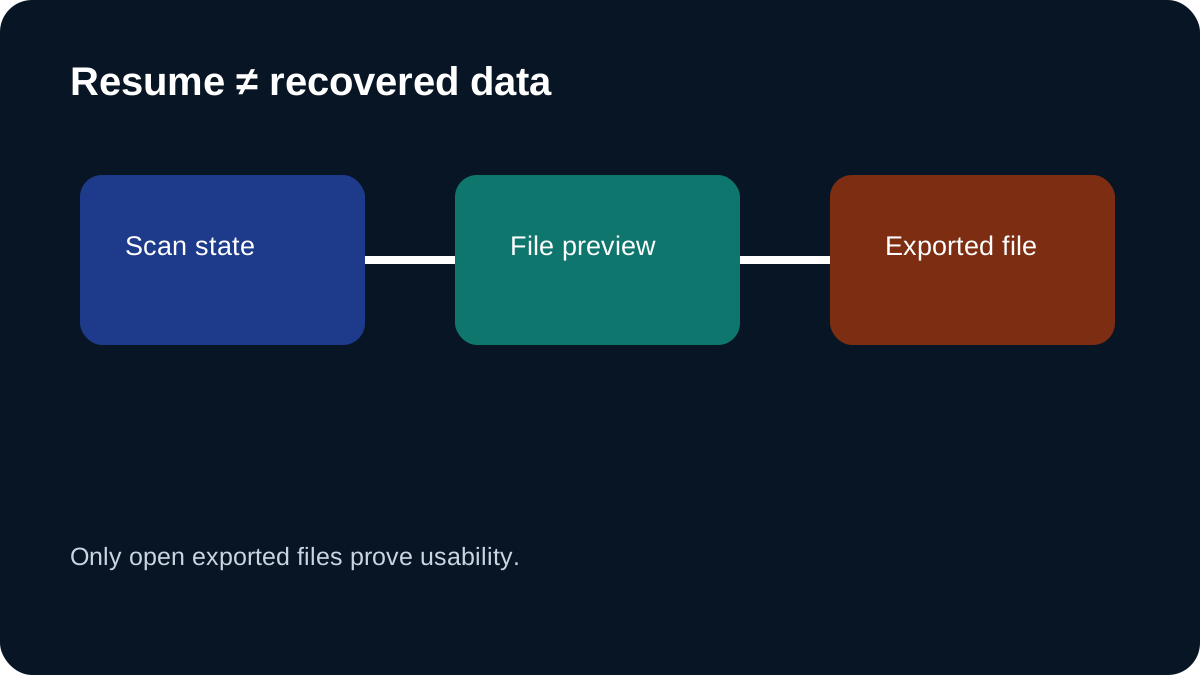
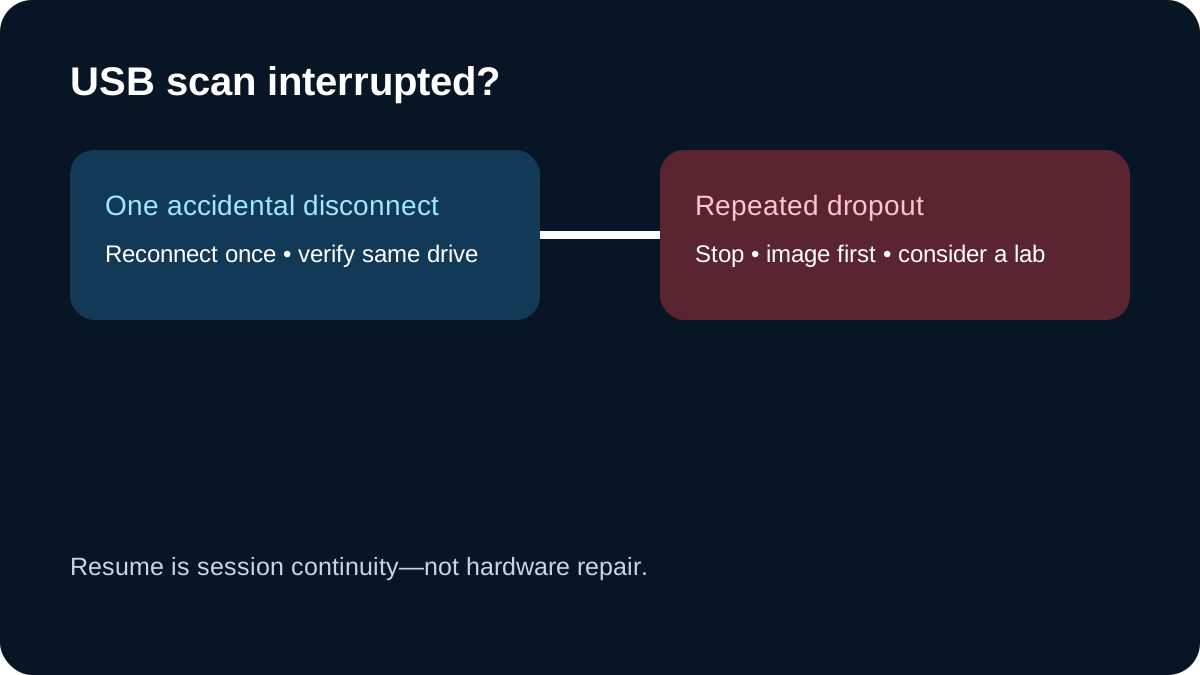
That feature can save hours on a healthy USB drive or SD card after a one-off cable slip. It is not permission to unplug a drive deliberately, proof that recovered files are intact, or a remedy for hardware that repeatedly disappears. If the device clicks, drops offline again, reports the wrong capacity, or is physically damaged, stop scanning the original and move to an image-first or professional-recovery workflow.
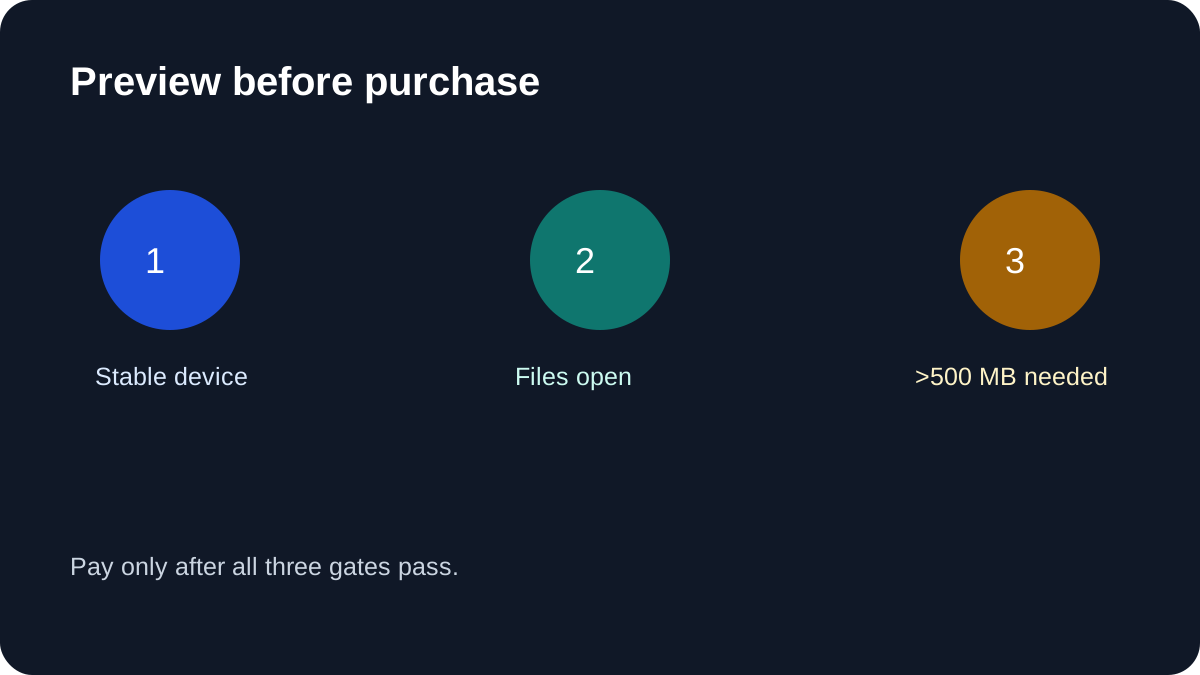
The purchase decision should therefore be preview-first. FastRecovery Free can scan supported storage, preview files and recover up to 500 MB; the public comparison does not separately say that accidental-disconnect resume is Pro-only. Test detection and previews without assuming a paid entitlement. Pay only when intact previews exceed the free allowance or you need an explicitly listed paid capability.
At a glance
- Best for
- Stable removable storage with previews over Free 500MB
- Price model
- Official US display $39.95 monthly, $59.95 yearly, $69.95 lifetime; monthly and annual renew; cart tax/device rights not verified
- Check first
- No guaranteed resume after reconnection, no hardware repairs or verified invoice
What AOMEI actually promises
AOMEI's version history says the 4.9.5 scanner can continue after an accidental device disconnect once the device is reconnected. Its current scan guide says USB/SD Card Recovery uses a deep scan by default and warns not to interrupt unless necessary. These statements are compatible: the reconnect behavior is a recovery path for an accident, while the normal operating advice is to keep the device stable.
The wording does not promise that Windows will remount the same physical device under the same identity, that every file-system state will survive, or that every interrupted scan will resume. It also does not say that reconnecting repairs a bad cable, power problem, controller fault or damaged flash media. Treat the feature as session continuity, not storage repair.
AOMEI's current page identifies version 5.0.1 as the public release. The 5.0.1 notes improve preview and recovery and fix occasional unreadable recovered files and scan-interface freezes. Those are useful current-version facts, but they do not expand the 4.9.5 reconnect statement into a recovery guarantee.
Safe test: use disposable media, never valuable originals
Do not validate this feature by pulling a cable from the only copy of valuable data. If you want to learn the interface before an emergency, use a spare USB stick containing copied, non-sensitive test files. Confirm that the test device is expendable, run a scan, and observe the normal pause, preview and destination workflow without stressing the storage.
If an accidental disconnect has already happened on a valuable drive:
1. Stop writing to the source device. Do not run CHKDSK, format it, initialize it or copy new files onto it. 2. Check power, cable and port stability before reconnecting. One accidental slip is different from repeated dropout. 3. Reconnect once and verify that Windows reports the expected capacity and partition before accepting a resumed session. 4. Let FastRecovery identify the same source and continue only if the device remains stable. 5. Preview several high-value files, not only filenames or thumbnails. 6. Recover to a different healthy drive, then open the exported files with their native applications. 7. If the source disconnects again, stop. Repeated reads can turn a marginal device into a worse case.
AOMEI's technical FAQ says physically damaged disks cannot be recovered by software alone. Its help also says the recovery destination should be selected after preview; use another healthy device so new writes do not overwrite recoverable sectors.
Resume is not one universal feature
Competitors illustrate why the wording matters. EaseUS says an involuntary interruption caused by power loss or a crash requires a new scan, even though manually stopped or completed sessions can be saved. Disk Drill supports saved sessions and pause/resume, but warns that the original device is still required and changed media can make old scan data stale. R-Studio and similar tools save scan information so unscanned regions can be continued; the scan file is metadata, not recovered user data.
AOMEI's claim is narrower and more automatic: accidental disconnect, reconnect, then continue. That is a meaningful convenience if it works with your device, but it should not be generalized into cross-machine session portability, protection from power loss, or safe handling of a failing disk.
Free versus Professional: what is known
The official download page says Free can scan storage, preview files and recover up to 500 MB, while Professional removes the recovery-capacity limit and adds advanced paid capabilities. The public table does not separately list “resume after accidental disconnect” as a Pro-only item. Because the reconnect statement appears in the product-wide changelog rather than a plan row, this article does not claim that paying is required to resume.
Use the free edition to answer three questions: does the device remain detected, do previews open correctly, and are the needed files small enough for the allowance? If any answer is no, buying a larger recovery limit does not fix the underlying problem. If previews are intact and the needed volume exceeds 500 MB, Professional becomes the relevant paid decision.
The current US store lists Professional for one computer at $39.95 monthly, $59.95 yearly or $69.95 lifetime. Monthly and yearly renew automatically; lifetime is a one-time fee with lifetime upgrades. Prices, tax and eligibility can change, so the live checkout controls. This article's purchase recommendation is about recovery volume and repeat use, not paying for reconnect-resume itself.
When to stop and image the drive
A one-time accidental disconnect on a healthy removable device is the intended edge case. Repeated disconnects, abnormal noises, extremely slow reads, SMART warnings or a drive that changes capacity point to a hardware path. In those cases, sector-level imaging with retry controls—or a professional lab for irreplaceable data—is safer than repeatedly deep-scanning the original.
Independent guidance from recovery vendors often recommends saving scan metadata or working from a byte-for-byte image to reduce rescans. That does not prove a specific AOMEI limitation; it is a risk-control principle. The more valuable the data, the less the decision should depend on a convenience feature.
Buying checklist
Choose FastRecovery Professional only when all of these are true:
- the device is stable enough to scan; - the free scan finds the correct folders; - several representative files preview correctly; - recovery will be written to another healthy drive; - the needed data exceeds the free allowance or another paid feature is required; - the final checkout term, renewal and tax are acceptable.
Do not buy merely because a scan resumed. A resumed scan can still find corrupt files, and a paid license cannot repair physical media.
Bottom line
AOMEI's accidental-disconnect continuation is a credible time-saving feature with a clear version-history statement. Its value is avoiding a repeat scan after a one-off disconnect—not making risky media safe. Keep the source stable, treat repeated dropout as a stop signal, preview before paying and recover elsewhere. If the free workflow proves the files are intact and the amount exceeds 500 MB, Professional is a reasonable next step; otherwise, the safest decision may be no purchase at all.
Affiliate disclosure: Toolnavia may earn a commission if you purchase through the approved AOMEI link. This does not change the price or the safety boundaries above.