TOOLNAVIA / BUYING GUIDE
AOMEI Cyber Backup Immutability: Is an S3 Archive Enough?
The short answer
At a glance
- Best for
- Teams able to obtain repository-specific immutability confirmation, separate credentials, run a privileged delete test, and prove an isolated clean restore.
- Price model
- Current canonical page checked 2026-11-11 shows a five-VM minimum with dynamic purchase controls; live checkout governs.
- Check first
- Offsite S3 and a marketing phrase do not prove storage-enforced retention, bypass resistance or clean recovery.
Verdict: an S3 archive is offsite, not automatically immutable
AOMEI Cyber Backup can remain on a shortlist for centralized VM protection, and AOMEI’s current product pages explicitly promote AWS S3 archive copies and an “immutable backup” capability. Those are useful signals, but they do not answer the decisive ransomware question: **can an attacker who has stolen the backup-console or storage credentials delete, overwrite, or shorten retention for every usable recovery point?**
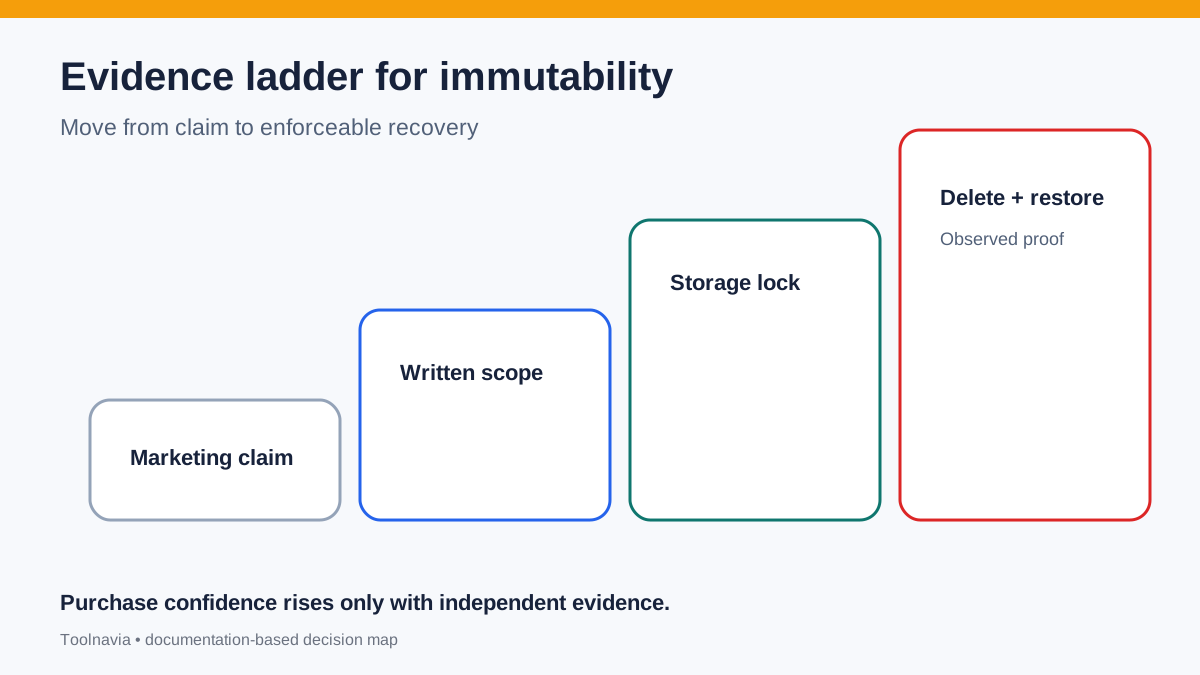
The current AOMEI Backup Archive help page explains how to add Amazon S3 credentials, upload backups after local or NAS protection, manage archive tasks, and restore from an exported JSON source. In the page reviewed on 11 November 2026, it did not document S3 Object Lock, WORM mode, Governance versus Compliance mode, an irreversible retention lock, or a privileged-delete test. That is a public-documentation gap, not proof that AOMEI cannot work with locked storage. Buy only after AOMEI identifies the exact repository path and version that enforce immutability, and after your own compromised-admin test and isolated restore succeed.
*Affiliate disclosure: Toolnavia may earn a commission if you purchase through the AOMEI link in this article, at no additional cost to you. Our verdict remains conditional on storage-enforcement evidence and a successful recovery drill.*

Separate four controls before you compare products
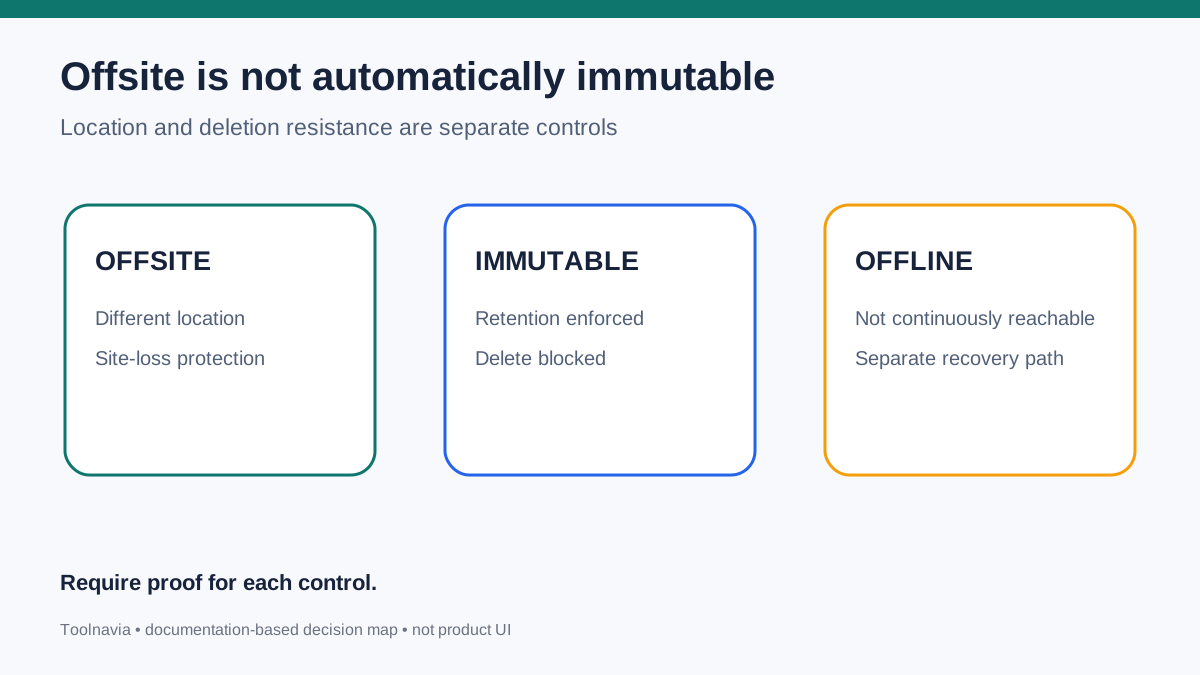
**Offsite** means the copy is outside the primary failure location. It can protect against a site outage, storage-array loss, or local disaster. It does not say who can delete it.
**Immutable** means protected recovery-point data cannot be changed or deleted for a defined period under the proven threat model. AWS describes S3 Object Lock as write-once-read-many protection applied to object versions, and requires versioning. An ordinary S3 bucket is not automatically immutable merely because it is remote.
**Offline or isolated** means the copy is not continuously reachable with the same credentials or control plane. Microsoft distinguishes online immutable storage from fully offline/offsite storage and recommends regular business-continuity and disaster-recovery exercises. CISA likewise advises offline encrypted backups and testing because ransomware attempts to find and delete accessible backups.
**Recoverable** means the team has restored a known-clean point, checked application integrity, and measured the time and data loss. A locked but unreadable, incomplete, or operationally inaccessible copy is not a recovery outcome.
This four-part model keeps the AOMEI buying decision honest. S3 archive supports geographic and platform separation. Immutability requires storage-enforced proof. Isolation limits shared-control-plane exposure. Recovery testing proves the final result.
Translate “immutable backup” into a written contract
AOMEI’s enterprise pages use the immutable-backup phrase and connect Cyber Backup with anti-ransomware controls. Treat the phrase as the start of due diligence. Ask AOMEI support to answer, in writing, for the exact Cyber Backup version and storage path you intend to buy:
- Which repository or archive targets support immutability? - Is the lock enforced by AOMEI, by AWS S3 Object Lock, or by both? - Are all archived object versions locked, including metadata needed for restore? - Is S3 versioning required and verified by the product? - Which retention mode is used, and who can bypass or shorten it? - What happens when the archive task targets a bucket without the required lock? - Can a stolen AOMEI administrator delete the local copy, archive task, catalog, credentials, and remote objects? - Which audit record proves that a recovery point stayed protected until its retention date?
AWS’s distinction matters. In Governance mode, a principal with special bypass permission can override retention. In Compliance mode, the protected object version cannot be deleted or have its retention shortened even by the account root user during the retention period. Do not reduce those two modes to a generic “Object Lock is enabled” checkbox.
The current AOMEI archive help explains credentials, upload, archive management, and restore mechanics. It does not publicly settle the questions above. Competitor documentation from Veeam and NAKIVO is useful only as a benchmark for the level of detail a buyer should seek: explicit immutability periods, supported repository types, retention interaction, and storage-side enforcement. It does not establish that AOMEI behaves the same way.

Run the compromised-admin delete test
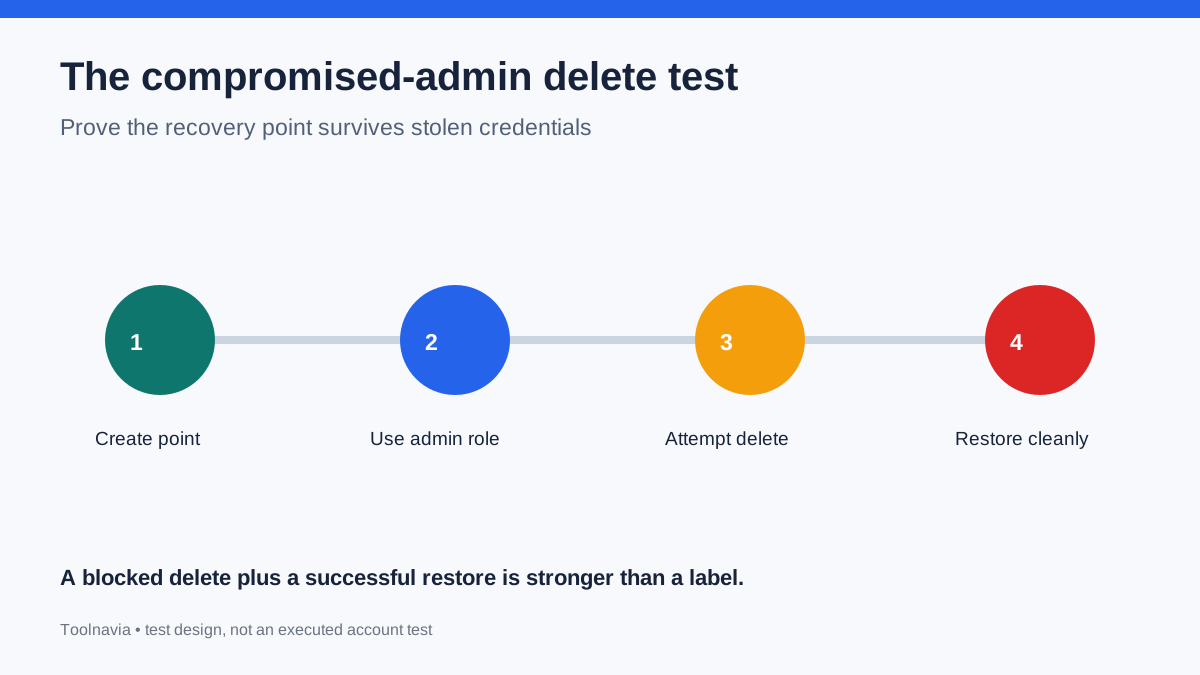
A ransomware-resilient design should assume that the attacker may obtain an administrator session, not merely write malware files to a protected VM. Build a non-production proof with a representative AOMEI backup, local or NAS copy, and S3 archive. Record the Cyber Backup version, repository configuration, bucket versioning, Object Lock mode, retention date, IAM policy, and credential ownership.
Create a recovery point and confirm that its remote objects and required catalog metadata have the expected retention. Then use the strongest role that an attacker could realistically steal and attempt, without weakening controls:
1. Delete the backup from the AOMEI console. 2. Delete the archive task or destination. 3. Delete the current S3 object version. 4. Shorten or remove its retention. 5. Add a delete marker and confirm the restore path still locates the protected version. 6. Rotate or revoke normal backup credentials and verify a separate recovery role can still read the required objects. 7. Export and protect any JSON or catalog artifact that the documented restore workflow requires.
The expected result is not simply “delete failed.” You need a durable denial record, a protected object version that remains readable, and a restoration path that does not depend on the same compromised identity. If a Governance bypass permission exists, document who holds it, how it is monitored, and why the backup-console identity cannot use it.
Repeat the test after an upgrade or storage-policy change. Also verify that retention expiration behaves as designed; indefinite retention may create cost and compliance problems, while a period shorter than the incident-detection window creates recovery risk.
Prove a clean restore, not just undeletable objects
Immutability preserves bits; it does not certify that those bits are clean. Ransomware can remain dormant before encryption, credentials may already be compromised, and application corruption can predate the visible incident. Define a known-clean selection procedure and keep multiple recovery points across the detection window.
Restore into an isolated network with no route back to production. Use a recovery identity separate from daily backup administration. Verify:
- the required AOMEI catalog or JSON source is available and trusted; - the selected recovery point predates confirmed compromise indicators; - virtual machines or files restore without requiring the compromised control plane; - operating-system and application integrity checks pass; - malware scanning and incident-response review are complete before reconnecting; - measured recovery time and recovered-data age meet the stated RTO and RPO.
Microsoft and CISA both connect backup resilience with regular exercises, not merely storage configuration. Record recovery-point identifiers, retention dates, denial events, checksums, application validation, elapsed time, and approver. That record turns a marketing promise into an operational control.

Price the control stack, not only the VM licenses
The exact approved catalog match is AOMEI Cyber Backup’s Yearly Customized VM offer. The current canonical page was opened directly and still showed a five-VM minimum with dynamic quantity and purchase controls. Because payable totals, promotions, taxes, and conditions can change in the live flow, this article does not publish a fixed total or claim a coupon.
Budget separately for AOMEI licensing, primary backup and S3 storage, Object Lock/versioning retention and egress, plus separate credentials, monitoring, evidence retention, and recovery drills. A cheaper archive that every backup administrator can erase is not equivalent to a more defensible immutable design. An expensive retention policy that has never been restored is not proven recovery. Compare the annual cost of a tested, deletion-resistant recovery path.
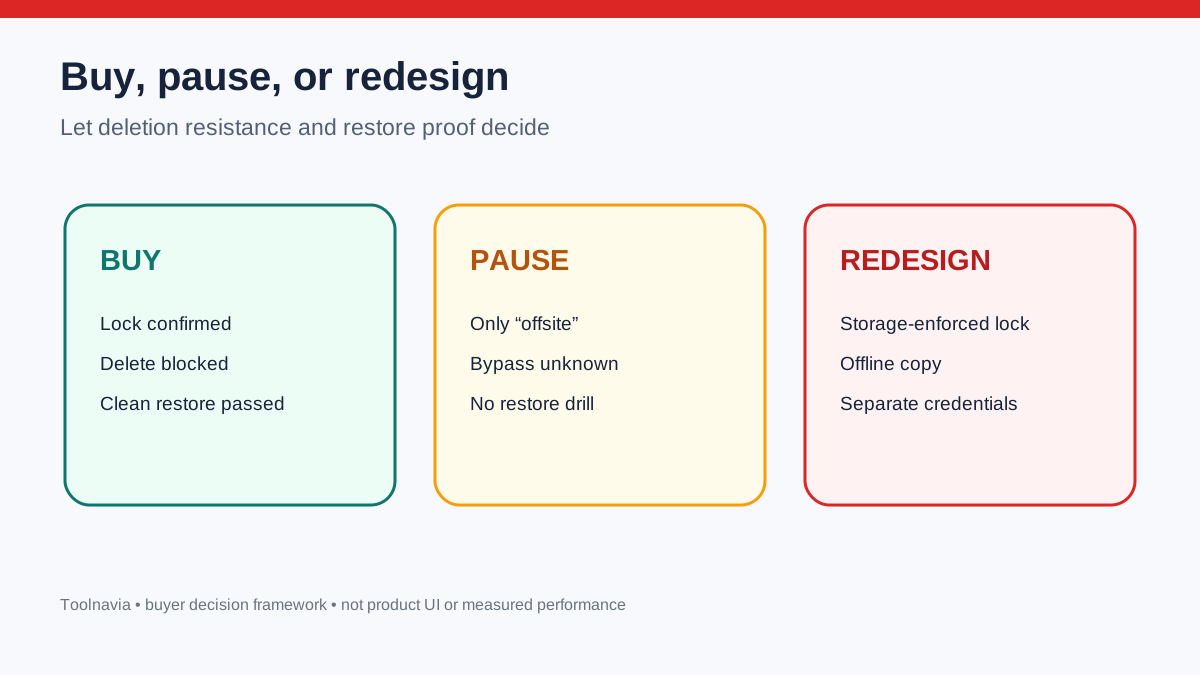
Buy, pause, or redesign
**Buy or shortlist** when AOMEI confirms the exact immutable repository path and supported version; archived object versions and required metadata are storage-enforced for the intended retention; compromised console credentials cannot shorten or bypass that retention; and an isolated clean restore passes.
**Pause** when the evidence is limited to “cloud,” “offsite,” “access control,” or the immutable marketing phrase. Pause if support cannot identify the lock owner, bypass permissions, retention mode, or restore dependency. These omissions do not prove the product lacks the capability, but they prevent a defensible buying decision.
**Redesign** when the present archive path cannot demonstrate deletion resistance. You may keep AOMEI for centralized backup while placing a copy in a storage-enforced Object Lock or immutable-vault design, or adding a truly offline copy. Azure’s immutable-vault model illustrates why enabled and locked states, destructive-operation restrictions, and irreversible controls must be explicit. Use it as a control comparison, not as an assumption about AOMEI.
The purchase gate is simple: offsite location reduces site risk; immutable enforcement reduces privileged-deletion risk; isolation reduces shared-credential risk; restore evidence proves recovery. Require all four for a ransomware recovery claim.

Sources
AOMEI current offer. AOMEI enterprise backup. AOMEI free enterprise backup. AOMEI Backup Archive help. AOMEI Help Center. AOMEI changelog. AWS S3 Object Lock. Veeam immutability. NAKIVO immutability. Microsoft ransomware guidance. CISA/MS-ISAC guide. Azure immutable vault.