TOOLNAVIA / BUYING GUIDE
WPX Business Site Transfer: Who Owns the Site After a Sale?
The short answer
At a glance
- Best for
- A buyer and seller who need a documented WPX site handoff and clear destination responsibility.
- Price model
- Observed regular monthly display $29.99; five-year prepayment $1,199.60 before tax. Live checkout and renewal terms control.
- Check first
- Support-mediated and case-specific; destination capacity, DNS, email, billing and any fee must be confirmed. Up to 72 hours is not a guarantee.
The decision in one minute
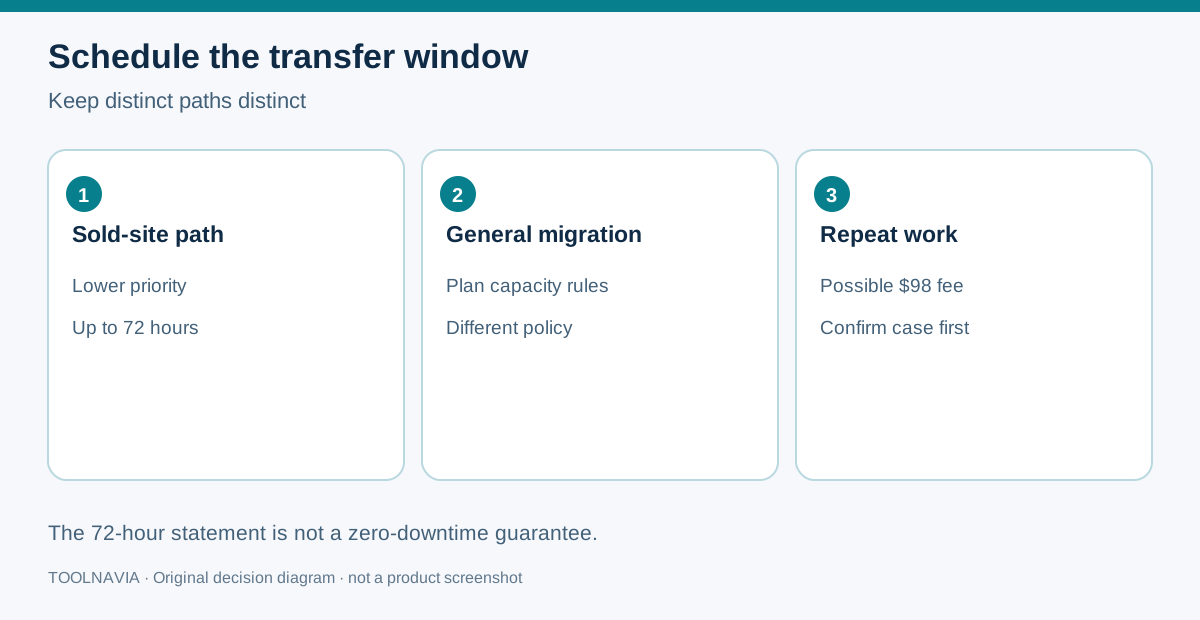
If a client has only hired a developer, use a WPX contact role. If the client has bought the website and should control the hosting relationship, request a sold-site transfer instead. WPX's sold-site guide requires the seller and buyer to confirm the move, warns that edits made during the operation may not be copied, and says this lower-priority request may take up to 72 hours. That is a support window, not a zero-downtime guarantee or a promise that every request takes exactly three days.
A clean handoff therefore has four independent decisions: who owns the destination account, whether that account has a suitable active plan and free site slot, who controls the domain and DNS, and when editors stop making changes. Do not solve an ownership sale by sharing the seller's password. Do not treat a collaborator role as proof that billing or ownership changed.
> Affiliate disclosure: Toolnavia may earn a commission if you buy WPX through the verified link in this guide. The price to you is not increased by that disclosure. No Toolnavia coupon code is claimed here.
Ownership transfer is not collaborator access
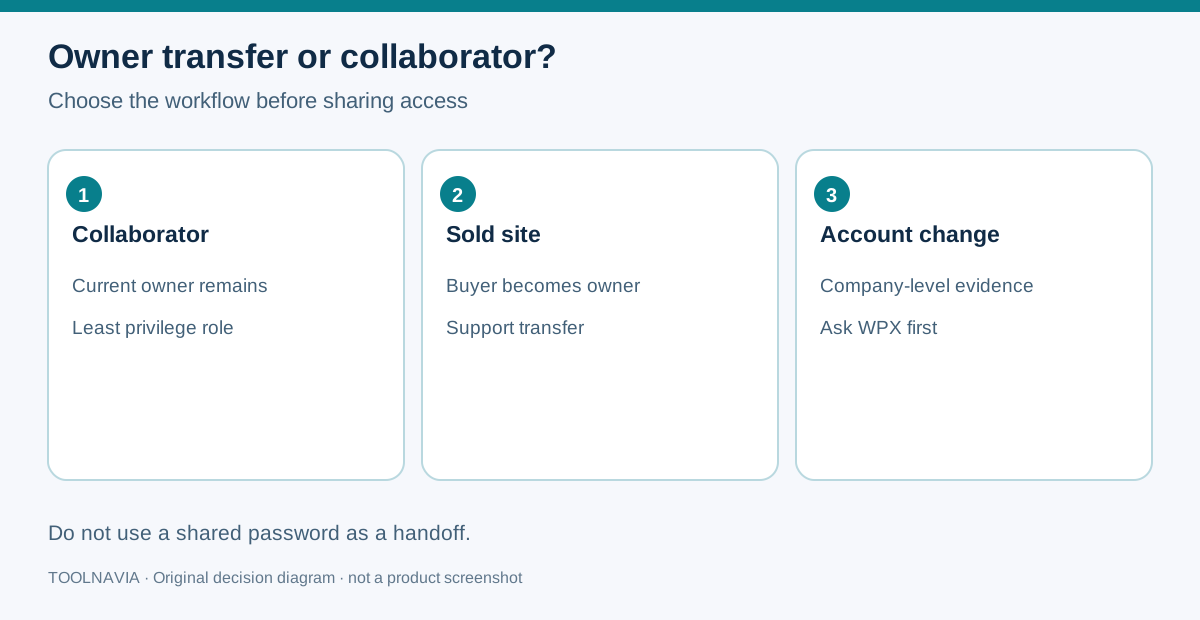
WPX lets an account owner add contacts with technical, full or accounting permissions. That is useful when an agency, developer or bookkeeper needs defined access while the original owner keeps the commercial relationship. A contact role can be revoked and does not, by itself, move the site, domain registration, invoices or contractual responsibility.
A sale is different. The buyer needs a durable destination under the buyer's control, while the seller needs a recorded end point for access, backups and future charges. WPX's sold-site process asks support to coordinate the site move and obtain confirmation from both sides. If the domain is already registered in another WPX account, WPX also documents a support-assisted path and source-owner confirmation rather than a simple self-service add.
Use this practical rule:
- **Contractor still works for the current owner:** add the least-privileged contact role needed. - **The website has been sold and the buyer becomes responsible:** use the sold-site transfer workflow. - **The company account itself changes hands:** ask WPX which account-level evidence is required; do not assume a single-site transfer changes the whole account owner.
What the buyer should have before the ticket opens
The buyer should have an active WPX destination plan that fits the site, enough storage and an unused site slot. WPX's general migration policy expressly uses destination-plan capacity as a prerequisite for normal migrations, but the sold-site article is a separate support path. Ask support to confirm eligibility and any charge for the actual case rather than importing the general free-migration promise.
For Business, the public plan card observed on October 28, 2026 showed up to five websites, 20GB storage, 200GB bandwidth, 5GB RAM, one CPU and 15 PHP workers. Those are plan-wide limits, not a dedicated allocation for the transferred site. Review the buyer's existing sites, storage and workload before choosing this plan.
The same page showed a regular monthly display of $29.99 and a five-year prepayment of $1,199.60, described as an effective $19.99 per month with 20 months free. The $19.99 figure is not a cancel-anytime monthly price. A separate SAVE79 first-month monthly promotion appears on the shopping page; this guide does not call it exclusive, stackable or available for the five-year term. Confirm the live checkout, taxes, billing cycle and renewal terms before paying.
Build one handoff sheet before the edit freeze
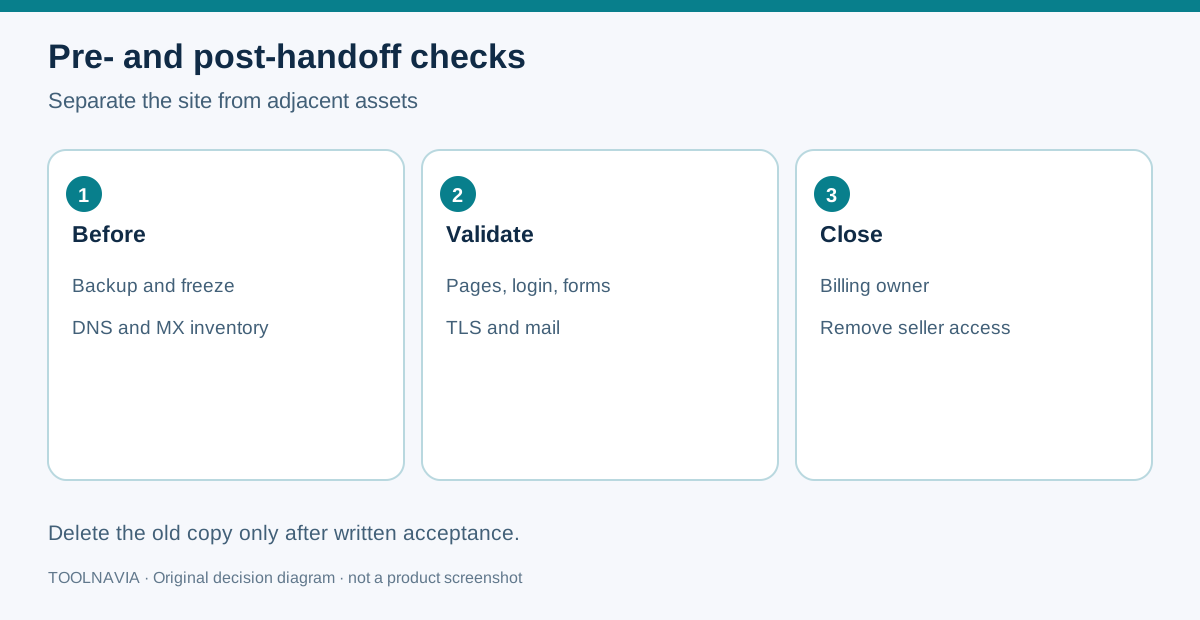
Write down the exact site hostname, current seller account contact, buyer account contact, destination plan, destination site slot, registrar login owner, current nameservers, DNS zone, MX records, transactional-email provider, backup location and billing cut-off date. Never put passwords or recovery codes in a shared closing document.
The domain and site are separate assets. Moving WordPress files does not necessarily move the registrar account. Nameserver or DNS instructions may follow after the site copy, and mail can break if MX, SPF, DKIM or DMARC records are omitted. WPX says it will provide DNS instructions when needed; the parties still need to know who is authorized to make the change.
Take a restorable pre-handoff backup and record a checksum or timestamp. Confirm whether the buyer must retain historical backups and whether the seller may delete them after acceptance. The sold-site guide says WPX can remove the previous copy after the move, so the parties should define acceptance before requesting deletion.
The two-party workflow
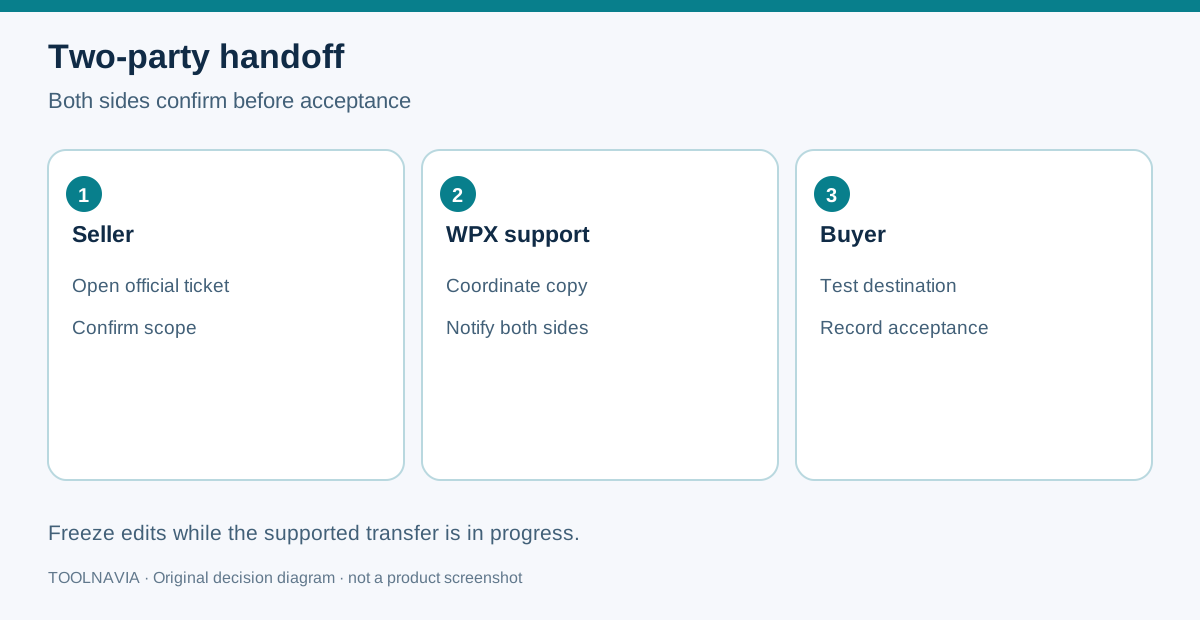
1. **Scope the sale.** List the site, domain, email, analytics, licenses, backups and billing items that are and are not included. 2. **Prepare the destination.** The buyer confirms an active WPX plan, a free site slot and adequate capacity. 3. **Open the support request.** The seller provides the site and the buyer's WPX contact details through the official support channel. 4. **Obtain both confirmations.** Seller and buyer each approve the requested move. Do not forward account credentials. 5. **Freeze edits.** Choose a UTC timestamp. Pause content, orders or configuration changes that cannot safely be replayed. 6. **Keep the old copy intact.** Do not delete it while support is copying or while the buyer is testing. 7. **Validate the buyer copy.** Test public pages, login, forms, checkout if applicable, scheduled tasks, TLS, DNS and email routing. 8. **Accept and change authority.** Record the buyer's acceptance, destination owner, future invoices and who may ask support for changes. 9. **Retire seller access.** Remove unnecessary contacts, rotate application secrets and request deletion of the former copy only after acceptance.
WPX describes sold-site transfers as lower priority and says they may take up to 72 hours. Use that number for scheduling a buffer, not as a service-level guarantee. If editors ignore the freeze, later changes may be absent from the destination. WPX's general migration policy mentions a possible $98 excluding VAT re-migration charge when changes force a repeat, but the sold-site guide does not say every ownership handoff incurs it. Ask support before assigning any fee.
How other managed hosts frame the problem
The market does not use one universal transfer mechanism. WP Engine documents a transferable-site workflow; Cloudways documents server transfer between accounts; Kinsta documents company ownership transfer; SiteGround and WordPress.com publish their own site-ownership steps.
These pages are useful for building questions, not for copying rules into WPX. Ask: Is acceptance self-service or support-mediated? Does the transfer move one site, a server or a company? Who keeps billing responsibility? What happens to DNS, email and old backups? For WPX, the current official answer for a sold site remains the two-party, support-mediated site transfer.
When Business is a sensible destination
Business can be a reasonable destination when the buyer expects no more than five sites and the combined storage, bandwidth and workload fit the shared plan limits. It is a poor shortcut when the buyer has no empty slot, the site needs resources beyond the plan envelope, or the parties are trying to use one seller-owned account as a permanent shared tenancy.
The transfer itself does not make a five-year purchase automatically better. The long prepayment lowers the displayed monthly equivalent but increases commitment. A buyer who is still validating traffic, ownership documents or workload should compare the monthly option and the five-year cash outlay at live checkout.
Final acceptance checklist
Before the seller gives final approval, capture the destination site URL, buyer account contact, acceptance time, backup reference, DNS state, mail test, form or checkout test, upcoming renewal owner and the date seller access ends. Keep this record with the sale paperwork, not inside a public ticket.
Use the verified WPX link only after the buyer has confirmed capacity and cash commitment. If the parties merely need a developer to keep working, stop and use a contact role instead. A good handoff ends with one accountable owner, one accepted destination and no ambiguous credentials.