TOOLNAVIA / BUYING GUIDE
Kinsta Single 20GB: staging, bandwidth limits and the real monthly bill
The short answer
Kinsta Single 20GB fits one WordPress site that earns enough to justify managed hosting, especially when staging, assisted migration, CDN and backups belong in one workflow. The trade-off is cost discipline: after the current first-month offer, the plan is $35 monthly or $350 annually, and storage or traffic limits can add charges.
At a glance
- Best for
- One important WordPress site that will use managed migration, staging, CDN and backups repeatedly.
- Price model
- Paid managed WordPress hosting · $35/month after current first-month offer
- Check first
- Check the 10GB storage, 20GB server-bandwidth boundary, overages and add-ons before migration.
Four capabilities that change the day-to-day workflow
Keep risky changes away from the live site
Each WordPress install can have a separate Standard Staging Environment for development and testing. That gives a store or membership site a safer place to inspect plugin, theme or code changes before deciding what goes live. Standard staging is not for production, may sleep after inactivity, and resource-intensive testing may require Premium Staging.
Move a standard WordPress site with the migration team
Kinsta offers unlimited free migrations for standard WordPress installations, and managed migrations can be scheduled. That can reduce transfer work for an active site. Continuously updated ecommerce, membership or community sites may need maintenance mode to avoid data loss, and expedited migration is paid separately.
Use the included CDN without another vendor by default
Kinsta CDN is powered by Cloudflare, has no separate CDN charge, and is enabled by default on new sites. A content-heavy business site can start with a CDN already integrated into hosting. Password protection is incompatible with Kinsta CDN or edge caching, so a protected prelaunch site needs that constraint in its test plan.
Keep daily backups outside the live storage quota
Single 20GB includes 14 days of backup retention, and Kinsta says backups are excluded from live-site disk-usage calculations. This gives routine updates a rollback path without consuming the 10GB live storage allowance. Retention is finite, so longer recovery requirements need an additional backup policy.
The bill: base plan, annual payment and usage charges
Single 20GB includes one WordPress install, 10GB storage, 20GB server bandwidth and 125GB CDN bandwidth. It is listed at $35 per month after the first free month, or $350 billed annually after that free month; prices exclude tax. Annual billing is effectively two months free versus twelve monthly payments.
The headline price is not the maximum bill. Kinsta documents overages of $0.50 per GB of server bandwidth and $2 per GB per month for excess disk space, prorated daily; visit-based plans charge $0.50 per 1,000 excess visits. A 20GB disk-space add-on costs $20 per month, and an additional WordPress site costs $30 per month. If expected usage regularly needs an add-on, compare the next plan before assuming the entry plan remains cheaper.
Choose the billing boundary before you migrate
Kinsta lets eligible WordPress plans use visits or server-bandwidth pricing, and its guidance recommends checking recent usage before deciding. For a site already running elsewhere, gather representative traffic, storage growth and seasonal spikes before migration.
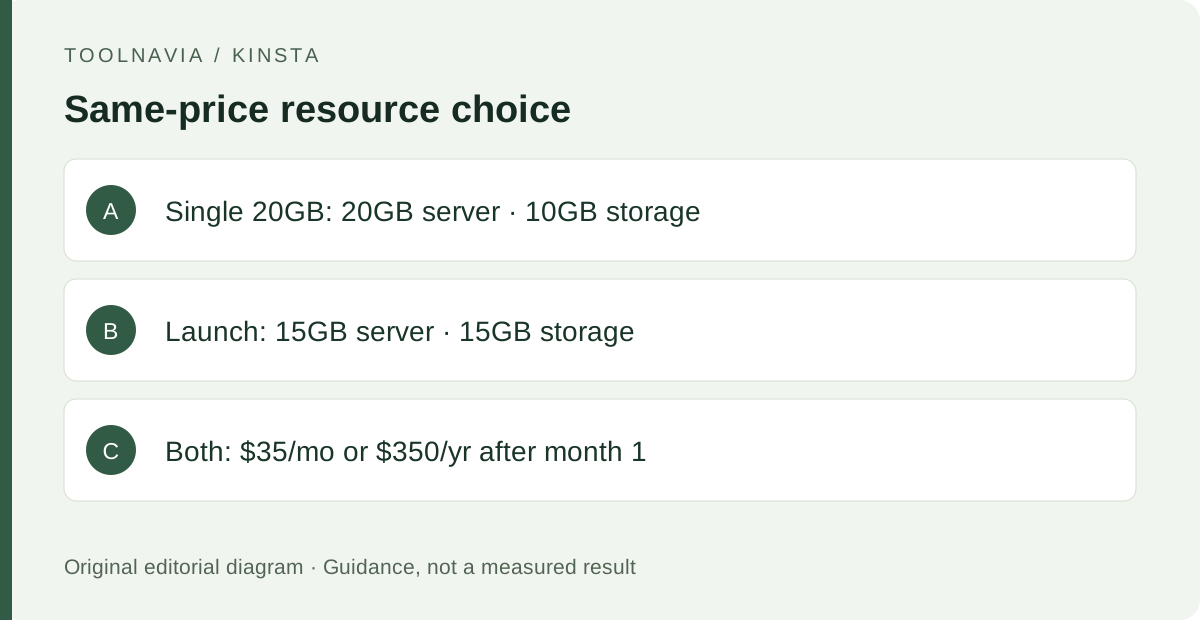
There is also a same-price entry path to compare. Kinsta currently lists Launch at $35 monthly or $350 annually after the first free month, with 15GB server bandwidth, 15GB storage and 125GB CDN bandwidth. Unlike Single 20GB, Kinsta says the new Launch line is bandwidth-only, with no visits-pricing option. Choose Launch when the extra 5GB of storage matters more; keep Single 20GB in the shortlist when 20GB of server bandwidth matters more.
Where Single 20GB stops fitting
The plan is easiest to justify for one important WordPress site whose owner values managed operations more than the lowest hosting price. It is less convincing for a hobby site, a media library already near 10GB, or a workload that regularly crosses the entry traffic allowance. Those cases turn the apparent $35 decision into an add-on or upgrade decision.
Standard staging is for development and testing, not production or resource-intensive load validation. Free managed migration is designed around WordPress and requires access information and an available site slot. Resolve those conditions before counting the included features as savings.
A safer migration and first-month checklist
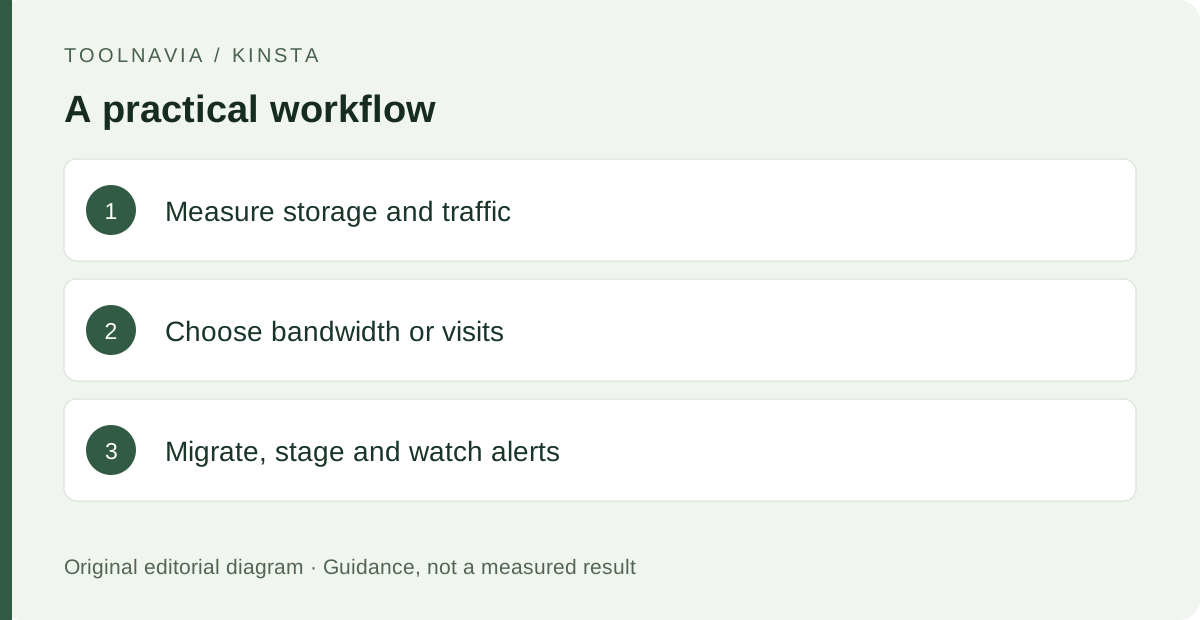
Before signup, write down current storage, representative traffic and the billing metric you intend to use. During the first month, migrate the site, inspect key pages and forms, and test one harmless change in staging before touching production.
Do not treat the first month as a zero-cost stress test. Kinsta says overage charges still apply during the free period and are billed at renewal or cancellation; usage alerts can notify at 80% and 100% of plan limits. Record the resource pattern, enabled add-ons and the price that would begin in month two.
What to do next
Compare recent storage and traffic with the Single 20GB allowances, then price the exact monthly and annual paths including likely overage or add-ons. Choose it when the managed migration, staging, CDN and backup workflow will be used enough to justify that complete bill—not merely because the first month is currently free.