TOOLNAVIA / BUYING GUIDE
InterServer WordPress Migration: Check the Panel, Mail and Cutover
The short answer
InterServer Standard can suit a small WordPress site whose owner wants help moving to a conventional hosting account. Buy only after the migration team confirms the source panel, mailbox handling and destination. The useful promise is an agreed transfer scope—not an assumption that every site can move automatically without interruption.
At a glance
- Best for
- A modest same-domain WordPress move with a confirmed panel/mail scope and time to keep the old service.
- Price model
- Standard monthly $2.50 then$7;12unchangedpayments$79.50. Separate intro12month$30prepaid;confirm ownrenewal. Includeoldhostoverlap,domain,outsidebackupandexcludedmigrationwork.
- Check first
- A rushed cross-panel transfer with business mail, unsupported software or destination data nobody has agreed to preserve.
Before you buy: four answers to obtain
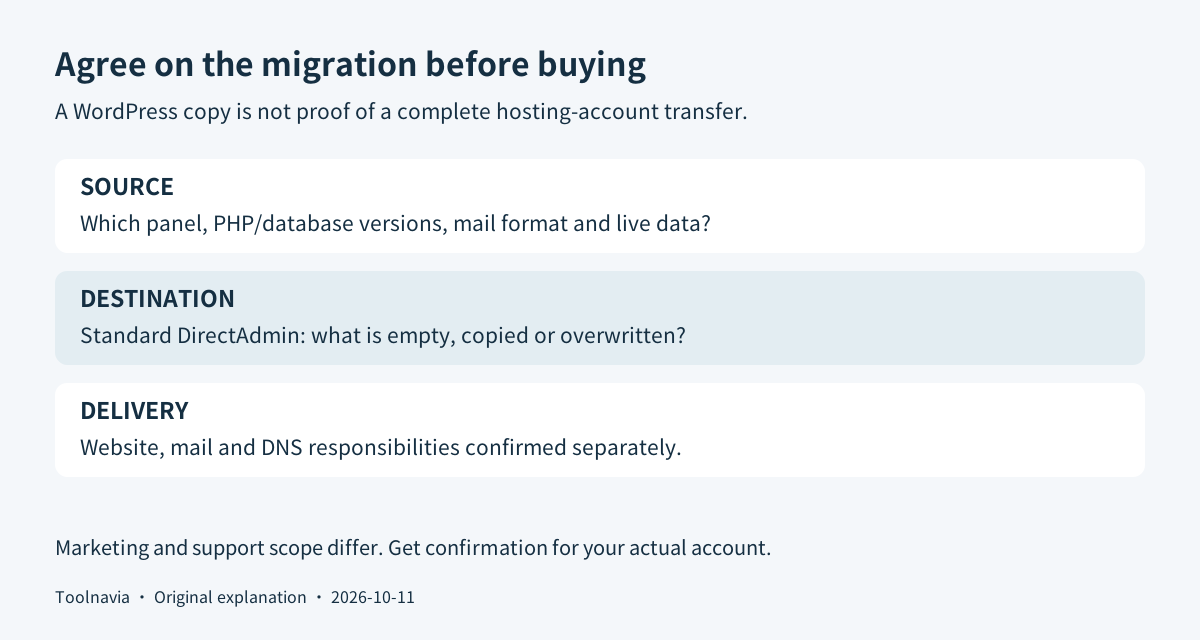
| Question | What you need in writing | |---|---| | Which destination? | Standard DirectAdmin, with the exact account identified | | What is copied? | Website files, database, mail and settings listed separately | | Will anything be replaced? | Whether the destination must be empty and what is overwritten | | Who handles the switch? | Preview, final data copy, DNS change and acceptance responsibilities |
This is a document-based buying and migration checklist, not a migration we performed. InterServer's original pages could not be retrieved directly during the October 11 check; their indexed official copies informed the scope questions below. Detailed platform documentation was also reviewed. No live checkout, transfer slot or completion time was verified.
Confirm the panel before accepting “free migration”
Standard's current product description uses **DirectAdmin**. InterServer also sells a separate cPanel hosting product; the familiar cPanel interface must not be silently assumed to come with Standard. Check the exact product name on the order.
InterServer's migration sales page presents broad transfer assistance, including a 24–48-hour completion message. Its detailed support article is narrower: it favors same-panel transfers, warns that cross-panel migrations have no guarantees and describes email-format risks. These statements do not establish a universal cPanel-to-DirectAdmin service guarantee. Ask the team to accept your actual source and mailbox format before paying.
A WordPress website copy and a hosting-account copy are different deliverables. Transferring the application does not establish that mailbox history, forwarders, subdomains and scheduled jobs moved too. If email is business-critical, keep its migration as a separate acceptance item rather than discover the gap after cancelling the old host.
What makes Standard a useful destination
The DirectAdmin interface brings ordinary site, database and domain-mail tasks together. That can help an owner who wants to operate a conventional site without administering Linux. It still leaves theme, plugin and content maintenance with the site owner.
Assisted migration can reduce the copying work for an eligible account. Its value depends on the accepted scope; it is especially worth clarifying when the old host can provide a complete account backup. Do not upload important new data to a destination that the restore may replace.
Weekly provider backups offer another recovery route after the move. They do not replace your own migration checkpoint or establish enough protection for a shop receiving orders throughout the day. Keep an independent files-and-database set; WordPress treats both as necessary for full recovery.
The short monthly purchase also lets a cautious buyer avoid committing to a long initial term. It is a paid service, not a free migration trial, and temporary overlap with the old host belongs in the budget.
Price the overlap as well as the new account
The ordinary Standard monthly reference is **$2.50 for the first month, then $7 per month**, before tax and extras. Twelve unchanged payments produce **$79.50**. The ordinary introductory 12-month option is listed separately at **$30 prepaid**; confirm its own renewal quote rather than treating the monthly schedule as the annual invoice.
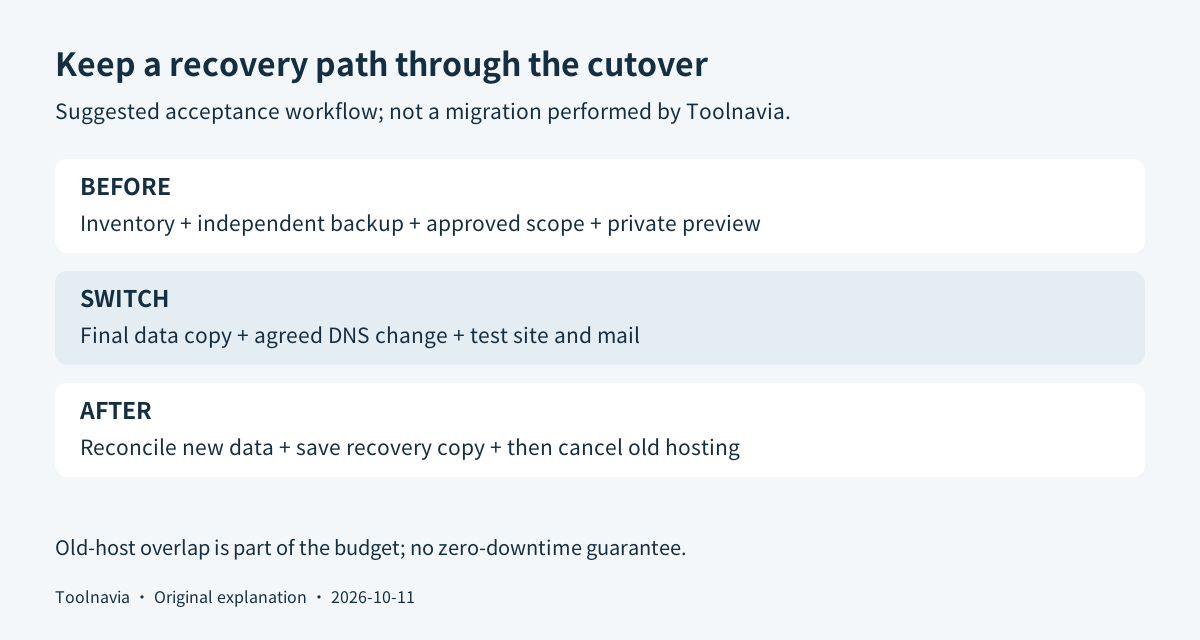
Add any old-host renewal needed to preserve a recovery path, plus domain renewal, outside backup storage and excluded transfer work. The support guide recommends leaving at least seven days on the old service when migration begins and warns that starting the work may take 24 hours. This is a planning minimum, not a promise that your job finishes in that period.
Special-link campaigns are separate offers. This article's approved referral opens the general InterServer route; it does not promise that every exclusive coupon will apply or retain affiliate tracking.
Prepare one inventory and a clean destination
Our suggested sequence starts with an inventory: domains, site files, database size, current PHP/database versions, mailboxes, forwarders, scheduled tasks and the service controlling DNS. DNS is the directory that directs the domain to website and mail services.
Save a separate backup and record when it was created. If the existing application depends on unsupported software, resolve compatibility before scheduling a deadline. DirectAdmin's migration documentation emphasizes checking software versions and who controls DNS; its server-admin procedure is not a shared-hosting feature entitlement.
Keep the same domain and URLs when the objective is only to change hosts. A simultaneous rebrand introduces additional stored-address changes and possible serialized-data problems. Treat that as a separate project rather than a casual extra during the transfer.
Give the migration team the inventory and ask for a secure credential channel, the expected overwrite scope and the final-copy plan. For a shop or membership site, agree how new orders and registrations will be reconciled. Do not let two writable copies collect different data without a plan.
Accept the copy before directing visitors to it
Use a private preview agreed with the team. Check the homepage and deeper pages, images, admin login, form delivery and one real business workflow using test data. Compare mail folders and account settings where mail transfer was included.
Preserve the current DNS configuration before changing it. Cloudflare, for example, documents exporting a zone and maintaining record attributes; importing records is not a substitute for checking them. If mail stays with an external provider, keep its required records. Domain-registration transfer is a separate decision from moving the website.
After the final data copy and agreed DNS switch, retest HTTPS, forms, mail and newly created records. Keep the old account while checking for divergent data. The completion record should identify the accepted site, mail scope, backup location and remaining issues. Cancel only after those checks pass.
A clear purchase decision
Standard is worth considering when its interface, ongoing price and confirmed transfer scope suit a modest site. Postpone purchase if nobody can explain how the mail, unsupported software or destination data will be handled. A functioning current host is preferable to a rushed, unclear migration.
Read the [Standard plan guide](/hosting/interserver) for the broader billing context. Use this page's InterServer plan button after scope confirmation, then select the exact Standard plan. Toolnavia may receive a commission from qualifying purchases through the approved referral link.