TOOLNAVIA / BUYING GUIDE
InterServer Standard vs VPS: Website Tools or Root Control?
The short answer
InterServer Standard is the more straightforward choice for an ordinary WordPress site that needs website tools and email. Its 1-slice Linux VPS suits an owner who needs root access and can maintain a server. This document-based comparison asks which operating model fits—not which headline price looks smaller. No performance test was performed.
At a glance
- Best for
- A small-site owner with a clear application requirement and a realistic plan for maintenance.
- Price model
- Standard monthly $2.50+11×$7=$79.50 first12 payments; separate first12month $30 prepaid. VPS12×$3=$36 compute only. Taxes/licenses/backup/mail/admin extra; no future-price guarantee or exclusive campaign assumed.
- Check first
- Buying solely on compute price or expecting automatic management, guaranteed speed or confirmed disk entitlement.
Standard vs VPS at a glance
| Decision | Standard Web Hosting | 1-slice Linux VPS | |---|---|---| | Public USD reference | $2.50 first month, then $7/month | $3/month compute | | Main control | DirectAdmin website/account tools | Linux root access | | Resource planning | Shared hosting; “unlimited” is not dedicated capacity | 1 core, 2GB RAM, 2TB transfer; disk disputed | | Recovery starting point | Weekly provider backups | Backups are not running by default | | Best fit | Conventional site and domain email | Custom runtime or server-level configuration | | Main responsibility | Website, plugins and independent copies | Server administration plus the application | | Refund distinction | Eligible web hosting: 30-day request window | No VPS trial or money-back guarantee |
These are ordinary plan references, excluding tax and extras. The October 11 check used indexed official-page copies because direct InterServer retrieval returned an access error; no live cart was verified. Confirm your exact order.
What Standard buys beyond disk space
DirectAdmin groups files, databases, domains and mail management into a browser interface. For a small business publishing pages and receiving inquiries, that reduces the need to assemble a server stack. The owner still maintains WordPress, themes and plugins. A hosting panel does not fix incompatible application code.
Included mail tools are another practical reason to stay on shared hosting. A new business can manage its site and ordinary domain mail together, subject to usage policies. A VPS IP address alone does not provide a configured, reputable mail service. If mail already works with an external provider, keeping that arrangement may be the simplest option.
Weekly provider backups add a recovery route, but a frequently changing store needs more than a weekly label. Decide how many recent orders or submissions you can afford to lose, then arrange an independent copy at a suitable frequency. “Unlimited” storage and transfer likewise do not establish unlimited CPU, simultaneous visitors or permission to store archives.
When root access earns its extra work
Root access means administrative control of Linux. It becomes valuable when a project requires a custom runtime, a background service or server settings unavailable in the shared account. A developer can install the required environment rather than reshape the application around a hosting panel.
Explicit VPS allocations also help budget a known workload. Measure application memory, logs and database growth before choosing a slice. The current main-page family lists 40GB SSD for the starting slice, while the cheap-VPS page lists 30GB. That unresolved discrepancy is enough to reject any firm storage promise until the selected order is confirmed.
Do not buy one slice assuming full management. The product page gives an eight-slice threshold for included managed support, while its FAQ describes installed-software management more broadly. Treat the lower-tier scope as unconfirmed and budget for an operator. Ask who handles patches, failed services and application incidents.
Moving to a VPS does not by itself prove faster pages, better search rankings or stronger security. A slow query or broken plugin can remain slow or broken on a new server.
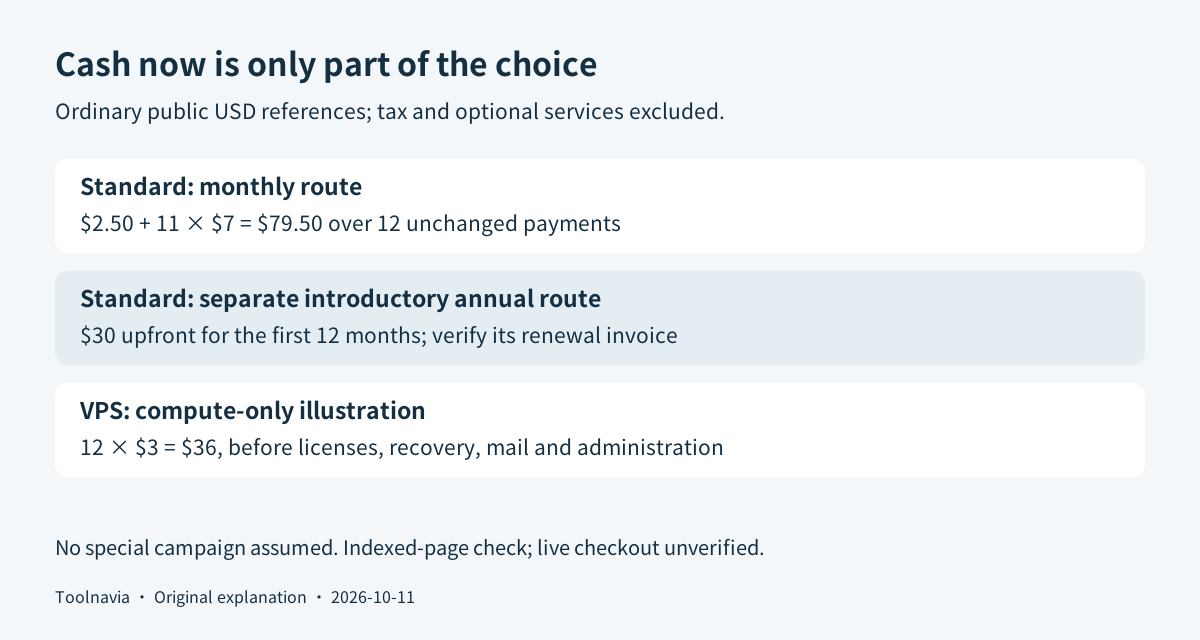
Compare a complete budget, not $7 against $3
For Standard's monthly route, twelve payments at the listed schedule give **$2.50 + 11 × $7 = $79.50** before extras. A separate ordinary 12-month introductory purchase is listed at **$30 upfront**. These are different purchase terms; do not apply the $2.50 first-month discount twelve times to a monthly subscription.
Twelve unchanged $3 VPS compute invoices would total **$36**. Add the actual panel license, backup destination, mail service and paid administration you require. Free installation does not establish a free panel license. Do not carry Standard's included services onto the VPS bill.
A useful personal budget is: **compute + licenses + recovery + mail + administration**. If you do the work yourself, record the hours separately rather than pretend they cost nothing. The cheaper option depends on the services you already have and the work you can reliably perform.
Neither calculation is a future-price guarantee. Check the renewal line, tax and optional add-ons in the cart. Separate campaign offers—including the VPS penny promotion currently awaiting verification—are not used in this comparison.
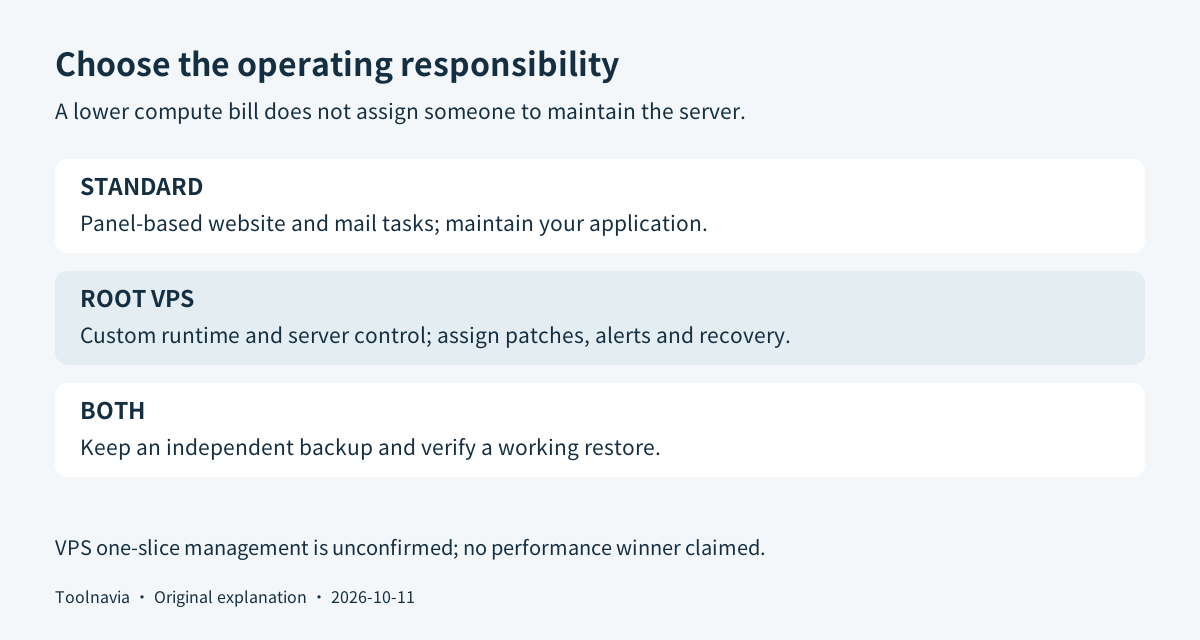
Run a small acceptance exercise before switching
Our suggested workflow starts with the current site. Record its software requirements, peak resource use, mail arrangement and recurring bill. If the existing host meets them, staying avoids an unnecessary migration.
Create an independent files-and-database backup. WordPress needs both for a complete recovery. Set up a private test copy on the candidate plan, then check login, forms, uploads and a representative business task. For VPS, also demonstrate a restart, patching plan, failure alert and successful restore before relying on it.
Write down who responds when the site fails. A usable acceptance result is a working application, recoverable data and an assigned operator—not just a successful installation screen. Keep the old service until the new copy passes the checks and the cutover is reconciled.
Choose the job you want to own
Choose Standard when ordinary website and email tools meet the task and you prefer to avoid server administration. Choose VPS when root access solves a concrete requirement and someone owns maintenance and recovery. If neither condition is established, investigate the current bottleneck before buying.
The [Standard plan guide](/hosting/interserver) covers its billing options; the [1-slice VPS guide](/hosting/interserver-vps) explains resource and support boundaries. Use this page's plan buttons to inspect the exact product and term. They use Toolnavia's approved InterServer referral; qualifying purchases may earn us a commission.