TOOLNAVIA / BUYING GUIDE
Hostinger KVM 2 VPS: One-Day Snapshots and the $14.99 Renewal
The short answer
Hostinger KVM 2 suits a technical owner who needs a configurable Linux server rather than outsourced application management. Its useful backup tools have short boundaries: the current English documentation gives a manual snapshot just one day. This document-based guide weighs that recovery window, traffic throttling and prepaid pricing; it is not a hosting benchmark.
At a glance
- Best for
- A technical owner running a measured Linux workload who can maintain the stack and independently verify whole-server recovery.
- Price model
- $8.99/month prepaid display; initial term unconfirmed; separate $14.99/month two-year renewal reference
- Check first
- Outsourced application operations, long-term manual snapshot archives or a workload dependent on unqualified high-speed transfer.
Four controls worth paying for
KVM 2 lists two virtual CPU cores, 8GB RAM, 100GB NVMe storage and an 8TB transfer allowance. Those figures help screen a workload, but do not prove how many busy applications it can run. Leave room for the operating system, logs and maintenance.
Full root access, meaning administrator control, lets you choose the runtime and configure your own application. Linux and application templates reduce initial setup, but still require updates and hardening. Built-in firewall management and a browser terminal put access controls and command-line work in reach without assembling every management tool yourself. Finally, weekly backups and a manual snapshot provide a documented rollback route before risky changes.
These four benefits are useful only with someone responsible for the server. Templates, AI assistance and infrastructure support do not turn the service into a managed development team. This VPS is a different product from Hostinger Premium shared hosting.
A snapshot is a one-day change window
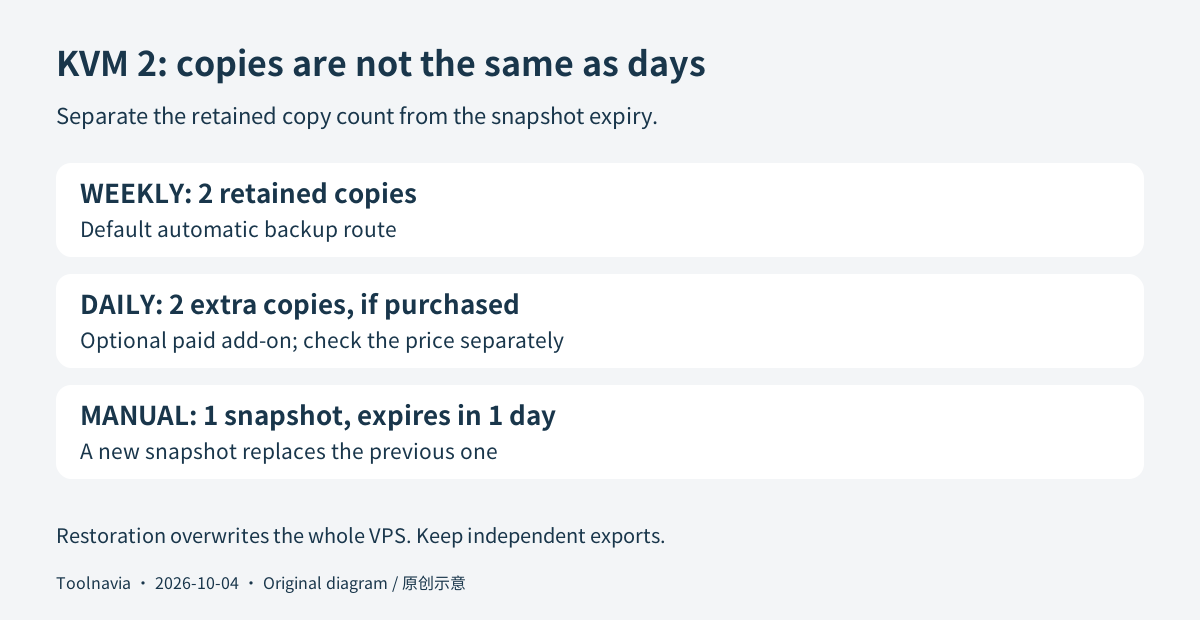
The current backup guide retains two weekly backup copies by default. Optional paid daily backups add two daily copies. Only one manual snapshot is retained; it expires after one day, and creating another replaces the previous snapshot. An older support link now redirects to this updated guide, so its cached twenty-day wording should not set your recovery plan.
Restoration overwrites the whole VPS and locks it while the action runs. Reinstalling or changing the operating system, or restoring a backup, removes the existing snapshot. These are not harmless per-file undo operations. Native backup images cannot be downloaded; create separate file and database exports and retain them outside the hosting account. A successful snapshot is not proof that a database will restore consistently.
After 8TB, reachable can still mean too slow
The bandwidth guide says the server continues running after its monthly allowance is exhausted, but its connection drops to 10Mbps for the rest of the month. Normal speed returns when the next monthly cycle resets. That is different from unlimited transfer at the advertised 1Gbps connection speed.
Watch the traffic meter before a campaign, large download or synchronization job. Remaining reachable at the reduced rate does not establish acceptable page delivery or backup-transfer time. Capacity planning should consider both total monthly traffic and the service your users need after a spike; this review does not invent an overage price or a measured throughput result.
Read the prepaid total, not just $8.99
The USD page displays $8.99 per month for KVM 2 and a separate renewal reference of $14.99 per month for two years. It explicitly says plans are paid upfront. The exact initial-term selection and personalized cart were not captured, so this guide does not claim a verified first invoice or a cancel-anytime $8.99 monthly payment.
For the displayed renewal term, 24 × $14.99 equals $359.76 before any applicable tax or extras. That is arithmetic from the public reference, not a guaranteed future invoice. Check the selected term, first payable total, renewal date and tax together. Daily backups, paid control-panel licences and application services can add costs; their account-specific prices are unconfirmed. A panel template alone is not evidence of an included paid licence.
Thirty days does not mean a six-month wait
The refund policy's VPS-specific rule requires a request within thirty days of the transaction and, when there was another VPS refund, more than 180 days since that other refund was initiated. It does not instruct a first-time buyer to wait six months before requesting a refund.
Other restrictions still matter: cryptocurrency payments, VPS licences and upgrades have exclusions. Cancellation at any time is not the same as a prorated refund at any time. Save the applicable policy and verify eligibility before treating the purchase as a refundable experiment.
Prove a rollback before moving production
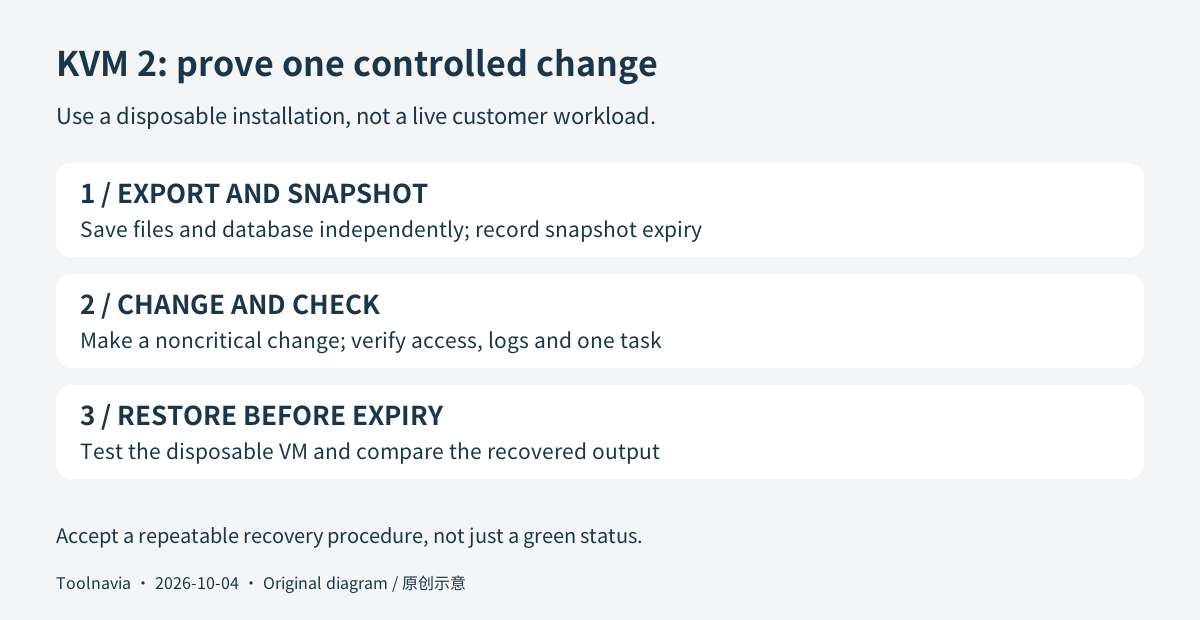
Use a disposable installation for this suggested acceptance task. Export its files and database independently, create a snapshot, record its expiry, then make a noncritical configuration change. Check access, logs and one representative application task. Test restoration only on the disposable installation, before the snapshot expires, and compare the restored output with your export.
The result should be a repeatable recovery procedure, not just a green backup status. Choose KVM 2 when a technical owner can maintain the stack and the measured workload fits. Skip it when you need outsourced application operations, long-term snapshot archives or unqualified high-speed transfer.
Hostinger publicly accepts affiliate applications, and its agreement specifically covers qualifying KVM 2 first purchases of twelve months or longer. That does not establish Toolnavia approval; tracking remains disabled.