TOOLNAVIA / BUYING GUIDE
Hostinger Premium Inode Limit: Clean Up or Upgrade?
The short answer
Hostinger Premium can run out of file capacity while its disk still has room. Current v6 Premium allows **400,000 inodes and 20 GB**; Unlimited allows 600,000 and 50 GB. First identify what is consuming the allowance. Paying for an upgrade will not fix a PHP upload-size setting or remove an unnecessary staging copy.
At a glance
- Best for
- File-based sites that can control cache and staging growth
- Price model
- Premium48 months $95.52 upfront; renewal $10.99/month equivalent
- Check first
- 400,000 inodes on current v6; legacy and upgrade quotes differ
Confirm which limit you actually bought
This is a document-based guide, not a measured hosting test. Hostinger made v6 the default on September 22, 2026; older purchases may have different allocations. Check the plan and version displayed in your account before applying this comparison. Existing Business accounts should not automatically be treated as a newly purchased Unlimited plan.
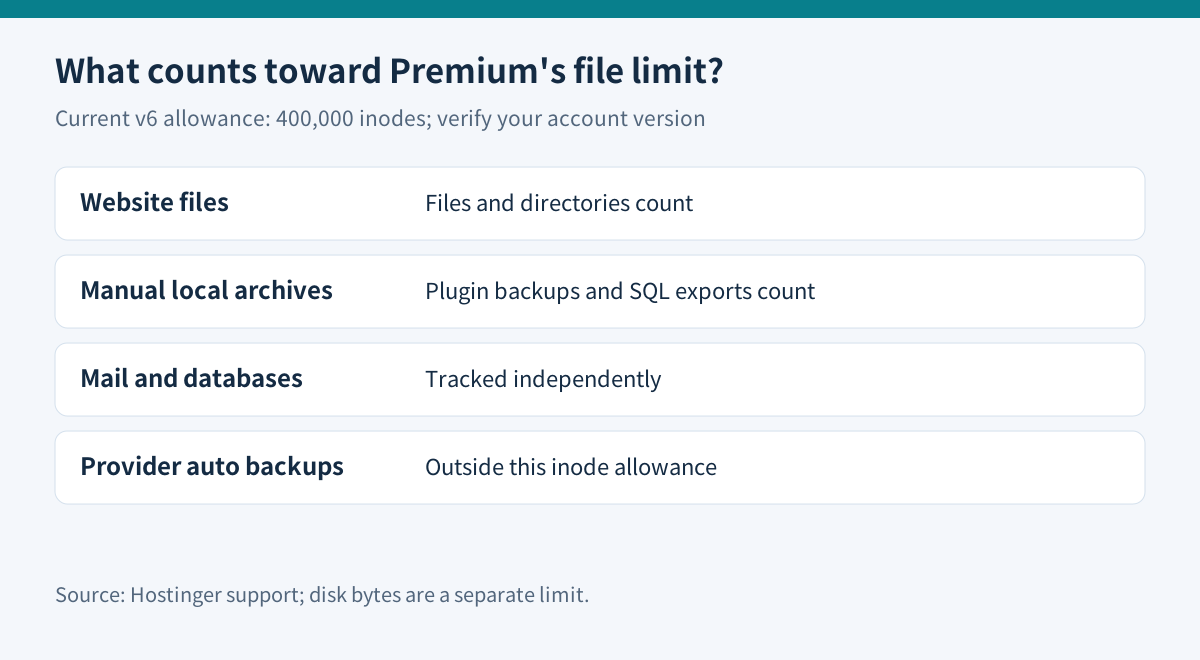
An inode represents a file or directory, regardless of its byte size. A large video can consume more disk but fewer inodes than thousands of tiny cache files. Hostinger says its file-based WordPress and custom PHP sites count toward this allowance; AI Website Builder sites do not. Email, databases and the platform's automated backups are tracked independently.
A backup archive created by your own WordPress plugin and stored in the website directory is different: that local file does count. Likewise, a local database export becomes a counted file even though the running database is outside this particular allowance.
Count files, rather than reading the Size column
Hostinger's current directory-checking instructions explicitly say File Manager's Size column reports bytes, not inode totals. Its built-in terminal or SSH can inspect file counts. Confirm the working directory first: a command started inside one website is not a complete account-wide quota measurement.
On a system offering GNU coreutils, the read-only command `du --inodes --max-depth=1 .` summarizes inode usage beneath the current directory. Debian's packaged GNU manual documents both options. Availability and scope must be checked on the actual host; this is an optional diagnostic, not a required purchase step. It neither deletes files nor replaces hPanel's authoritative allowance display.
At 80% usage, Hostinger's resource tools can help identify large contributors and reduce temporary files. For Premium's published 400,000 allowance, 80% is 320,000. Treat that as a reason to inspect growth while writes still work, not as proof that the remaining capacity will last a particular number of days.
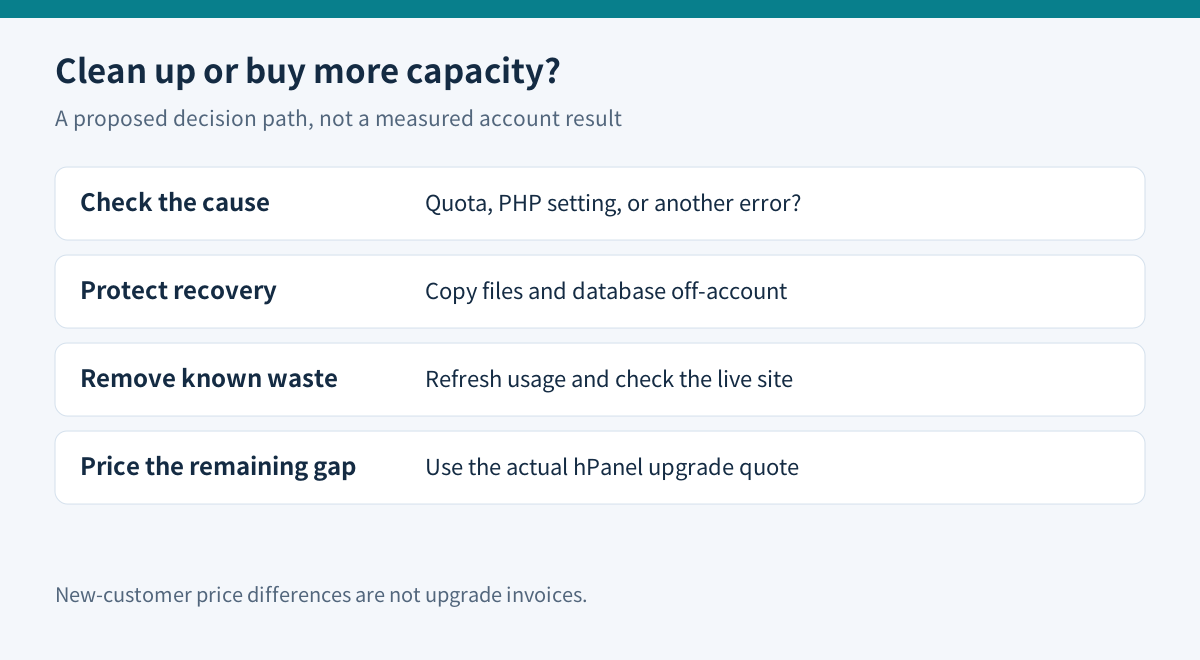
Clean only after preserving a recoverable copy
Start with expired caches, obsolete staging installations, duplicate exports and old manual backup archives. Identify the application that owns them before removing anything. Do not delete active uploads, configuration files or unfamiliar plugin folders just because their file counts are high.
WordPress explains that files and the database require separate backup handling. Before cleanup, obtain a recoverable copy of both outside the hosting account and verify that it can be read. A files-only download is not a complete WordPress recovery plan.
Remove a small, understood group first. Recheck the live site and its important forms, then recalculate usage in Resources Usage; Hostinger documents this refresh when totals remain unchanged after removal. Repeating deletions against a stale display risks removing useful material without solving the actual cause.
If a cache regenerates immediately, change its retention or generation settings through the owning application. Otherwise, paying for more capacity may only postpone the same problem.
Rule out a separate upload failure
PHP documents independent limits including upload size, total POST size, execution/input timing and temporary-file handling. Inspect the application's error and hosting logs before deciding an upload rejection proves inode exhaustion.
A failed large upload with ample inode headroom points to a different investigation from an account that cannot create any new small file. These are diagnostic clues, not guaranteed diagnoses. Do not repeatedly change limits or run destructive commands without understanding the error.
Compare cash totals with the actual upgrade invoice
| Current public offer | Initial 48-month total | Stated renewal equivalent | |---|---:|---:| | Premium | $95.52 ($1.99/month) | $10.99/month | | Unlimited | $133.92 ($2.79/month) | $16.99/month |
These public USD prices require upfront payment and exclude VAT. The initial difference is $38.40. At the stated renewal equivalents, a same-length 48-month comparison is $527.52 versus $815.52, a $288 difference. This arithmetic is a new-purchase comparison, **not** the bill for upgrading an existing account. Obtain the actual term, credit and amount from hPanel before approving an upgrade.
Unlimited adds 200,000 published inodes; it does not remove the file limit. Upgrade when necessary active files and foreseeable growth still exceed Premium after safe cleanup, and the quoted cost fits the site budget. Stay on Premium when avoidable copies are the main problem and measured usage settles comfortably below the limit.
Hostinger describes web-plan upgrades as automatic, but a move from web hosting to cloud changes the IP address. Moving to a VPS is not a direct plan upgrade: it requires a separate purchase and migration. That brings operational work beyond buying more file capacity.
Toolnavia has not verified approved affiliate tracking for this exact offer, so tracking remains disabled. No exclusive coupon or account-specific upgrade price is claimed.