TOOLNAVIA / BUYING GUIDE
hosting.com 4GB LiteSpeed: Apache Matrix vs All-Plan License
The short answer
# hosting.com 4GB LiteSpeed: Resolve the Apache Conflict Before Buying
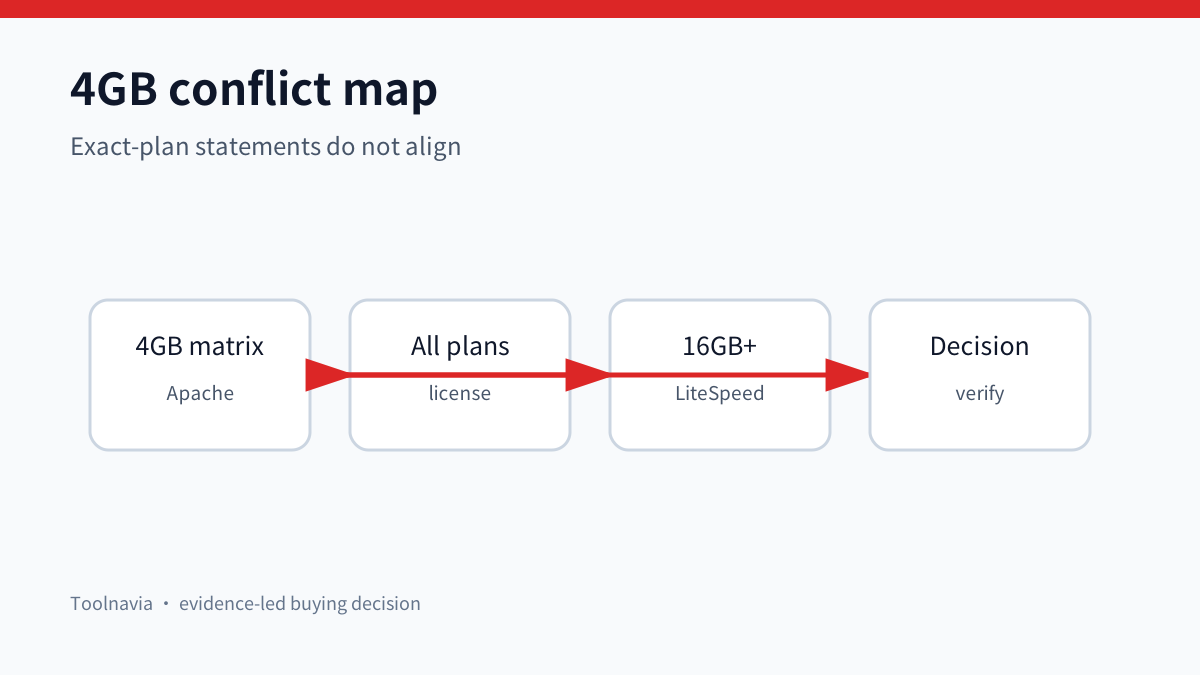
The current hosting.com Managed Linux page creates a purchase-critical conflict for the 4GB plan. Its plan matrix lists **Apache** for the 4GB and 8GB tiers and **LiteSpeed** from 16GB upward. Elsewhere on the same page, hosting.com says every managed cPanel server includes a paid full LiteSpeed license and promotes “LiteSpeed webserver (with LiteMage).” A license being present is not the same as LiteSpeed actively replacing Apache on your exact 4GB server, and neither statement identifies a LiteMage tier or Magento object allowance.
**Short answer:** buy the 4GB plan for its confirmed managed resources only if those resources fit. Treat active LSCache and LiteMage as unverified until hosting.com answers the exact-plan questions in writing. WordPress buyers should verify the running web server, cache root and a real cache HIT after provisioning. Magento buyers should pause until support names the LiteMage module, tier, object allowance and scope.
> Affiliate disclosure: Toolnavia may earn a commission if you purchase through the hosting.com link in this guide. The conflict, verification steps and pause rule are unchanged by that relationship.
At a glance
- Best for
- Managed cPanel buyers who will verify the exact web server and cache entitlement.
- Price model
- No numeric price quoted; verify market, billing term and checkout directly.
- Check first
- The 4GB matrix says Apache; active LSCache and any LiteMage tier remain unverified.
What the 4GB page confirms—and what it contradicts
The Canadian page currently lists Managed cPanel 4GB with 2 CPU cores, 4GB RAM, 100GB NVMe storage, one dedicated IP, SSL and cPanel Solo. Those are concrete resources. In its detailed software matrix, the first two columns—4GB and 8GB—show Apache as the web server, while the 16GB and larger columns show LiteSpeed. The performance section reinforces that threshold by saying LiteSpeed replaces Apache on 16GB+ plans.
The same page also says every managed cPanel server comes with LiteSpeed and that all plans include a paid full LiteSpeed license. Another feature line says “LiteSpeed webserver (with LiteMage).” These statements do not explain whether the 4GB license is installed but inactive, available for a support-led switch, bundled for later upgrade, or simply described too broadly. The exact 4GB runtime therefore remains unresolved.
[Check the current hosting.com Managed cPanel offer](https://hosting.com?utm_source=fp_affiliate&utm_medium=15583168&utm_campaign=42825&utm_content=affiliates&fpr=sc1w5e)
Four layers buyers must not collapse
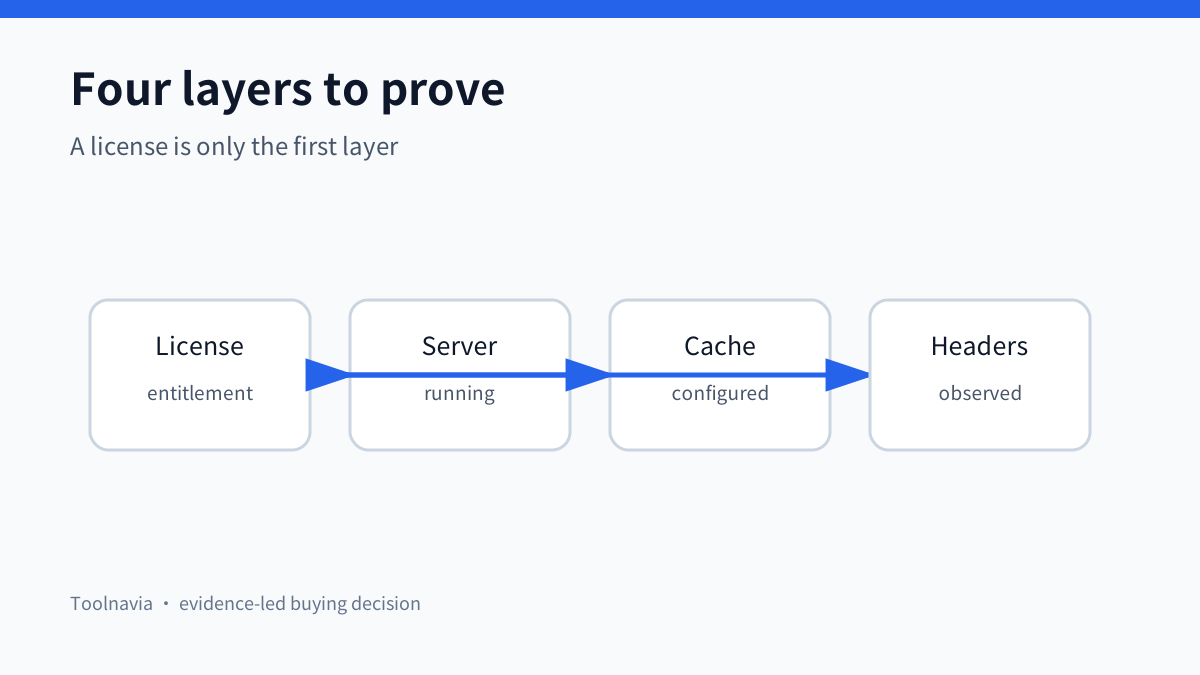
A feature list can hide four separate layers:
1. **License entitlement:** a commercial LiteSpeed license exists for the account or server. 2. **Active web server:** LiteSpeed Web Server, rather than Apache, is actually serving traffic. 3. **Application cache:** LSCache or LiteMage is enabled at server level with a cache root and policies. 4. **Observed behavior:** an anonymous request produces cache evidence such as an initial MISS followed by a HIT.
LiteSpeed's WordPress documentation says the plugin bridges WordPress rules to the server cache. Without the LiteSpeed server component, the plugin exposes optimization features but not LSCache page caching. It also says LSCache must be configured at server level before sites can use it. The cPanel quick-start guide separately requires enabling LSCache and setting cache roots, so a license alone is not evidence of an active cache.
WordPress: verify the runtime, not the logo
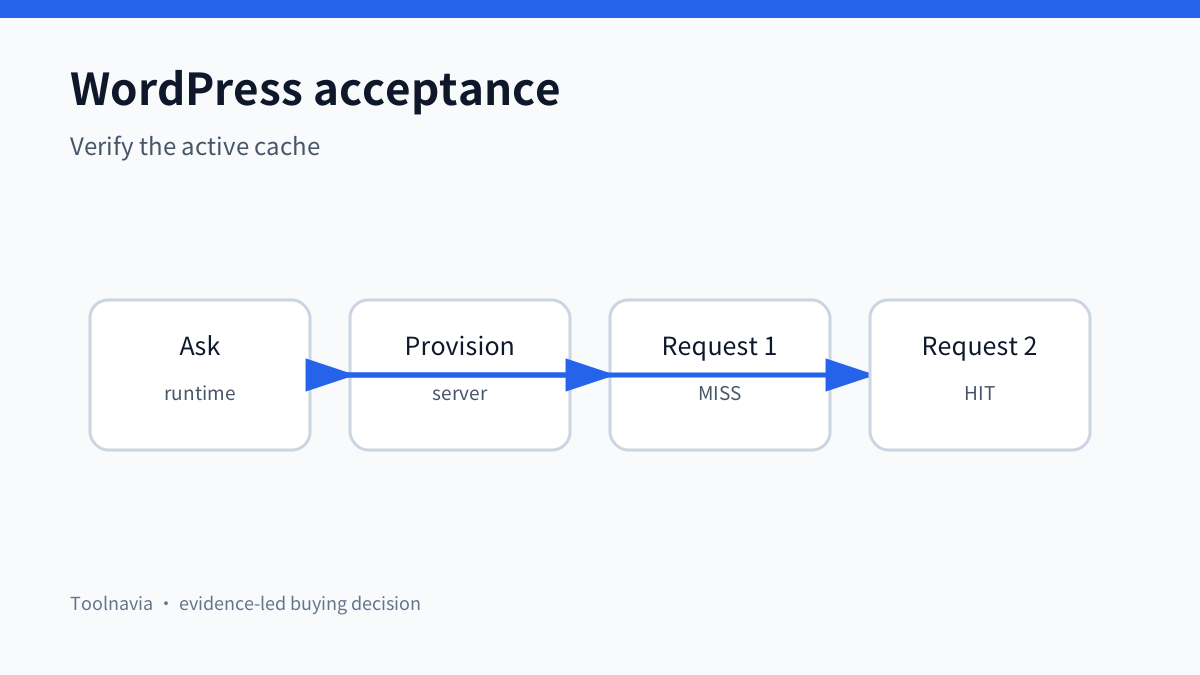
For a WordPress site, the unresolved question is operational, not theoretical. Before payment, ask whether the exact 4GB instance runs Apache or LiteSpeed at provisioning and whether support will switch it. Ask whether server and virtual-host cache roots are configured and whether LSCache can be enabled for the site. Do not accept “LiteSpeed is included” as a substitute for the running-server answer.
After provisioning:
1. Check the server header or ask support to identify the running web server. 2. Open an anonymous, cacheable page and record response headers. 3. Repeat the request and look for the provider's cache MISS/HIT evidence. 4. Purge through the WordPress plugin, repeat the test and confirm repopulation. 5. Verify that cart, checkout, account and other private pages are excluded. 6. Repeat after migrations, web-server changes or major cache-policy changes.
The test does not promise a speed score. It proves whether the cache layer the buyer expected is actually active.
Magento: LiteMage requires a separate entitlement answer
LiteSpeed documents four cache add-on outcomes: LSCache Standard supports WordPress and other non-Magento applications but lists zero Magento objects; LiteMage Starter supports 1,500 Magento objects; LiteMage Standard supports 25,000; LiteMage Unlimited has no object cap. Its Magento documentation says LiteMage requires a LiteSpeed Enterprise license with the LiteMage Module. The free extension alone is insufficient.
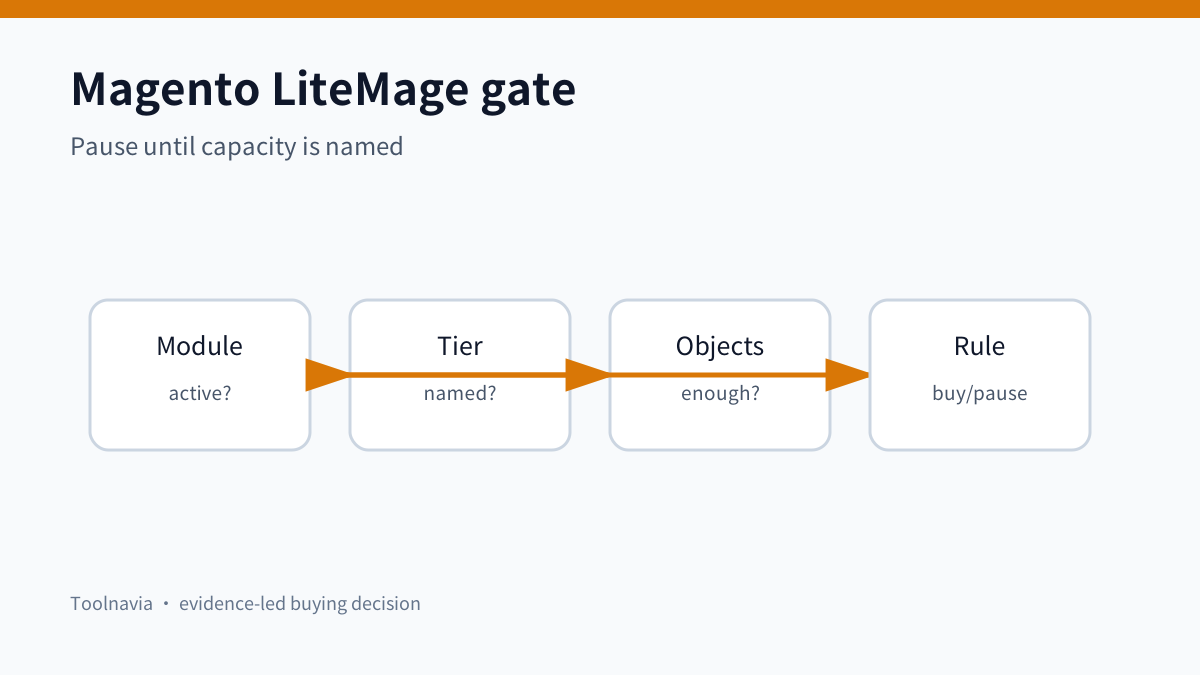
hosting.com's page mentions LiteMage but does not map the 4GB plan to Starter, Standard or Unlimited, and its own runtime matrix places LiteSpeed at 16GB+. Therefore none of the published object limits can be assigned to the 4GB offer. A Magento buyer should request written answers to all of these:
- Is the LiteMage module active on the exact 4GB plan? - Which tier is assigned? - What is the public-object allowance? - Is the allowance per store, per domain or per server license? - What happens after the limit is reached? - Does support configure cache root, extension and exclusions? - Is an upgrade to 16GB or another license required?
Until those answers are explicit, “with LiteMage” is marketing context, not a usable capacity specification.
Disclosure benchmark
Other providers demonstrate how precise the entitlement can be. Bisup labels LiteSpeed Enterprise as an optional paid add-on. LiteCloud says LiteSpeed + LSCache is included on every web-hosting plan. Fedelta maps Magento packages to named LiteMage tiers and catalog capacity. These are disclosure benchmarks, not affiliate recommendations. They show why a buyer needs plan-specific wording rather than a generic LiteSpeed badge.
Decision matrix
| Workload | Confirmed today | Must verify | Buy rule | |---|---|---|---| | Small WordPress site | 4GB resources and managed cPanel are listed | Running server, cache root, LSCache HIT | Buy only if the managed resources fit; cache is a post-provision acceptance item | | Several WordPress sites | cPanel/WHM and managed stack are listed | Per-site enablement, exclusions, aggregate CPU/RAM | Do not treat “unlimited sites” as unlimited cache capacity | | WooCommerce | WordPress compatibility is mentioned | ESI/private content, cart/account exclusions, purge behavior | Proceed only after a safe dynamic-page test | | Small Magento store | Magento installation is mentioned | Active LiteMage module, tier and object allowance | Pause until support answers in writing | | Multilingual or large Magento store | No exact tier is published | Object calculation, scope and over-limit behavior | Do not buy 4GB on a LiteMage assumption |
Six-question pre-sales script
Send this before paying:
1. On Managed cPanel 4GB, is the live web server Apache or LiteSpeed at provisioning? 2. If Apache, is the paid LiteSpeed license usable on 4GB, and will support switch the server without a plan upgrade? 3. Are server and virtual-host cache roots configured, and can LSCache page caching be enabled for WordPress? 4. Is the LiteMage module included and active on 4GB? 5. If yes, which tier and Magento object allowance apply, and what is the scope? 6. What evidence should the customer use to verify the active web server and cache HIT after provisioning?
Save the answer with the order. If it only repeats “LiteSpeed included,” ask for the exact runtime and module/tier details.
Best fit and poor fit
The 4GB plan can fit a buyer who values managed cPanel, its stated CPU/RAM/storage resources and support, and who treats caching as an acceptance test rather than a promised outcome. It is a poor fit for anyone whose purchase depends on guaranteed LiteSpeed runtime, a known LiteMage capacity, or a no-ticket self-service cache stack.
The 16GB+ wording makes those higher tiers the clearer starting point for buyers who require LiteSpeed to replace Apache, but even there the LiteMage module and tier still need written confirmation. This guide does not infer a current price because the exact market, term and checkout amount were not locked to one selector state. The current Canadian plan page separately states that promotional pricing is tied to a 12-month term and renews at the regular rate.
Bottom line
For hosting.com Managed cPanel 4GB, the safest current conclusion is:
- managed resources are confirmed; - the detailed matrix says Apache for 4GB and 8GB; - the page says LiteSpeed replaces Apache on 16GB+; - generic sections also say every plan includes a full LiteSpeed license; - active LSCache on 4GB and any LiteMage tier remain unproven.
Buy for the confirmed managed-server value. Do not buy for LSCache or Magento full-page caching until the exact 4GB runtime and entitlement are documented and then verified after provisioning.
[Review the current hosting.com Managed cPanel offer](https://hosting.com?utm_source=fp_affiliate&utm_medium=15583168&utm_campaign=42825&utm_content=affiliates&fpr=sc1w5e)
Evidence map: hosting.com supplies the conflicting exact-plan statements. LiteSpeed explains LSCache product tiers, WordPress server prerequisites, LiteMage module requirements and cPanel activation. Bisup, Fedelta and LiteCloud provide same-intent disclosure benchmarks.