TOOLNAVIA / BUYING GUIDE
hosting.com Managed cPanel 4GB Backups: What a Restore Can’t Cover
The short answer
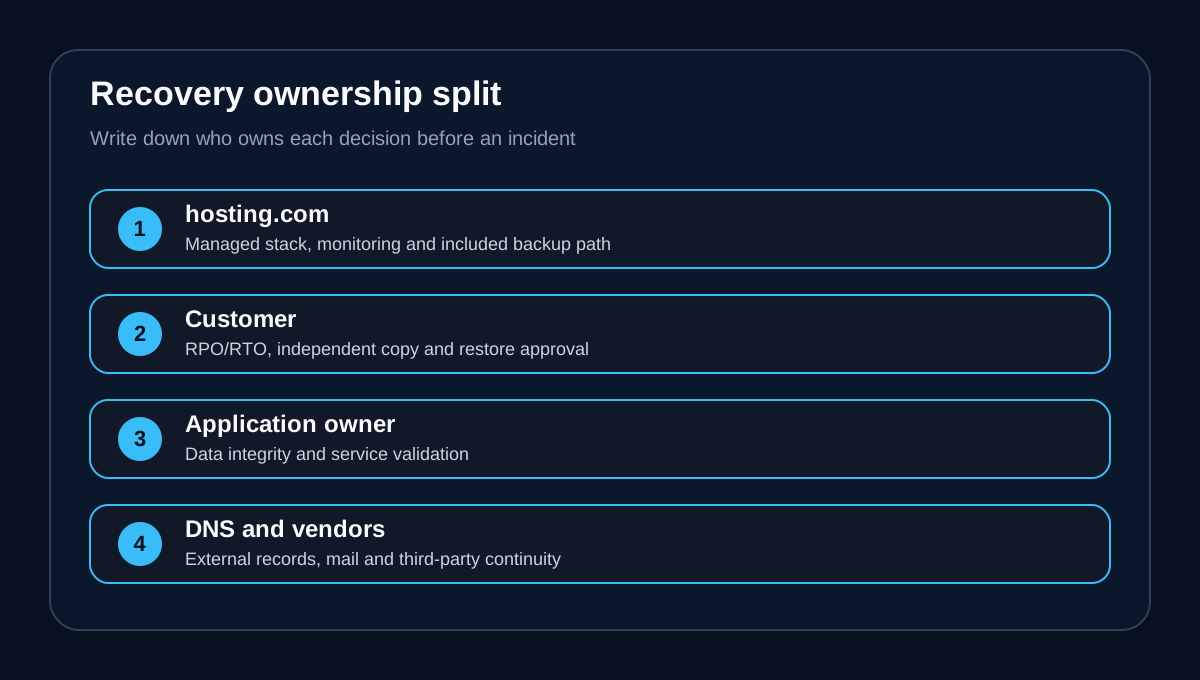
hosting.com Managed cPanel 4GB includes daily backups on a separate server and self-service restore controls. That is useful protection for ordinary file or database mistakes, but it is not proof of a complete disaster-recovery plan: the public plan page does not state a fixed retention period, immutable copy, geographic separation, full-server image, restore-time guarantee or business-specific RPO/RTO.
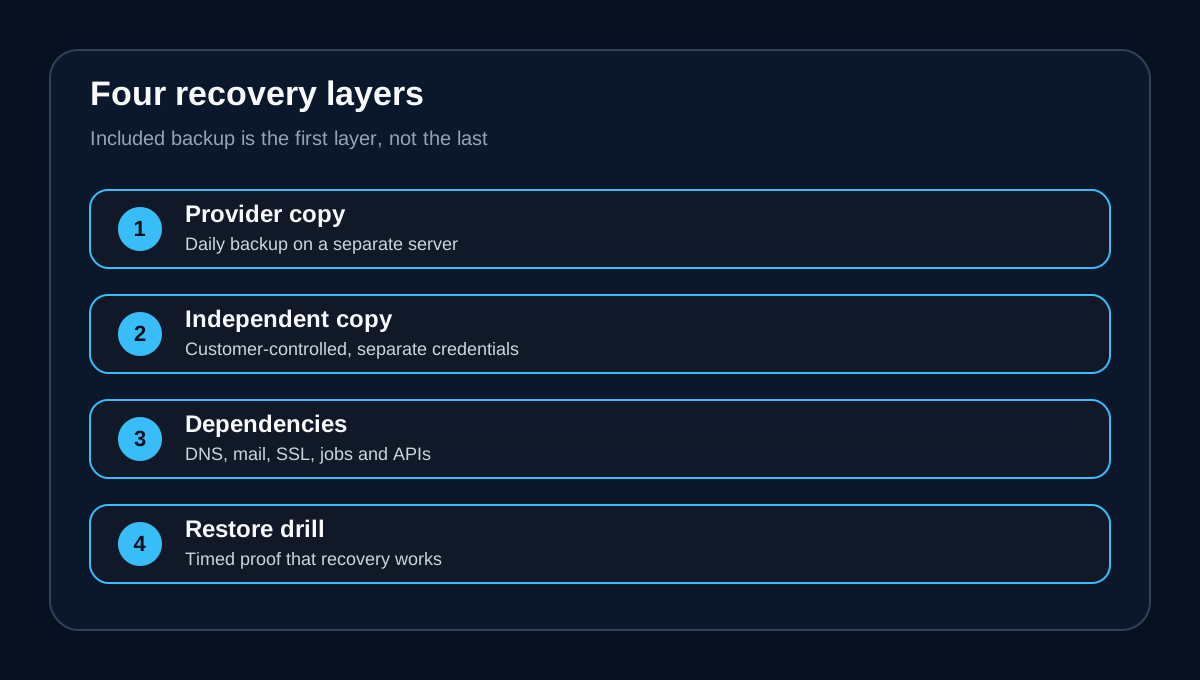
**Short answer:** included backup is a recovery layer, not the whole plan.
Buy this plan if you value a managed cPanel stack and a convenient first restore path. Do not buy it on the assumption that “daily backup” automatically covers every server, account, DNS, mail and continuity failure.
A responsible purchase decision has three parts: confirm exactly what the provider can restore, keep at least one independent copy, and run a recovery drill before the first real incident. If those steps fit your operating model, the included backup is a strong convenience. If your business needs a contractual recovery time or near-zero data loss, ask for written terms or add separate infrastructure.
At a glance
- Best for
- Buyers who want a managed cPanel VPS and can pair the included restore layer with an independent copy and tested runbook.
- Price model
- No separate backup price stated; included with the plan. Current Canadian checkout and invoice control.
- Check first
- Public pages do not state backup retention length, immutability, geography, full-server image or a restore SLA; DNS, mail and external services may need separate recovery.
What the exact 4GB plan includes
The current Managed cPanel 4GB tier lists 2 CPU cores, 4GB dedicated RAM, 100GB NVMe storage, 1TB monthly bandwidth, one dedicated IP, cPanel/WHM, KVM and CloudLinux. hosting.com also says backups run daily to a separate server and can be restored from the control panel without waiting for a ticket.
Those statements support a narrow, valuable conclusion: a recent provider-managed copy exists outside the production server, and the customer has a convenient restore path. They do not state how many restore points are retained, whether a copy is immutable, which region holds it, whether mail and DNS configuration are included, or whether the entire virtual machine can be recreated.
The Canadian market page confirms the relevant managed VPS product, but its readable page does not expose a stable numeric 4GB price or a more detailed backup contract. Use the current checkout and written support answer for price and account-specific scope.
Match the incident to the restore path
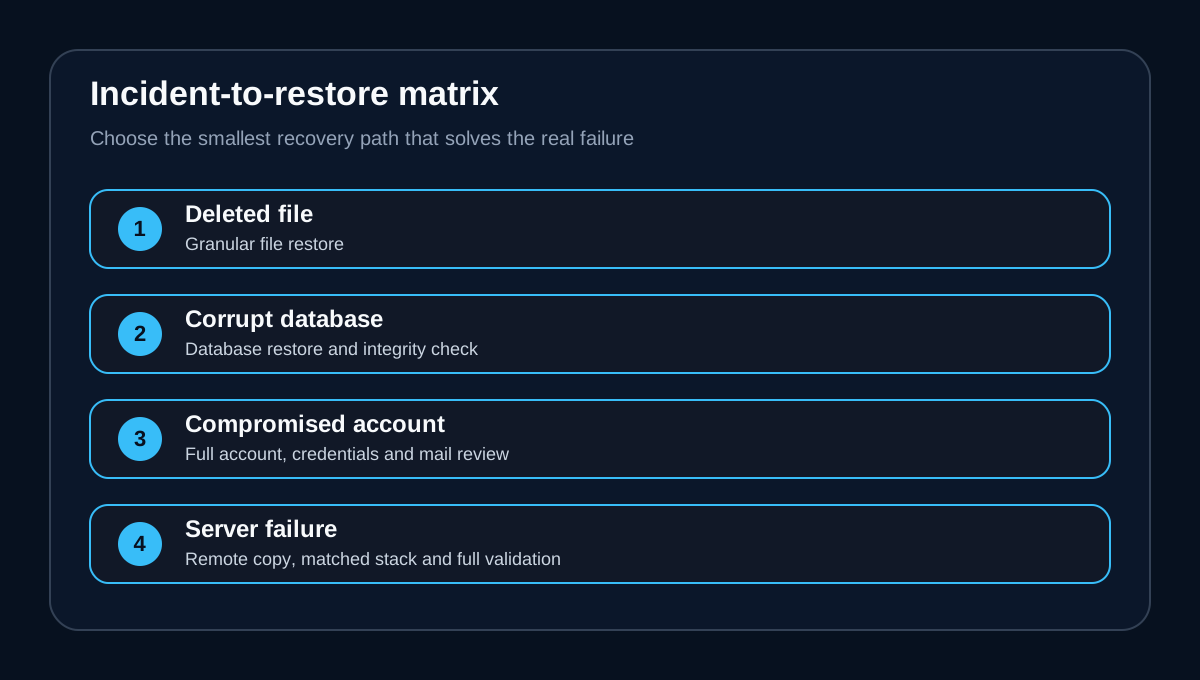
A deleted page, broken plugin or corrupted database may be solved with a granular restore. A compromised cPanel account may require files, databases, mailboxes and credentials to be rebuilt together. A failed server or control-plane incident is broader again: operating-system state, web stack versions, DNS, SSL, scheduled jobs and external services may matter.
cPanel's own full-disaster-recovery procedure tells administrators to move backups to a remote location, match MySQL or MariaDB, PHP, Apache and extensions on the replacement server, restore configuration and then test sites and services. That is a larger job than clicking “restore” for one file.
Before purchase, ask support five precise questions: retention length, selectable restore points, full-account versus partial coverage, mail/DNS/configuration coverage, and what happens if the control panel or source server is unavailable.
Set RPO and RTO before deciding that daily is enough
Recovery Point Objective is the maximum data-loss window the business can tolerate. Recovery Time Objective is the maximum acceptable outage. A backup run once per day cannot by itself promise an RPO shorter than the interval, and a stored copy does not promise any RTO until the restore process has been timed.
For a brochure site, losing several hours of changes may be tolerable. For orders, memberships or continuously changing databases, it may not be. The right question is therefore not “Does the plan have backups?” but “Can its documented frequency, retention and tested restore path meet our RPO and RTO?”
Keep an independent recovery copy
Use the provider copy for speed, then add a customer-controlled copy that is not reachable through the same cPanel login. Export a full account when supported, plus separate database dumps and a record of DNS zones, SSL dependencies, cron jobs, PHP versions, mailbox routing and third-party credentials.
The 3-2-1 pattern is a useful baseline: three copies, two storage types and one offsite copy. It is not a guarantee, but it reduces the chance that one credential compromise, billing problem or infrastructure failure removes both production and recovery data.
Encrypt sensitive archives, restrict restore credentials and test that downloads can actually be opened. An archive whose password is lost—or whose database dump is empty—is not a recovery asset.
Run two restore drills
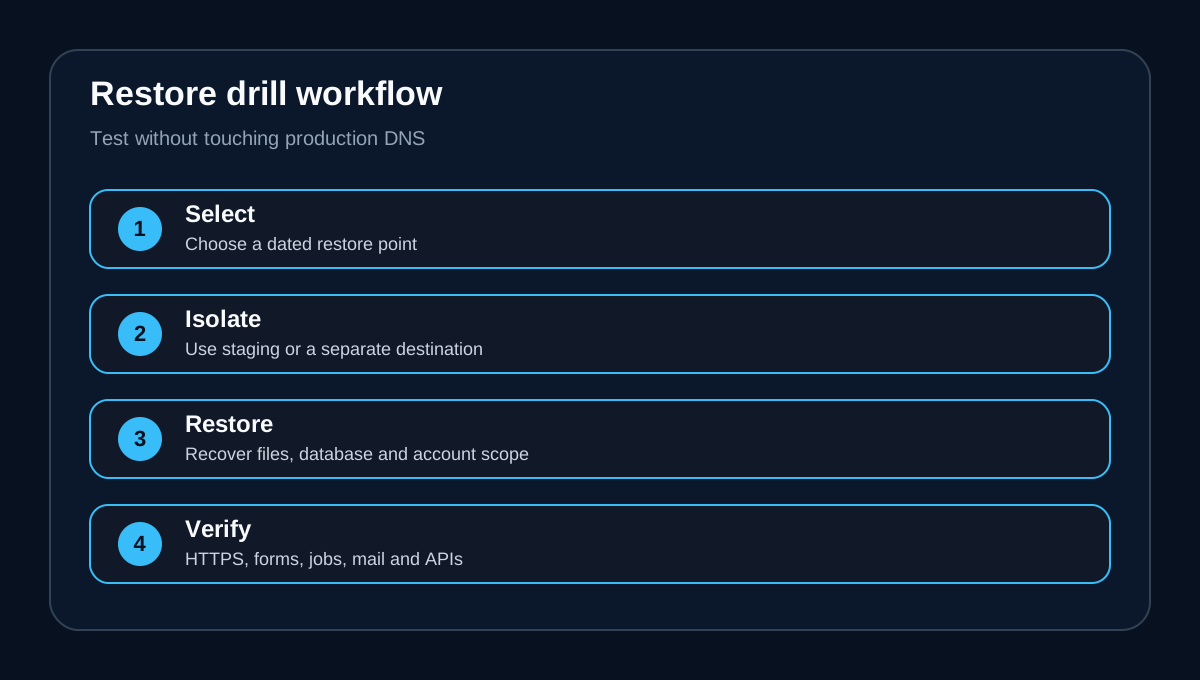
First run a granular drill: restore a noncritical file or database into a safe location, verify timestamps and content, and record how long the task takes. Then run a broader drill in an isolated destination: restore the account or application, reconnect the database, verify HTTPS, forms, logins, scheduled jobs, mail flow and external APIs.
Do not overwrite production merely to prove the process. Use a staging hostname or isolated environment, keep DNS unchanged, and document every manual step. Repeat after major application, PHP, database or DNS changes.
A successful drill produces evidence: restore-point date, recovered scope, elapsed time, missing dependencies, owner and next test date. That evidence is more useful than a generic “backups enabled” badge.
Buying rule
Managed cPanel 4GB is a reasonable fit when the included daily separate-server backup is one layer in a documented plan and the buyer can maintain an independent copy. It is a weak fit when the business needs an undisclosed retention window, immutable storage, cross-region failover, a fixed restoration SLA or a proven full-server image.
Use the [exact Canadian Managed cPanel 4GB route](/go/hosting-com-managed-cpanel-4gb-ca) only after the provider confirms the recovery scope that matters to you. Save that written answer with the checkout record.
Verdict
hosting.com's included daily backup and control-panel restore reduce the burden of routine recovery, but “included” and “complete” are different claims. Treat the provider copy as the fast first layer; define RPO/RTO, keep an independent copy, record external dependencies and test both granular and broad recovery. That is the difference between owning a backup and owning a recovery plan.
**Affiliate disclosure.** Toolnavia may earn a commission from an eligible hosting.com purchase through the exact product route. This does not change the backup boundaries or price. No restore, outage or purchase was performed for this review.