TOOLNAVIA / BUYING GUIDE
HostArmada WooCommerce Hosting: Which Plan Fits a Real Store?
The short answer
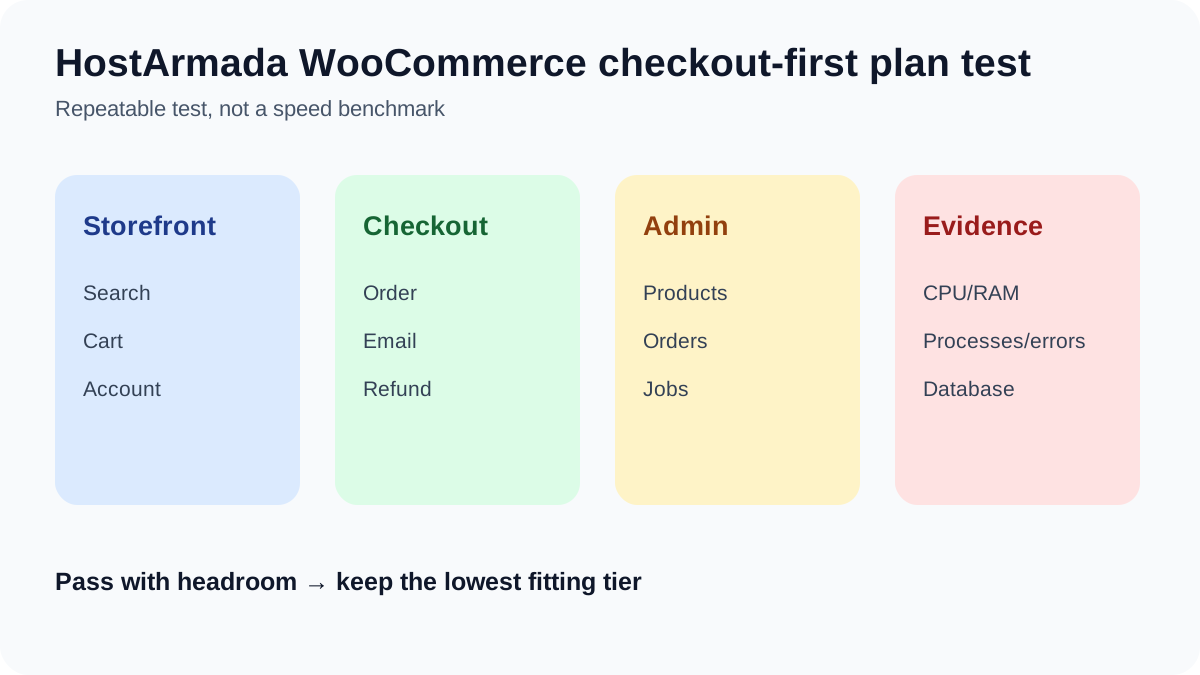
A WooCommerce store should not be placed on a plan only because the sales page says “WooCommerce.” Build a representative store, run search, add-to-cart, checkout, order email, refund and wp-admin work, then inspect resource data. HostArmada’s WooCommerce labels map to its shared bundles, so the correct starting point depends on real dynamic workload—not a generic visitor estimate.
At a glance
- Best for
- Store owners choosing a HostArmada shared tier with a representative checkout/admin test.
- Price model
- Current 36-month display: $1.99 / $3.29 / $3.95 monthly; verify checkout.
- Check first
- No benchmark, visitor guarantee or universal threshold; plan data can change.
Understand the name mapping
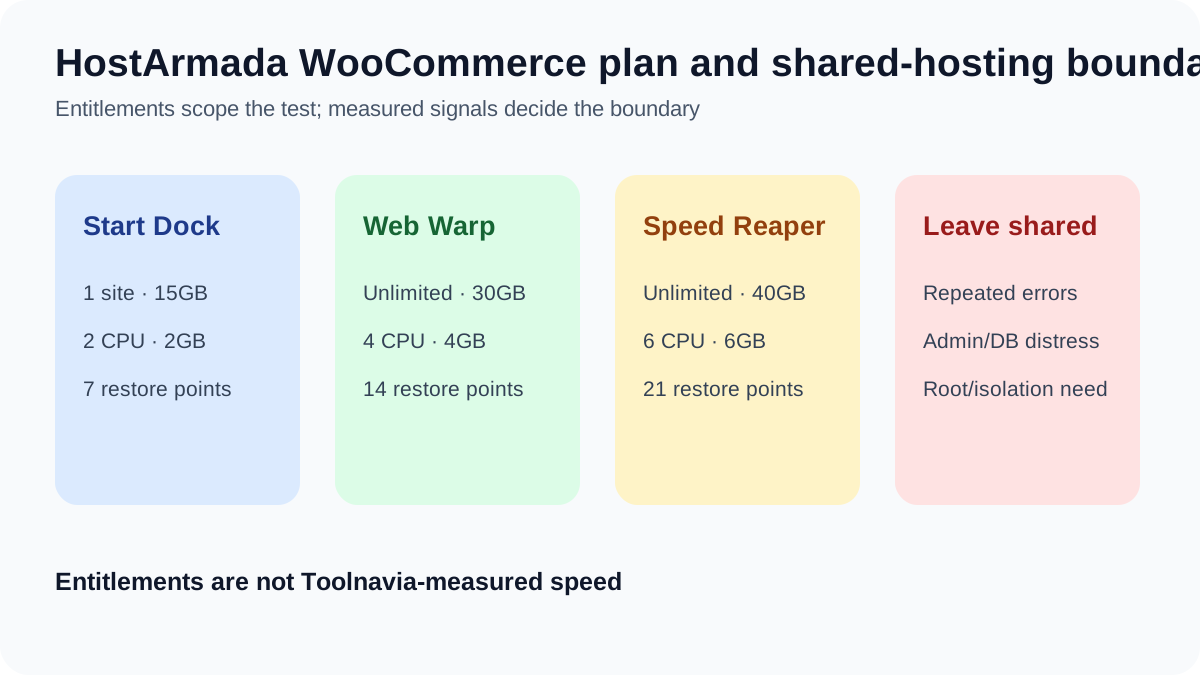
HostArmada’s WooCommerce page calls the tiers WP Launcher, WP Evolver and WP Speed Reaper. The shared page and Toolnavia exact offers call the matching bundles Start Dock, Web Warp and Speed Reaper. Their current displayed prices, site limits, storage, CPU, RAM and restore counts match. This is naming context, not evidence of separate infrastructure.
All three advertise installation, SSL, migration, cPanel, cache and daily backups. Confirm the current WooCommerce recommendations—PHP 8.3+, MySQL 8.0 or MariaDB 10.6+, HTTPS and at least 256MB WordPress memory—in the actual System Status.
Start Dock is a pilot choice
WP Launcher/Start Dock has one site, 15GB NVMe, 2 CPU, 2GB RAM and seven restore points. It can fit a small single-store pilot when the plugin stack is light, checkout works and resource graphs retain headroom. Entitlements do not prove speed.
Ignore the rough visitor estimate as a buying guarantee. HostArmada says it is not a hard limit. Cart, checkout and account pages are dynamic; a few simultaneous buyers can matter more than many cached product-page views.
Web Warp is the balanced production baseline
WP Evolver/Web Warp raises the bundle to 30GB NVMe, 4 CPU, 4GB RAM, unlimited sites and fourteen restore points. For a small production store, that headroom can be more useful than buying the cheapest tier and operating near its edge.
Test a staged copy with the real payment and shipping extensions. Place orders, refund one, edit products and inspect CPU, RAM, processes and database behavior. If the workflow remains stable without repeated warnings, Web Warp may be enough. This is a method, not a Toolnavia benchmark.
Speed Reaper needs a documented reason
WP Speed Reaper/Speed Reaper provides 40GB NVMe, 6 CPU, 6GB RAM and twenty-one restore points, plus the published static+dynamic cache and HTTP/3 feature set. Those entitlements add room but do not guarantee a checkout time or sale capacity.
Choose it when the store repeatedly needs the extra published resources. Confirm cart, checkout and account cache exclusions. If object caching would help, HostArmada says Memcached can be activated by support; verify activation and measure the result.
Backups are not the whole recovery plan
The three tiers retain seven, fourteen and twenty-one daily restore points. HostArmada’s SLA also says backups are best-effort/as-is and customers remain responsible for independent copies. Keep external file/database backups and test a restore; daily snapshots can miss orders after the latest copy.
Know when shared hosting stops fitting
Do not use a universal product or visitor threshold. HostArmada publishes shared-resource and database policies, while its visitor figures are estimates for standard sites.
Stronger signals are repeated resource warnings, checkout slowdown/errors, persistently slow admin, database pressure, failure during a modest promotion, or a need for root, a custom daemon or dedicated isolation. If those remain after application optimization, another shared tier may only postpone the same boundary. Compare managed cloud/VPS and its added operating responsibility.
Bottom line
Use Start Dock when a real one-store pilot passes and limited headroom is intentional. Web Warp is the balanced start for a small production store. Use Speed Reaper only when repeated dynamic work needs its documented resources and cache features. Leave shared when measured checkout, admin, database or policy signals—not a marketing visitor number—show the model no longer fits.
Affiliate disclosure: Toolnavia may earn a commission through approved exact-plan routes. Check live terms: [Start Dock](/go/hostarmada-shared-hosting-start-dock-official-usd) · [Web Warp](/go/hostarmada-shared-hosting-web-warp-official-usd) · [Speed Reaper](/go/hostarmada-shared-hosting-speed-reaper-official-usd). DirectLink is still pending and is not represented as approved.
Evidence note: the Start Dock pilot rule uses its current official price and entitlement pages, while the Speed Reaper rule uses its current official price, resources and cache feature pages. We also reviewed WooCommerce scaling, technical-requirement and broad market pages for context; their generic thresholds are not imported as HostArmada guarantees.