TOOLNAVIA / BUYING GUIDE
HostArmada Start Dock Staging: When Push to Live Can Erase New Orders
The short answer
# HostArmada Start Dock staging: when Softaculous Push to Live can erase new orders
At a glance
- Best for
- A small, low-change single site with a controlled staging release workflow.
- Price model
- 36-month display: $1.99/mo intro, $9.95 regular; verify checkout.
- Check first
- One website and 15GB on Start Dock; full-database Push to Live can replace post-clone orders and forms.
1. The buying decision
HostArmada includes Softaculous in its cPanel and documents WordPress staging. That does not mean the cheapest shared plan offers a lossless, one-click workflow for a store with orders arriving every minute. The relevant questions are (a) which application changes must reach production, (b) what customer data was written since the clone was made, and (c) whether storage, database and website-count limits permit a second environment. A staging copy can be useful for plugin, theme and layout tests; a blanket live database replacement is not a safe deployment method for an actively selling WooCommerce site.
2. Verify what the entry plan actually includes
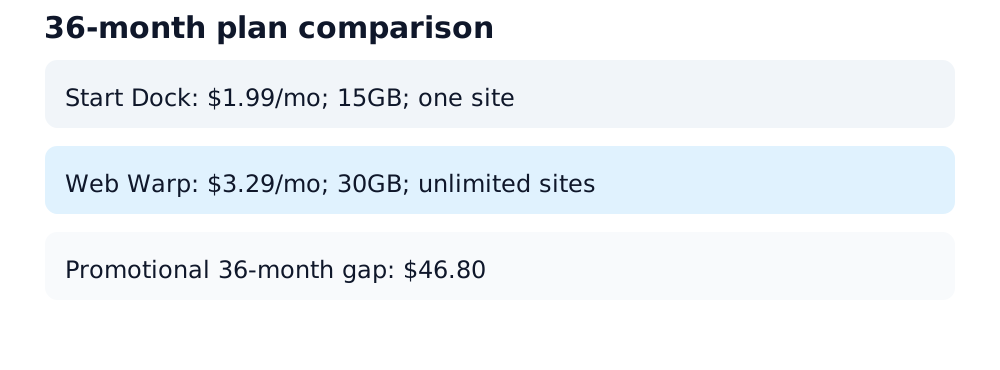
On the official 36-month billing tab observed 29 October 2026, Start Dock advertised $1.99/month introductory and $9.95/month regular pricing, 15GB NVMe, 2 CPU cores, 2GB RAM, one website and seven daily backup points. A 36-month introduction therefore totals $71.64 before tax/add-ons, if every month has that rate. Web Warp's same tab advertised $3.29/month introductory and $16.45/month regular, 30GB NVMe, 4 CPU cores, 4GB RAM, unlimited sites and fourteen daily backups. At the advertised 36-month introductory rates, the nominal price difference is $46.80 in total. Advertised standard rates imply a $6.50/month differential, but the actual renewal invoice depends on term and checkout conditions; verify taxes, extras and current checkout for your region. A one-site allowance does not independently prove whether a particular staging subdirectory or subdomain consumes another billable website slot. Ask support before relying on that interpretation. No invented performance/traffic guarantee.
3. Create the staging copy safely
In cPanel, open Softaculous Apps Installer, locate an eligible installed WordPress site, and choose Create Staging. HostArmada cautions that not all scripts are supported and that manually installed applications may need importing into Softaculous first. Choose a staging directory/subdomain, HTTPS, and a database name different from live; restrict access with authentication or IP controls where possible. Its 'Disable Search Engine Visibility' checkbox requests non-indexing; search engines can ignore it, so use access control as the stronger protection. Store the staging URL and credential ownership securely, not in the article or public logs.
4. The critical Default versus Customize distinction
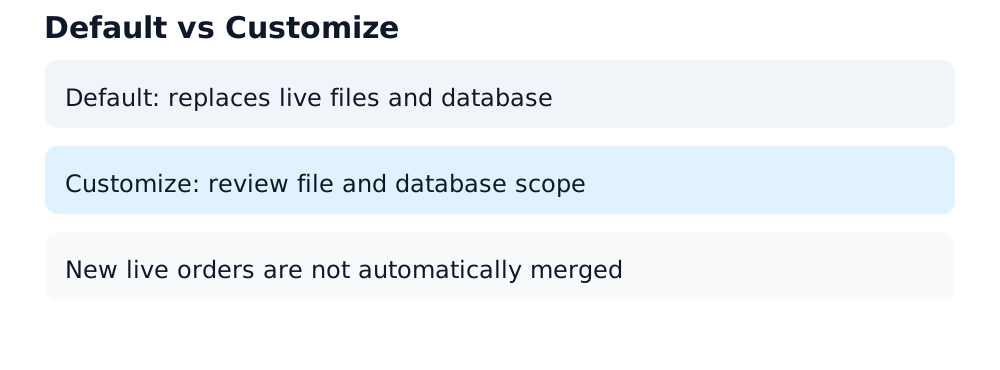
Softaculous exposes Default and Customize options when pushing staging changes to live. Its own documentation says file overwrite can replace production files and a full database push erases the live database and imports the staging database. Its published staging walkthrough explicitly lists replacing all live files and its database under Default. This is a replacement, not a merge of new WooCommerce orders, form submissions or customer account changes. Customize lets the operator decide whether to push files, a full database, structures or selected data. 'Selective' does not automatically make arbitrary schema changes compatible; a plugin upgrade may legitimately require coordinated database migrations. Review the exact checkboxes and take a fresh independently restorable backup immediately before action.
5. WooCommerce scenario
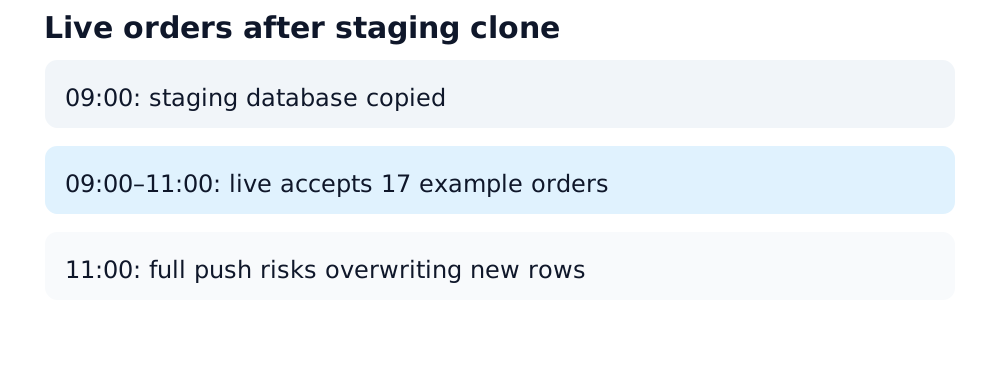
Suppose staging was cloned at 09:00, tested until 11:00, and the live store accepted 17 paid orders meanwhile. If the operator pushes the stale staging database wholesale at 11:00, those 17 order rows and potentially payment/refund/customer states may disappear from production even though the payments occurred at the gateway. Order count is an illustration, not a measured platform outcome. Test the update on staging, separately validate the migration procedure for live writes, schedule a controlled maintenance window when necessary, back up live database and files to off-account storage, and make the production change without blindly replacing the transaction tables. Afterwards compare live order references to payment-provider records and test checkout, webhook callbacks, notifications and forms.
6. Capacity, backups and recovery
Cloning a production site duplicates at least some files and database content; staging therefore consumes resources on the same shared-hosting account. Start Dock's 15GB storage and one-site product classification should be treated as a planning constraint. A vendor's seven rolling daily backups are valuable but are not equivalent to a verified off-account, application-consistent, immediately restorable snapshot. Check database and media size, available disk, inode quota, backup retention and how restoration is carried out. Record a rollback owner and procedure before a deployment.
7. Who should pay for Web Warp?
For a static brochure site with infrequent edits and small media, Start Dock can be sensible if support confirms the intended staging topology fits the plan and there is sufficient headroom. For multiple client sites, heavier media, or repeat deployment cycles, Web Warp offers more advertised storage/CPU/RAM and an unlimited-sites classification; its higher initial charge is visible rather than assuming it yields faster real-world checkout. Upgrading plan capacity does not prevent a destructive database push; the workflow risk remains unchanged.
8. A deployment checklist
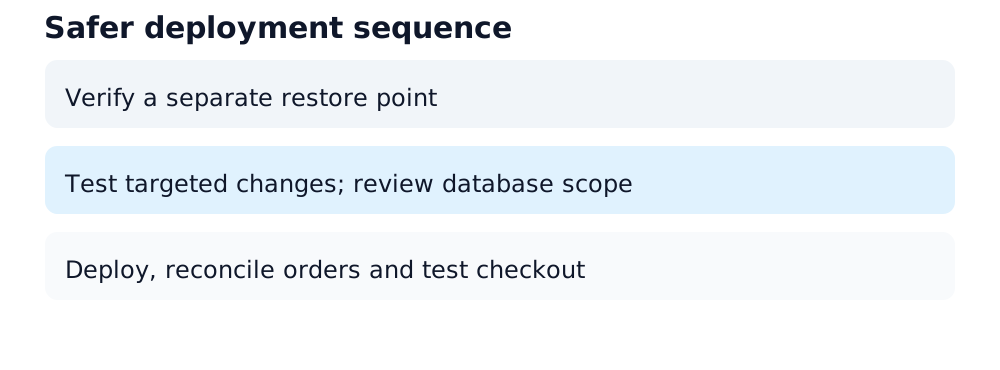
1) Inventory the live data written since the staging clone; 2) identify plugin/theme/file changes separately from database changes; 3) confirm staging access restrictions, domain mapping and capacity; 4) create and verify a separate production backup and recovery procedure; 5) test deployment against a fresh clone with realistic orders/forms; 6) choose Customize/file-only if appropriate or plan reviewed migrations rather than full DB replacement; 7) deploy during a controlled window; 8) reconcile orders/payments, URLs, SSL, email and logs, and retain rollback evidence.
9. Verdict and affiliate transparency
Buy Start Dock for a small, low-change site that fits one-site/15GB limits, not because the words 'staging included' guarantee risk-free live deployment. Choose a higher-capacity plan if storage or site count warrants it. Readers must confirm current billing-cycle pricing, eligibility and any add-ons at checkout. The exact HostArmada Start Dock offer used here was re-read from a completed same-offer native payload and is approved, enabled and market confirmed. Toolnavia may earn a commission if you buy through the disclosed link; that does not change the price or this recommendation.
Source map
Current Start Dock and Web Warp pricing, capacity and backup figures:. HostArmada staging workflow:. Softaculous Push to Live and full-database behavior:. Staging prerequisites and storage implications:. Independent same-intent workflow cautions:.