TOOLNAVIA / BUYING GUIDE
GreenGeeks Pro: Is Direct Backup Restore Worth the Upgrade?
The short answer
A broken plugin update is easier to face when you can start a restore yourself. GreenGeeks Pro makes that control its clearest reason to upgrade: the backup policy gives Pro and Premium direct access to system backups. The buying question is whether that convenience justifies Pro’s renewal bill for your site.
At a glance
- Best for
- Small multi-site owners who value direct restore access and can fund the renewal price.
- Price model
- $59.40 advertised first12 months; $227.40 annualized renewal reference, before extras.
- Check first
- Buyers expecting guaranteed30-day retention, dedicated resources or transaction-safe recovery without separate backups.
The buyer who gets the most from Pro
Pro suits a small business owner maintaining several modest WordPress sites, or one site updated often enough that waiting for a manual restore is inconvenient. The current plan pairs unlimited website allowance with 50GB of storage; “unlimited” does not remove the storage limit or turn shared hosting into dedicated capacity.
A static brochure site with rare changes may need less. A store taking frequent orders needs a separate recovery design: restoring yesterday’s database could lose today’s sales. Pro’s restore access is useful, but it does not establish an acceptable recovery point for your business.
What the first year and renewal actually cost
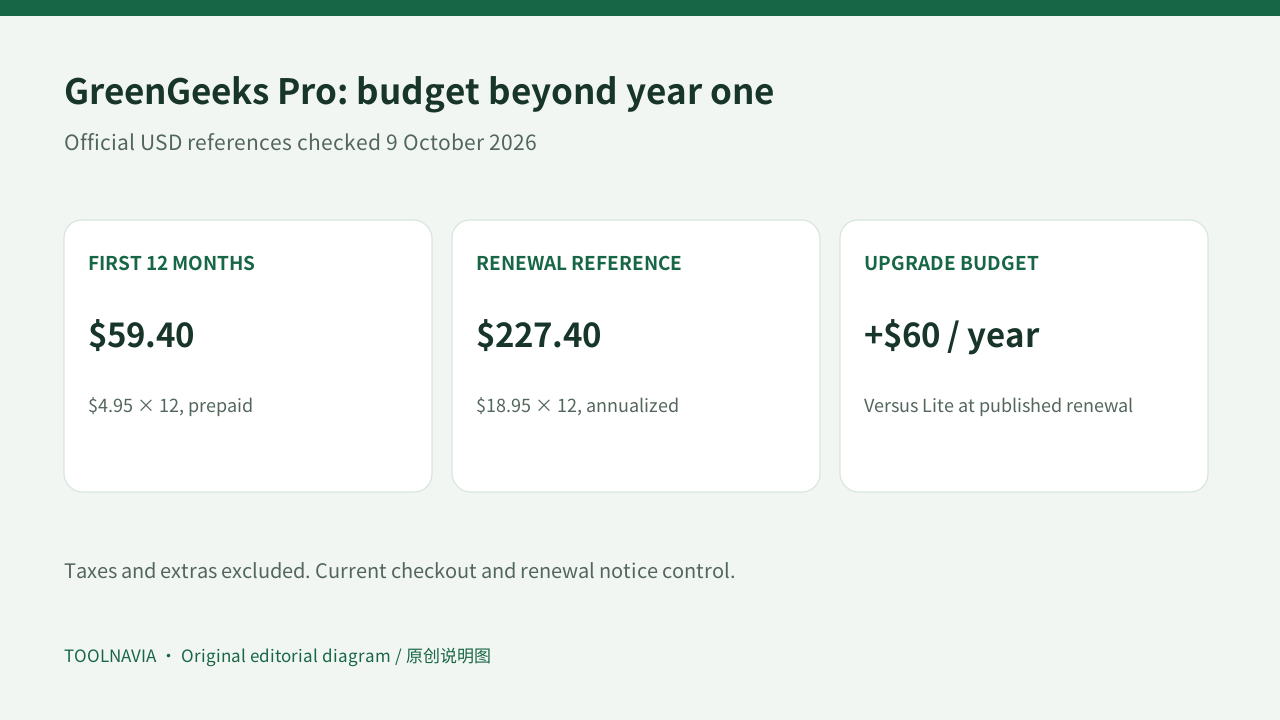
The official shared-hosting page lists Pro at $4.95 per month when prepaid for 12 months, renewing at $18.95 per month. That means $59.40 for the advertised first term and a $227.40 annualized renewal illustration. Taxes, domain renewals and optional services are additional; the actual renewal notice controls.
| Cost checkpoint | Pro | Lite reference | |---|---:|---:| | Advertised monthly equivalent, 12-month prepay | $4.95 | $2.95 | | First 12 months, arithmetic | $59.40 | $35.40 | | Published monthly renewal reference | $18.95 | $13.95 | | Annualized renewal illustration | $227.40 | $167.40 |
The upgrade difference is $24 for the first year and $60 per year at those renewal references. Ask whether managing multiple sites or controlling restores is worth that ongoing difference. This is a budget decision, not a claim that Pro prevents downtime.
Four practical reasons to consider it
Direct access to system backups reduces dependence on a staff-mediated restore. That is useful when an update breaks a site outside your usual working hours; availability of the specific recovery point still matters.
The multi-site allowance helps a consultant keep a small portfolio in one account. Storage and shared-resource limits still apply, so it is unsuitable for treating every client as an independently isolated service.
The 50GB storage allowance creates room for a growing site collection. Inventory your current files, databases and mail before purchase, and keep backup archives elsewhere instead of filling production storage with copies.
Included SSL with automated renewal removes a recurring certificate task for ordinary HTTPS sites. It does not replace application updates, access controls or a recovery plan. These are operational conveniences, not evidence of measured speed or security outcomes.
Build a recovery routine before the first update
Keep a separate backup containing both WordPress files and its database. WordPress documentation treats them as a pair; the useful frequency depends on how often content changes. Before a risky update, record the backup time and keep an off-account copy.
Use a staging copy to check updates where the tool is available. Softaculous documents creating a separate installation from an existing one, but excludes WordPress Multisite from its staging feature. Confirm availability for your actual installation; staging documentation alone is not a plan entitlement.
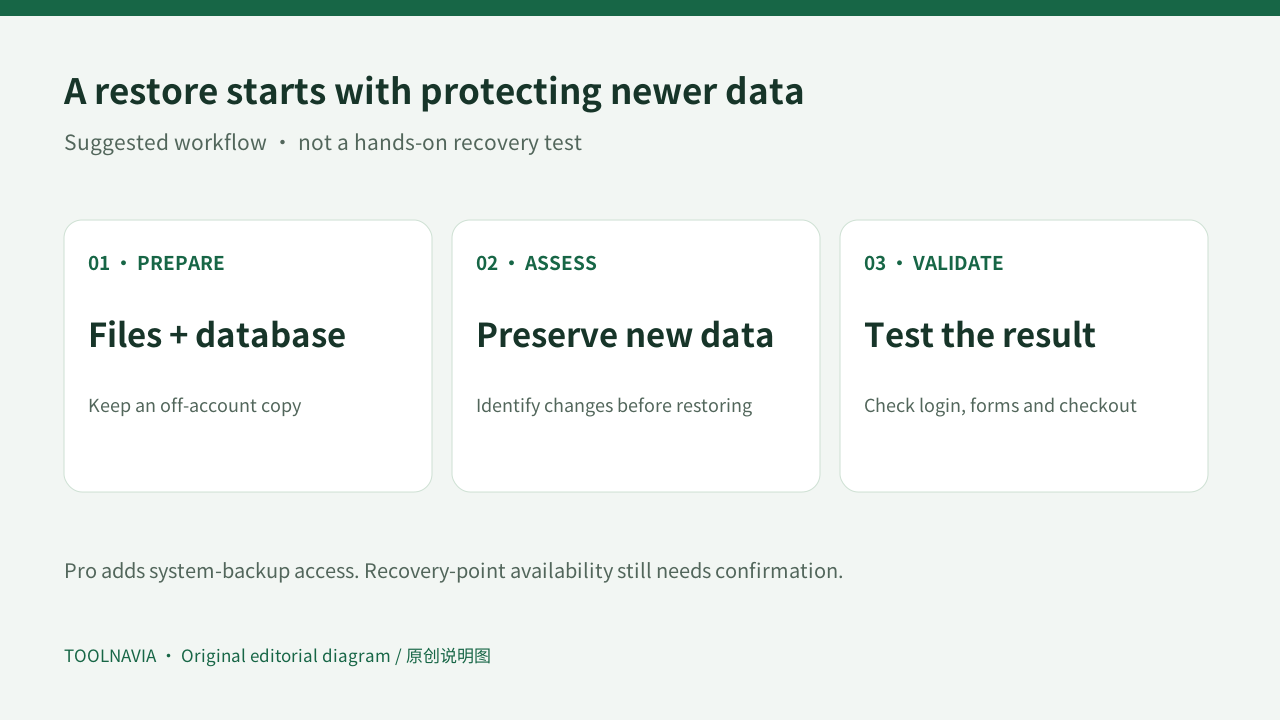
If something breaks, first identify what changed and preserve newer orders or submissions. Then choose an appropriate restore scope and point. Validate the homepage, login, forms and any checkout after recovery. This sequence is our suggested workflow, not a report of a Toolnavia restore test.
A downloaded full cPanel backup is also not a one-click self-restore promise. cPanel says a full backup requires WHM or provider assistance to restore automatically; partial backups have separate restore options.
The backup promise you should confirm
GreenGeeks’ backup policy describes approximately 30 disaster-recovery sets, while its Terms describe a 24-hour disaster-recovery copy. Those documents do not provide one consistent retention promise. We therefore do not promise a guaranteed 30-day history, even on Pro. Ask support to confirm available recovery points and your plan’s current restore interface.
Before you choose a plan
Choose Pro if multiple sites, 50GB and direct restore access solve a real maintenance problem at the renewal budget. Stay with a simpler plan if they do not. For frequently changing commerce data, agree on backup frequency and recovery procedures before choosing any shared plan.
Use the GreenGeeks plans button on this page. This affiliate link opens GreenGeeks’ general site; select Pro and verify the billing term at checkout. Toolnavia may earn a commission from qualifying purchases. This guide analyzes official documentation and does not claim hands-on performance or recovery testing.