TOOLNAVIA / BUYING GUIDE
Moving to GreenGeeks Lite: A Migration Checklist Before You Buy
The short answer
Moving a small website to GreenGeeks Lite can be attractive when you want a modest first-year bill and help copying an existing site. The strongest fit is one ordinary site that stays on the same domain. Before paying, confirm the migration scope: the detailed shared-hosting policy allows one free migration, despite broader “unlimited” wording elsewhere.
At a glance
- Best for
- One modest site whose storage, annual renewal budget and confirmed transfer scope fit Lite.
- Price model
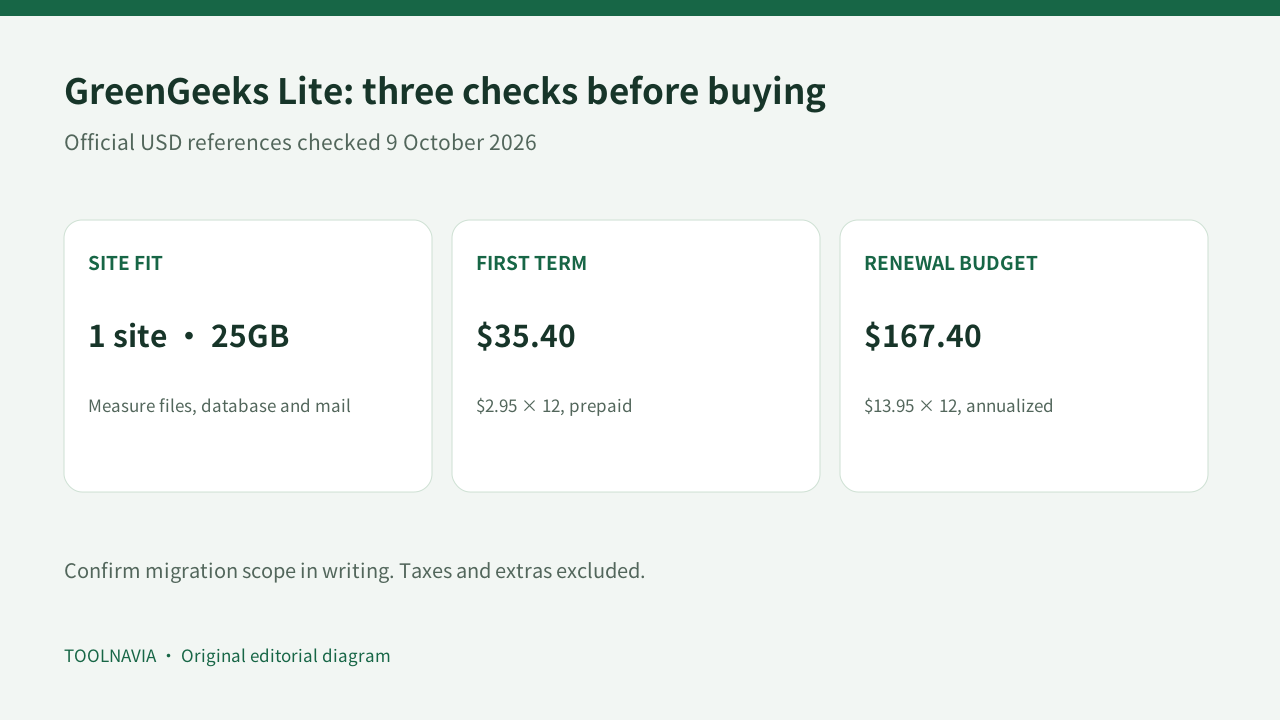
- $2.95×12=$35.40 advertised first term; $13.95×12=$167.40 annualized renewal reference before taxes and extras. Additional migration scope requires a written quote.
- Check first
- Multiple independent websites, complex unsupported migrations or stores without a final data synchronization plan.
Start with the site you actually need to move
Lite currently allows one website and 25GB of storage. That fits a compact business site or blog whose files, database and mail fit comfortably within the account. The single-site allowance prevents paying for multi-site capacity you do not use; it also makes Lite unsuitable for consolidating several independent websites.
The advertised $2.95 monthly equivalent requires a 12-month prepayment: $35.40 before tax and extras. The published $13.95 monthly renewal reference annualizes to $167.40, so assess the second-year budget before deciding that migration help makes the offer worthwhile. Checkout and renewal notices control actual charges.
Confirm what “free migration” covers
The migration policy lists one total free shared-hosting migration, either a full cPanel transfer or a manual transfer. It is not one of each. The Terms place free transfers within 30 days of signup and do not guarantee completion time or success. Open the actual migration request after purchase; creating a hosting account is not the same as arranging the move.
GreenGeeks’ WordPress marketing page uses “Free Unlimited Migration,” while the detailed policy gives the shared plan a one-migration allowance. We cannot reconcile that scope from the published pages. Obtain written confirmation for your source platform, website count and any fee before buying, especially if the project involves more than one site.
Four conveniences that make Lite worth considering
Assisted migration can reduce the copying work for one eligible existing website. Its value is practical help, with scope and timing agreed beforehand—not a zero-downtime promise.
A full cPanel transfer can bring more account configuration across than a files-only move, provided the old account permits full backup generation. cPanel itself distinguishes full archives from partial backups; verify that the required export is available.
The 25GB allowance offers a concrete storage budget for one compact site. Measure the existing account and allow growth room instead of assuming that an unmetered-traffic label makes every resource unlimited.
Automatic SSL reduces a routine setup task once DNS points correctly. It remains essential to check that HTTPS works on the real domain after the move; certificate automation is not a substitute for validation.
Inventory first, copy second
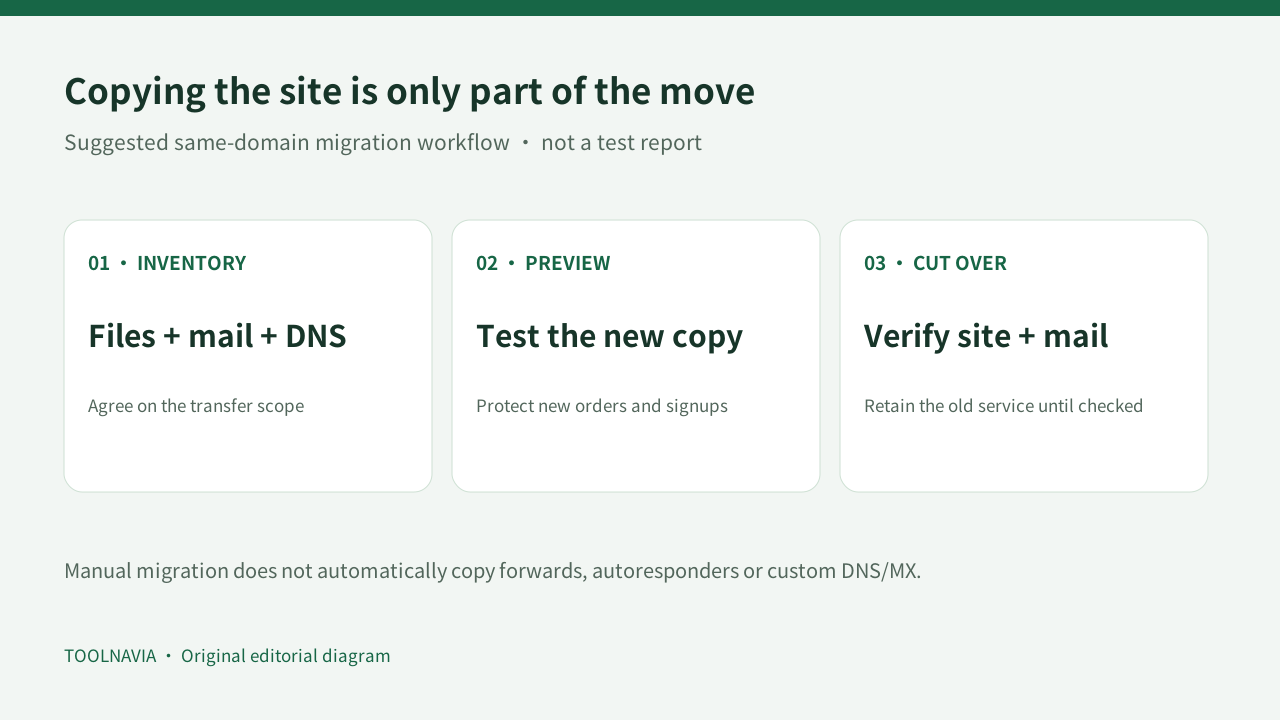
Make a list of website files, databases, mailboxes, forwarding rules, scheduled jobs and DNS records. Mark which service currently handles email. For a manual move, GreenGeeks says forwards, autoresponders and custom DNS/MX settings are not copied automatically. A homepage loading correctly therefore does not prove email is ready.
Preserve an independent files-and-database backup before changes. WordPress explains that keeping the same domain and URLs is simpler than changing them; a domain change introduces stored-URL and serialized-data complications. Ask for a separate plan if you are also rebranding or moving a Multisite network.
For a shop or membership site, agree on a final synchronization window. Our recommendation is to define how new orders, registrations and submissions will be preserved between the initial copy and the switch. Do not let two writable copies quietly diverge.
Validate before switching visitors
GreenGeeks documents a local DNS override for previewing the new copy before changing public DNS. Check key pages, login and forms against that copy. Then choose whether to change nameservers or keep existing DNS and update the website records. Moving the domain registration itself is optional.
If you keep an external mail service, preserve its required mail records. Cloudflare’s DNS migration guidance reinforces the general principle: verify records, monitor propagation and test critical website and mail resolution. Its timing guidance is not a GreenGeeks completion guarantee.
Keep the old service available while you verify the cutover and reconcile any new data. Cancel it only after the new site, mail and independent backups pass your checks. This is a suggested migration checklist, not a Toolnavia migration test.
Buy when the scope and renewal both fit
Lite is a sensible candidate for one modest site when its storage, renewal price and confirmed migration scope match your needs. If the project has multiple sites, complex mail or constant transactions, settle the transfer plan before choosing hosting.
Use the GreenGeeks plans button on this page. This affiliate link opens the general GreenGeeks site; choose Lite and verify the annual term. Toolnavia may earn a commission on qualifying purchases. No downtime, migration outcome or search-ranking improvement is guaranteed.