TOOLNAVIA / BUYING GUIDE
GoDaddy Economy Staging: Will a Plan Upgrade Actually Help?
The short answer
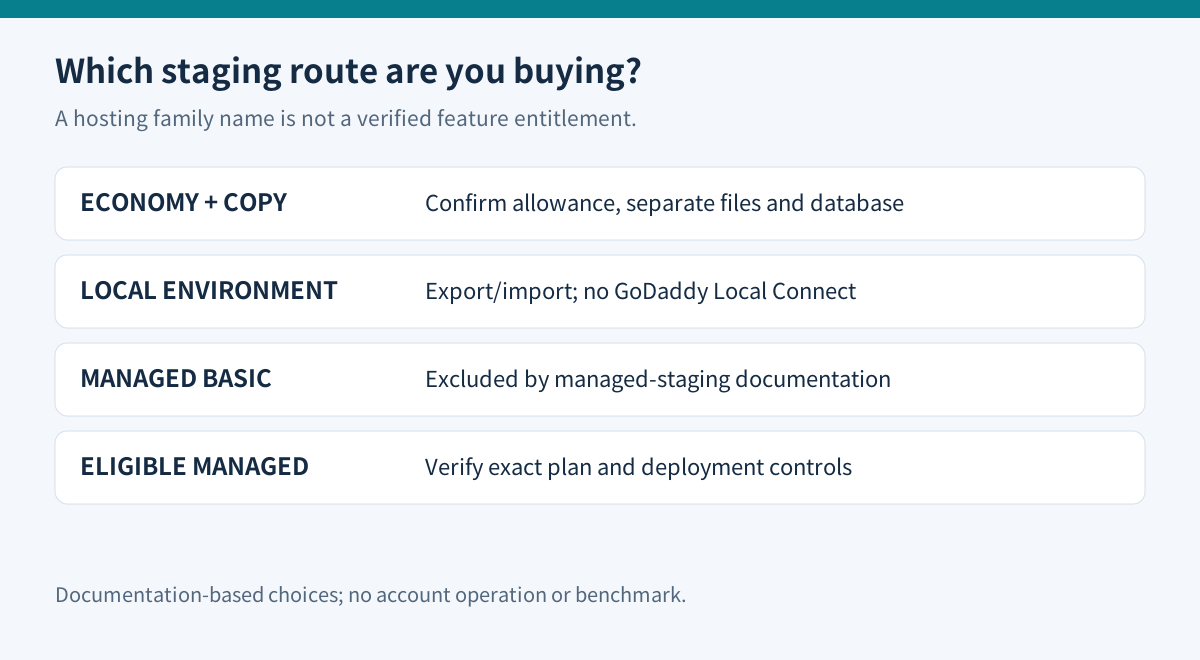
GoDaddy Economy can be a sensible home for a small WordPress site, but buying a plan with “WordPress” in its name does not automatically add the staging workflow you want. GoDaddy's managed-staging help excludes Basic, while Economy belongs to its cPanel hosting family. Check the product family and exact feature before paying for an upgrade.
This is a documentation-based purchase guide, not a completed hosting-account test. The useful choice is between a carefully separated copy on your existing account, a local test environment, and a managed plan that explicitly includes the required staging feature.
At a glance
- Best for
- Owners comparing manual, local and eligible managed testing.
- Price model
- US display $215.64 for the first36months beforetax; exact renewal quote required.
- Check first
- No automatic managed-staging entitlement on Economy; copying shares account limits.
Identify the missing capability
Economy currently advertises one website, 25GB NVMe and cPanel. The US display is $5.99 per month equivalent for the first three-year term, or $215.64 before tax and extras. Its crossed-out $11.99 figure is a price reference, not a renewal invoice captured here. Save the actual recurring total before checkout.
GoDaddy's managed-staging documentation describes a persistent copy on an automatically assigned domain, with a create, pull, test and push workflow. Basic is excluded. Those instructions do not establish that Economy has the same buttons. A cPanel capacity upgrade and a move to an eligible managed WordPress product solve different requirements.
Write down what is missing: enough disk space, a private review URL, convenient copying, or a controlled production deployment. Paying for more capacity will not necessarily supply a different deployment interface.
A separate URL needs separate data
GoDaddy documents creating a subdomain through cPanel Domains, clearing the shared-document-root option and selecting a separate directory. It specifically excludes Economy from addon-domain support; that sentence should not be broadened into a blanket ban on all subdomains. Confirm your account's subdomain and website allowances before relying on this route.
Its WordPress installation guide uses Installatron and explains how to choose a previously created subdomain or a directory. That is evidence for an installation route, not a promise of automatic cloning or selective deployment.
For a test copy, verify a separate document root and database, correct test URLs and suitable HTTPS. A different address pointing at the live directory is not an independent environment. Record the destination before copying anything, then verify that an innocuous edit on the copy leaves production unchanged. Keep the live database credentials out of the copy unless a reviewed migration procedure explicitly requires them.
Budget the copy and restrict its effects
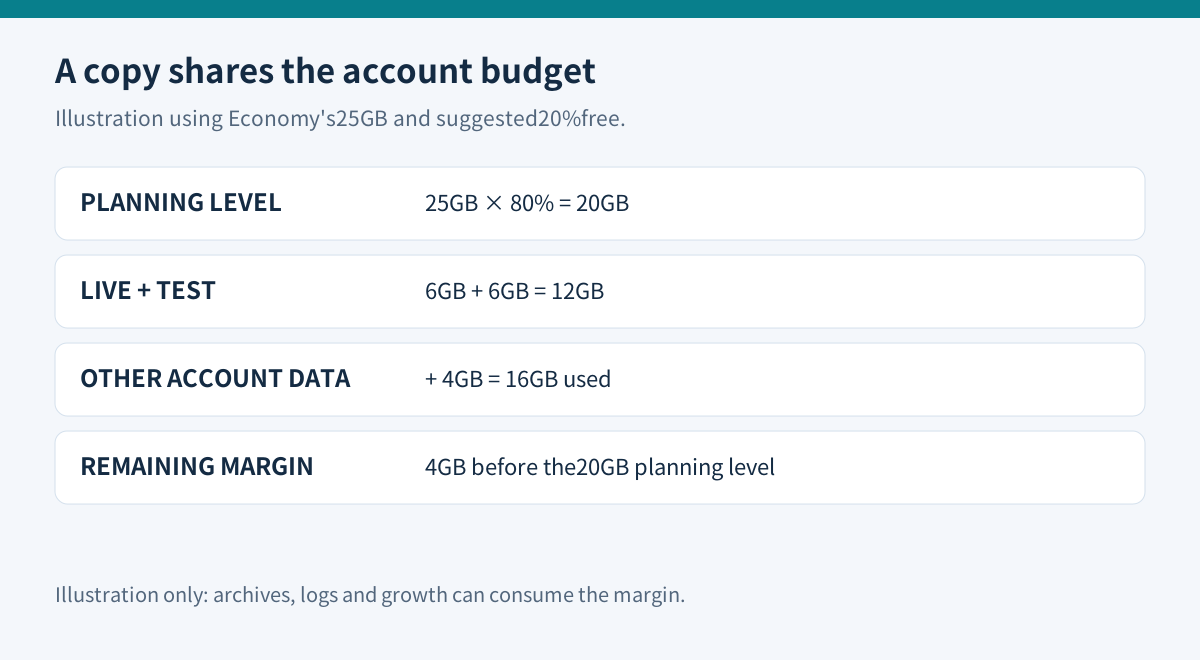
GoDaddy recommends leaving 20% of disk capacity free. On Economy's 25GB allocation, that suggests planning around 20GB before other constraints. The resource table also lists 512MB RAM and 250,000 files; a clone shares the account rather than creating another resource allocation.
For illustration, a 6GB live site, a 6GB test copy and 4GB of other account data total 16GB. That leaves 4GB below the suggested 20GB planning level. Archive creation, logs and future uploads can consume that margin. Measure your own files and database; this example is not a performance result or a guaranteed maximum.
WordPress's search-engine visibility setting does not block visitors. Add genuine access restrictions and verify them from a logged-out session. On a store copy, switch payment gateways to their documented test modes and review email, shipping and other integrations. WooCommerce warns that test orders can trigger emails and look like normal orders to other systems. A private URL alone does not disable outgoing actions.
Local testing is useful, but deployment is separate
A local environment can remove the test copy from the shared hosting account. However, Local Connect's direct host integration is documented for WP Engine and Flywheel. For other hosts, Local points to a full-site export/import approach. Do not buy Economy expecting that particular one-click Connect relationship.
Keep a written list of changes that must reach production. Files, plugin settings, database migrations and new customer records are different things. Even GoDaddy's managed workflow says its default sync replaces files, while selecting Overwrite content also replaces the database; newer live orders or customers can be overwritten. Its sync also excludes custom assets outside wp-content.
For a changing store, use a deployment method that preserves new live transactions, take a fresh restorable backup, and arrange a controlled maintenance window where necessary. Review the exact migration procedure rather than treating a successful test clone as proof that production can be replaced safely.
Decide what deserves payment
Keep Economy when the intended copy is allowed, resources fit and you can operate the separate environment reliably. Local testing may suit individual developers who can manage exports and deployment. Pay for an eligible managed staging product when its documented copying and deployment controls save enough repeated work to justify the complete recurring bill.
Before buying, ask for the exact product name, staging entitlement, storage treatment, copy direction and database behavior in writing. A change from Economy to a product labeled Basic is not sufficient evidence. For recovery planning, read our [Economy backup guide](/en/hosting/godaddy-economy-backup-restore). Toolnavia may earn a commission from eligible purchases through its GoDaddy link.