TOOLNAVIA / BUYING GUIDE
Cloudways Malware Protection Cost: $4, $3 or $2 per App?
The short answer
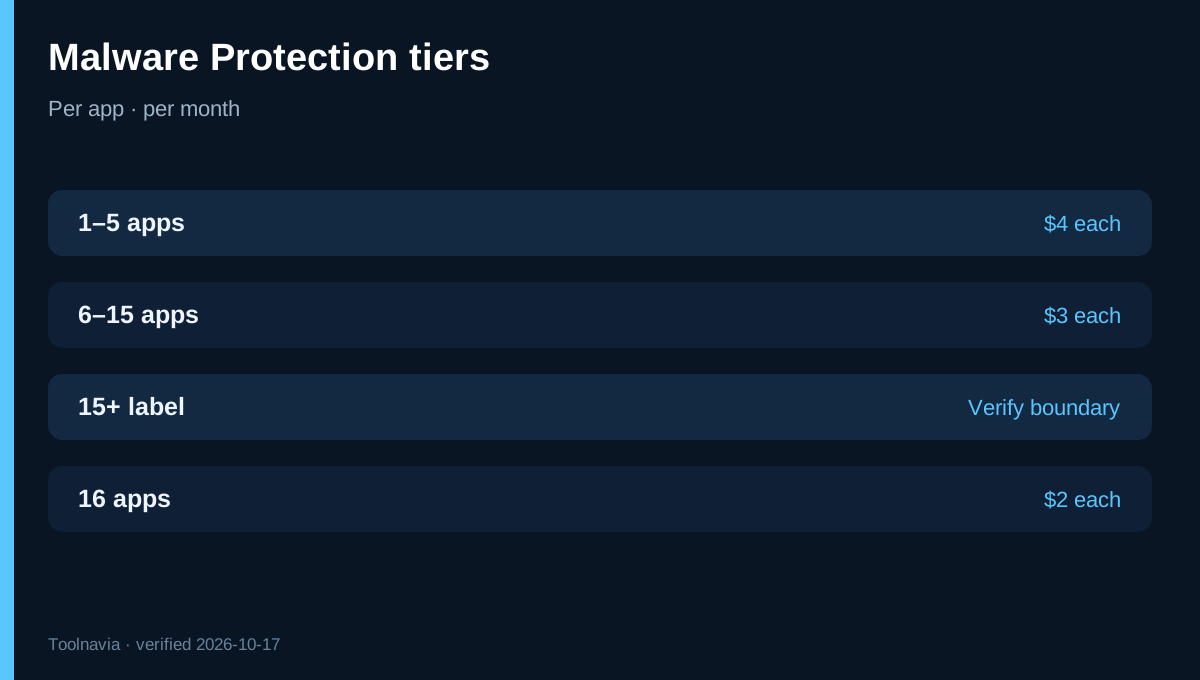
**Quick answer:** Cloudways Malware Protection is a paid, per-application add-on. Current official pages show **$4 per app monthly for 1–5 apps**, **$3 for 6–15**, and **$2 in the largest tier**. The exact start of that $2 tier is ambiguous: the live product and help pages say “15+,” while Cloudways’ launch article says “more than 15.” Treat the fifteenth app as a quote-check point, not a guaranteed discount.
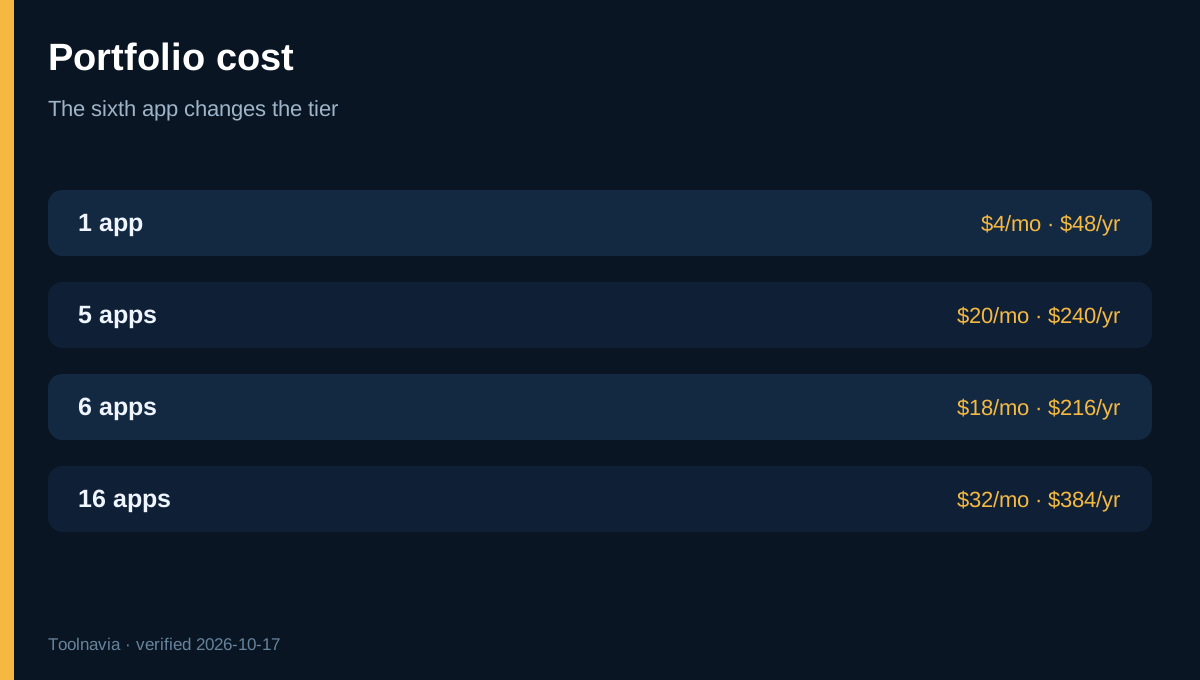
At the unambiguous counts, one protected app costs $4/month or $48/year; five cost $20/month or $240/year; six cost $18/month or $216/year; and sixteen cost $32/month or $384/year. The tier appears to reprice every subscribed app, so six can cost less than five. Confirm the live add-on invoice before changing the portfolio merely to cross a threshold.
Affiliate disclosure: Toolnavia may earn a commission if you purchase Cloudways through this article. The commercial CTA uses the exact approved Cloudways Flexible route. Malware Protection is an optional security add-on, not a coupon and not part of every server price. [Check Cloudways Flexible](/go/cloudways-managed-hosting-flexible-official-usd).
At a glance
- Best for
- Cloudways Flexible revenue sites where automated malware cleanup can replace measurable incident work.
- Price model
- $4/app for 1–5; $3/app for 6–15; $2 tier boundary must be verified at 15
- Check first
- Per application; official sources conflict at exactly 15 apps; does not replace backups, WAF, patching or incident validation.
What is free, and what does the add-on buy?
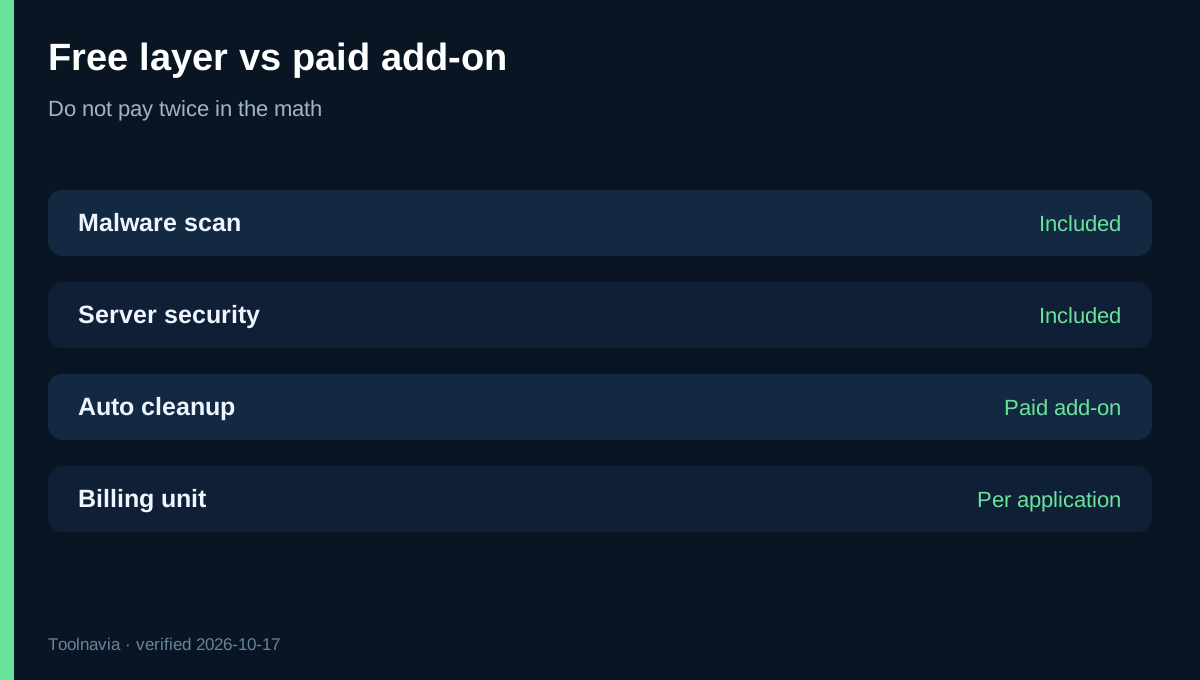
Cloudways says malware scanning is enabled across hosted applications at no extra charge. Its server-security documentation also says the wider Imunify360 security layer is enabled by default, except for the separate Malware Protection add-on.
The paid add-on is therefore not the difference between “no security” and “security.” It adds application-level automated cleanup, quarantine and proactive defenses after malware is detected. The product page also lists phishing, system and database protection; database protection is limited to WordPress, Magento and Joomla.
Do not count included scanning as a paid benefit when calculating value. The buy/skip question is whether automated response and central reporting are worth more than the add-on fee compared with restoring from a clean backup, using another remediation service, or handling an incident manually.
Cost table and the fifteenth-app conflict
For 1–5 apps, multiply the protected count by $4. For 6–15, the official help table says multiply by $3. The product page then labels the next tier “15+” at $2, while the official launch post says the $2 rate is for more than 15. Independent 2026 reviews from NorthVetted and ThatMy use the “more than 15” reading.
That creates two plausible totals at exactly 15 apps: **$45/month** under the 6–15 row, or **$30/month** if “15+” includes the fifteenth app. This article does not choose between inconsistent official labels. Open the add-on screen, select exactly 15 applications and record the quoted subtotal before authorizing the subscription.
At sixteen apps the wording converges on $2 each, or $32/month. If the 15-app invoice is $45, adding a sixteenth protected app could reduce the total by $13. That is an arithmetic consequence of the published tiers, not a promise that Cloudways billing will behave that way.
Is $4 per app worth it?
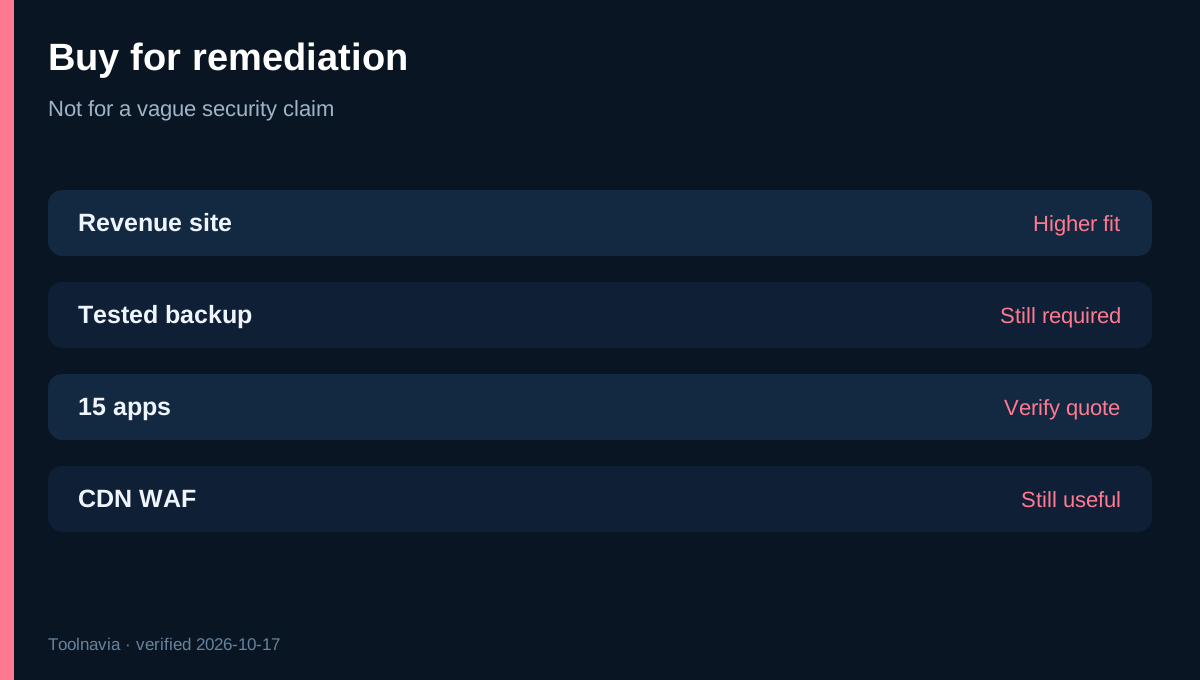
For a single low-risk brochure site with tested backups and an operator who can restore quickly, $48 per year may be optional. For a store, client site or membership application where incident triage can exceed an hour, automated cleanup may clear a low break-even bar.
At a fully loaded operator rate of $60/hour, the one-app $48 annual fee breaks even after 48 minutes of avoided remediation work per year. At $120/hour, it is 24 minutes. Six apps cost $216 annually; at $60/hour, the portfolio breaks even after 3.6 hours of avoided work, or 36 minutes per app. These are arithmetic thresholds, not promised savings.
Count only work the add-on can actually replace: malware-file review, quarantine or cleanup, reporting and some repetitive remediation. Do not count patching vulnerable code, validating transactions, rotating stolen credentials, customer communication, forensic investigation or regulatory work unless your own process shows those tasks disappear.
What it does not replace
Cloudways explicitly says a CDN web application firewall remains useful because the add-on focuses on malware that gets through other defenses; it does not make DDoS protection redundant. The free Vulnerability Scanner identifies vulnerable WordPress components, while Malware Protection detects and removes injected malware. They solve different problems.
Independent cost reviews likewise classify Malware Protection as a paid add-on rather than a base-plan inclusion, reinforcing the need to budget it separately.
Likewise, automatic cleanup does not prove a restored site is trustworthy. Keep offsite backups, test checkout and login, review administrator accounts, rotate credentials after compromise and patch the entry point. A clean scan is one control, not an incident-close certificate.
The launch article compares Cloudways with Sucuri and Wordfence but also acknowledges those products bundle broader capabilities, so headline annual-price comparisons are not like-for-like. Compare the remediation scope you actually need, not the cheapest number in a marketing table.
A practical rollout
Start with one revenue-relevant application for one billing cycle. Confirm that detection alerts reach the responsible person, cleanup reports are understandable, restored files can be reviewed and your backup/incident procedures still work. Cloudways says the feature is disabled by default and subscribed per application, so verify every intended app rather than assuming server-wide coverage.
For agencies, calculate margin after the add-on at each tier and decide whether the fee is bundled into care plans or itemized. Recheck the quote whenever the protected-app count crosses five, reaches fifteen or exceeds fifteen. Avoid adding dummy production apps merely to pursue a lower tier.
**Bottom line:** Malware Protection can be inexpensive insurance when automated cleanup replaces even a small amount of real incident work. It is weakest as a purchase justified by “more security” alone, because free scanning and server-level defenses already exist. Buy it for a measurable remediation workflow, verify the exact 15-app quote, and keep backups, patching and incident validation outside the add-on.