TOOLNAVIA / BUYING GUIDE
Cloudways for WooCommerce: Flexible or $199 Autonomous Scale?
The short answer
A growing WooCommerce store has two very different Cloudways paths. Flexible gives you a managed cloud server that you size and scale yourself. Autonomous Scale is a managed WordPress/WooCommerce application plan at $199/month equivalent with two baseline autoscale servers, 50GB disk and 250GB bandwidth. The right choice depends less on page-view count and more on how unpredictable your dynamic checkout traffic is.
Affiliate disclosure: Toolnavia may earn a commission from qualifying Cloudways purchases made through links on this page. This does not change the criteria below.
At a glance
- Best for
- Growing WooCommerce stores deciding whether predictable server capacity or automatic scaling better protects checkout traffic.
- Price model
- Flexible from $11/mo; Autonomous Growth $99/mo; Scale $199/mo equivalent plus usage
- Check first
- Scale has a $199 monthly-equivalent floor plus usage overages; autoscaling cannot fix slow plugins or external APIs.
Flexible is cheaper when the store can live inside one known server size
Cloudways Flexible can start much lower than Autonomous because you are buying managed server capacity. On DigitalOcean, the dedicated pricing page starts at $11/month for the smallest Standard server and scales upward by RAM, CPU, storage and transfer.
That makes Flexible attractive for a new store with steady traffic, a predictable catalog and enough technical confidence to watch resource graphs. You can also host multiple applications on one server when capacity allows, which matters if a business runs a store, staging site and a few related WordPress properties.
The catch is operational: a sudden sale spike does not create more server copies automatically. You need to size for expected load, tune the application and vertically scale when the server ceiling becomes the problem.
Autonomous Scale is for one store that must absorb unpredictable concurrency
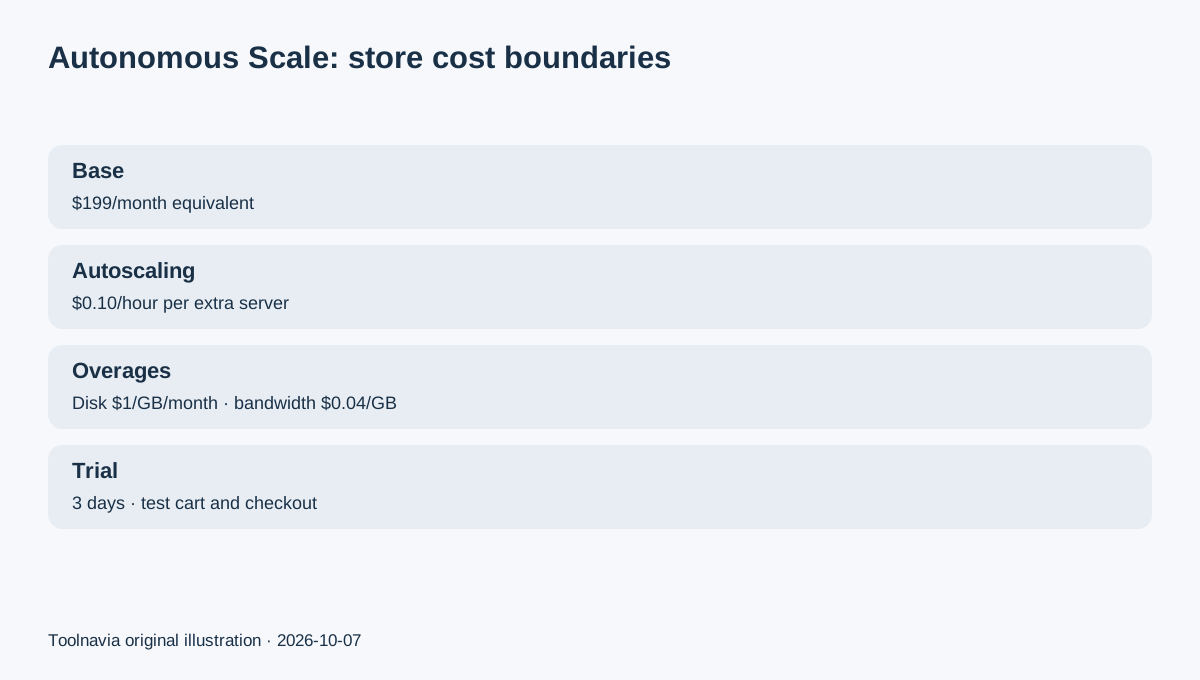
Scale currently costs $199/month equivalent and includes one site, two baseline autoscale servers, 50GB disk, 250GB bandwidth and 100 PHP workers per server. Extra autoscale capacity is $0.10 per server/hour beyond the baseline. Disk overage is $1/GB/month and bandwidth overage is $0.04/GB.
The important distinction is that Autonomous can add application replicas as demand changes. That is useful for WooCommerce because cart, checkout, account and other dynamic requests cannot always be served like cached brochure pages.
Do not read this as a guarantee that Scale will handle every promotion. Database behavior, plugins, external APIs and checkout integrations can still be bottlenecks. Toolnavia has not stress-tested a live store on this plan.
Growth may be enough before Scale
Cloudways' own current plan structure puts Growth below Scale at $99/month equivalent with one baseline autoscale server, 20GB disk and 150GB bandwidth. Scale doubles the baseline autoscale-server count and raises included disk/bandwidth.
If your store is only beginning to see occasional bursts, Growth may be the more sensible first Autonomous budget. Scale becomes easier to justify when the store has repeated promotions, a larger operational margin is needed before autoscaling begins, or the included storage/bandwidth difference reduces likely overage.
This is why “WooCommerce store” by itself is not a reason to jump straight to Scale.
Built-in caching and Cloudflare reduce work, but they do not remove capacity planning
Current Autonomous plans include Cloudflare Enterprise CDN, Redis caching and Object Cache Pro + Relay. Cloudways also includes managed migration and staging/cloning in the current product set.
Those inclusions can reduce the number of separate services a store owner needs to coordinate. They are especially relevant when dynamic requests and database work matter more than static page delivery.
Still, cache layers do not make checkout traffic free. Model the real order flow: logged-in users, cart updates, coupon validation, payment gateways, inventory calls and webhooks. If one plugin or third-party service is slow, adding hosting capacity will not automatically fix it.
Migration is now a much smaller barrier
Cloudways' current WordPress Migrator documentation says the plugin supports WordPress and WooCommerce and can be used for free migrations. Cloudways also documents a managed migration path handled by its team.
For a revenue store, keep the old host live while you copy the site. Test product pages, search, cart, checkout, account login, transactional email and a real payment sandbox before changing DNS. The migration destination should be disposable until those checks pass.
The goal is not simply “migration completed”; it is “orders, stock and customer sessions behave correctly after the move.”
Use the three-day trial to test the shopping path, not a homepage score
Autonomous currently offers a three-day no-credit-card trial for WordPress or WooCommerce. If a payment method was already on the account before the trial, Cloudways warns that the account can auto-upgrade to Growth when the trial ends unless you cancel.
During the trial, create a realistic WooCommerce path: uncached product search, add-to-cart, cart update, checkout, coupon or tax calculation, payment sandbox and order confirmation. Also inspect the autoscaling controls and budget threshold.
Do not use a single PageSpeed score as the buying decision. A store's expensive requests often happen after the visitor leaves the cached landing page.
Decision: match the hosting model to the cost of a bad traffic spike
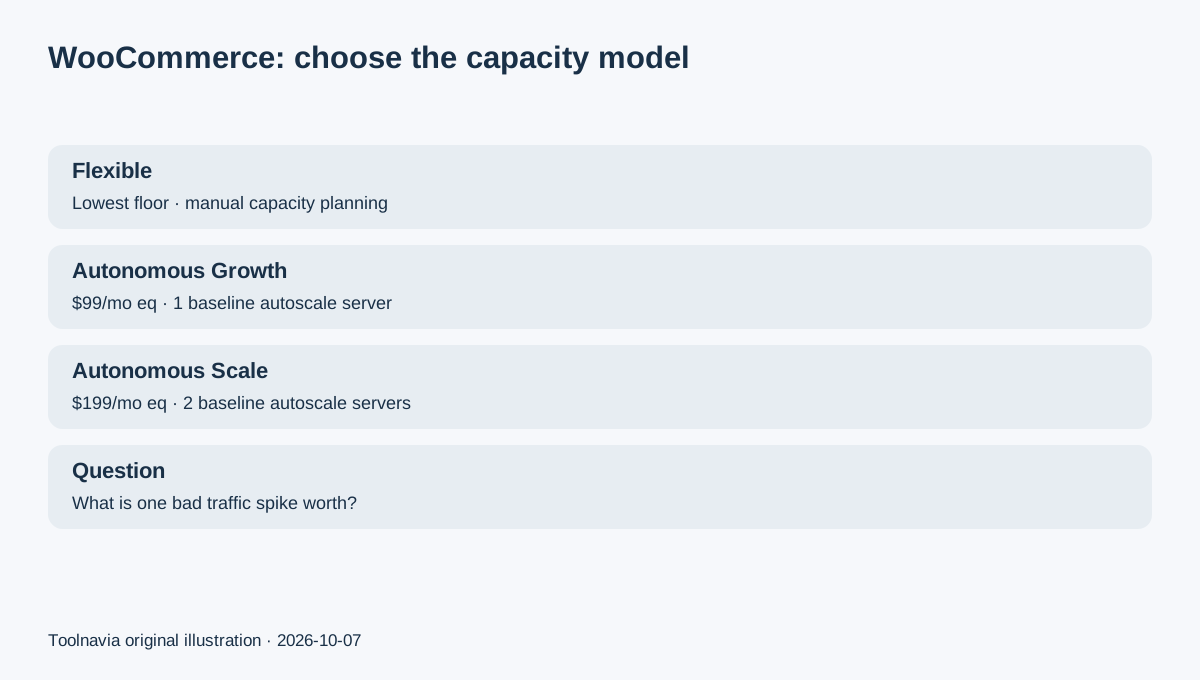
Choose Flexible when the store is still small or predictable, the team can monitor a server, and the cost advantage of a known server size matters. Choose Autonomous Growth when you want automatic scaling but the baseline requirements are modest. Choose Scale when the store is important enough that two baseline autoscale servers, higher included capacity and automatic expansion justify the $199 monthly-equivalent floor.
Before paying, model one normal month and one promotion month—including autoscaling, disk and bandwidth overages. That turns “managed WooCommerce” into a real operating budget rather than a marketing label.