TOOLNAVIA / BUYING GUIDE
Cloudways Autonomous Growth Cost 2026: When $99 Becomes $125.60
The short answer
**Quick answer:** Growth is a **$99/month** one-site base with one baseline server, 150GB bandwidth and 20GB disk. It fits one spiky WordPress app; compute, disk and bandwidth remain variable. A stress-test month is **$125.60 before tax**, not a quote. [Check Growth](/go/cloudways-autonomous-growth-official-usd).
At a glance
- Best for
- One high-value WordPress or WooCommerce application with measurable traffic spikes.
- Price model
- $99/month base + usage overages
- Check first
- One site; autoscaling, disk and bandwidth can add cost, and the compute budget threshold is not an all-in bill cap.
What the $99 Growth base actually includes
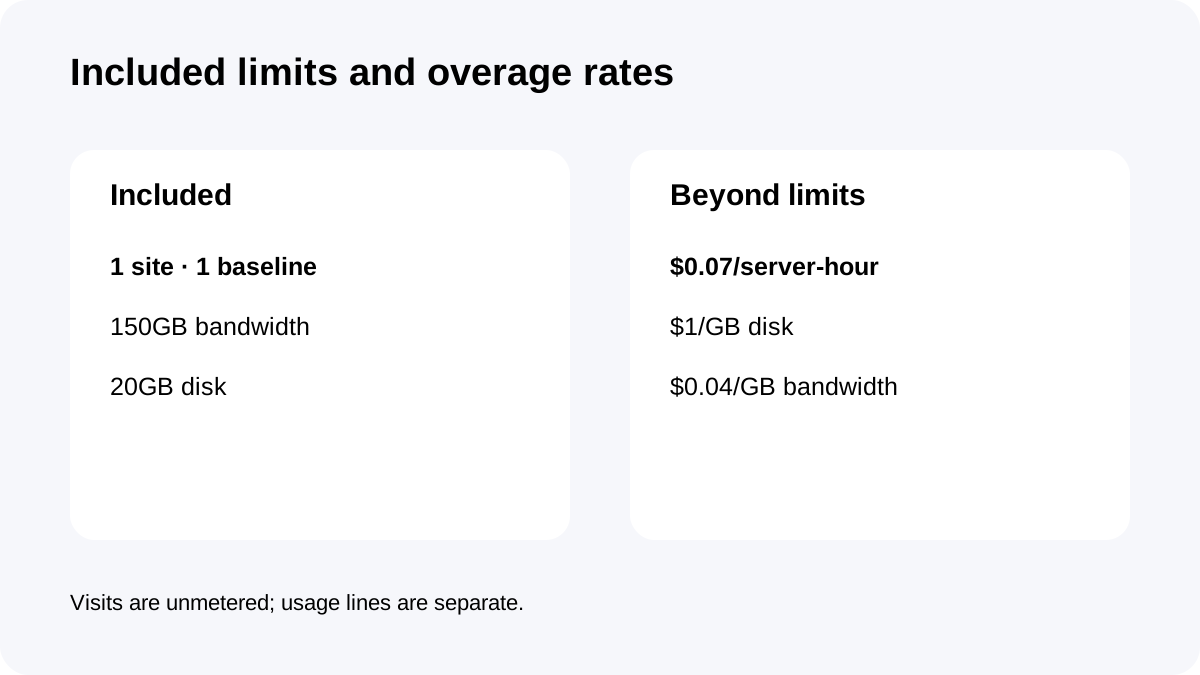
Growth is a one-site plan. The current card lists one baseline autoscale server, 150GB of bandwidth, 20GB of disk and 100 PHP workers per server. Visits are unmetered under the current model.
The invoice can also include extra server-hours, disk beyond 20GB and bandwidth beyond 150GB. Ask how often the application will exceed those allowances, not only whether $99 fits the budget.
The three variable charges
**Autoscaling:** Growth charges **$0.07 for each extra server-hour beyond the one baseline server**. If two additional servers run for three hours, the cost is 2 × 3 × $0.07 = $0.42.
**Disk:** storage above 20GB is **$1 per GB per month**, prorated hourly. Ten extra gigabytes held for an entire month is about $10; the same overage held for only part of the month should be lower because disk is prorated.
**Bandwidth:** transfer above 150GB is **$0.04 per GB**, calculated monthly. One hundred extra gigabytes is $4.
Keep the three lines separate: one launch can create compute and bandwidth charges while disk growth persists afterward.
How $99 becomes $125.60
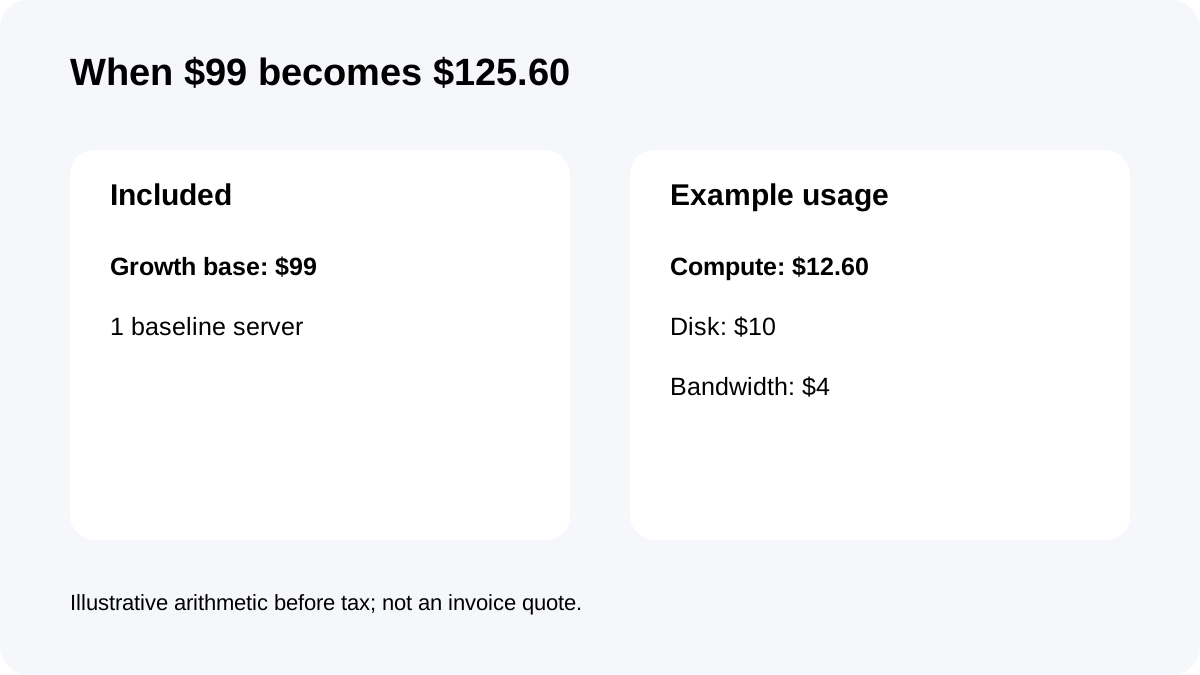
Consider a promotion month with 180 extra server-hours, 30GB average total disk and 250GB total bandwidth.
The base is $99. Extra compute is 180 × $0.07 = $12.60. Disk is 10GB above the 20GB allowance, or about $10 if that overage persists for the full month. Bandwidth is 100GB above 150GB, or $4. The illustrative total is **$125.60 before tax**.
The scenario explains a possible $26.60 variance; actual usage may be lower or higher.
The budget threshold has a boundary
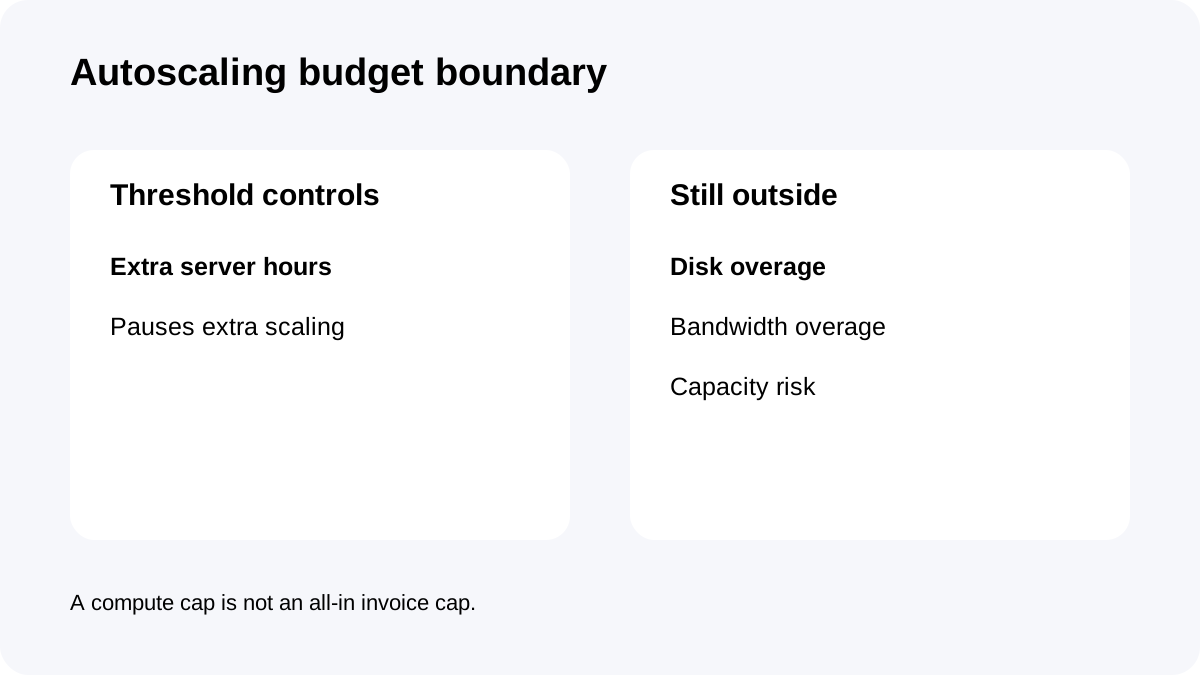
Cloudways lets you define an autoscaling budget threshold. When that threshold is reached, additional autoscaling pauses, which can prevent further extra-server charges.
The threshold is **not an all-in invoice ceiling**. Disk and bandwidth overages can still accrue. A low threshold also changes the operational risk: the site may have less burst capacity available after the limit is reached.
Use it as a compute control, monitor disk and bandwidth separately, and weigh the threshold against the value of serving peak traffic.
Cohort and source conflicts buyers should know
The current live plan page shows **$99/month**. One current Help Center article uses “$100” in explanatory prose but its own worked table lists Growth at $99. This guide uses the live $99 plan-card price and tells buyers to confirm the amount shown in their account before purchase.
An older official launch blog also shows rounded $100 pricing and lists disk at $0.04/GB and bandwidth at $0.40/GB. Those labels conflict with the current pricing page and current Help Center, which show disk at $1/GB and bandwidth at $0.04/GB for the new cohort. The current pages control this guide.
Existing legacy customers may remain on older terms. Do not apply this new-account model to a grandfathered invoice without checking the account's own pricing.
Monitor the month before the invoice
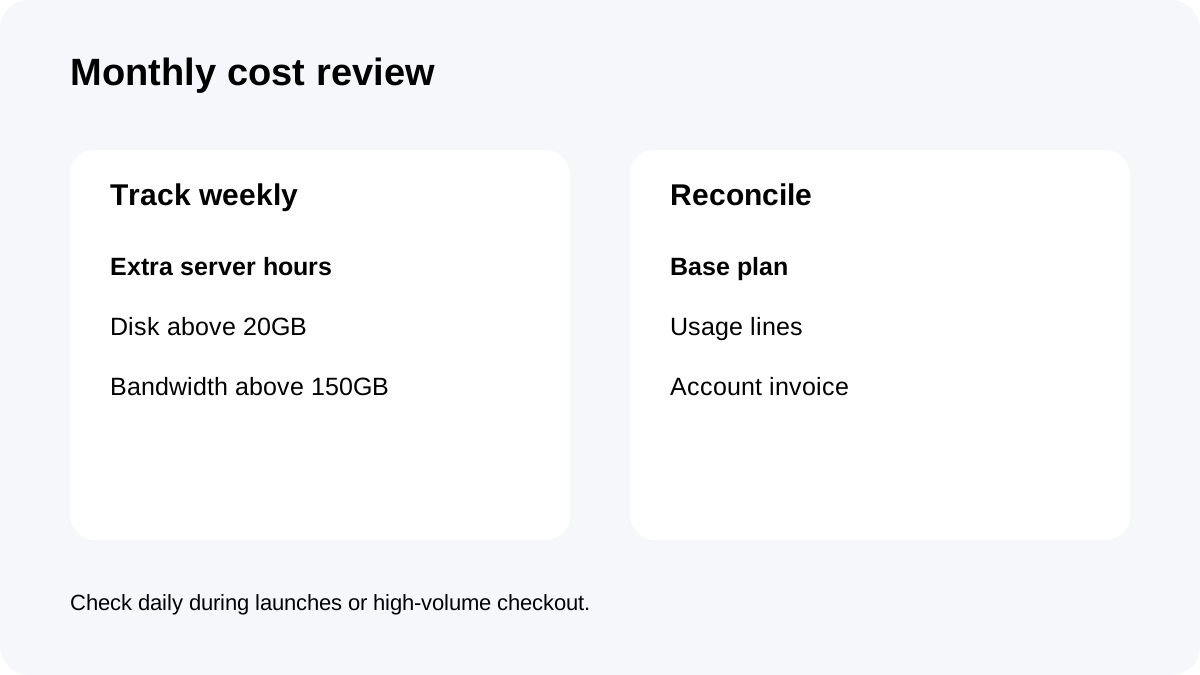
Review month-to-date estimates after a launch, migration or large media upload. Separate the total into base plan, autoscaling, disk and bandwidth. Record the date of any large storage change because disk overage is prorated hourly.
For compute, track **extra servers × active hours**. For disk, track **GB above 20 × time above the limit**. For bandwidth, track **GB above 150 during the calendar month**.
Check weekly for stable traffic and daily during campaigns.
When Growth is worth it and what to check before buying
Growth fits one important WordPress or WooCommerce application with short, measurable bursts. It is weaker for several sites, persistent storage above 20GB or a finance policy demanding one fixed total. Upgrade only when recurring compute, disk or bandwidth usage makes a larger plan operationally and financially better.
Checkout and first-month checklist
Confirm that the account is on the current post-November-2025 model, the Growth card shows $99, and the purchase maps to the exact approved offer. Verify the one-site scope, 150GB bandwidth, 20GB disk and one baseline server. Set an autoscaling budget threshold, then create separate alerts or review habits for disk and bandwidth.
After the first invoice, reconcile every variable line against observed usage. That first real bill is more valuable than any generic benchmark for forecasting the next quarter.
**Bottom line:** Cloudways Autonomous Growth is not simply “$99 unlimited autoscaling.” It is a $99 base plus measurable compute, disk and bandwidth usage. If you track those four numbers, the plan is transparent; if you watch only the plan card, the invoice can surprise you.