TOOLNAVIA / BUYING GUIDE
ChemiCloud Starter Uploads: Fix PHP Limits or Upgrade the Plan?
The short answer
A failed upload is not, by itself, a reason to upgrade ChemiCloud Starter. Its 20GB storage and 2GB account memory describe different limits from PHP's upload settings. First identify which limit is binding, then decide whether a configuration change or more account capacity solves it. This is a documentation-based decision guide, not a hosting-account test.
At a glance
- Best for
- One modest WordPress site with provider-confirmed upload settings and resource headroom.
- Price model
- Public$1.95 initial/$11.95 regular monthly references;actual cycle and availability require confirmation.
- Check first
- Actual settings and checkout availability unverified;disk and account RAM are not per-file limits.
Separate four limits before changing anything
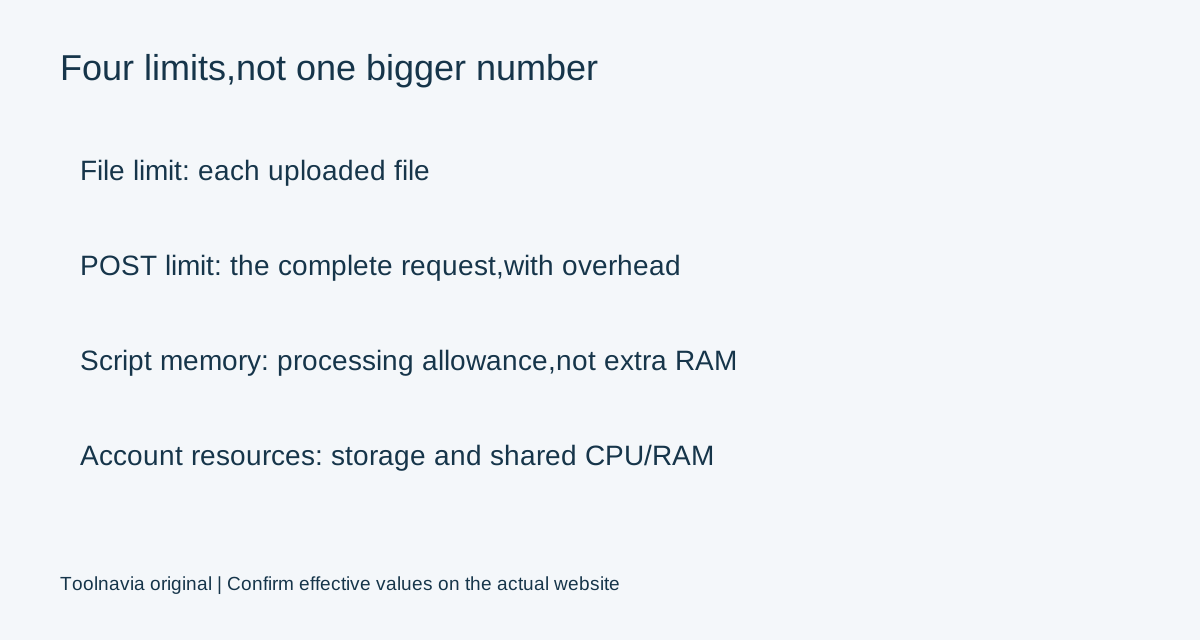
| Limit | What it controls | Why it matters | |---|---|---| | upload_max_filesize | Each uploaded file | A large file can be rejected despite free disk space. | | post_max_size | The complete POST request | File content and request overhead must fit. | | memory_limit | A PHP script's memory allowance | This is not additional hosting-account RAM. | | Account resources | Storage and shared CPU/RAM limits | Higher PHP settings do not remove these ceilings. |
WordPress's upload-size function starts with the smaller of the first two PHP values, then applies its upload-size filter. For illustration, a 64M file limit paired with a 32M POST limit gives a 32M starting ceiling, not 64M. Other application or server restrictions may still apply.
Correct the old documentation mismatch
ChemiCloud's January 2023 upload tutorial says the file limit should be at least as large as the POST limit; its companion tutorial suggests equal values. PHP's own manual says the opposite relationship is needed for large-file uploads: post_max_size must be larger than upload_max_filesize.
Use the upstream rule, leaving room for request overhead. A proposed 64M file limit with an 80M POST limit illustrates the relationship, but it is not a guaranteed Starter allowance or a universal recommendation. Confirm permitted values for the actual account and application.
The provider's 2024 troubleshooting article gives 100M defaults and 1GB examples. Those are dated examples, not proof of today's account settings. Do not set every limit to 1GB merely because a tutorial shows it.
Four useful capabilities on the existing plan
ChemiCloud documents per-file and POST controls through cPanel, Software, Select PHP Version, Options. These can resolve a configuration bottleneck without buying more disk. Its image-upload guide also discusses PHP and WordPress memory settings, which may help an application within the account's available resources.
A fourth useful feature is the published resource policy: it gives a concrete account boundary against which to compare actual workload problems. That is more informative than assuming every failed upload needs a higher tier.
Generic cPanel instructions use a domain-selected MultiPHP INI Editor. Use ChemiCloud's documented path for the purchased service rather than assuming every cPanel interface is interchangeable. If the interface or effective values differ, ask support which configuration controls the actual website.
Change one requirement and verify the result
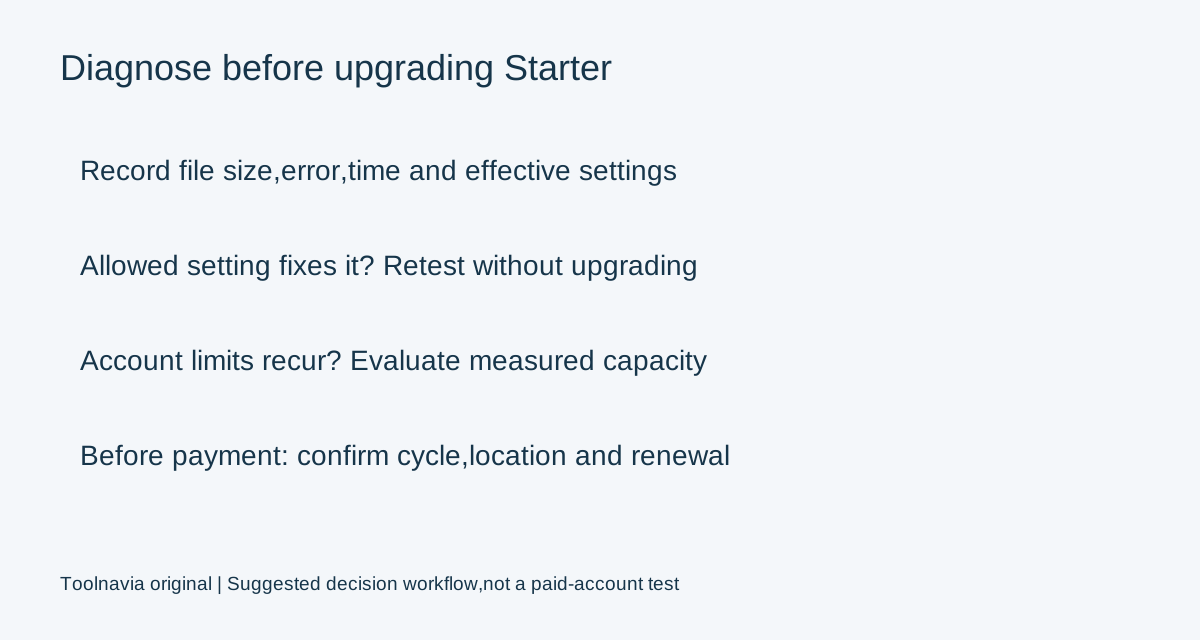
Our recommended workflow begins by saving the existing settings, filename size, error message and time of failure. Test a small, known-valid image first, then the intended file within the confirmed allowance. Check WordPress's displayed upload limit again after saving PHP changes.
Use the smallest permitted adjustment that satisfies the real application requirement. Retest the upload and the resulting media item, not just the settings screen. Keep a reversible record of the change; no step here requires changing PHP versions or replacing the database.
An HTTP 413 response means the request exceeded a server-defined size limit. It does not, on its own, identify the responsible setting or prove that account memory is exhausted. A file accepted but failing during processing needs investigation of processing errors and resource use instead. Send support the exact evidence rather than disabling protection or raising unrelated limits blindly.
Upgrade only for a measured capacity problem
Keep Starter when correcting an allowed configuration value resolves the requirement and the account still has headroom. Consider a higher tier when actual storage or shared CPU/RAM limits repeatedly bind after normal application troubleshooting.
A larger script memory_limit does not purchase more account memory. Several simultaneous processes still share the account envelope; a setting that works for one test may not suit a busy site. Likewise, a larger hosting disk does not automatically change an application's per-file restriction.
For a migration archive, agree an appropriate transfer/import method with support rather than forcing every operation through the WordPress browser uploader. Preserve a recoverable copy first; the existing [Starter backup guide](/en/hosting/chemicloud-starter-backup-retention-restore) covers recovery planning separately.
Price, availability and the buying decision
On November 2, 2026, the public Starter page displays $1.95 per month, an 84% discount label and an $11.95 regular-price reference. It also includes a selected-timeframe unavailability message. This read does not establish an orderable combination of billing cycle and location, or a final invoice.
Confirm the actual cycle, available location, first payment, renewal, tax and options before committing. Choose Starter when one website and its resource allowance fit and support confirms the needed upload configuration. Postpone buying or upgrading when the failure has not been diagnosed.
Affiliate disclosure: Toolnavia may earn a commission from an eligible ChemiCloud purchase through its referral link.