TOOLNAVIA / BUYING GUIDE
Bluehost Standard NVMe 4 Managed VPS: $49.99 Term and Backup Conflict
The short answer
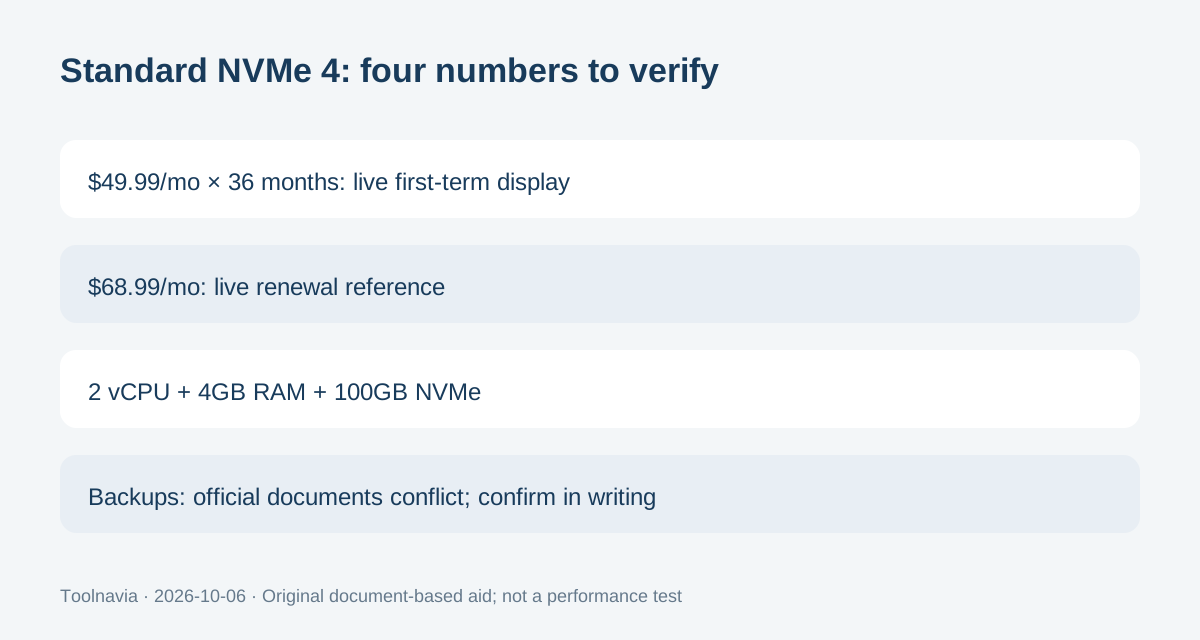
Bluehost Standard NVMe 4 Managed VPS is for sites that want dedicated resources, cPanel and provider help without choosing a self-managed server. The live 36-month offer is $49.99 per month with 2 vCPU, 4GB RAM and 100GB NVMe. Backup entitlement still needs verification.
At a glance
- Best for
- A production website that fits 2 vCPU/4GB, wants cPanel/WHM and provider assistance, and can operate an independent backup strategy.
- Price model
- $49.99/mo for 36-month term; live renewal reference $68.99/mo; public renewal documentation conflicts
- Check first
- Buyers unwilling to commit to a long first term, teams expecting fully automatic backups without configuration, or workloads better suited to a low-cost self-managed VPS.
The 36-month arithmetic is clear; renewal documentation is not
The live Managed VPS page currently shows Standard NVMe 4 at $49.99 per month for a 36-month term, renewing at $68.99 per month. Simple first-term arithmetic is 36 × $49.99 = $1,799.64 before tax and add-ons. That is an arithmetic reference, not a captured checkout or proof of the amount charged today.
A June 2026 Bluehost help article still lists different renewal references: $1,259.64 for three years and $59.99 on a monthly term for Standard NVMe 4, while telling readers to use the Renewal Center for the latest renewal price. Those official numbers materially conflict. Use the current live offer for today's signup display, but save your actual order and check the Renewal Center before renewal rather than budgeting from either public renewal table alone.
Four practical benefits can justify the managed premium
First, Standard allocates 2 vCPU cores, 4GB DDR5 RAM and 100GB NVMe storage. That gives a concrete capacity envelope, although it is not a workload benchmark. Second, cPanel with WHM is included, which can reduce the friction of managing sites, domains and accounts.
Third, the plan includes two dedicated IPs and lets buyers choose among nine data-center locations. Location choice can reduce distance to an audience, but it does not guarantee application latency. Fourth, Bluehost provides an eligible migration path and WHM tools for restoring or transferring cPanel accounts. A migration tool still needs a real acceptance check before DNS cutover.
Managed support still leaves an operator role
Bluehost describes Managed VPS as provider-managed setup, monitoring, security updates and performance optimization. Its July 2026 support guide adds an important boundary: VPS with cPanel or Plesk qualifies for fully managed support, but many Managed VPS and Dedicated tasks are not performed automatically and are assisted on request.
That distinction matters for staffing. Managed hosting can reduce server-administration work, but it does not remove the need to monitor the application, review changes, maintain credentials and decide when a support request is necessary. Do not buy it on the assumption that every operating-system or application task happens automatically.
Backups are the largest current documentation conflict
The live Managed VPS page says the managed product includes backups. Yet Bluehost's backup-policy article, updated in August 2026, says KVM VPS customers are responsible for their own backups because Bluehost courtesy backups are no longer maintained; it directs customers to configure backups in WHM and cPanel.
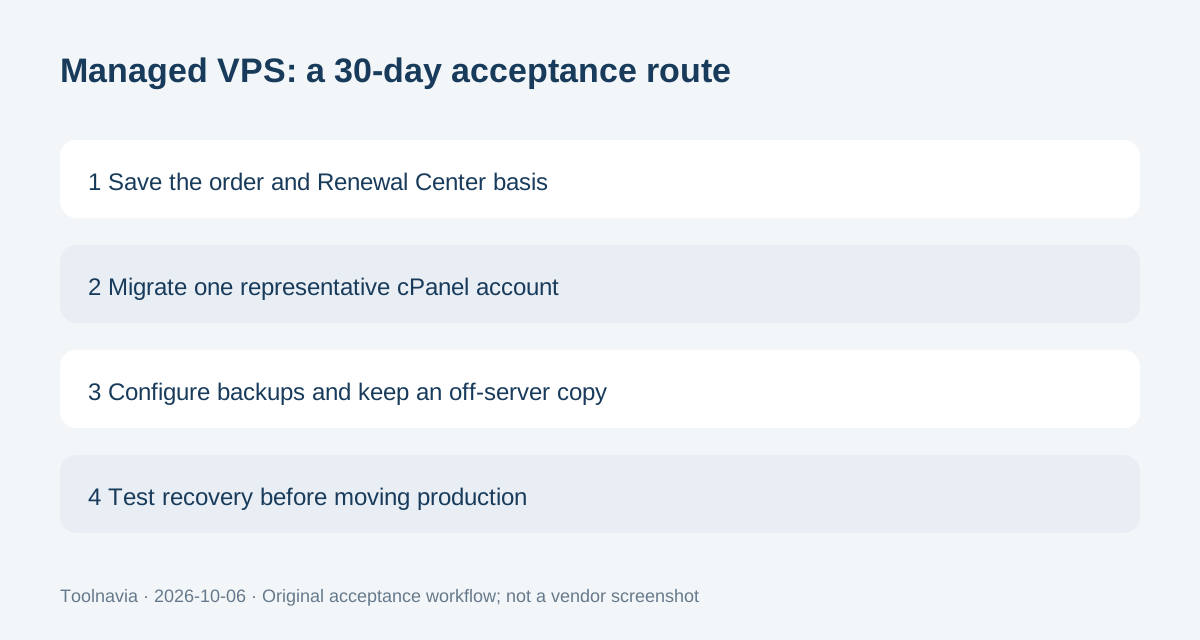
That is a decision-changing conflict. Until Bluehost confirms the exact Standard NVMe 4 entitlement in writing, treat provider backup availability and retention as unconfirmed. Configure your own schedule, keep an off-server copy and test a restore. Bluehost's current VPS best-practices guidance also recommends a 3-2-1 strategy and says managed customers can work with Bluehost to configure scheduled snapshots.
Root and WHM help migration, but do not replace recovery planning
Bluehost's current VPS documentation says VPS and Dedicated servers include root WHM, and the Managed VPS access guide exposes server actions plus a root-password reset. That is materially different from managed products that remove root access.
For a cPanel move, Bluehost documents three WHM paths: restore a local cpmove file, upload a backup file, or transfer directly from a remote cPanel account. Keep the source host active, transfer one representative account, then verify logins, forms, mail, scheduled jobs, database writes and disk use. Delete temporary backup files only after an independent copy is safely stored.
Use the 30-day window to verify the real operating model
Bluehost's current refund policy includes VPS hosting in its 30-day guarantee for qualifying non-monthly new signups, while monthly-term services and several add-ons are excluded. Standard's live offer is a 36-month term, so the current plan falls into the non-monthly structure shown on the product page.
Use the first month as an acceptance period, not as permission to skip preparation. Confirm the invoice, the renewal basis, support responsibilities, backup entitlement, migration result and restore process. Choose Standard NVMe 4 when 2 vCPU/4GB fits and cPanel plus managed assistance are worth the premium. Skip it when you need a cheaper self-managed server or cannot accept the unresolved public backup and renewal documentation.