TOOLNAVIA / BUYING GUIDE
BigScoots Domain Change: Clone, DNS Cutover & Redirect Checklist
The short answer
At a glance
- Best for
- An Essential 75 owner ending with one production site who obtains a written temporary-site quote, retains both domains, and can validate SSL, data, checkout and page-level redirects before removal.
- Price model
- Essential 75 publicly displays $35/mo or $350/yr for one site; temporary clone cost and refund timing require a written quote.
- Check first
- A buyer expecting an in-place rename, a guaranteed free overlap, instant DNS propagation, a blind database overwrite, or a zero-ranking-loss promise.
Verdict
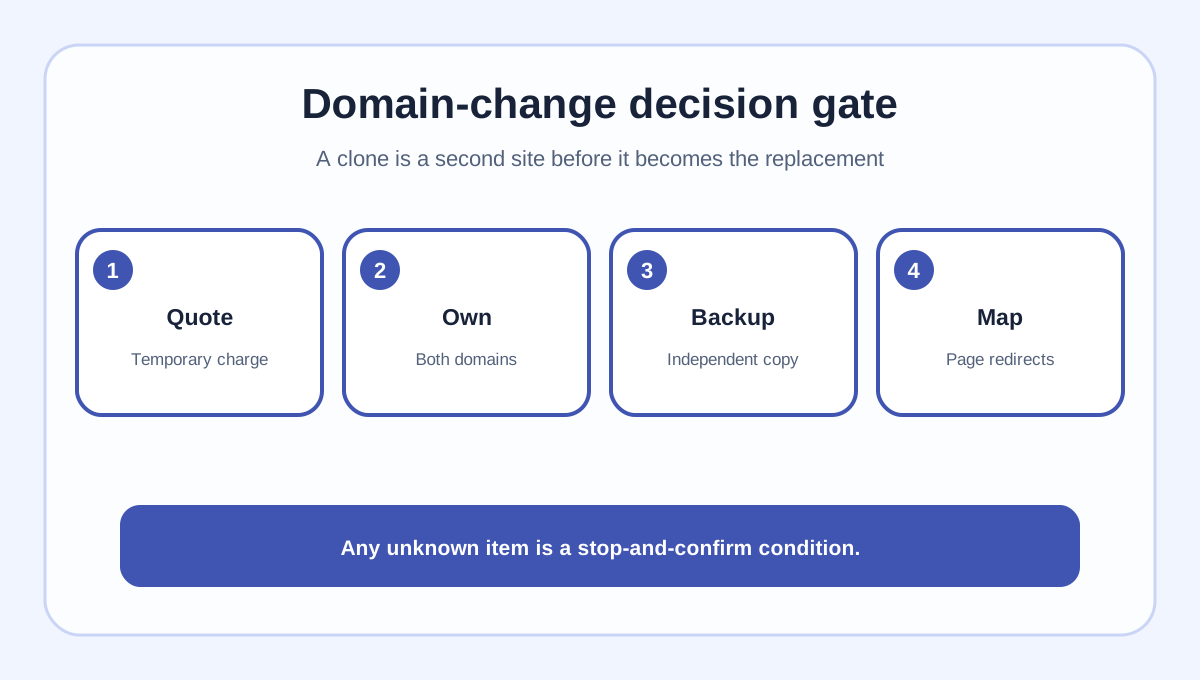
BigScoots does not currently rename an existing Managed WordPress site in place. Its documented Console workflow creates a **new site**, connects the new domain, clones the old site, validates the clone, and only then removes the old hosted site. That is safer than a blind database edit, but it temporarily creates an overlap: Essential 75 includes one WordPress site while the domain-change wizard asks you to create another site and choose monthly or annual billing. Confirm the temporary charge, add-ons, refund/proration and term before you click **Create Website**.
Use this article as a cutover checklist, not a zero-downtime or zero-ranking-loss promise. Keep the old domain under your control, preserve a full backup, map every important old URL to its relevant new URL, and remove the old hosted copy only after DNS, SSL, checkout and redirects pass.

What Essential 75 actually buys
Essential 75 currently lists one WordPress site for $35 monthly or $350 annually, with 75,000 monthly visits, 10GB storage, 150GB bandwidth, CDN and free migrations. A free host migration is not the same as changing the domain of a site already on BigScoots: the migration form moves a site from another provider, while the domain-change guide clones an existing BigScoots site into a newly created one.
The current Console guide explicitly asks for a monthly or annual billing choice and optional Boost, Optimization Pro or Security Pro while creating the new site. It also says the additional charge is canceled/refunded when the old domain is removed. It does **not** publish the temporary amount, proration date, annual-term reset or add-on defaults. Ask support for a written cart quote covering those items before starting.
The approved Toolnavia affiliate route opens the BigScoots portal with affiliate ID 4082. It does not guarantee the price, the temporary-site quote, tax, refund timing, migration outcome or ranking result.
Before cloning: freeze the moving parts
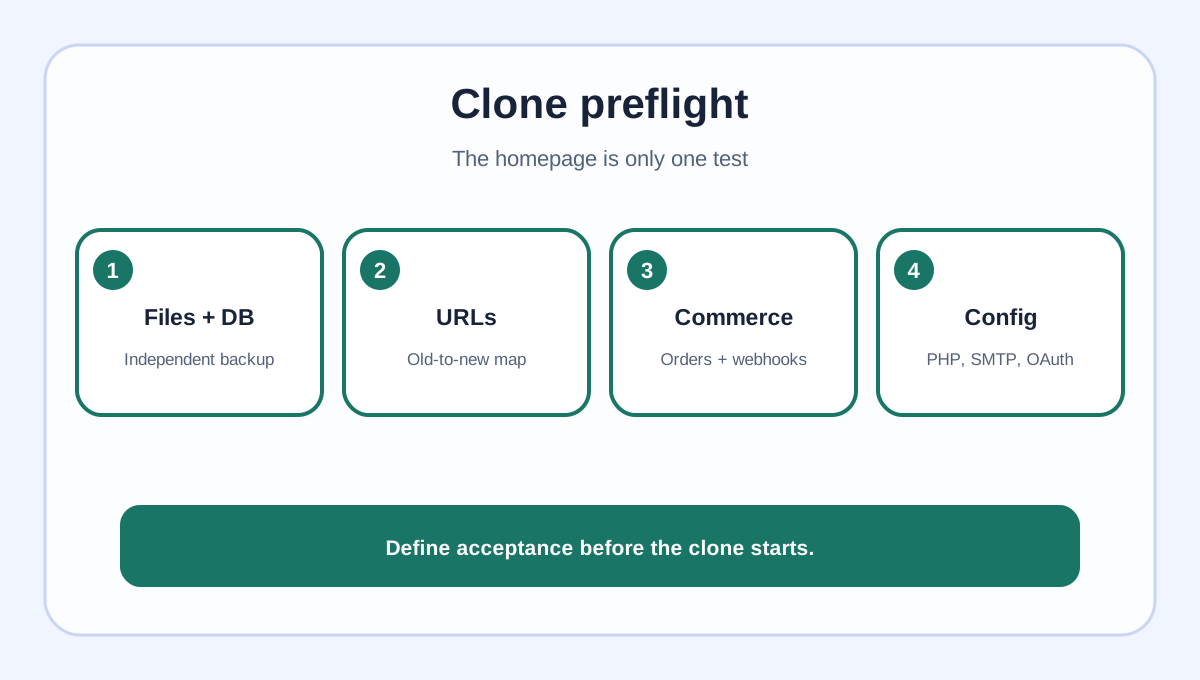
Create an independent backup of files, database, uploads and configuration—not only a provider snapshot. Export an old-URL inventory from the sitemap and analytics, then build a page-to-page redirect map. WordPress warns that old-domain references can remain in the database and that naive string replacement can break serialized theme or widget data.
For WooCommerce, membership or lead systems, choose a maintenance window and record orders, form submissions, subscriptions, payment callbacks, webhooks and scheduled jobs. A new order written after the clone is created can make a simple rollback overwrite live business data. Run a sandbox purchase and webhook test on the new domain before public DNS changes.
Record the source site's PHP version, WordPress version, plugin/theme versions, cron jobs, SMTP sender domains, third-party OAuth callback URLs and CDN settings. This list is the acceptance contract; “the homepage loads” is not enough.

Clone and validate privately
In the BigScoots Console, choose **Create New Site**, connect the existing new domain, select DNS assistance or self-management, then choose **Clone Existing Site** and the source. Review the billing term and every add-on before submitting. The legacy WPO guide confirms the same core pattern: add the new domain, clone, bring it live, and remove the old site later.
Before changing public DNS, validate the clone using the provider's supported preview or temporary-access method. Check:
1. home and site URLs, login and admin; 2. key posts, media, forms, search and downloads; 3. canonical tags, schema, hreflang and XML sitemap; 4. internal links and database references to the old domain; 5. checkout, account, payment callback and webhook paths; 6. robots and noindex rules used during preparation.
If a database replacement is needed, WP-CLI's search-replace is serialization-aware and offers a dry run. That is not permission to run a global replacement blindly: take a backup, scope the tables, review dry-run counts, and involve support when ownership is unclear.
SSL and DNS cutover
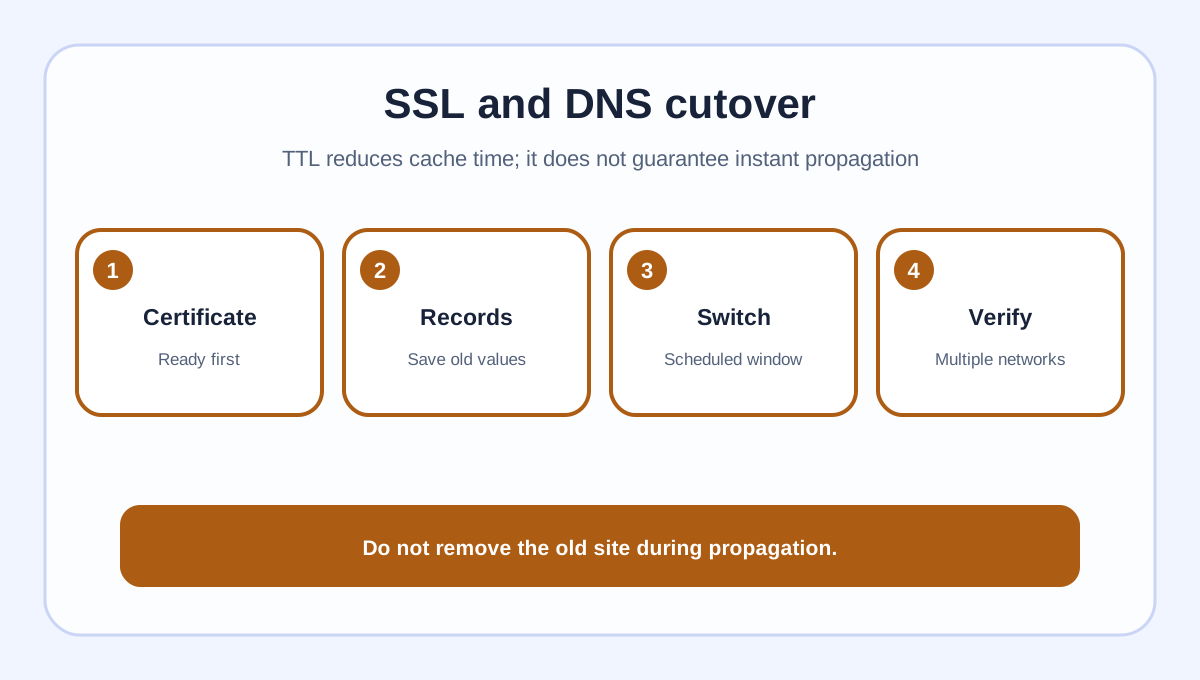
Issue and verify the new certificate before sending public traffic. BigScoots documents different certificate paths for its WPO certificate and Cloudflare proxy with Full (strict), so do not assume a green padlock in one configuration proves the other.
Lowering DNS TTL can reduce how long resolvers cache an old answer, but it does not make propagation instant. Cloudflare also distinguishes proxied from DNS-only records. Record the old A/CNAME values, make the scheduled change, then check multiple networks and the authoritative DNS response.

Redirects, search signals and old-site removal
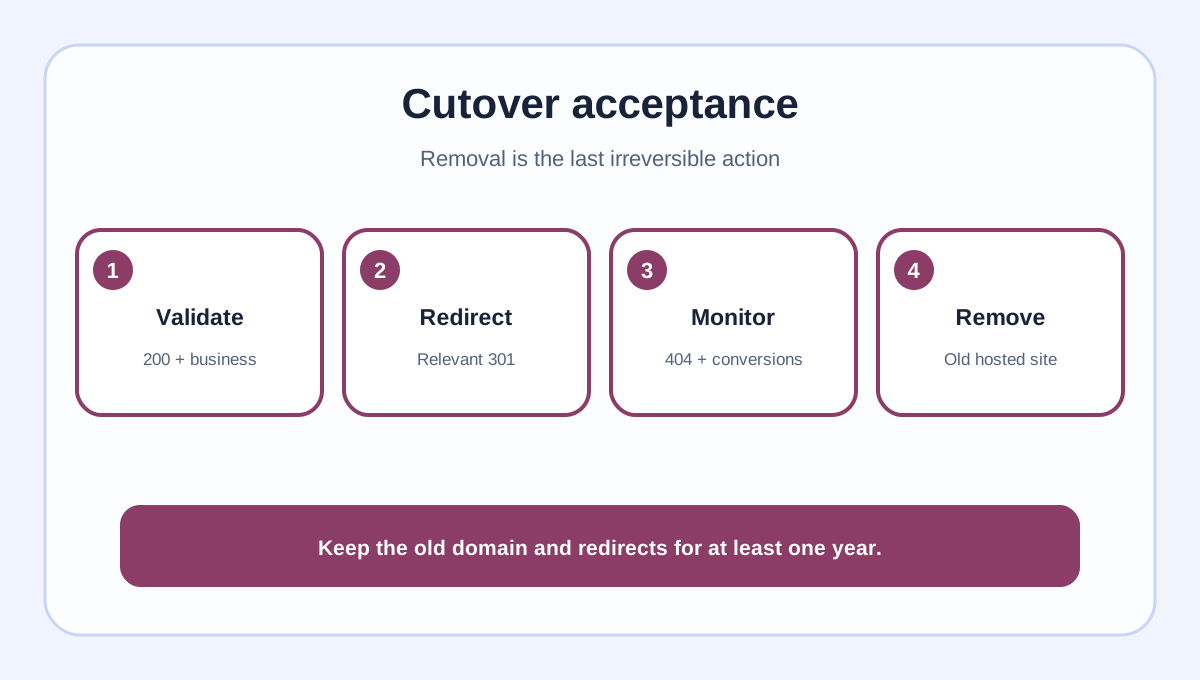
Configure direct permanent redirects from each old URL to its most relevant new URL; do not send every page to the new homepage. Update canonicals, internal links, structured data and the sitemap to the new domain. Google recommends submitting the new sitemap and generally retaining redirects for at least one year, while warning that visibility can fluctuate during a move. That is transition guidance, not a ranking guarantee.
Verify 200 responses on the new pages, 301 responses on old paths, no redirect chains, no mixed content and no accidental noindex. Monitor 404s, server logs, Search Console and business conversions. Keep ownership of the old domain and redirect service even after removing the old hosted copy.
Only then use the Console removal action. The current BigScoots guide says to remove the old domain after the new site works, and that the associated additional charge will be canceled/refunded. Save the support quote, removal confirmation and refund record.

Buy or wait?
Proceed on Essential 75 when one production site is the end state, the temporary overlap is quoted in writing, the clone passes the full acceptance list, and you can retain the old domain and redirects. Wait when the temporary charge or term is unclear, live orders cannot be frozen or reconciled, certificates are not ready, or there is no page-level redirect plan.
*Affiliate disclosure: Toolnavia may earn a commission if you buy through the approved BigScoots link, without increasing your price. The commercial link does not promise a specific quote, refund, uptime, migration outcome, indexing or rankings.*