TOOLNAVIA / BUYING GUIDE
BigScoots Essential 75 Backups: 30-Day Restore Convenience vs Your Own Copy
The short answer
Buying verdict: BigScoots Essential 75 is sensible if you value built-in recovery and will keep one independent copy. It includes daily backups, a 30-day window, restore/download controls and up to five manual backups. These features reduce routine restore work, but the current Terms leave suitable-copy responsibility with the customer.
At a glance
- Best for
- One important WordPress site that values built-in restores and can keep one independent copy.
- Price model
- $35 monthly or $350/year; optional Additional Backups listed at $19.99/site/month
- Check first
- Backups are not guaranteed; 30 days is a rolling window and the optional add-on scope needs confirmation.
What you get for the plan price
Essential 75 is listed at $35 per month or $350 per year. It covers one WordPress site, up to 75,000 monthly visits, 10GB of storage and 150GB of bandwidth. For buyers comparing managed hosts, the backup benefit is operational: a recent daily copy can shorten the path from “something broke” to “restore and verify.”
The first concrete advantage is routine recovery speed. A failed plugin update, a bad theme edit or an accidental content change may be recoverable from the Console without rebuilding the whole site. The second is a visible retention window. Thirty days gives you time to notice many common problems before the oldest restore point disappears.
The third is manual control: up to five manual backups let you mark important moments before a risky deployment. The fourth is portability: the current Console and legacy WPO documentation include download and off-server backup details, which can help you keep a separate copy under your own control.
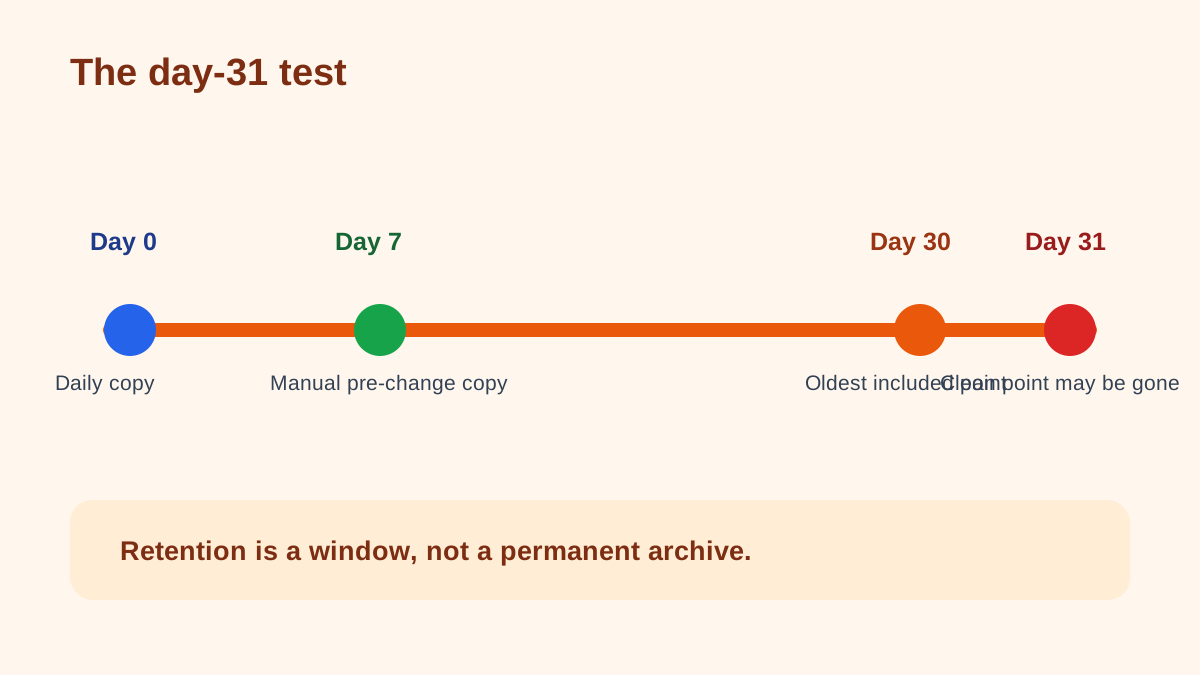
The day-31 test
The 30-day window is useful, but it is still a window. If corrupted data, a missed compromise or a deleted asset goes unnoticed beyond the available retention period, the host’s rotating copies may no longer contain a clean version. That is why “daily backups” should not be read as “permanent archive.”
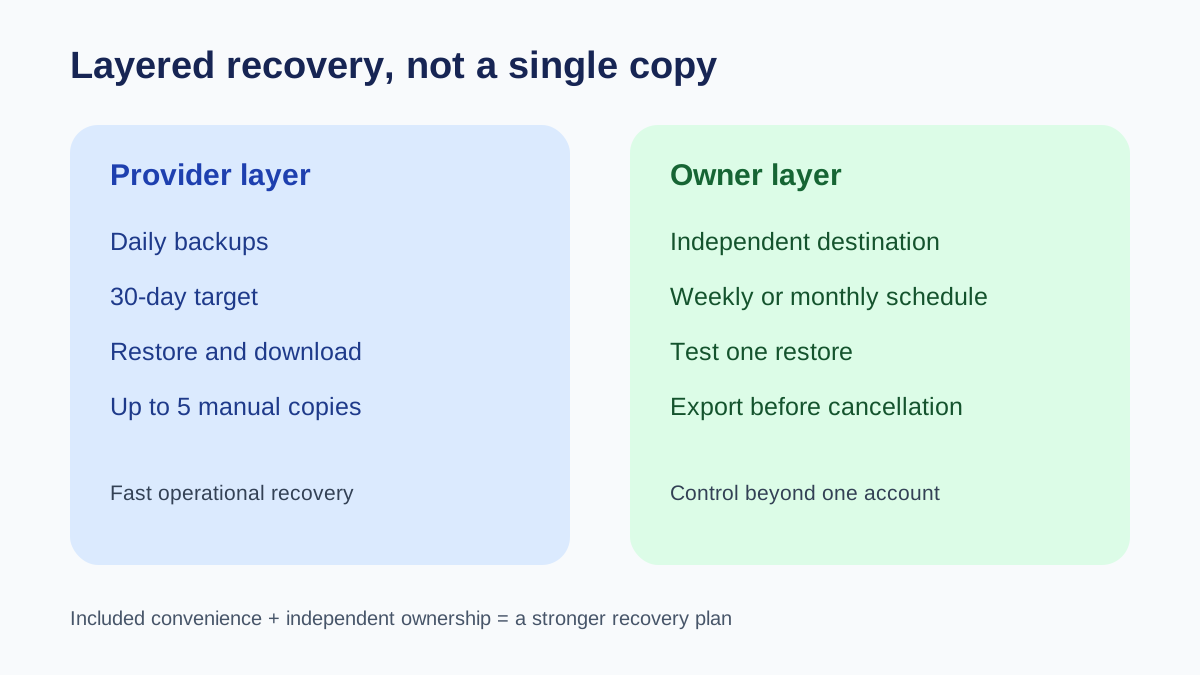
Use a simple responsibility ladder. First, let BigScoots’ automated backups handle quick operational restores. Second, take a manual backup before major changes. Third, download or export an independent copy on a schedule that matches how often your site changes. Store it somewhere that does not depend on the same hosting account.
Fourth, periodically test that you can open or restore that copy. The last step matters because an untested archive is only a hope.
What the Terms change
The marketing and help pages describe real features; the Terms define the boundary. BigScoots says it uses commercially reasonable efforts to maintain regular backups and aims for 30 days on managed WordPress. It also says an appropriate backup is not guaranteed, daily frequency is typical rather than guaranteed, and customers remain responsible for suitable backups.
That conflict is not a reason to reject the plan. It is a reason to buy it with the right operating model. Included backups reduce recovery work. Your independent copy reduces dependence on a single provider, account and retention schedule.
Do you need the $19.99 backup add-on?
BigScoots’ pricing page lists “Additional Backups” at $19.99 per month per website. Do not assume from the label alone that it replaces an owner-controlled copy or that every Essential 75 buyer needs it. Ask support what it adds beyond the included 30-day daily database backups, where those copies are stored, what can be restored, and whether downloads remain available after account cancellation. Keep the answers with your recovery plan.
Who should buy Essential 75
Choose Essential 75 if one managed site fits the traffic and storage limits, you want human help and built-in restore tools, and you can maintain a simple independent-copy habit. Reconsider if you need a guaranteed archival system, compliance-specific retention, or multiple isolated backup destinations without additional tooling.
Next step: confirm the current $35/$350 price and exact backup controls at checkout, then document a three-line schedule: automatic host copy, manual pre-change snapshot, and independent monthly or weekly export. Toolnavia’s commercial button uses the approved exact-offer /go/ route; the article does not expose a raw tracking URL.