TOOLNAVIA / BUYING GUIDE
Cloudways Premium 2GB vs BigScoots Essential 75: $28 Control or $35 Hands-On Care?
The short answer
At a glance
- Best for
- WordPress buyers choosing multi-site server control or hands-on single-site care.
- Price model
- Cloudways $28/mo base; BigScoots $35/mo or $350/year
- Check first
- Prices and add-ons can change; this is not a performance benchmark.
Verdict first [S1][S5]
Choose Cloudways DigitalOcean Premium 2GB if you want one server that can run several WordPress sites, hourly billing, SSH/SFTP access and room to tune the stack yourself. Choose BigScoots Essential 75 if one important WordPress site earns enough to justify paying for people who handle migration, backups and site-level troubleshooting. The price gap is smaller than it looks: Cloudways is $28 per month, while BigScoots is $35 monthly or $350 yearly. The real decision is control versus hands-on care.
What the base price buys [S1][S2][S3]
Cloudways Premium 2GB provides 2 GB RAM, 1 vCPU, 50 GB storage and 2 TB transfer on a DigitalOcean Premium droplet. The server is billed monthly or by the hour, and Cloudways does not meter visits or limit you to one application. That is useful for a developer, small agency or owner running several modest sites. However, off-site backup storage costs $0.033 per GB per server, so $28 is not always the final monthly bill.
BigScoots Essential 75 is built around one WordPress site rather than a server. It includes 75,000 monthly visits, 10 GB storage, 150 GB bandwidth, Cloudflare-powered CDN, staging, free migrations, and daily plus manual backups retained for 30 days. At $350 per year, the effective monthly cost is $29.17; monthly billing is $35. It also carries a 45-day money-back guarantee.
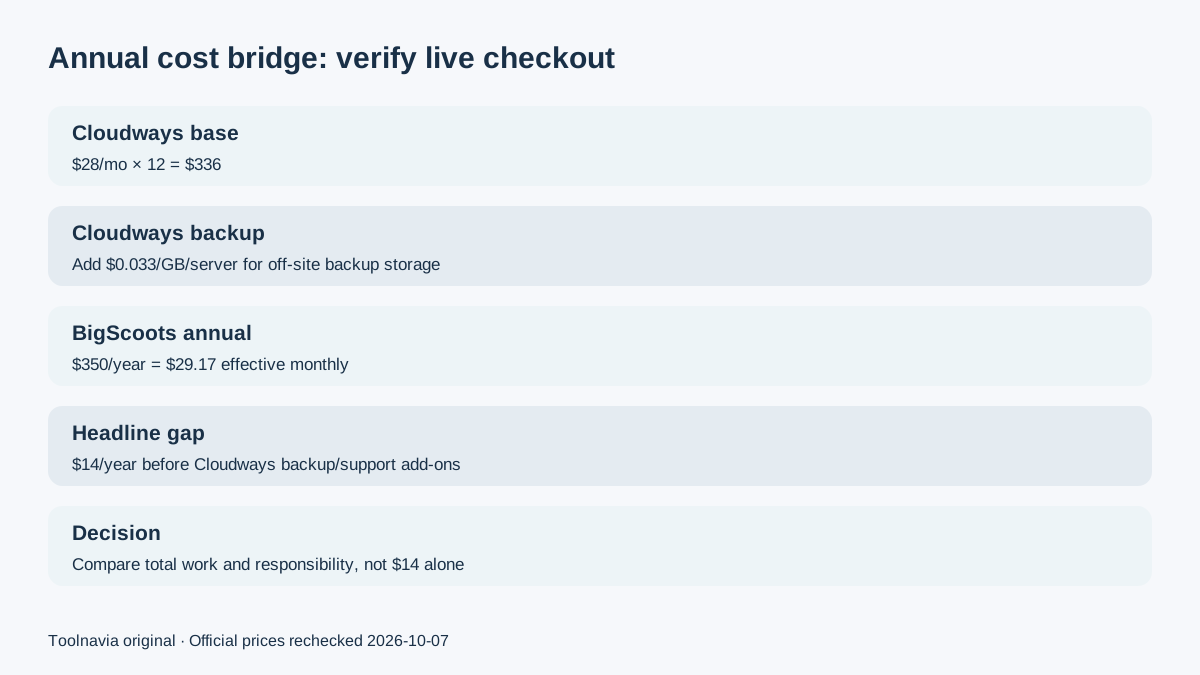
At annual scale, Cloudways starts at $336 before backup storage, while BigScoots costs $350 with its listed managed features included. That $14 headline difference is too small to decide the purchase by price alone.
Migration and day-to-day work [S4]
Cloudways offers a free expert-managed migration for WordPress and WooCommerce. You submit credentials, and a support engineer contacts you to schedule the move. After migration, you still own more operational choices: server sizing, backup frequency, application layout, staging and performance settings. This is an advantage if you want several applications on one server or expect to scale resources without changing hosts.
BigScoots takes a narrower but more assisted approach. Its migration team advertises a seamless move, optimization and a security audit, with the knowledge base estimating about 90 minutes for a typical migration. You are asked not to change the site or DNS while the move is in progress. For a publisher who would rather open a ticket than diagnose WordPress, that service model can be worth more than extra storage.
Four practical advantages [S1][S5][S6]
Cloudways wins on multi-site economics, hourly pay-as-you-go billing, Premium NVMe infrastructure and developer access. BigScoots wins on a clearly defined single-site envelope, included backup retention, hands-on WordPress support and a bundled CDN. Both include staging and migration help, but they assign responsibility differently.

Limits that should change the decision [S3][S5]
Cloudways manages the server platform, not every WordPress problem. Deeper application help and premium support can cost extra, and backup storage is separately billed. BigScoots Essential 75 is limited to one site, 75,000 monthly visits, 10 GB storage and 150 GB bandwidth. Owners with several small sites may outgrow its one-site economics even before they outgrow the traffic allowance.
Affiliate terms do not change this verdict. Toolnavia has approved tracking for both offers. Cloudways currently advertises up to $125 per sale and a 90-day cookie; BigScoots advertises 90% per sale and a 90-day attribution window. A commission may be earned if you buy through a qualifying link.
A sensible next step [S4][S7]
Before moving production, clone or stage the same site on both services. Record front-end speed, WordPress admin responsiveness, backup restore time and the support response to one realistic issue. Then compare a full year: Cloudways server plus backup storage and any paid support, versus BigScoots annual price and the value of work its team performs. Choose Cloudways when you want to operate the platform; choose BigScoots when you want the host to operate more of WordPress for you.