TOOLNAVIA / BUYING GUIDE
20i Startup WordPress Hosting: $15 After Month One, Three Usage Limits
The short answer
20i Startup suits a modest WordPress site that benefits from staging and included mailboxes. The US offer is $1 for month one, then $15 monthly. Keep usage comfortably below the allowances until 20i clarifies its conflicting descriptions of bandwidth overages. This is document analysis, not hands-on testing.
At a glance
- Best for
- One compact WordPress site benefiting from staging, centralized management and basic mailboxes, with confirmed acceptable billing and recovery rules.
- Price model
- $1 first month, then $15/month; $166 first-year arithmetic before tax/extras; overage policy conflict unresolved
- Check first
- A database near 1GB, unpredictable traffic without a written policy, multiple production sites or outsourced application development.
Three limits matter more than the word autoscaling
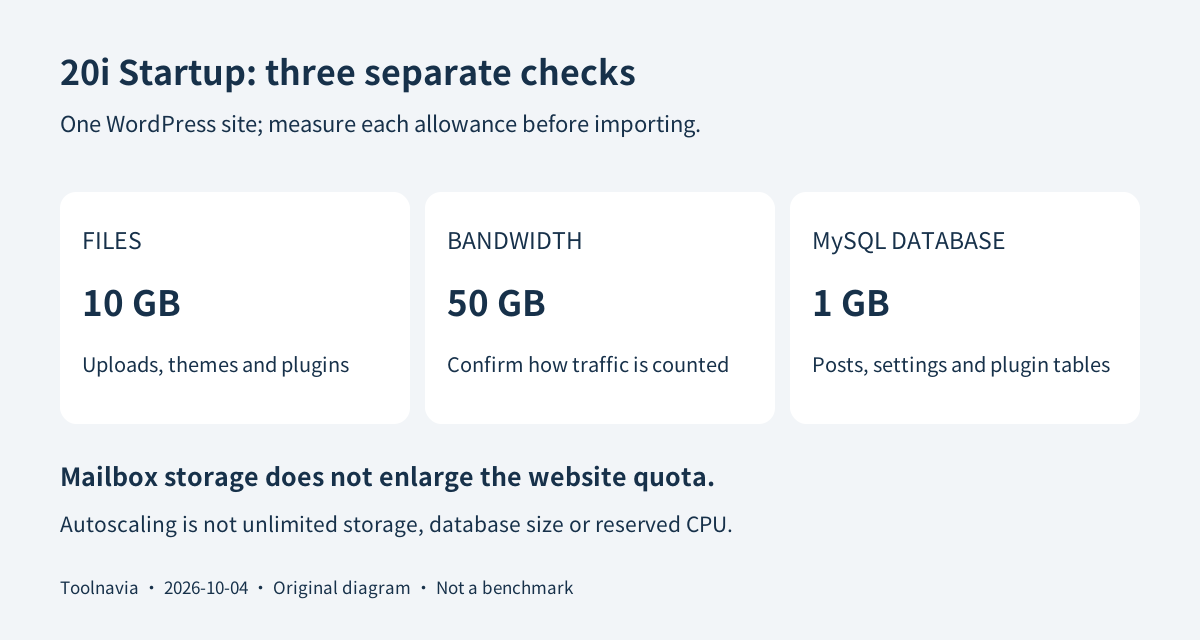
Startup lists one website, 10GB of site storage, 50GB of bandwidth and 1GB of MySQL storage. MySQL holds the site's database, including posts, settings and plugin tables. Ten gigabytes of files does not mean a ten-gigabyte database is allowed. Measure both before importing a large site.
The plan also lists ten mailboxes with 10GB each. Do not combine those separate allowances into a larger website quota. Autoscaling describes the platform; it does not establish reserved CPU or RAM, an unlimited database, or a measured number of simultaneous customers. No current Startup-specific performance test is claimed here.
Four useful tools for maintaining one site
Staging creates a separate working copy, so a theme change can be checked before it reaches visitors. The benefit is a safer review workflow, not permission to overwrite new production orders with an older database. WordPress Manager puts routine site controls in My20i; it can reduce dashboard switching, but it is not an outsourced developer.
Included mailboxes can keep a small site's web and email administration together. Confirm delivery and the migration scope before retiring an existing mail service. Daily backups provide a recovery starting point after a bad update; the backup page describes off-site copies and one-click restoration. Backup retention for this exact order remains unconfirmed. Keep an independent export rather than treating the provider's copies as permanent archives.
Will a spike add to the bill or suspend the site?
The WordPress FAQ says an over-limit site keeps running, with extra disk at $1 per GB and extra bandwidth at $0.05 per GB. However, the current general terms, section 14.2, say exceeding a monthly bandwidth limit automatically suspends the site until an upgrade or the next month. This is an unresolved official-source conflict, not evidence that one statement overrides the other.
Ask support to identify the policy that applies to Startup, how traffic is counted and whether charges need approval. Do not migrate a campaign-dependent site on the assumption that small overage fees guarantee continued service.
For illustration only, a normal $15 month with 12GB of site storage and 80GB of chargeable bandwidth would be $15 + 2 × $1 + 30 × $0.05 = $18.50 under the FAQ's rates, before taxes and other costs. That conditional calculation is not a quote or a promise that exceeding the allowance is permitted.
The $1 month is not the annual cost
Continuing for twelve months at the displayed rates gives $1 + 11 × $15 = $166 in base hosting charges. These are monthly payments, not a required $166 annual prepayment. Twelve later months at an unchanged $15 would be $180; future prices are not guaranteed.
The terms state that prices exclude VAT and allow price changes with notice. A domain, applicable tax, premium plugins and any extra usage are separate budget items. The US page supplies the USD reference here; the final customer-specific cart, tax treatment and eligibility were not captured. Keep the exact order and next-charge amount rather than substituting another plan's comparison-table price.
Approve a clone before moving the live site
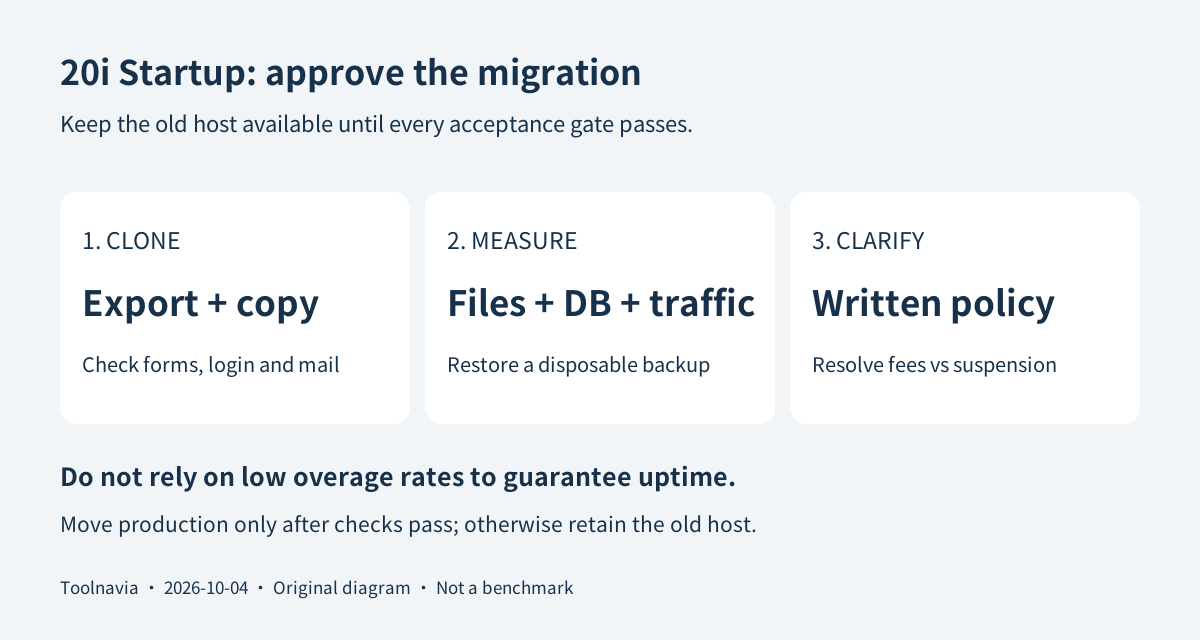
Use this suggested acceptance sequence: export the current files and database, retain the old host, then import a disposable copy using the documented Migration Center. Check database size, file usage and the traffic meter. Create a staging copy, change one noncritical element, and verify login, forms, redirects and mail. Restore a disposable backup and compare its content with your export.
The output should be a working clone plus a written list of limits, restoration results and applicable overage rules. Only change production DNS after those checks pass. An automated transfer button does not prove a complete business migration.
Export first and follow the cancellation conversation
The published thirty-day hosting refund has conditions and exclusions, including domains and add-ons. Cancellation uses the support ticket or live-chat process and must be reconfirmed; simply leaving the account unused is insufficient. The terms also warn of immediate data deletion after cancellation. Finish and verify independent exports before ending service.
Choose Startup for a compact site that benefits from staging, central administration and included mail, after its billing and recovery boundaries are acceptable. Skip it for a database already near 1GB, unpredictable traffic without a written policy, or a team needing application-development support. Staying with a satisfactory existing host is a valid option.
20i has a public cash affiliate application through Awin. That does not establish an approved Toolnavia account or a particular commission for this plan; tracking remains disabled.