TOOLNAVIA / BUYING GUIDE
Bluehost Starter Shared Hosting: $3.99 intro vs $9.99 renewal
The short answer
Bluehost Starter shared hosting is a reasonable fit for small WordPress or conventional sites when 10GB of storage, a roughly 40K-visits-per-month planning range and chat-based support are enough. The main trade-off is the commitment: the current $3.99 monthly equivalent requires a 36-month first term, while the same 36-month renewal is listed at $9.99 per month.
At a glance
- Best for
- Small shared-hosting sites that fit 10GB, can use chat support, and will keep an independent backup.
- Price model
- Paid shared hosting · 36-month intro then higher renewal
- Check first
- The $3.99 equivalent requires a 36-month first term; check renewal, backup responsibility and the exact site limit before paying.
Four useful Starter features—with limits attached
Test WordPress changes before they reach the live site
Starter currently includes a WordPress staging site, letting you clone a live WordPress install and test plugin, theme or code changes before deployment. That is useful for a blog or small business site that changes regularly. Staging is a WordPress workflow, not a substitute for validating forms, orders or other live data after deployment.
Move an existing WordPress site with the self-service migration path
Bluehost lists a free site migration tool, and its current Shared Hosting help describes a self-service WordPress migration path that transfers site files, database and content into the account. This can reduce rebuild work when changing hosts. It does not make every non-WordPress application or email setup portable; those still need separate checks.
Start with SSL and CDN included
Starter includes a free SSL certificate and CDN, reducing the number of separate services needed for a basic launch. A free domain is also available for the first year on eligible 12- or 36-month terms. The domain is not permanently free, and keeping it after an eligible cancellation can reduce the refund by the applicable domain fee.
Keep a basic backup path—but do not treat it as disaster recovery
The current plan page lists weekly website backups. Bluehost’s backup help is more cautious: Shared backups are a courtesy, account-size/inode conditions apply, and customers remain responsible for keeping their own copies. Use the included backup path as a convenience, not as the only recovery plan for an important site.
The real bill: $3.99 is a monthly equivalent, not the first charge
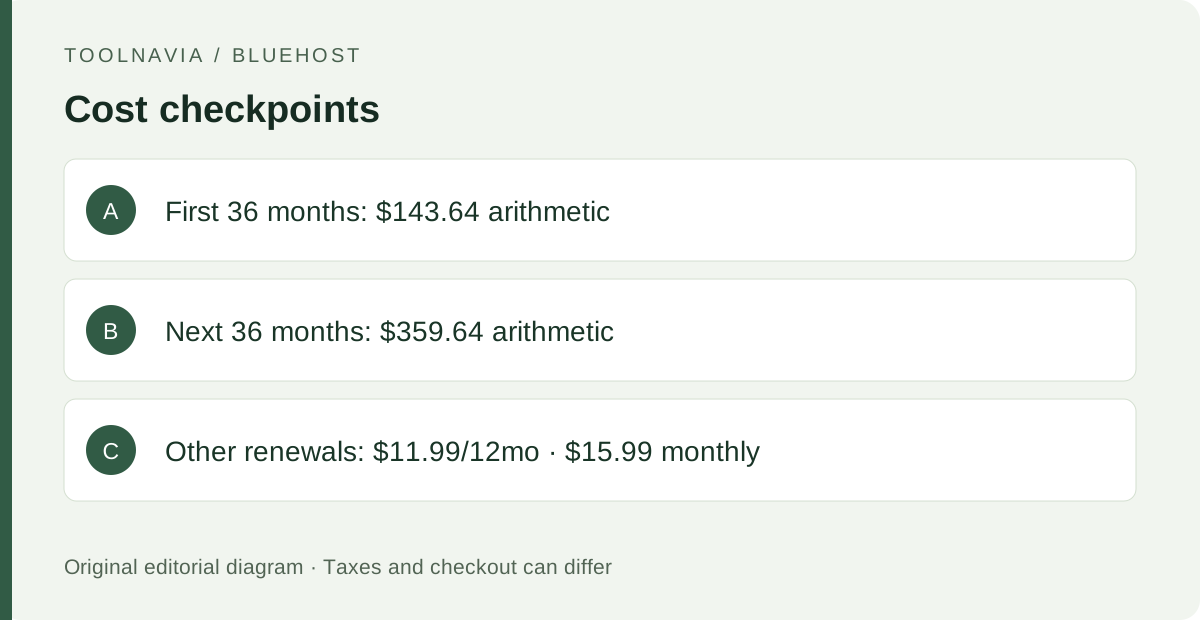
The current Starter offer is $3.99 per month equivalent for a 36-month term, so simple arithmetic gives a $143.64 first-term hosting charge before tax. Bluehost’s agreement says hosting terms are paid in advance. The current 36-month renewal rate is $9.99 per month, or $359.64 for another 36 months before tax if you keep that term.
Renewal length changes the monthly equivalent: Bluehost currently lists Starter at $15.99 monthly, $11.99 per month on a 12-month renewal, or $9.99 per month on a 36-month renewal. VAT/GST is not included in the displayed price, and promotions can change, so the checkout total—not the headline monthly number—is the final budget check.
When Starter is enough—and when Business deserves a look
Starter is easiest to justify when 10GB NVMe storage and the published ~40K monthly-visit planning figure leave clear headroom, chat support is acceptable, and you are comfortable maintaining an independent backup. Bluehost’s current page also lists 99.99% uptime SLA, managed WordPress updates, staging and SSH/WP-CLI access.
Consider Business when the site needs materially more storage or traffic headroom, phone support, or the additional security features shown on that tier. One current Bluehost page also mixes a “just need one site” tagline with a feature grid that lists 10 websites for Starter; if multi-site capacity is central to the purchase, confirm the account/checkout limit before paying.
A safer setup and migration checklist
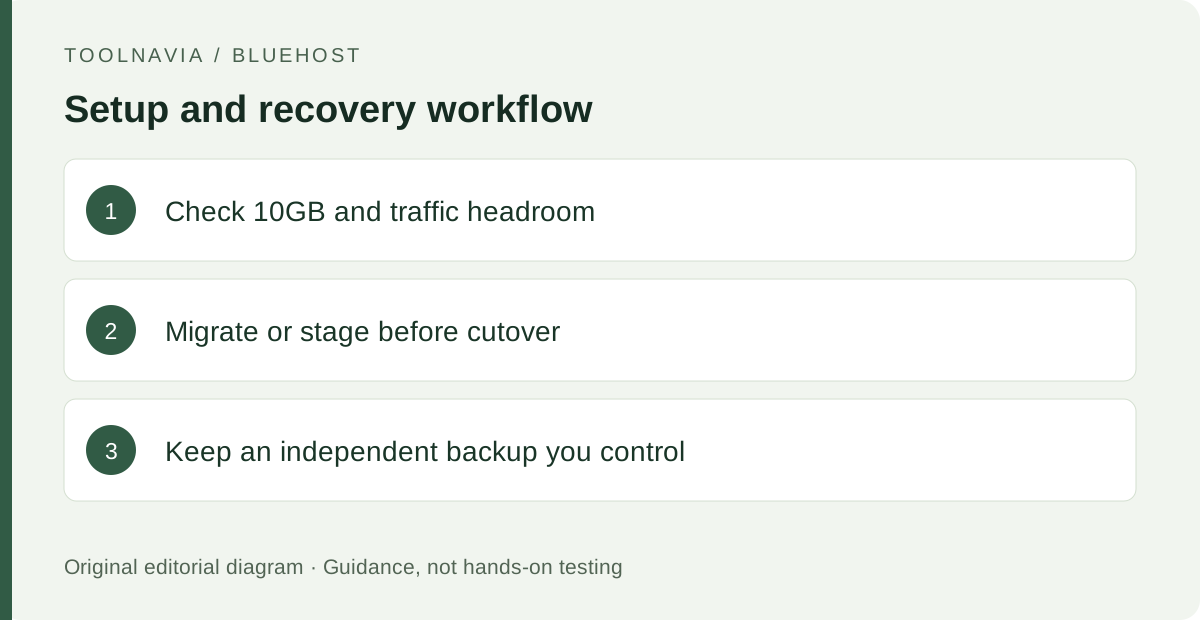
Before signup, record the current site size, expected traffic, required mailboxes and how you will make an independent backup. If migrating WordPress, keep the old host active until the new copy, forms, DNS and SSL have been checked.
Create staging before a risky WordPress change, but remember that production changes do not automatically sync back into an older staging copy. After launch, verify the backup you control outside Bluehost as well as any provider-side restore option. If the project is already close to 10GB or the traffic planning figure, compare Business before locking into a long Starter term.
What to do next
Price the actual 36-month first payment and the renewal term you are willing to accept, then check whether 10GB, chat-only support and your backup plan fit the site. Starter makes sense when those limits are comfortably sufficient; otherwise, a shorter renewal term or a higher tier may be the cheaper decision than moving again later.