TOOLNAVIA / BUYING GUIDE
ReiBoot Free Trial: iPhone Not Detected—Should You Pay?
The short answer
At a glance
- Best for
- Detected iPhone with a confirmed software repair case
- Price model
- Windows monthly $24.95 before tax; auto-renewing
- Check first
- Cannot fix broken hardware; Deep Repair erases data
Verdict: recognition comes before payment
If neither Windows nor ReiBoot can detect your iPhone, do not buy a repair license just to find out whether payment fixes the connection. Tenorshare itself separates software recovery from broken ports and hardware faults. A paid license becomes relevant only after the phone communicates with the computer and the proposed repair matches the actual problem.
This is a documentation-based buying guide, not a tested recovery success claim. For an irreplaceable, unbacked-up phone, the costliest mistake is escalating to an erasing operation before understanding the consequences.
Build a connection record first
Use a known-working data cable and another suitable USB port, then restart the computer and recovery application. Tenorshare's recognition FAQ also suggests another computer. Record whether Apple Devices and ReiBoot each see the same phone; that comparison narrows the question for support without proving a diagnosis. Do not repeatedly interrupt an active repair.
On Windows, a USB error can concern the device or its driver. Microsoft directs users to the device status and error code in Device Manager. Record the exact code and follow its matching guidance; random driver packages are not evidence that the phone needs paid repair.
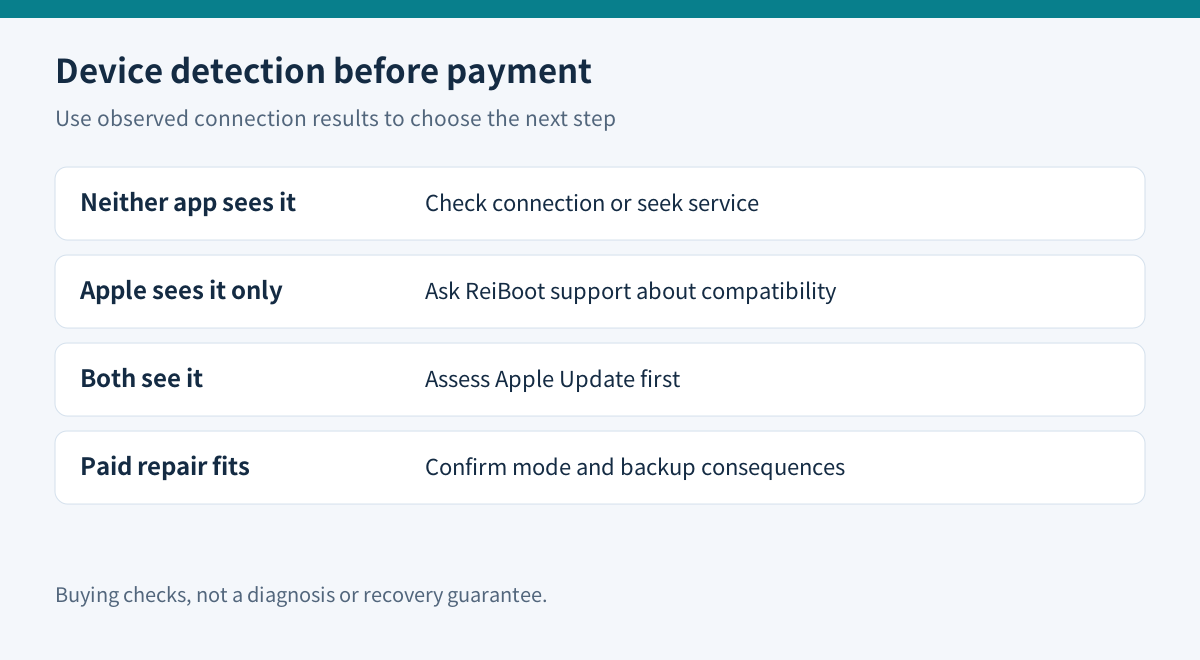
| Observed result | Purchase decision | |---|---| | Neither application detects the phone | Resolve connection or seek hardware assessment first | | Apple Devices detects it, ReiBoot does not | Ask Tenorshare about that exact compatibility case | | Both detect it; Apple Update has not been assessed | Check Apple's free recovery route first | | Recognized software fault, supported repair confirmed | Evaluate paid Standard Repair and its limits |
These are purchasing gates, not remote diagnoses. A device that only charges has not yet passed the data-connection check.
Compare Apple's Update before an erasing restore
Apple's recovery guidance uses the current Apple Devices app on Windows, or Finder on a compatible Mac. It says to try Update first if you have not already done so; Restore reinstalls iOS and erases the data. If the software download takes over 15 minutes and the phone leaves recovery mode, let the download finish before re-entering recovery mode.
A repeated failure is useful evidence, but not proof that a commercial utility will succeed. Keep the error message and stage. Apple recommends service when recovery cannot complete or required buttons are broken.
What the ReiBoot trial can establish
The purchase matrix includes free entry into recovery mode but places Standard Repair and Deep Repair in the paid version. It marks exit from recovery mode as paid, while the FAQ describes a limited free allowance. Confirm the installed build's actual entitlement instead of relying on an unconditional “free exit” promise.
The documented repair workflow identifies the device, selects the repair mode and downloads matching firmware. That gives you useful questions before paying: is the model recognized, is the intended mode available, and is the proposed firmware appropriate? A successful recognition screen does not establish a successful repair.
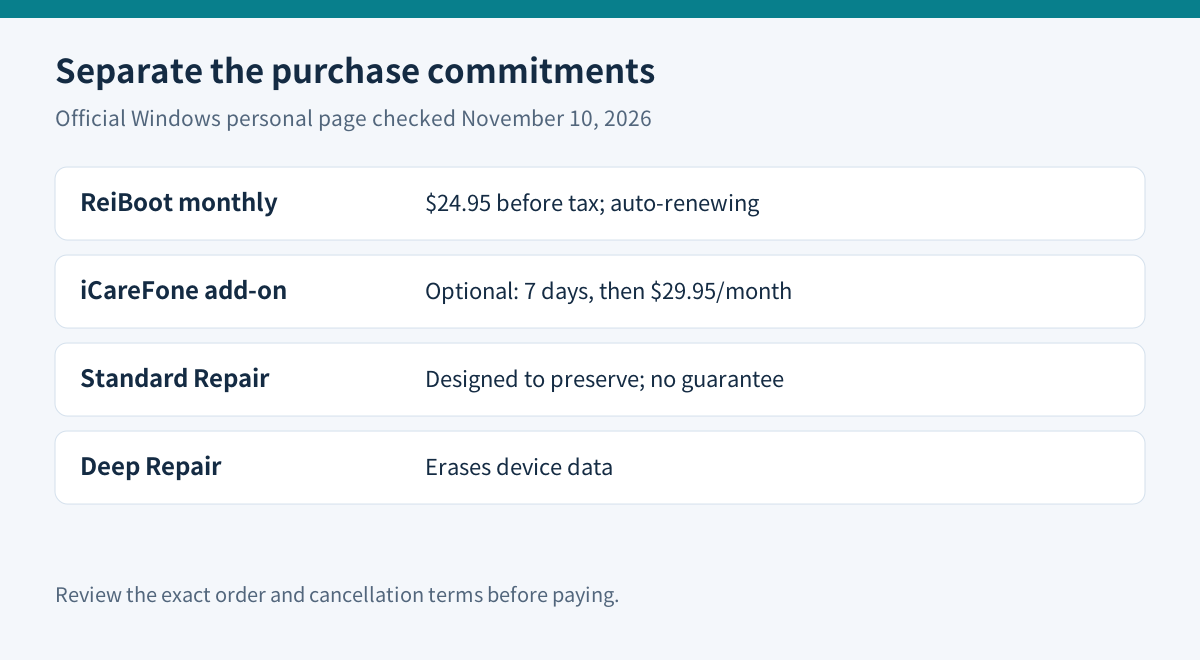
Standard Repair aims to preserve data, but Tenorshare's newer explanation explicitly avoids guaranteeing success. Deep Repair erases device data. Do not interpret the second option as a harmless retry button.
Protect the recovery path you already have
Locate any existing backup, check its date and retain the required password outside the phone. A currently undetected phone may not permit a fresh backup. Do not describe buying a repair utility as creating one.
The Canadian Centre for Cyber Security recommends separate backup copies and testing recovery. Applied here, the practical question is what you can restore after an erase—not whether a utility displays a reassuring repair label. Test backups safely; do not erase the working copy merely to test a hypothesis.
Check the order, not only the button price
On November 10, 2026, the official Windows personal monthly option displayed $24.95 before applicable tax, covering one PC and five mobile devices. Monthly access renews automatically unless canceled. The page also offers a separate iCareFone seven-day trial that becomes $29.95 per month; review that optional selection independently. Windows and Mac licenses are not interchangeable.
The refund policy requires cooperation with technical troubleshooting for a qualifying unresolved issue within 30 days. Change of mind and misunderstood functionality are excluded circumstances. Cancellation and a refund are different requests; retain confirmation before the next charge.
Before buying, send support the phone model, OS and app versions, detection results in both applications, exact error, backup status and intended non-erasing mode. Share logs privately after checking their contents. Buy only when the answer establishes a credible software-repair path worth the recurring cost.
Tenorshare has a public cash affiliate program, but Toolnavia has not verified approval for this exact offer and has enabled no tracking link here. Promotional codes require program authorization, so none is invented or promised.