TOOLNAVIA / BUYING GUIDE
Snagit Grab Text: Update First, Then Compare Free OCR
The short answer
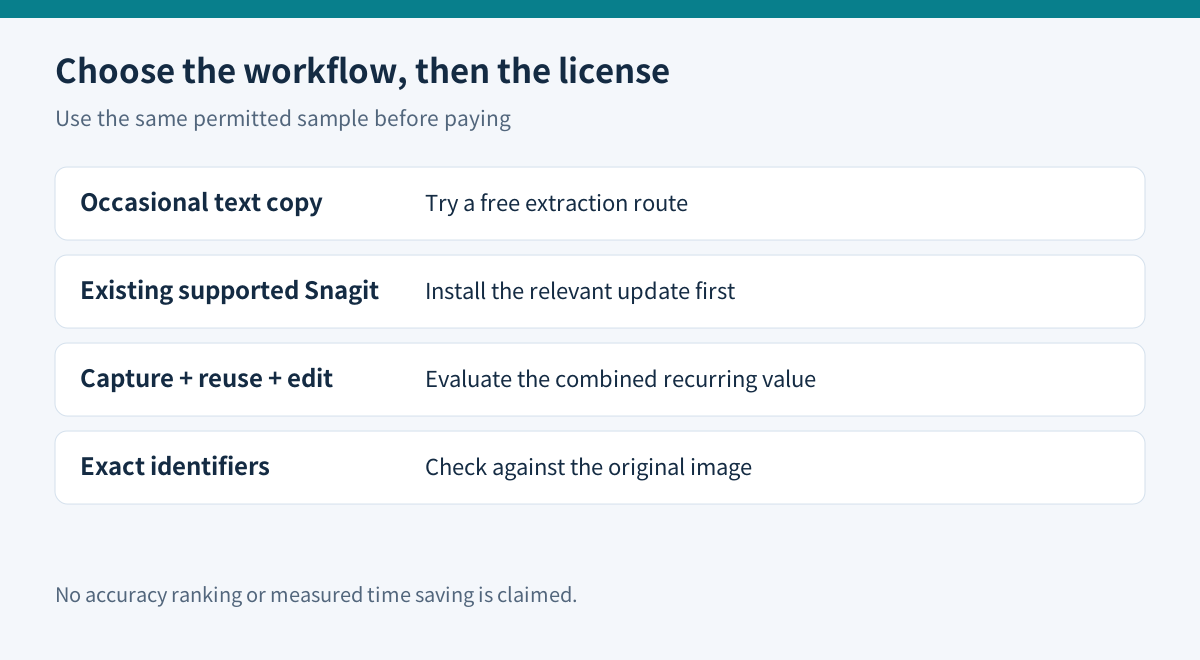
Do not buy Snagit again merely because Grab Text stopped working. TechSmith documents a Windows OCR licensing update that restores affected features in supported releases. Check that first. For occasional text copying, a free tool may be sufficient; Snagit's stronger purchase case is repeated screenshot capture, text reuse and image editing in one workflow.
This is documentation-based advice. Toolnavia has not measured OCR accuracy or installed these tools.
At a glance
- Best for
- Repeated screenshot capture, text reuse and editing
- Price model
- €39.56/year localized reference; verify checkout
- Check first
- Proofreading required; update eligibility and local price vary
Check the Windows update before changing licenses
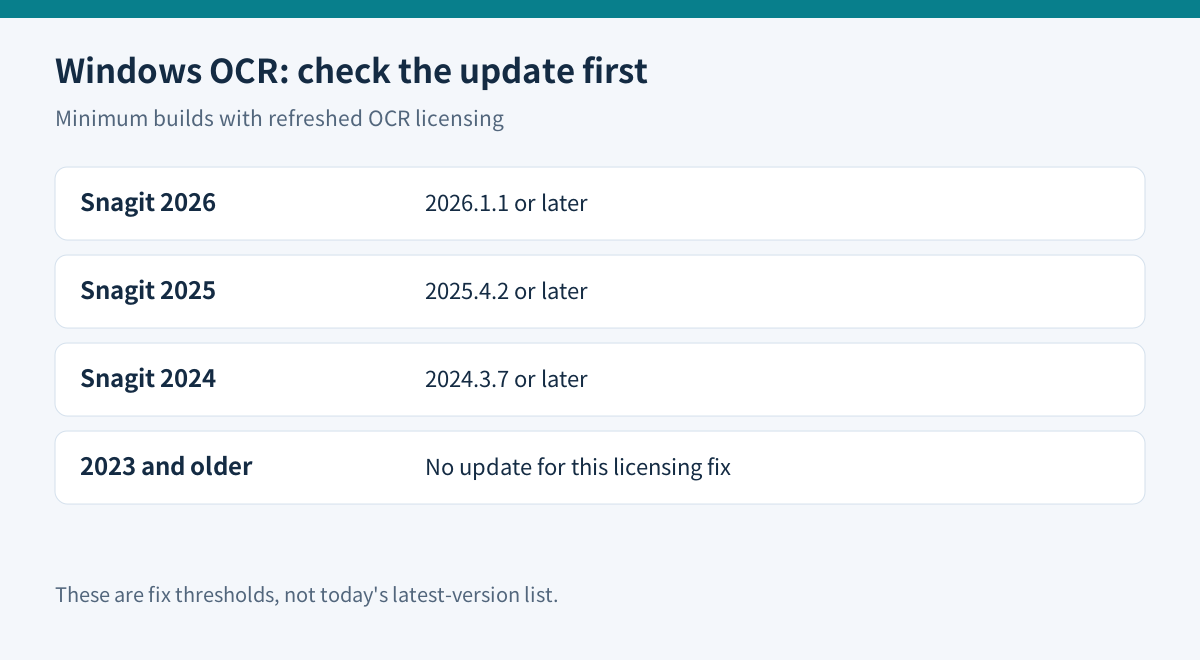
TechSmith says an expired third-party OCR license affected Grab Text, Edit Text and Smart Redact from May 2026. Its support article identifies these minimum updated builds:
| Installed release | Build containing the refreshed license | |---|---| | Snagit 2026 | 2026.1.1 or later | | Snagit 2025 | 2025.4.2 or later | | Snagit 2024 | 2024.3.7 or later |
The same article says Snagit 2023 and older will not receive this update because engineering support has ended. These are Windows update thresholds, not a list of today's latest versions or a promise that every OCR error has the same cause.
Use the supported update path for your installed release. If an administrator controls updates, ask that administrator to deploy the fix. Updating an entitled 2024 or 2025 installation is a different decision from purchasing a new annual subscription. An owner of an older unsupported release can compare replacement tools before paying.
Separate copying text from editing the screenshot
TechSmith documents opening an existing image or making a capture, then using Grab Text to produce text you can copy elsewhere. Edit Text serves a different purpose: changing wording within the image. Its guidance also covers image quality and proofreading.
That distinction matters for the output you need. Extracting a paragraph does not update the source document. Editing a screenshot does not correct the live website behind it. For proposed design changes, label the result as a mock-up and retain the original separately.
Snagit's useful combination is capture, reuse of existing images, text extraction and visual editing. It is most attractive when those jobs happen together repeatedly. A user who only wants one sentence from a picture has a narrower need and should test the free route first.
Compare the simplest route on your own sample
| Route | Documented workflow | Boundary to check | |---|---|---| | PowerToys Text Extractor | Select a screen region and copy recognized text | Installed OCR language pack and manual proofreading | | Mac Preview Live Text | Select text in a photo and copy it | Supported region, language and Mac environment | | Google Drive with Docs | Open an uploaded PDF or image with Google Docs | Source size, layout loss and permission to upload | | Snagit | Capture or open an image, then extract or edit text | Supported build and usefulness of the wider editing workflow |
Microsoft documents Win+Shift+T as Text Extractor's default shortcut, notes imperfect output and limits recognition to installed OCR languages. Its page recommends Snipping Tool for screenshot capture, so check the tools already available on your Windows system.
Apple documents copying recognized text in Preview and notes regional and language limits. Google recommends files of 2MB or less and warns that tables, columns and lists may not survive conversion reliably. The Google route involves an upload; use it only for material you are permitted to process there.
These sources describe different workflows, not comparative accuracy results.
Use an error-sensitive acceptance test
Prepare three permitted samples: a clean screenshot, a small or low-contrast passage, and a layout containing two columns or a table. Before extraction, write down the correct spelling of a name, a date and an identifier with easily confused characters.
Compare the copied output with the image. Check reading order, punctuation, decimal separators and characters such as zero versus the letter O. A paragraph that looks fluent can still contain an incorrect account number or product code. Use the image as the reference for any exact value.
Count correction time as well as copying time. If a free route already produces acceptable results with little review, Snagit needs another recurring benefit to justify payment. If capturing, annotating and reusing screenshots together reduces total work, the combined workflow may earn its cost. This is a proposed evaluation, not a measured time-saving claim.
Verify the current subscription and existing entitlement
The official store retrieved November 10 displayed **€39.56 per user per year**, billed yearly, for Snagit Individual. Earlier USD references are a different localized display, not a conversion of this quote. Check your selected country, currency, tax, renewal and exact annual charge. The subscription is non-transferable; the store directs buyers who need reassignment to its business route.
The same page says Snagit is included in Camtasia plans. Inspect your existing account before adding a standalone subscription. Buying only because the name has moved into the Camtasia product family can create unnecessary overlap.
Choose Snagit when the updated product fits repeated capture-and-edit work and your samples pass review. Keep a free tool for occasional extraction. Choose a dedicated document workflow when the actual job is batch PDF recognition or preserving complex page structure; this article does not establish those as Snagit capabilities.
The official store is listed in the sources for verification. TechSmith's cash affiliate program is open, but Toolnavia approval is unverified, so affiliate tracking remains disabled.