TOOLNAVIA / BUYING GUIDE
Semrush Team Seat Cost: What 2, 3 or 5 Working Users Really Pay
The short answer
At a glance
- Best for
- Teams budgeting simultaneous Semrush working users without confusing seats with shared capacity.
- Price model
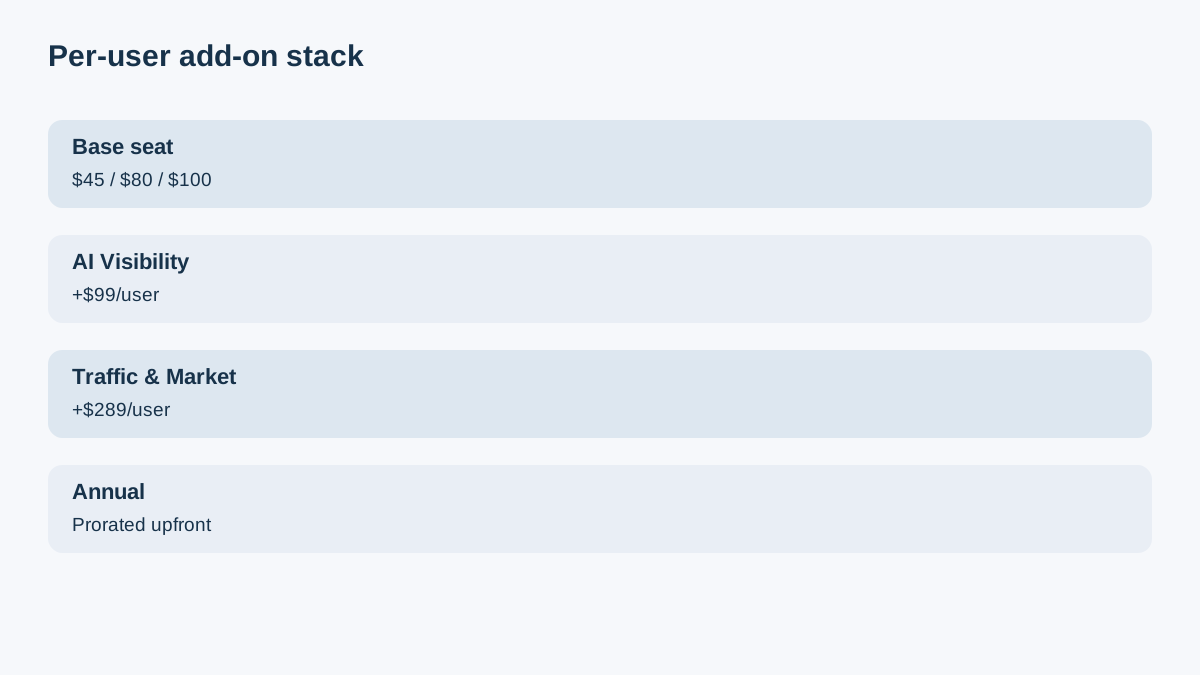
- Entry planning: $139 base + $45 per extra working user monthly; higher tiers $80/$100; checkout controls
- Check first
- Prices exclude tax and personalized checkout; seats share capacity; tracking disabled.
Verdict
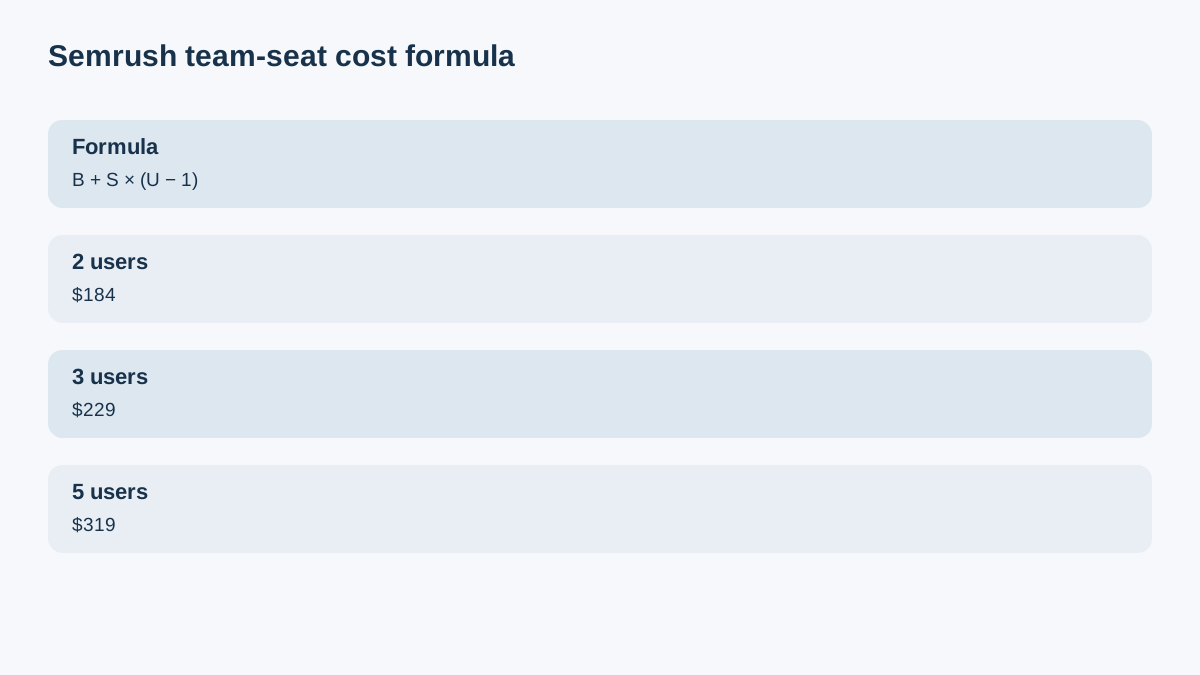
Semrush's base subscription includes one working user. Additional users start at $45 per month, while higher SEO tiers list $80 or $100 per added user. The team bill is therefore not just the plan card: use **B + S × (U − 1)**, where B is the base subscription, S is the seat price for the chosen tier, and U is the number of people who need simultaneous working access.
For the current entry SEO reference, B is $139 monthly or $117.33 per month equivalent when billed annually, and the public starting S is $45. That makes the monthly planning minimum $184 for two working users, $229 for three, and $319 for five, before tax or separately licensed toolkits. Confirm checkout because Semrush says “starting at,” and annual add-ons are charged upfront for the remaining term rather than as ordinary monthly installments.
Count working users, not everyone who sees a report
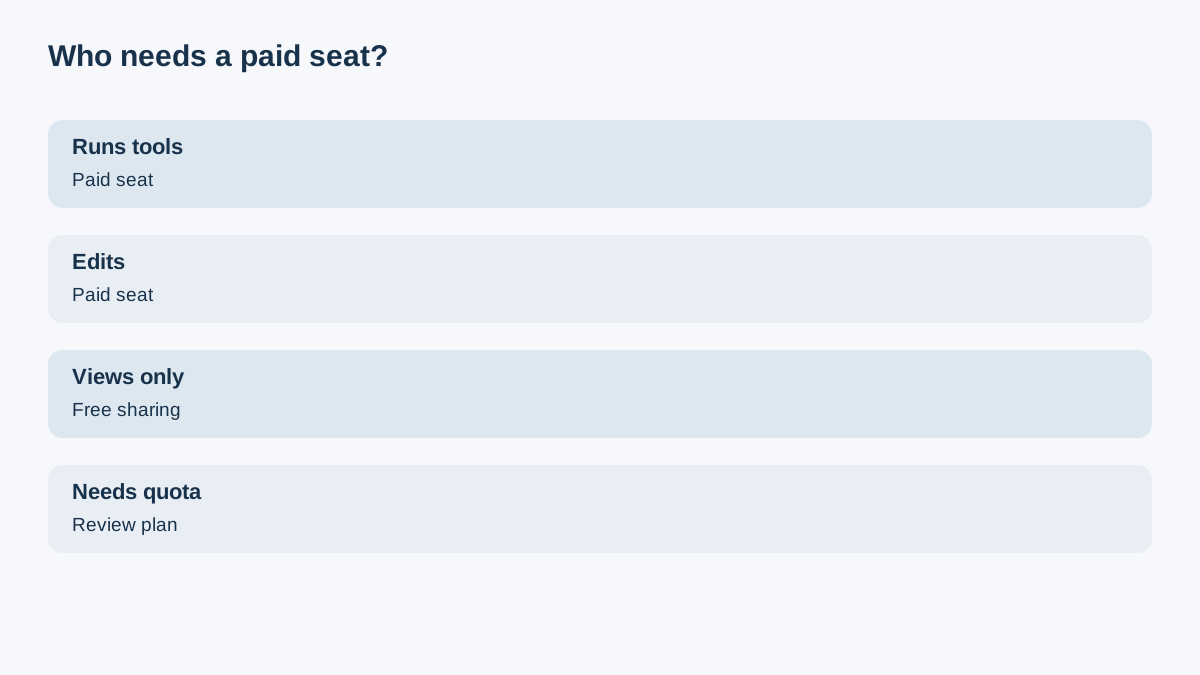
U should include people who need their own login to run tools, edit projects, or work at the same time. The owner already consumes the one included seat. Every other working user needs an additional seat.
Do not automatically count clients, managers, or executives who only need finished outputs. Semrush allows free view-only project sharing. A restricted guest who needs to edit may need a paid seat or their own subscription, so define the job before buying access.
The team-seat formula
**Monthly planning total = B + S × (U − 1)**
At the current entry reference:
- 1 working user: $139 - 2 working users: $139 + $45 = $184 - 3 working users: $139 + $90 = $229 - 5 working users: $139 + $180 = $319
These are pre-tax planning figures, not personalized quotes. Semrush publishes $45/$80/$100 added-user tiers and a starting-at-$45 label. The exact rate follows the toolkit and tier on the account.
Five independent 2026 team-cost guides corroborate the one-seat baseline, added-user bands, report-only alternative and shared-capacity warning; official Semrush documentation and checkout still control.
Paid seats do not multiply SEO capacity
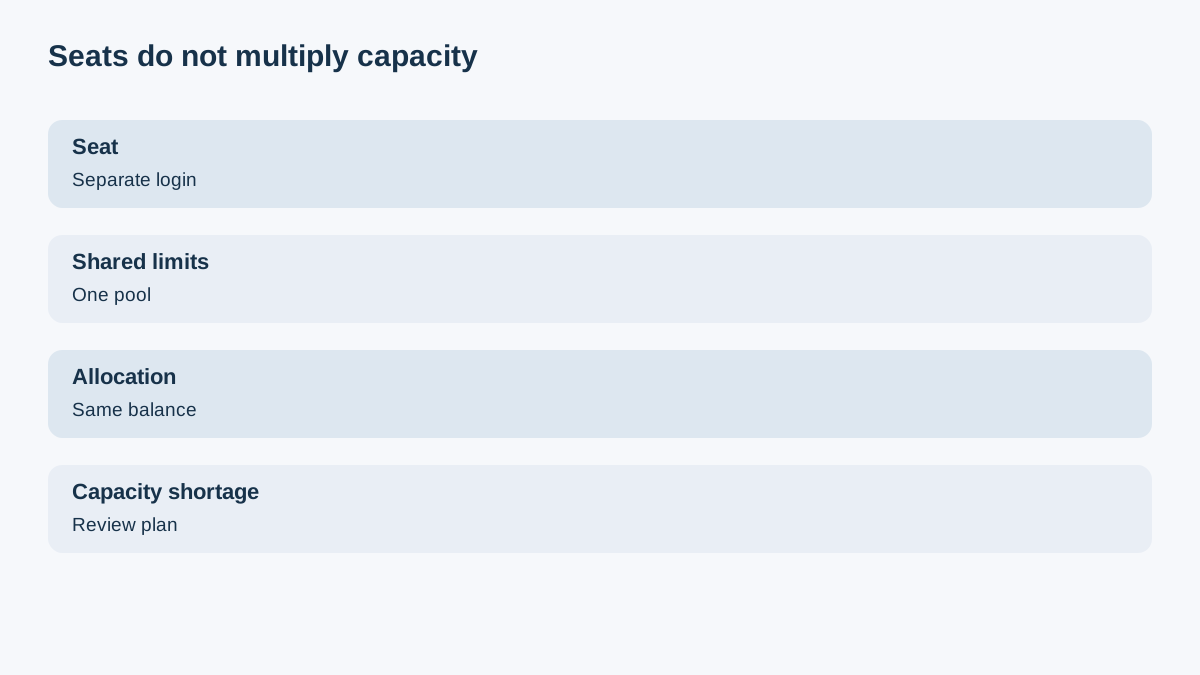
A second seat creates a second login, not a second subscription pool. Semrush says users share the account's overall limits. If a plan has 300,000 crawl pages per month, five users still share those 300,000 pages. Shared limits are the default; an owner can instead allocate individual limits, but those allocations are subtracted from the same account balance.
This creates two different upgrade questions:
1. Do more people need to work simultaneously? Buy seats. 2. Is the team exhausting keywords, projects, crawls, reports, or exports? Review plan capacity.
Buying seats to solve a capacity shortage is the wrong remedy. Upgrading a plan to solve a login shortage can also be wasteful.
AI Visibility and other toolkits can double-count users
The base added-user fee does not automatically license every toolkit. Semrush lists AI Visibility at $99 per user and Traffic & Market at $289 per user in addition to the standard added-user fee. App Center access can also require a separate purchase.
For example, one extra entry-tier user with AI Visibility can be $45 + $99 = $144 per month. On a higher tier, the same pattern can be $80 + $99 or $100 + $99. Treat “seat” and “toolkit license” as separate budget rows.
Annual billing is upfront, including later add-ons
The $117.33 annual-equivalent display is not a month-to-month payment schedule. Semrush says annual plans are paid upfront. If a seat or add-on is purchased later, the initial charge is prorated for the remaining annual term, aligned to the existing renewal date, and paid as a one-time amount.
A $45 monthly starting rate should not be read as permission to pay $45 each month on an annual account. Record the checkout total and remaining term. For cash flow, compare the upfront annual base plus prorated seats against a true monthly subscription.
When free viewing is enough
Use free view-only sharing when a stakeholder needs to inspect a project but not run new analyses or change settings. It can remove unnecessary seats from U without sharing credentials.
Use a paid seat when the person needs an independent login, editing access, project ownership, query history, or active tool use. If a guest needs unrestricted editing, Semrush's guidance points toward a paid user or a separate subscription.
**Decision checklist**
Before checkout:
1. List every person who needs working access; set U. 2. Confirm the current plan and exact added-user rate. 3. Measure whether the shared limits cover the workload. 4. Add AI Visibility, Traffic & Market, or App Center only for users who need them. 5. Move viewers to free view-only access where appropriate. 6. For annual billing, obtain the prorated upfront quote and renewal date.
Semrush's public affiliate program is open and cash-paying, but Toolnavia approval and tracking are unverified. Commercial CTA remains hidden.