TOOLNAVIA / BUYING GUIDE
RoboForm Emergency Access: Does Your Trusted Contact Need Premium?
The short answer
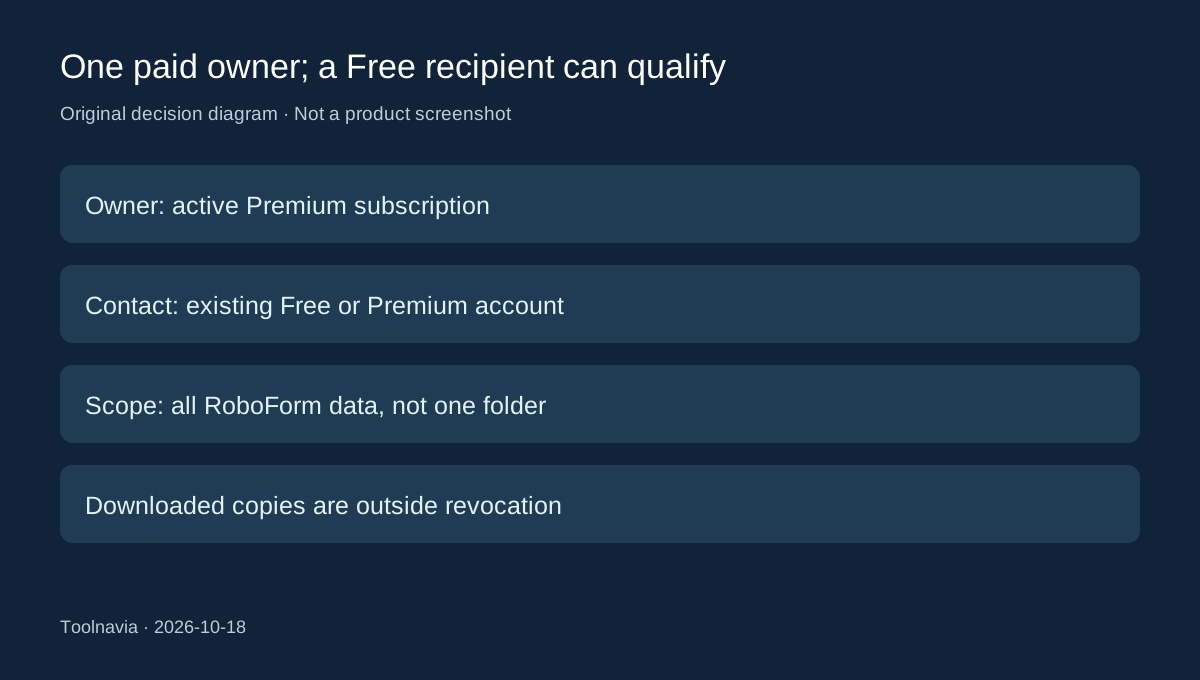
Your RoboForm emergency contact does not need a second Premium subscription just to receive access. The person granting access needs active Premium; the recipient can use Free. This documentation-based guide explains the setup checkpoints and whole-vault scope that matter before paying for an emergency plan.
At a glance
- Best for
- An owner who wants a prearranged full-vault emergency route without buying a second Premium account.
- Price model
- Owner Premium renewal reference USD29.88/year; recipient may remain Free; introductory total unconfirmed.
- Check first
- Sharing only one login, unattended access without setup or expecting inactivity alone to trigger a release.
Who pays, and what the recipient receives
Premium's public renewal reference is US$29.88 per year. The first-year promotional total did not render reliably, so confirm it in checkout. The displayed US$2.49 monthly equivalent is billed annually. A Free recipient adds no required Premium subscription solely for receiving emergency access.
That distinction can avoid buying Family for the wrong reason. Two people who both want full Premium features have a different decision, covered in the [Premium versus Family guide](/en/software/roboform-premium-vs-family-five-account). Here, one person owns the vault and another is preparing to help.
Four controls make the arrangement useful
The contact can receive access without being given your master password. You can appoint more than one contact, choose a different delay for each, and reject a request during its waiting period. These controls make it possible to prepare a route in advance while retaining a chance to intervene.
Access covers all RoboForm data, although the recipient can download selected items. It is not a restricted emergency-note folder. If you only want someone to know one household login, ordinary item sharing is a more proportionate task to evaluate.
The practical boundary is trust in the person, not only trust in encryption. A view-only interface can still reveal credentials, and downloaded copies remain outside your direct control. Revoking future access should not be treated as erasing information already obtained; change affected credentials when appropriate.
Acceptance is only one checkpoint
Prepare the contact's existing RoboForm account first. On desktop, open the extension's Start Page, choose Emergency Access and add the contact's account email and delay. The official setup guide says an address without an existing Free or Premium account will not receive the emergency invitation.
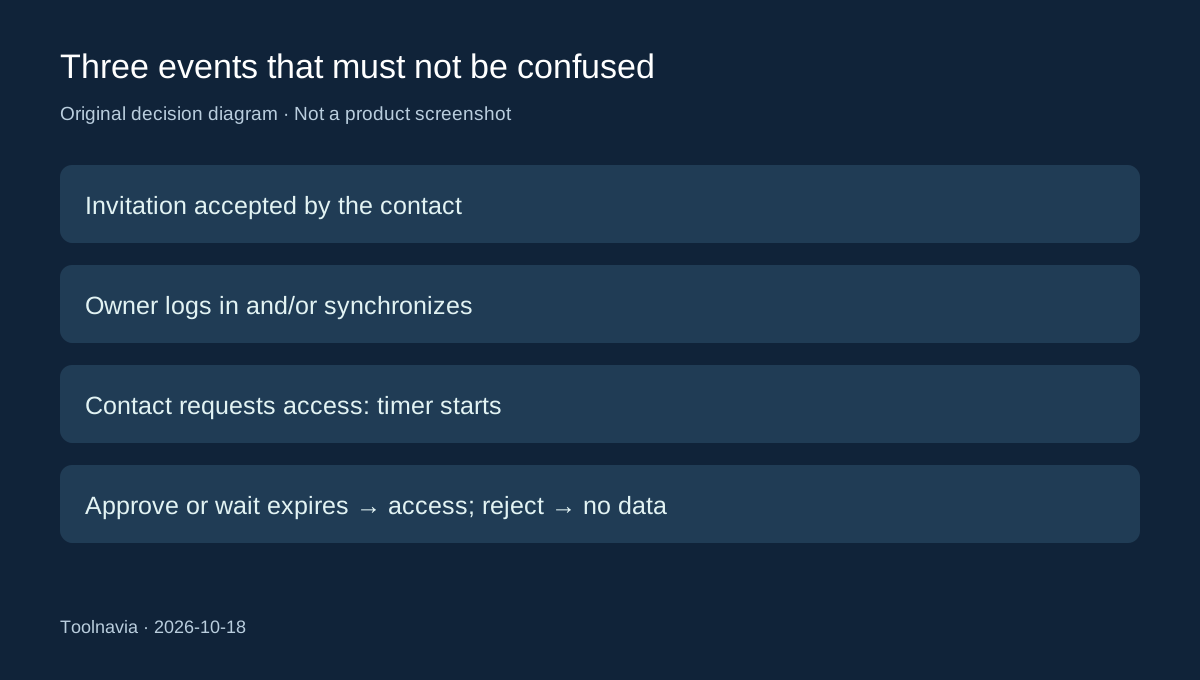
After the contact accepts, the owner must log in and/or synchronize the account. Only then treat the relationship as prepared. Keep a small record of the intended contact, chosen delay and date you verified the status. Do not store actual passwords in that record.
The waiting clock starts with a request
The timer begins when the contact requests access, not when you stop logging in. During the chosen interval, the owner can respond. Approval or expiration without rejection grants access; a rejected request shares no data.
Choose the delay according to how quickly help may be needed and how reliably you notice email or app notifications. “Immediately” offers no useful waiting buffer. A long delay gives more response time but can leave a helper waiting when the information is genuinely needed. There is no single correct interval for every household.
Rehearse without releasing the vault
Our suggested first rehearsal is deliberately limited: confirm the invitation was accepted, synchronize the owner's account, and check that the recipient sees the relationship. Review where Request Access and the owner's response controls are located without sending a live request merely to test the button.
If you deliberately test a real request, agree on the scope beforehand and plan to reject it before the deadline. Do not assume adding a harmless sample entry limits exposure: the feature concerns the whole vault. This is a proposed procedure, not a Toolnavia application test.
Finally, maintain the owner's paid entitlement. Card and PayPal renewals are documented as occurring 14 days before expiry; store purchases renew on expiry. Refund requests have conditions and a 30-day window, so cancellation is not a substitute for checking the purchase terms. Buy Premium for a maintained, rehearsed access plan—not just an unused emergency-contact entry.