TOOLNAVIA / BUYING GUIDE
Recoverit SSD Recovery: Is It Worth Buying After TRIM?
The short answer
At a glance
- Best for
- A stable, detected SSD that can be scanned read-only, with a separate destination and a small list of valuable files to preview before payment.
- Price model
- Official pages conflicted: exact offer showed $59.99/month, $69.99/year, $129.99 perpetual for 2 PCs; verify checkout
- Check first
- Guaranteed recovery after completed TRIM, garbage collection, overwrite, sanitization, missing encryption keys, or a physically unstable or undetected SSD.
Quick decision: scan only after the free checks
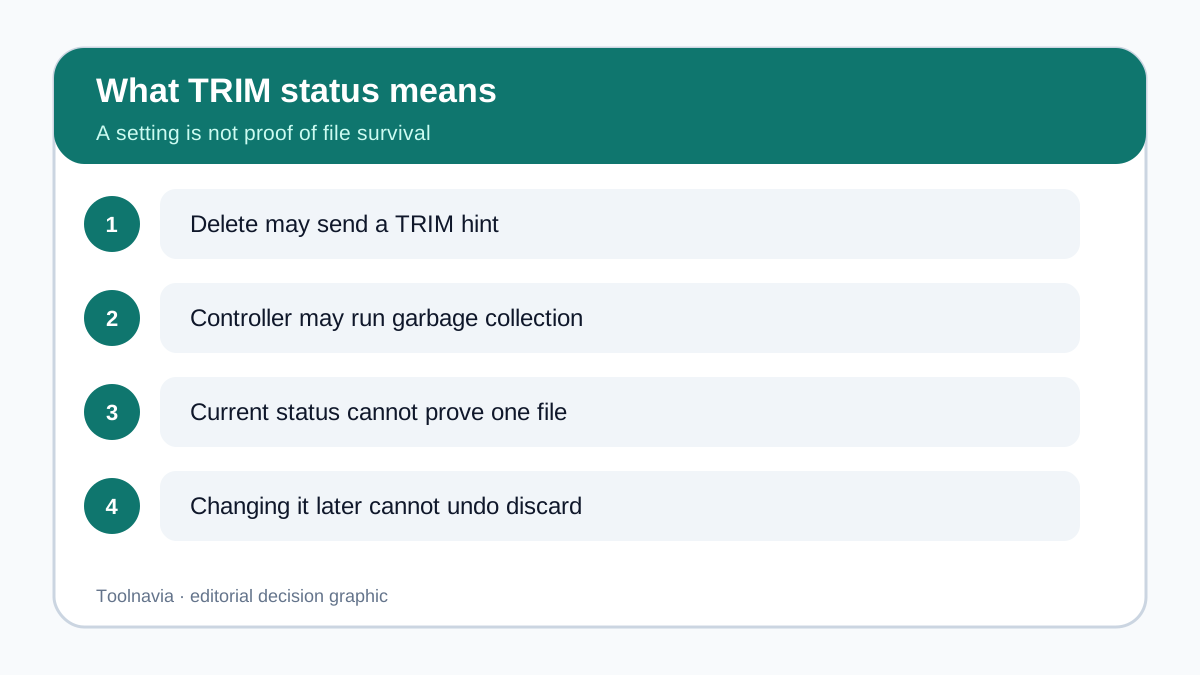
Deleting a file from an SSD is not the same as deleting it from an old spinning hard drive. Windows may send a TRIM or UNMAP hint that the old blocks are no longer needed; the SSD controller may then clear or recycle those blocks in the background. If that has already happened, paying for a license cannot recreate the discarded bytes. Recoverit can still be worth evaluating when the SSD is stable, appears normally, and the blocks needed for your files are still readable—but there is no universal recovery window and no guaranteed result.
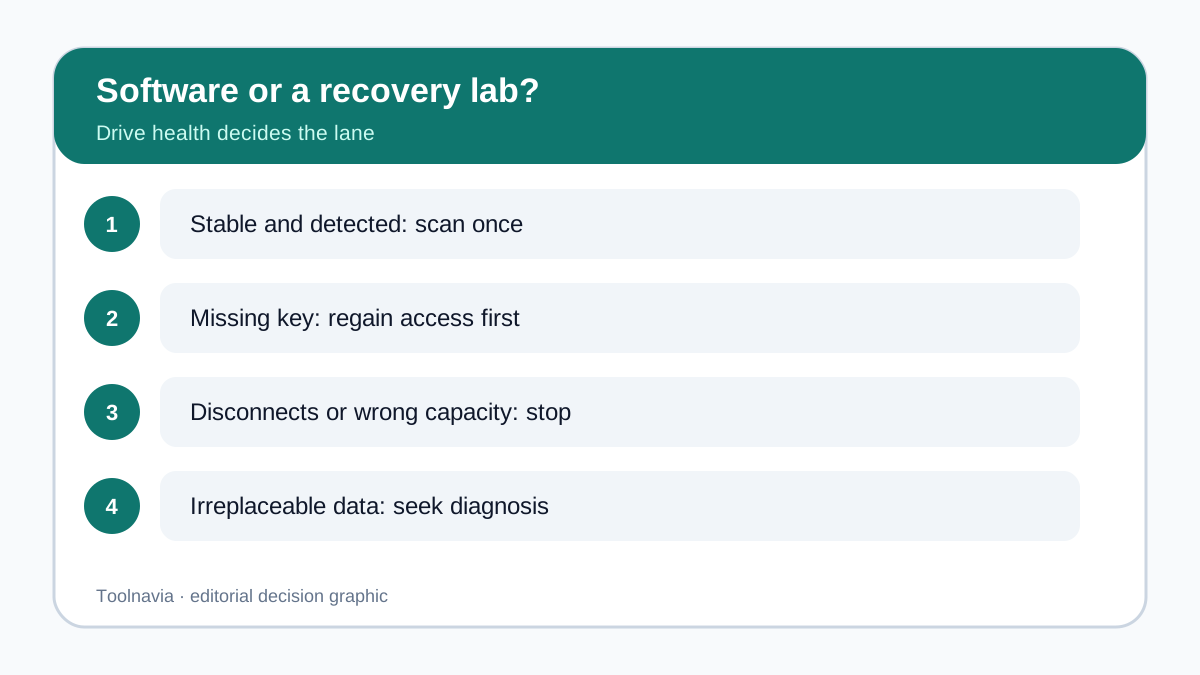
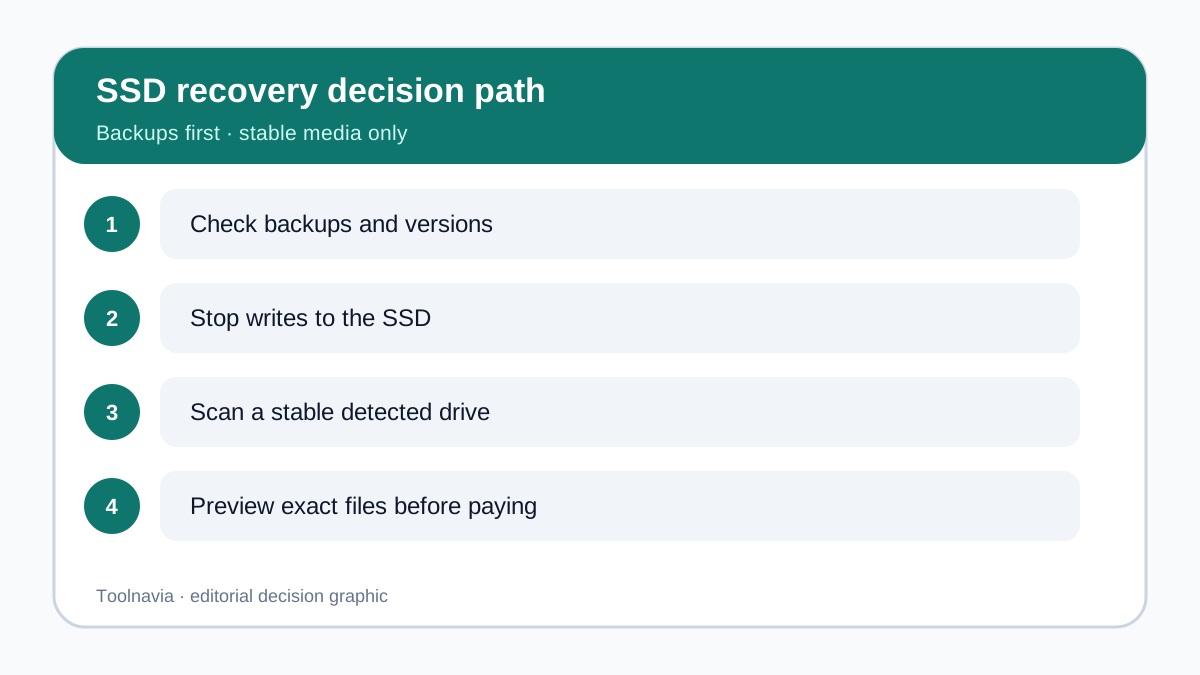
Start with the least destructive questions. Is the file in Recycle Bin, OneDrive, File History, a backup, an app's version history, or another synchronized device? Is the drive detected consistently without resets, clicks, thermal errors or disappearing capacity? If the answer to the first question is yes, restore from that source. If the drive is unstable or missing, stop software scans and obtain professional diagnosis. Only a stable, detected drive with genuinely missing files belongs in the software-evaluation path.
What TRIM status can—and cannot—tell you
Microsoft documents TRIM as a notification that sectors are no longer needed and may be purged. NTFS can issue the notification when files are deleted. Kingston separately explains that the SSD controller's garbage collection can free those marked blocks in the background. This means the operating-system setting is only one part of the story: a query can describe whether delete notifications are currently enabled, but it cannot prove that one particular file's old blocks remain readable.
Do not disable TRIM after the loss in the hope of reversing it. Changing the setting does not recall a notification already sent, does not reverse controller garbage collection, and may create more system activity. Recoverit's own SSD guidance similarly warns that changing TRIM after deletion cannot undo prior discard. The safer immediate action is to minimize use, avoid installing software on the affected SSD, and save any recovered output to a different physical drive.
Use the scenario matrix before paying
**Recent permanent deletion on a stable internal SSD.** This is uncertain, not automatically hopeless. Stop using the computer where practical, check backups first, and run only a non-destructive scan. A filename, folder entry or thumbnail is not proof that the full file bytes survive. The purchase gate is a relevant preview that opens and looks complete.
**Deleted files on a stable external SSD.** TRIM forwarding varies by operating system, enclosure, bridge and connection path. Do not assume USB means TRIM never reached the device. If the SSD is stable and recognized with the expected capacity, scan once and judge exact files. Save elsewhere.
**Quick format or lost partition.** The visible partition structure can disappear while some data remains, but later writes, TRIM, encryption and controller activity still matter. Do not initialize, reformat or repair the source merely to make it mount. A recovery tool should work against the existing device state or a professionally made image where appropriate.
**Encrypted SSD without its key.** A recovery-software license is not a decryption key. Regain authorized access first. If the data was encrypted and the credential is unavailable, this buying decision pauses; software should not be presented as a cryptographic bypass.
**Unstable or undetected SSD.** Repeated disconnects, I/O errors, wrong capacity, overheating or disappearance from firmware move the case out of the ordinary software lane. Additional scans can stress a failing device. Seek a qualified recovery lab, especially when the data is irreplaceable.
Preview the exact files, not the scan count
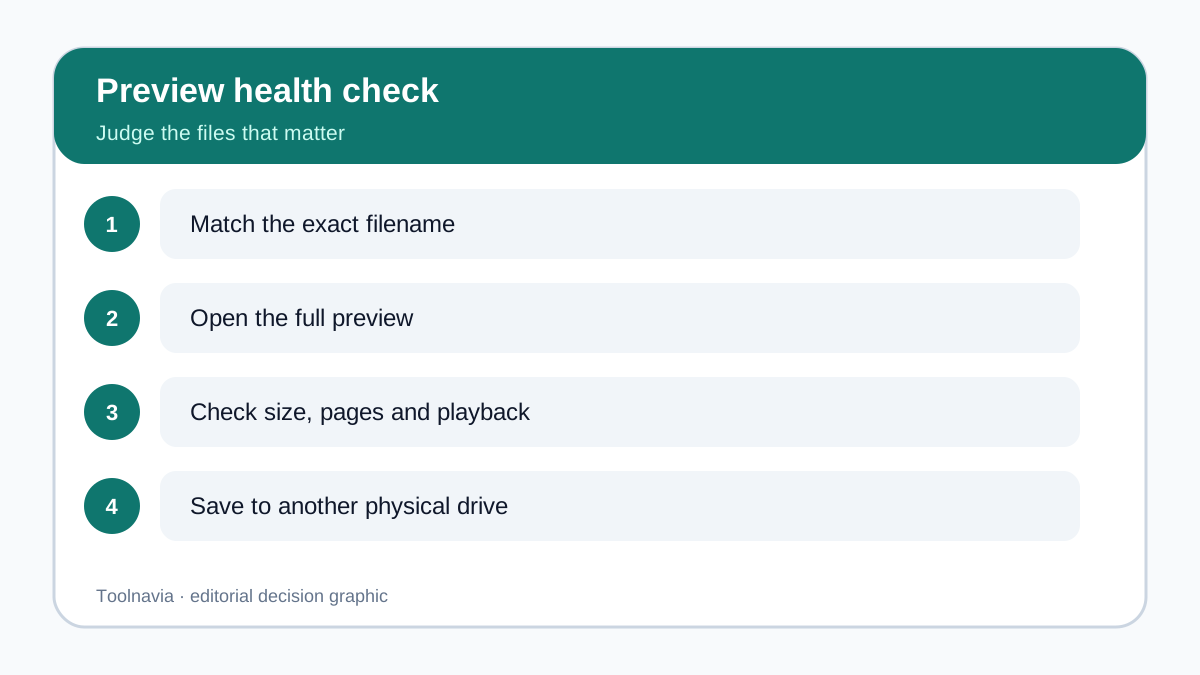
A scan that reports thousands of items can still be a poor purchase. Before paying, write down five to ten files or folders that would justify the cost. Search for those exact names, but then go further: open representative previews, inspect whether a document has multiple pages, whether a photo renders at full resolution, whether a video can seek beyond the first seconds, and whether the size and date are plausible.
Competitor documentation reaches a similar boundary. CleverFiles says no tool can guarantee a specific file after TRIM or overwrite and recommends previewing the exact item before upgrade. EaseUS notes that names can remain while content is no longer recoverable. These pages are not controlled benchmarks and do not prove that one product recovers more than another. Other SSD-focused competitor guidance also emphasizes controller and connection uncertainty, while the DMDE manual states that overwritten data cannot be recovered and TRIM can make removed blocks unreadable. Post-loss advice to disable TRIM is not followed here because it cannot undo an earlier discard. Together, these sources support a disciplined purchase rule: intact previews of the files you value matter more than a large result count.
Recoverit Premium adds deep scanning, preview and disk-image features in the current offer description. Those features can improve the evaluation workflow, but they do not change the underlying SSD state. If the preview is blank, corrupted, only a thumbnail, or unrelated to the files that matter, do not treat the paid plan as a repair guarantee.
Recoverit, Windows File Recovery or a lab?
Windows File Recovery is a Microsoft command-line baseline for stable media. Microsoft instructs users to minimize computer use and requires source and destination to be different. It can be appropriate when you are comfortable with its workflow and need a no-cost attempt, but it does not bypass TRIM, overwrite, encryption or hardware failure.
Recoverit is the friendlier choice when a visual scan, filtering and preview workflow would materially help you judge a stable SSD. The approved Premium offer covers two PCs and presents monthly, annual and perpetual choices. Choose duration based on the legitimate recovery job and future use—not on the belief that a longer license improves the odds for already discarded blocks.
A professional lab is the right comparison when the SSD is unstable, not detected, reports the wrong capacity, contains irreplaceable data, or would require controller- or board-level work. Software and laboratory work solve different classes of problems. Starting with repeated consumer scans on failing hardware can make the professional path harder.
Price conflict and checkout checklist
On 2026-10-28 the exact approved Recoverit Premium offer page displayed promotional prices of **US$59.99 monthly, US$69.99 annually, and US$129.99 perpetual for two PCs**, with higher crossed-out reference prices. Monthly and annual options renew; the perpetual option is described as a one-time license. A second official Recoverit store page simultaneously displayed **US$99.95** on all three cards. That official conflict is unresolved, so these figures are not a quote. Confirm the final price, tax, region, platform, number of PCs, renewal status, included features and any add-ons in checkout.
Do not select the monthly plan merely because it looks cheapest on the card. Compare the actual checkout total and renewal date with the annual option. Do not select perpetual because it sounds like lifetime recovery: it is a license duration, not a promise that future SSD losses or future product versions are covered.
A bounded recommendation
Recoverit Premium is worth evaluating when all four conditions hold: the SSD is stable and detected; backups or version history do not already solve the loss; the scan finds the exact files that matter; and previews suggest intact content that you can save to another physical drive. It is not a rational purchase when the SSD is failing, the encryption key is missing, the important files do not preview, or the claim depends on reversing completed TRIM, garbage collection or overwrite.
You can review the current option through the [approved Recoverit affiliate link](https://www.dpbolvw.net/click-101895278-14465154). An eligible purchase may earn Toolnavia a commission. That relationship does not change the decision rule: scan first, inspect exact files, verify checkout, save elsewhere, and accept that recovery is never guaranteed.