TOOLNAVIA / BUYING GUIDE
Recoverit for Mac Permissions: Grant Full Disk Access Before You Pay?
The short answer
# Recoverit for Mac Permissions: Grant Full Disk Access Before You Pay?
**Short answer:** Do not buy Recoverit for an internal Mac scan until the target APFS Data volume is visible, you understand what Full Disk Access exposes, and the exact installer proves whether it also asks for a legacy extension. Full Disk Access is a broad privacy permission. Reduced Security is a separate startup-policy change. If you or your organization cannot accept either requirement, stop before checkout.
*Affiliate disclosure: Toolnavia may earn a commission if you buy through the approved Recoverit link. That does not change your price, the permissions required, or the recovery limits described here.*
At a glance
- Best for
- An authorized stable Mac with a visible unlocked APFS Data volume and credible previews before checkout.
- Price model
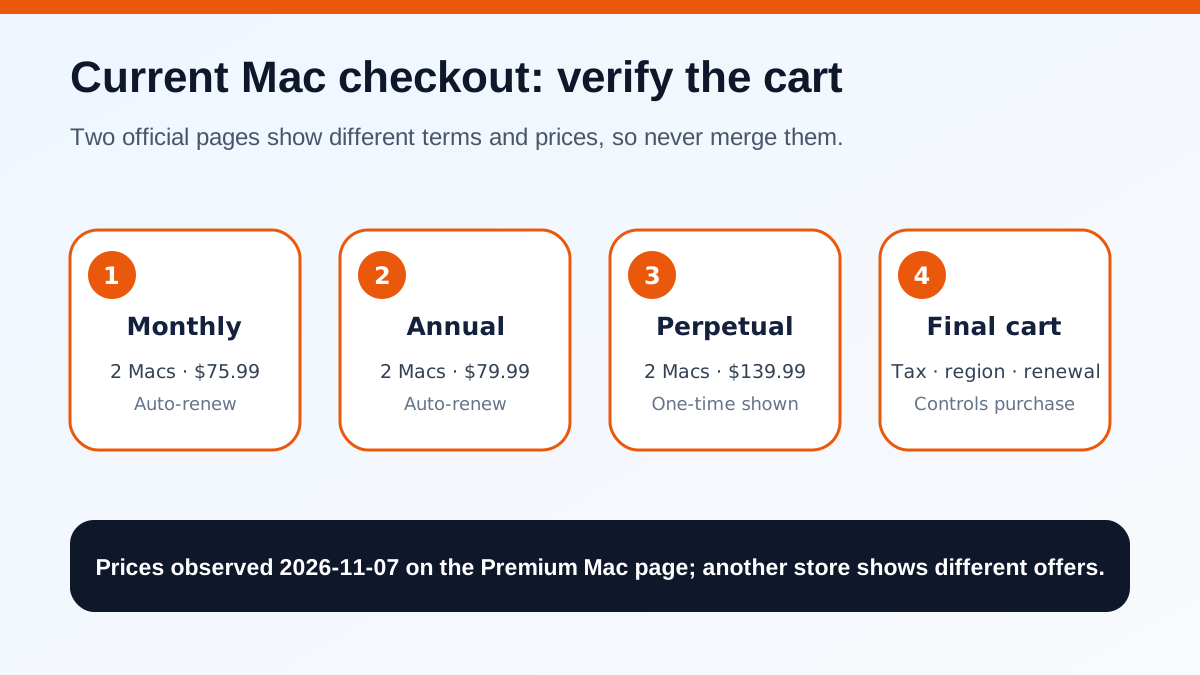
- Premium Mac page observed $75.99 month, $79.99 year, $139.99 perpetual for two Macs; another official store differs; final cart controls.
- Check first
- Not for unauthorized or managed Macs, unacceptable startup-policy changes, invisible or locked volumes, hardware failure, overwritten data or cases without credible previews.
The buying verdict
Recoverit is defensible only after a permission-safe test produces evidence on the exact Mac and exact volume. A paid case should pass five gates: Disk Utility can see and safely mount or unlock the APFS container or Data volume; Full Disk Access does not violate personal, employer or client policy; any current extension request has informed administrator approval; representative files preview correctly; and a separate physical drive is ready for output.
Failing any gate is a reason to wait. FileVault credentials, hardware health, APFS structure and SSD overwriting still control recoverability; permissions do not override them.
On November 7, 2026, the official Premium Mac page showed **$75.99 monthly**, **$79.99 annually**, and **$139.99 perpetual**, each for two Macs. A separate official Mac store showed different monthly, quarterly and perpetual offers. Do not combine those pages into one universal price. The final cart must establish device count, term, renewal, tax and cancellation.
Start with the Data volume, not a purchase
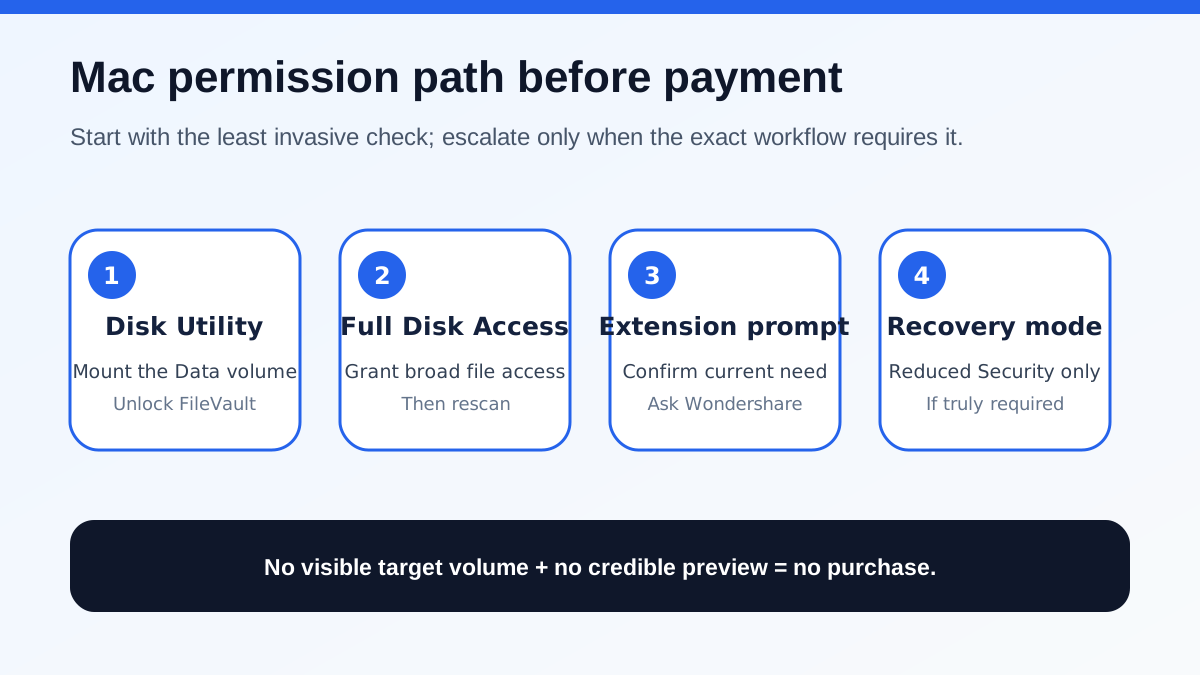
A missing startup disk can mean an unmounted volume, locked FileVault, privacy controls, APFS layout, T2 or Apple-silicon policy, corruption or hardware failure. Recoverit’s current FAQ says modern Macs normally keep personal files on the writable **Data** volume while the system volume is read-only. Check Disk Utility, mount or unlock the volume, grant Full Disk Access and target the Data volume or APFS container.
If FileVault is enabled, use the correct password or recovery key. Repeated I/O errors, SMART warnings, unusual heat or intermittent detection are stop signs; a clone or professional diagnosis is safer than repeated scans. Do not run repair writes before recovering irreplaceable files.
Full Disk Access cannot decrypt a locked volume, reverse SSD TRIM or repair a failed controller. It lets an authorized app reach protected data. If the Data volume remains unavailable after safe mounting and authorization, paying for export rights will not solve the access problem.
Full Disk Access is a broad privacy decision
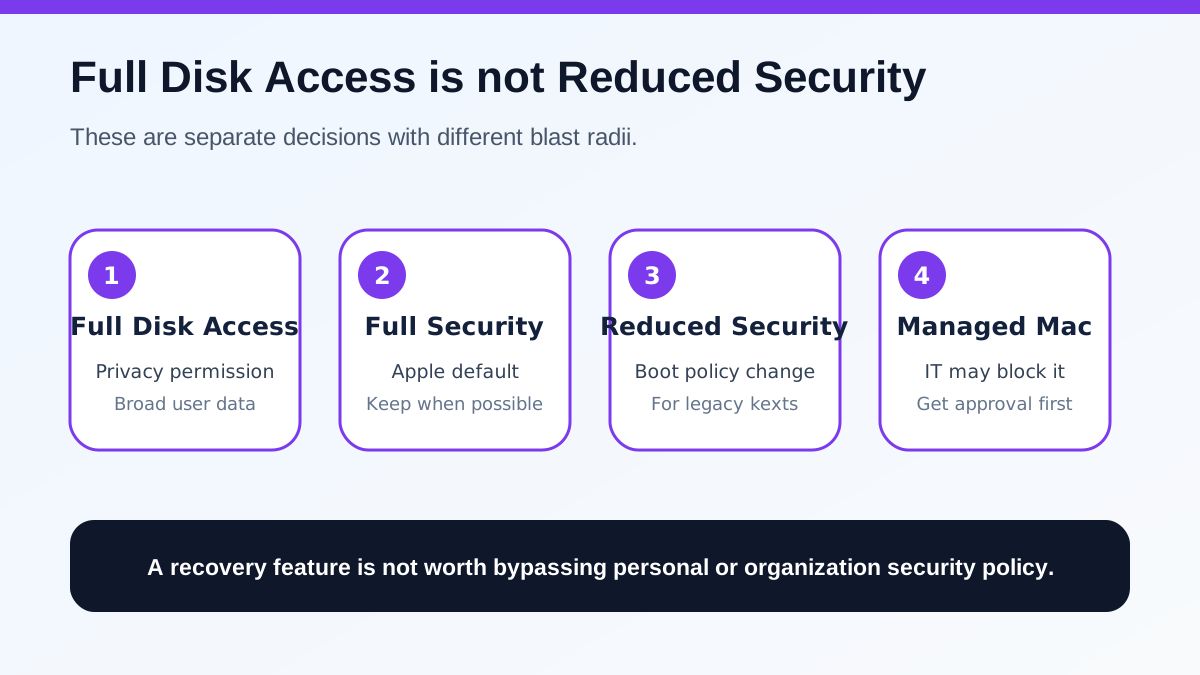
Apple treats Full Disk Access as explicit consent to reach protected data, including Desktop, Documents, Downloads and potentially mail, messages, browsing history, iCloud Drive, network volumes and removable media. Grant it only to the verified Recoverit app for the shortest necessary recovery window.
Before granting access, download from the official Wondershare site, verify the app identity, disconnect unneeded external or network volumes, confirm the Mac is personally administered or IT-approved, and record the permission so it can be removed afterward. An affiliate link, vendor name or icon does not prove every build is safe.
Managed Macs may use configuration profiles or Recovery Lock. Apple’s 2026 deployment guidance says organizations can restrict recoveryOS and manage extension policies. Do not bypass those controls; use an approved secondary Mac, external workflow or professional service.
Reduced Security is a separate, higher-impact gate
Wondershare’s current Apple-silicon guide still tells some users to enter recoveryOS, choose **Reduced Security**, allow user management of identified-developer kernel extensions, approve the extension and restart. This is not Full Disk Access. It changes the startup policy.
Apple says Full Security is the default and should be used whenever possible. Reduced Security is required for legacy kernel extensions, whose vulnerabilities can compromise the operating system because they run with kernel privileges. Apple recommends modern system extensions and advises asking the developer for an updated alternative.
This creates a real conflict. Recoverit documents an extension path; Apple says legacy extensions are less secure. First try the current installer with ordinary Full Disk Access. If an extension prompt appears, record the developer, macOS build and chip; ask Wondershare whether an extension-free method exists; change startup policy only with informed administrator or IT approval; and plan to remove the extension and restore Full Security afterward.
Do not disable SIP merely because a scan is incomplete. Recoverit’s newer FAQ says most personal-file recovery does not require disabling SIP and that Full Disk Access and unlocking come first.
Use preview evidence before paying
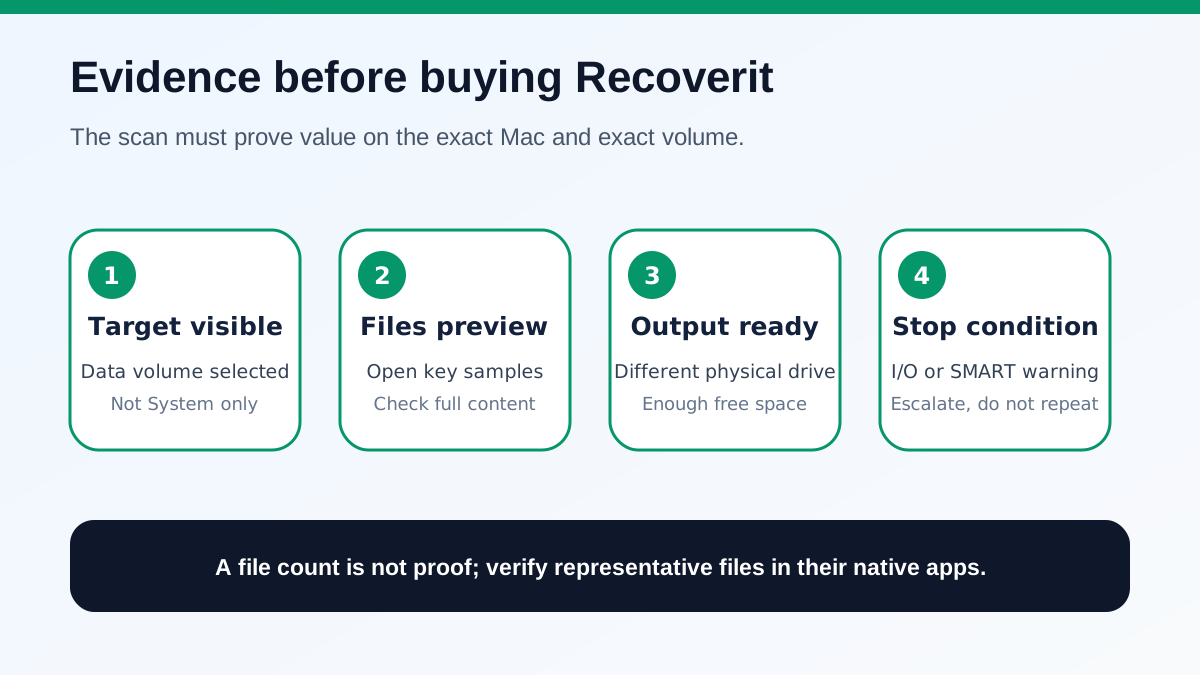
Permissions make scanning possible; they do not prove recovery. Recoverit’s Mac guide describes scans, previews and saving recovered files elsewhere. Choose the exact device, APFS container or Data volume. Preview high-value documents, photos, archives and long videos from different folders and dates. Where possible, save samples to another physical drive and open them in native apps. Check long-video endings, archive contents and all document pages.
Disk Drill also requires Full Disk Access for full-drive work, while Stellar markets scan-and-preview before purchase. An independent Mac review also reported boot-media trouble on one M2 Mac, reinforcing the need to test the exact chip and build. These alternatives show that broad permission is a category issue. Compare permission scope, chip and macOS compatibility, preview evidence, output destination, plan rights and refund terms.
A large result count is weak evidence. Signature scans can return duplicates, fragments, cached thumbnails or files without original names. The useful metric is the number of important files that can be opened and validated. If files cannot be previewed, do not pay just to discover whether export works.
Choose the cart only after all gates pass
The observed annual promotion was only $4 more than the displayed monthly price, but both renew automatically. Annual is not automatically better for a one-time incident. Another official store describes a different perpetual offer and future-major-version limits.
Use this rule:
- **One incident, stable source, credible previews:** choose the shortest exact term that completes recovery. - **Repeated authorized work on two Macs:** compare annual and perpetual rights in the final cart. - **No permission authority, no Data volume or no preview:** do not buy. - **Hardware warnings or missing FileVault credentials:** stop DIY. - **Legacy extension on a managed or sensitive Mac:** wait for IT or an extension-free alternative.
Save the final plan, device count, renewal, cancellation, refund and tax terms. The approved affiliate route is not a security approval or recovery guarantee.
Safe Mac recovery checklist
Before scanning, stop writes, check Time Machine and iCloud, identify and unlock the Data volume, confirm the drive is stable, prepare another output disk, and confirm who may grant Full Disk Access.
Before changing startup security, test ordinary permissions, record the Recoverit build/macOS/chip, confirm the extension is required, obtain administrator approval, and plan to restore Full Security.
Before paying, preview representative files, recover and open samples elsewhere when possible, compare verified value with the exact cart, and record auto-renewal and cancellation terms.
Recoverit for Mac is most defensible when the Data volume is visible, permission scope is acceptable and the scan proves value before checkout. It is a poor purchase when broad access is unauthorized, Reduced Security is unacceptable, the source is physically failing or files remain unpreviewable.
Wondershare’s public affiliate programme remains open and cash-paying through CJ; approval does not validate a build, permission request or recovery result.
[Check current Recoverit Premium plans and the exact cart](https://www.dpbolvw.net/click-101895278-14465154)