TOOLNAVIA / BUYING GUIDE
PDFelement AI Credits: Is 50 Uses Enough, or Do You Need the Add-On?
The short answer
**Quick verdict:** the 50 AI uses included with a PDFelement membership are enough for a controlled trial or occasional work, not a dependable high-volume workflow. Most successful AI actions cost one use; AI Translate and AI Writing Detect are charged per 10-page segment. Budget any AI add-on separately from the PDF editor.
> **Affiliate disclosure:** Toolnavia may earn a commission if you use the PDFelement link here. Your price does not increase. The linked offer is the approved Windows individual editor; verify AI entitlement and any add-on separately.
At a glance
- Best for
- Buyers deciding whether 50 included AI uses are enough or an add-on is justified.
- Price model
- 50 included uses; add-ons from 1,000 to 12,000
- Check first
- Quotas, prices, rollover and renewal can change; live checkout controls.
The 30-second decision
- **Occasional use:** 50 uses can cover a few summaries, questions or short translations while you test quality. - **Weekly batches:** model real actions first because 50 total uses can disappear quickly. - **Long translations or detection:** count ten-page blocks, not files. A successful 95-page job can consume 10 uses. - **Daily AI work:** compare an add-on with monthly-request, variable-credit or unlimited-question models. - **Editing without AI:** OCR, forms and conversion do not by themselves justify an AI add-on.
Fifty included uses are not 50 documents, 50 pages or unlimited AI. They are a small pool of successful executions under current rules.
What counts as one use
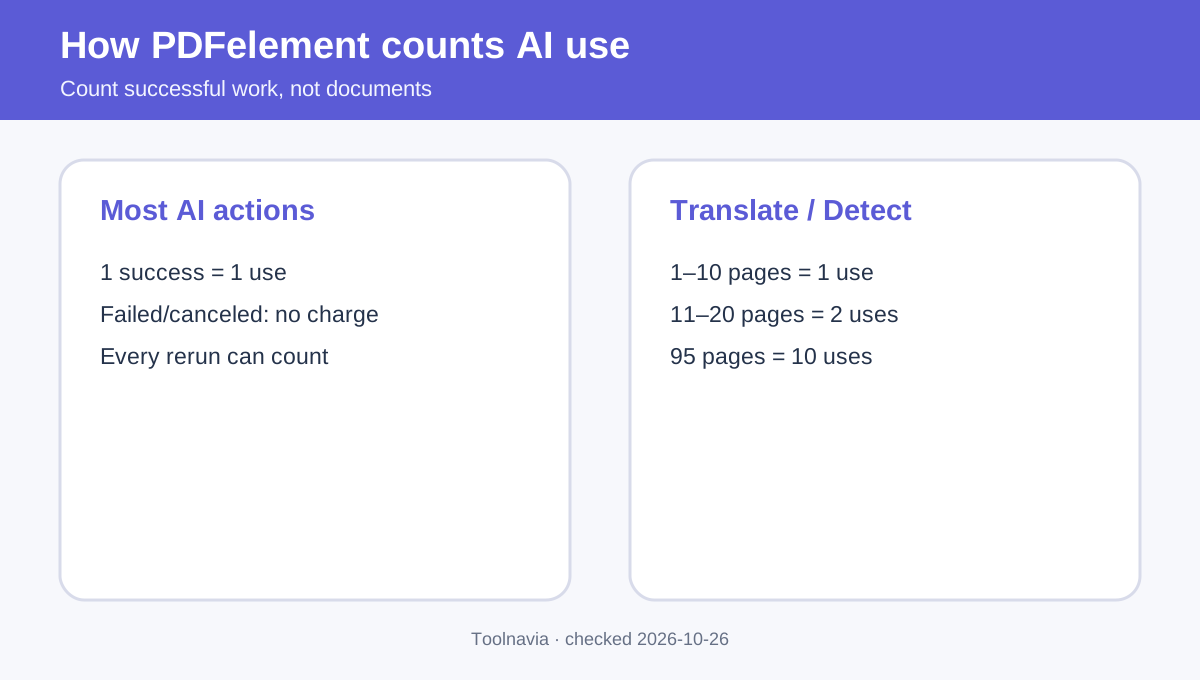
PDFelement says each successful AI execution consumes one use. Failed or canceled processing should not deduct one. Translate and Writing Detect use different math: each successful 10-page segment counts.
| Task | Planning estimate | |---|---:| | One successful chat question | 1 use | | One successful summary | 1 use | | A 9- or 10-page translation | 1 use | | An 11-page translation | 2 uses | | A 95-page writing-detection run | 10 uses |
This is planning math from the published rule, not a promise for every future feature. Summarizing, asking three follow-ups, translating and then detecting writing are separate successful events.
The official online help also lists file boundaries: common AI functions require files below 100MB and 260 pages; Writing Detect has a lower 10MB ceiling, under 260 pages and under 50,000 characters. Multi-document chat supports up to 10 documents, and non-editable files are excluded.
Is the included 50 enough?
Audit one normal week and count each action plus ten-page translation/detection segments.
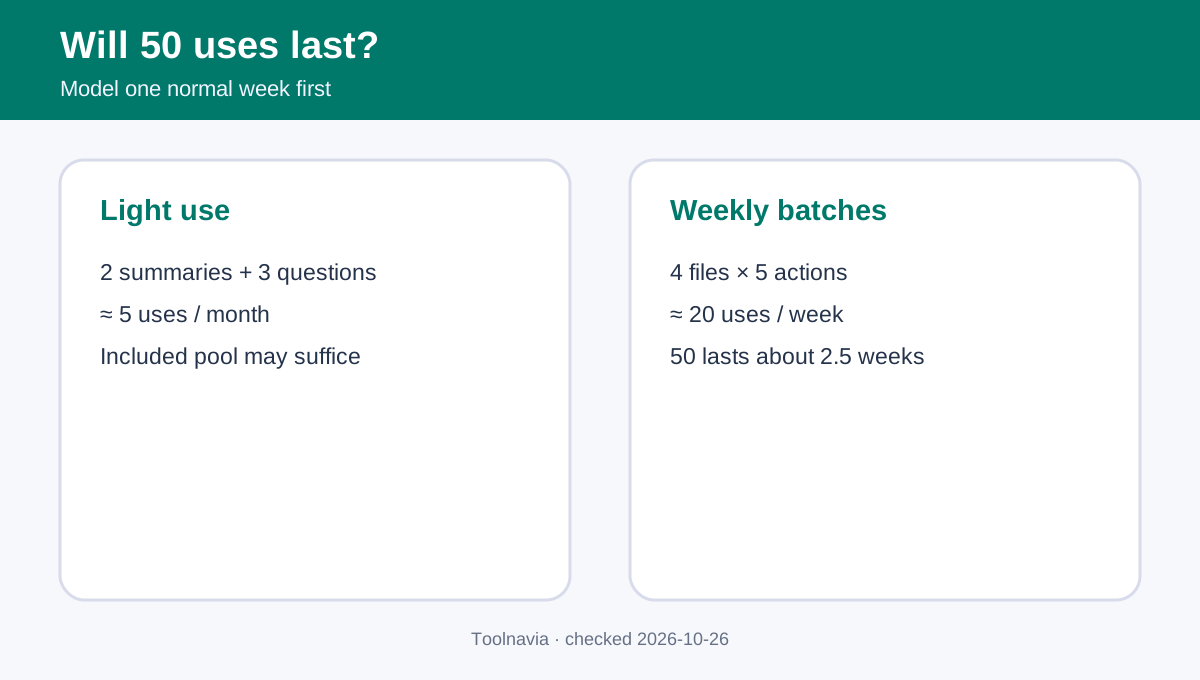
**Light use:** two summaries plus three questions per month is about five uses. Fifty could cover roughly ten such months. That is arithmetic, not an expiration promise.
**Research use:** four weekly documents with one summary and four questions each is 20 uses a week. Fifty lasts about two and a half weeks.
**Translation use:** two 80-page files need about 16 successful segment uses before chat or summaries. Three such batches nearly exhaust the pool.
**Team review:** ten documents with one summary and five questions each means about 60 actions. The allowance is too small, and an individual editor license is not a shared team entitlement.
Count actions, pages and people separately. Add margin if users often rerun prompts.
Add-on tiers and real cost
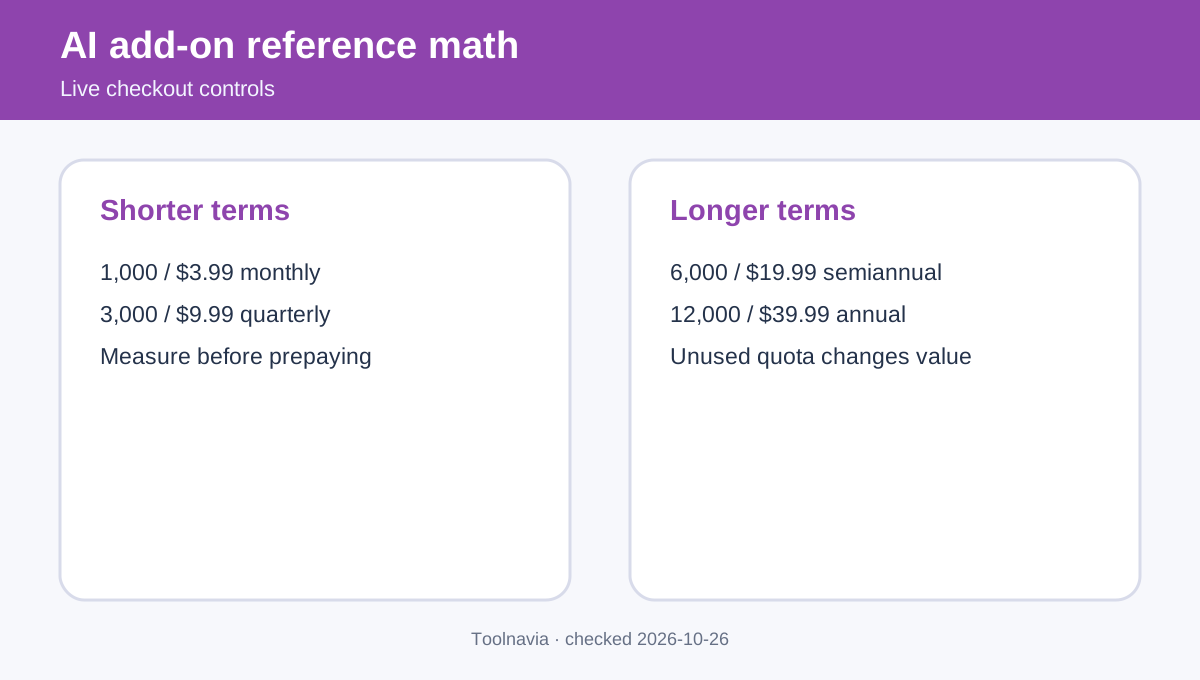
The desktop AI help center currently lists 1,000 monthly uses for $3.99, 3,000 quarterly for $9.99, 6,000 semiannually for $19.99 and 12,000 annually for $39.99. The online help page emphasizes 6,000 and 12,000 choices. Because the pages show different subsets, live account checkout controls availability.
- 1,000 / $3.99 ≈ **$0.004 per use** if fully consumed. - 3,000 / $9.99 ≈ **$0.0033 per use**. - 6,000 / $19.99 ≈ **$0.0033 per use**. - 12,000 / $39.99 ≈ **$0.0033 per use**.
These exclude unused allowance, tax, currency conversion and editor cost. Add-ons start on purchase date and auto-renew for their selected period; cancellation preserves access until the current paid period ends. The pages say additional add-ons can accumulate, but do not fully specify every expiry or cancellation outcome. Ask support if rollover is decisive.
Choose the shortest tier that safely covers measured work. Prepay longer only when volume is stable.
How competitors frame limits
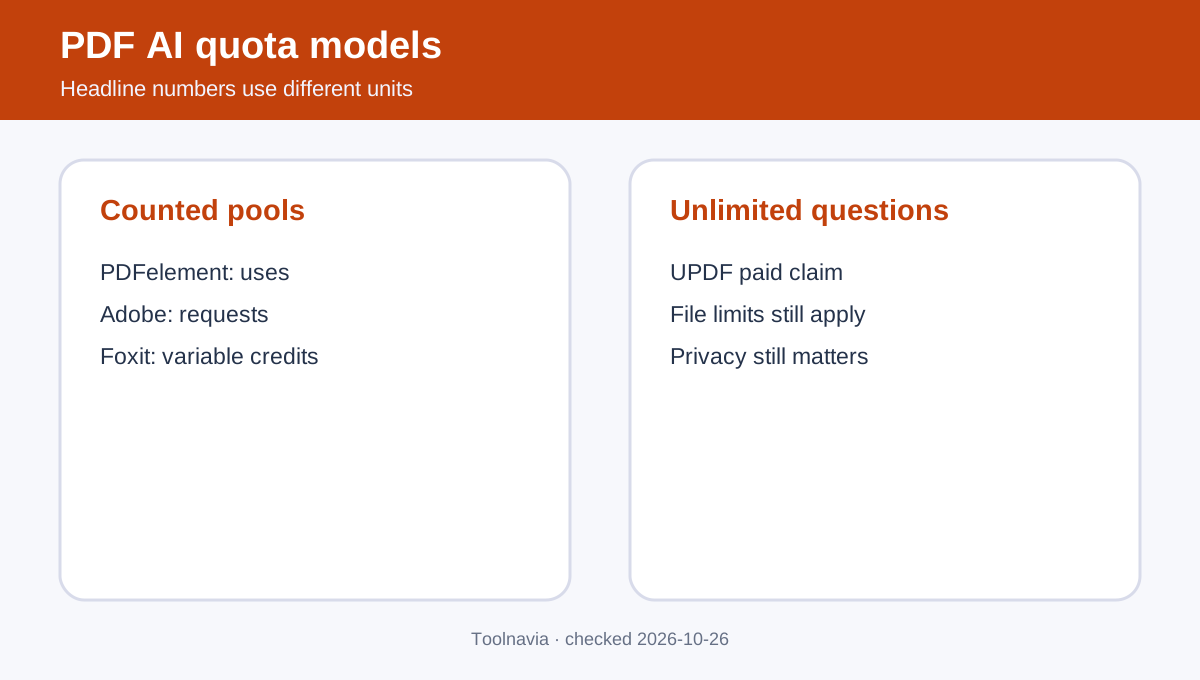
Adobe describes 1,000 AI Assistant requests per month per individual subscriber, with successful responses counted and throttling possible. Foxit uses 300 free and 2,000 paid monthly credits, but different tasks can cost different amounts; its official AI plan page supplies the current purchase context. UPDF advertises unlimited questions on paid AI while retaining file and project boundaries.
A PDFelement use, Adobe request, Foxit credit and UPDF question are not equal units.
| Model | Easier to predict when | Main risk | |---|---|---| | PDFelement successful uses | Actions and page segments are stable | Reruns and long translations | | Adobe monthly requests | Work is steady month to month | Throttling and separate cost | | Foxit variable credits | Feature use can be inspected | Cost varies by task | | UPDF unlimited questions | Question volume is the bottleneck | File and fair-use boundaries |
Independent roundups can shortlist editors, but current vendor policies must decide quota claims.
Privacy, files and purchase boundaries
PDFelement's online help says documents are uploaded to PDFelement Cloud for AI processing. Check policy, location, retention and deletion controls before uploading confidential contracts, health records, client files or unreleased financial material.
Keep three entitlements separate:
1. **PDF editor:** editing, OCR, forms, conversion and platform/device scope. 2. **Included AI:** the 50-use member benefit. 3. **AI add-on:** recurring quota and renewal commitment.
Someone who needs editing but cannot use cloud AI may still value the editor and skip the add-on. Buying more uses also does not remove file-size, page-count or governance limits.
Five-minute checkout test
1. Verify the exact Windows editor product, platform, term, renewal and total. 2. Record included uses, add-on uses and billing period. 3. Estimate one week of questions, summaries and ten-page segments. 4. Multiply by 4.3 for a month and add rerun margin. 5. Confirm balance, stacked add-ons and cancellation behavior. 6. Verify file limits and cloud-processing policy. 7. Save the receipt because quotas and terms can change.
**Bottom line:** keep the 50 uses for occasional AI or quality testing. Buy an add-on only after measured work proves the pool is inadequate. For long translations and repeated chat, successful-action and 10-page rules matter more than the headline quota.
After the AI budget is clear, [check the current PDFelement Windows individual offer](/go/pdfelement-windows-individual-official-usd) and verify the AI line item separately.