TOOLNAVIA / BUYING GUIDE
pCloud 500GB vs Sync.com 1TB: Price, Privacy and Recovery
The short answer
pCloud Premium 500 GB is the lower-cost choice for a person who can live within 500 GB and wants a current annual bill of $49.99. Sync.com Personal 1 TB costs $72 for the first annual term and currently points to a $144 regular annual equivalent, but it doubles the capacity and includes the vendor’s account-wide end-to-end-encryption model. The right choice is not “which logo is safer”; it is which combination of capacity, privacy workflow, recovery window and recipient controls matches the files you actually have.
Toolnavia can currently earn from the approved pCloud offer but not from Sync.com. That commercial difference does not change the comparison criteria. Sync’s commercial CTA stays hidden, and this analysis uses the same evidence standard for both products.
At a glance
- Best for
- Individuals comparing a lower-cost 500GB plan with a 1TB default-private-sharing plan.
- Price model
- pCloud $49.99/year; Sync $72 first year and $144 regular annual equivalent at current display.
- Check first
- Unequal capacity; no speed benchmark, security audit, guaranteed invoice or backup replacement.
Start with two numbers: 500 GB and 1 TB
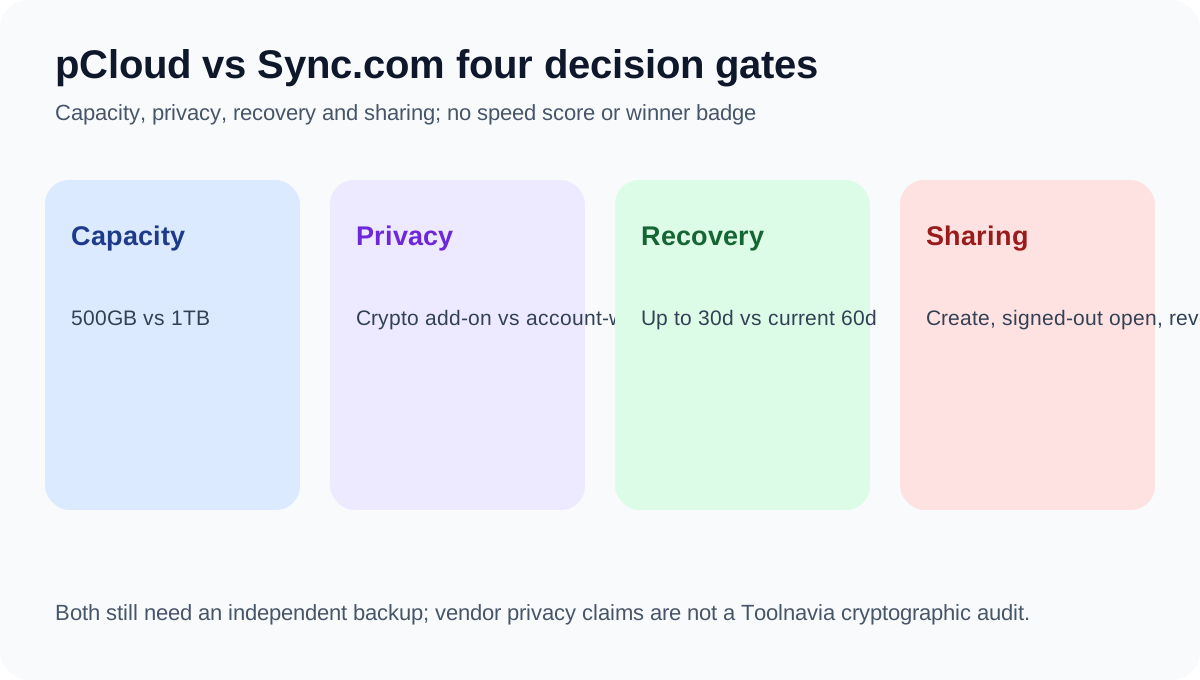
This is not an equal-capacity comparison. pCloud Premium supplies 500 GB. Sync Personal supplies 1 TB for one user. Before comparing price, measure the files that must stay online after removing duplicates and data that belongs in a separate backup. If the working set is already above roughly 400 GB and growing, Sync’s extra room may be more important than pCloud’s lower first bill. If the working set is well below 500 GB, paying for unused capacity has little value.
Both products synchronize files, which means mistakes can propagate. Keep at least one independent recovery copy for irreplaceable material. A sync folder, Vault, version history and a true offline backup solve different problems.
Cash outlay: pCloud wins only if the smaller plan fits
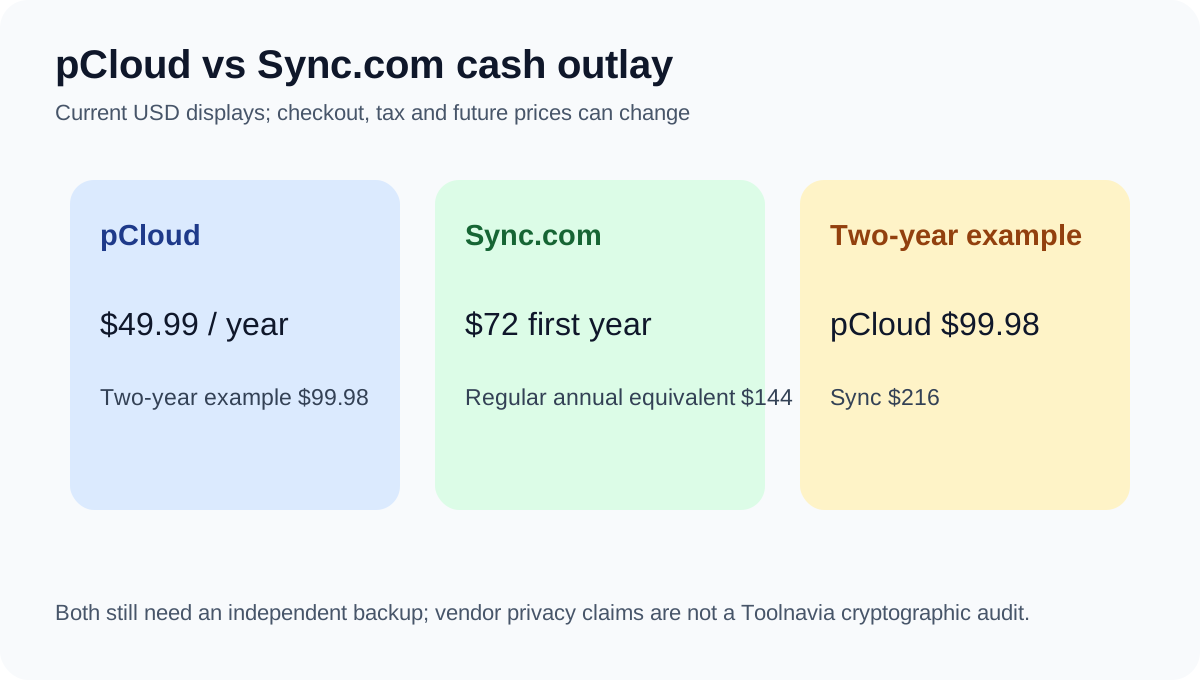
pCloud’s current annual page shows $49.99 for Premium 500 GB. Sync’s annual page shows $72 for the first year and a $12 monthly regular equivalent, or $144 for a regular annual term if that display remains unchanged. A simple two-year illustration is therefore $99.98 for pCloud versus $216 for Sync. This is a planning example, not a guaranteed invoice: promotions, taxes, currency and future prices can change.
pCloud also advertises lifetime payment, but two current official URL variants conflict. One displays $219 with 1,000 GB shared-link traffic; another displays $199 with 500 GB. Do not calculate a universal break-even from one landing page. Confirm the exact cart, allowance and refund terms before paying a one-time amount.
Privacy: default account model versus optional Crypto Folder
Sync says Personal uses end-to-end encryption so the provider cannot read stored files. pCloud’s ordinary Premium storage uses its standard model; provider-blind client-side encryption is sold as the separate Crypto Folder add-on, currently displayed at $4.99 monthly. This is the clearest reason to choose Sync even when pCloud is cheaper.
The trade-off is workflow. Account-wide encrypted storage can constrain server-side features or recovery choices. pCloud’s split model keeps ordinary files convenient while selected sensitive files go into Crypto, but the stricter folder costs extra and carries separate passphrase responsibility. These are vendor architecture claims, not a Toolnavia cryptographic audit.
Recovery and sharing: test the action, not the checklist
Sync’s current cloud-storage page lists 60-day trash history for Personal 1TB, while an older official snapshot used by Toolnavia listed 90 days. Use the current 60-day figure for planning and verify the live account before purchase. Sync’s web panel supports version and deleted-file recovery, but moving or renaming a file can leave history attached to the old location.
pCloud’s annual page describes recovery up to 30 days and lists password-protected links, shared folders and file requests. It also shows 1,000 GB shared-link traffic, but the conflicting lifetime variant shows 500 GB. Treat link traffic as a checkout item, not a permanent universal promise.
Run a small test before committing. Upload a disposable folder, edit a file twice, delete it, restore an earlier version, create a recipient link, open it while signed out, then revoke it. Repeat on every device you plan to use. These are proposed acceptance checks, not measured results.
Who should buy which plan?
Choose pCloud Premium 500 GB when your real working set fits below 500 GB, the lower annual bill matters, media preview and ordinary-file convenience are central, and you do not need account-wide provider-blind encryption by default. Add Crypto only after testing its separate workflow and price.
Choose Sync Personal 1 TB when you need the extra capacity, want the vendor’s end-to-end-encryption model across the account, and rely on controlled sharing more than on a one-time-payment option. Budget from the regular annual equivalent, not only the first-year promotion.
Keep your current service when migration time, re-sharing links and re-downloading cloud-only files cost more than the verified benefit. Copy a representative non-sensitive folder into each free or refundable route, rehearse recovery and sharing, then move critical files.
Research context: we read a vendor direct comparison, an independent same-intent comparison, two separate product reviews, a sharing/recovery review and a broader cloud-storage roundup. They provide market context only; current official pages control price and plan facts.
Affiliate disclosure: Toolnavia may earn a commission from the approved pCloud offer. Sync.com is evaluated with the same criteria but has no enabled commercial CTA. [Check the current pCloud Premium 500 GB offer](/go/pcloud-premium-500gb-official-usd).