TOOLNAVIA / BUYING GUIDE
ON1 MAX Perpetual: Is Restore AI Included Forever?
The short answer
ON1 Photo RAW MAX perpetual fits buyers who want a retained desktop editor and a defined restoration project. Its unlimited Restore AI processing lasts **one included year**, not forever; subscribers keep access while their subscription is active.
At a glance
- Best for
- One-year archive project plus retained desktop editor
- Price model
- MAX perpetual $149.99 before tax; one cloud year
- Check first
- Cloud renewal not priced; reconstructed detail needs review
Separate three things in the order
This documentation review includes no photo upload, facial-accuracy test or purchase.
A fixed-version desktop license, time-limited cloud entitlement and independently saved original scan are three separate assets.
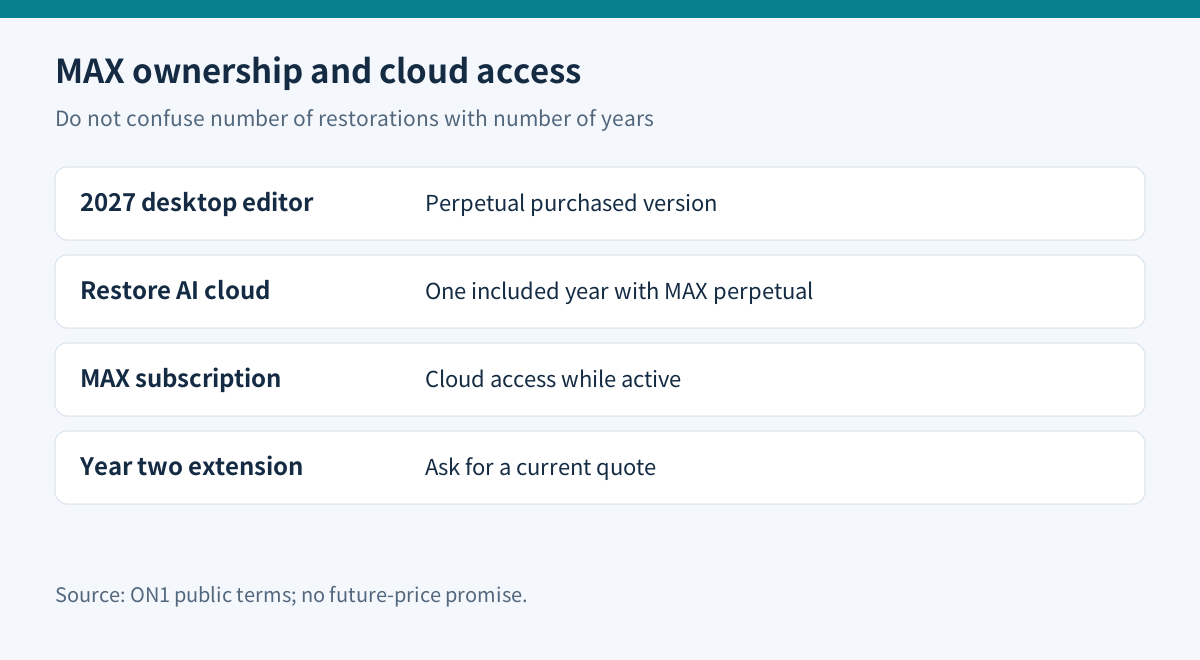
| Choice | Current public USD price | Restoration boundary | |---|---:|---| | Standard Photo RAW 2027 | $99.99 one-time | Restore AI requires MAX | | MAX 2027 perpetual | $149.99 one-time | One included year of cloud restoration | | MAX subscription | $79.99/year | Access while the subscription remains active |
These observed sale prices are before buyer-specific tax. MAX perpetual is shown against $169.99 and annual MAX against $89.99. Signed-in upgrade offers can differ. The standard edition does not solve a Restore AI requirement simply because it costs less.
What happens after the included year?
ON1's MAX explanation says cloud access can be extended through an upgrade or additional options it is exploring. The reviewed pages do not establish a fixed standalone year-two restoration fee. Do not insert an assumed $0 renewal into a long-term budget. Future major software releases are also separate from updates within the purchased version.
For a one-year family-album project, compare a $149.99 retained editor with a $79.99 annual subscription: the initial difference is $70. If two subscription years both stayed at $79.99, the arithmetic would be $159.98. That is only an illustration, not a renewal quote or a perpetual break-even point, because continued cloud access under the perpetual option remains unpriced.
Write down the activation date and cloud-expiry date shown in your account. Ask ON1 for the exact extension option before paying if restoration will continue beyond twelve months. “No credits or tokens” describes usage inside an eligible access period; it does not remove the period.
Test whether the restoration preserves the person
Restore AI reconstructs damaged detail. ON1's release explanation acknowledges that results vary and faces remain difficult. A sharper face can still be the wrong face. Treat reconstructed teeth, eyes, jewelry, writing and uniform insignia as details to verify against the source or another photograph, rather than recovered historical facts.
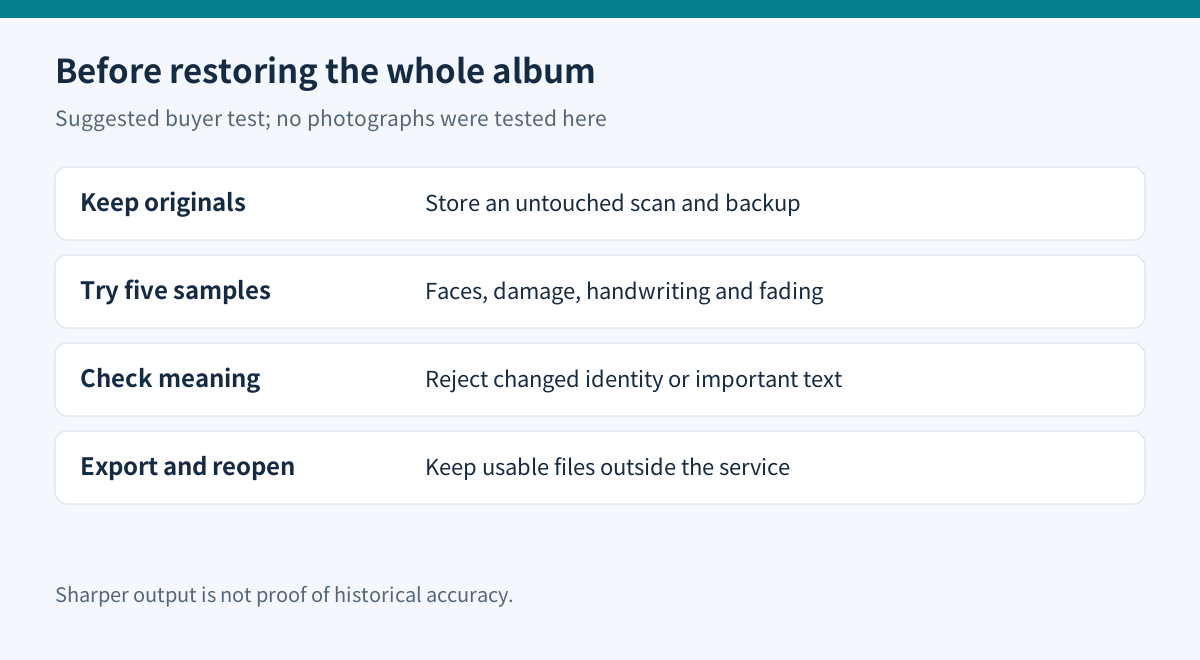
Start with five representative scans: one lightly faded print, one scratched portrait, one small face, one handwritten caption and one severely damaged image. Keep an untouched master for each. Inspect the output at full size and at the intended print size. Reject a result when identity or meaningful text changes, even if its contrast looks better. This is our proposed acceptance test; it was not performed for this review.
Label unverified colorization as interpretation, preserve the monochrome version and inspect samples before batch processing.
Cloud restoration still needs an upload decision
The current feature description says Restore AI processes in the cloud; local operation has no confirmed timetable. ON1 states that restoration images are private and are not used to train models. That statement does not make the operation offline. For client material, obtain the necessary permission before uploading it, and check any contractual restriction on external processing.
Preserve an archive you can use without the service
The Library of Congress recommends organizing important photographs, keeping multiple copies in separate locations and periodically checking that files remain readable. Apply that advice to both originals and accepted restorations.
A practical folder set is Originals, Working and Approved Exports. Give each restored image a name that links back to its source, and record the edit date and whether colors or facial detail were reconstructed. Export a full-resolution master and a smaller sharing copy; reopen both in a separate viewer before the cloud entitlement ends. This is a suggested archive workflow, not a claim about ON1's default file handling.
Use the free trial to answer the buying question
ON1 currently offers a 30-day trial without a credit card; its download instructions require an account and email verification. Confirm that the installed trial actually exposes Restore AI for your account before treating it as a test of MAX's cloud feature. The public trial invitation alone is not proof that every cloud entitlement is available.
If you already own Photoshop, its documented restoration workflow uses protected originals and separate adjustment layers. Topaz also offers an online upload-and-download restoration workflow. Compare a small authorized sample with tools you already have before buying another editor. Those are workflow alternatives, not tested winners or equivalent pricing promises.
ON1's current refund policy gives software a 30-day window; presets, eBooks and video courses are excluded. Subscription cancellation after the refund window leaves the paid term active rather than refunding that payment. Keep the order terms and contact support promptly if the trial exposes a blocker.
Choose perpetual for retained local editing plus a bounded project; compare subscription renewal for continuous cloud access. Neither guarantees perfect reconstruction.
ON1's program is recorded as open; this exact offer has no verified approved tracking link. Tracking remains disabled.