TOOLNAVIA / BUYING GUIDE
Intego VirusBarrier Quarantine: Repair vs Delete vs Trust for False Positives
The short answer
At a glance
- Best for
- A buyer who wants an auditable quarantine workflow, keeps unknown items contained, and can verify provenance before restoring anything.
- Price model
- No stable price is quoted. The approved CJ referral may not preselect Essential; confirm exact product, one-Mac term, currency, tax and renewal at checkout.
- Check first
- Button labels vary across current Intego ONE, X9 and Scanner documentation; no file-specific malware verdict is provided.
Short verdict
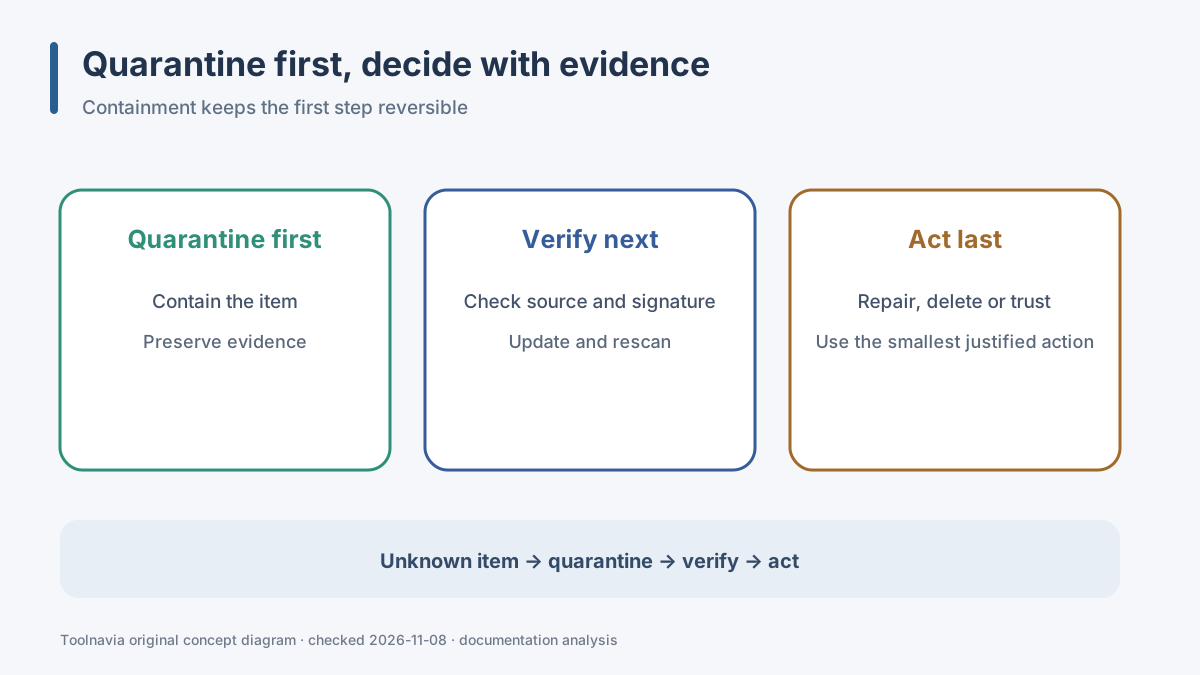
Do not race from a red alert to **Delete** or **Trust**. The safest default for an unfamiliar file is to leave it quarantined: containment buys time, keeps the action reversible, and prevents the file from being opened while you verify what it is. Then choose the narrowest justified action.
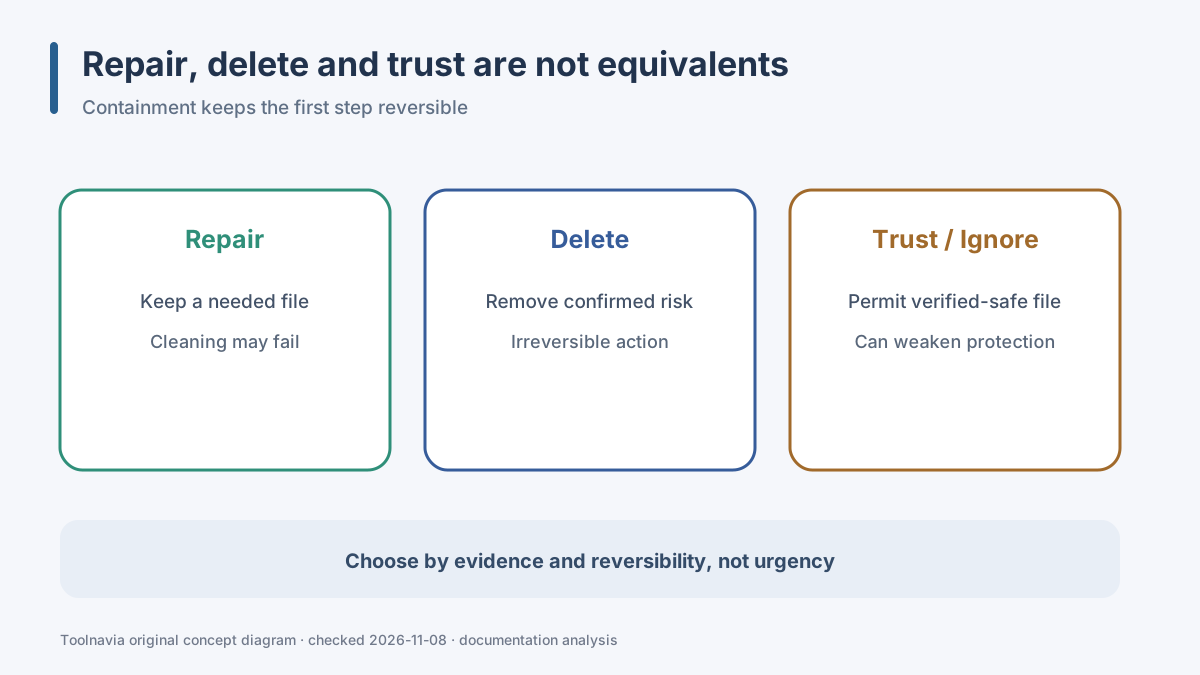
Use **Repair** when the file is genuinely needed and VirusBarrier offers a supported cleaning path. Use **Delete** when the item is confirmed malware, is an unneeded download, or cannot be safely recovered. Use **Trust** or **Ignore** only after the source, signature, download history and a false-positive review establish that the file is safe. Those actions change future handling; they are not harmless “restore” buttons.
This is documentation analysis, not a diagnosis of any specific file. Current Intego ONE, VirusBarrier X9 and VirusBarrier Scanner pages do not use identical labels. Read the buttons in your installed version before acting, and do not disable real-time protection or exclude an entire Downloads, Applications or home folder just to clear one alert.
Affiliate disclosure: Toolnavia may earn a commission if you use the approved Intego link, at no extra cost to you. The link opens the merchant experience and may not preselect Essential. Verify the exact product, one-Mac term, currency, tax and renewal before paying.
What each action changes
**Quarantine** is the holding area. Intego’s current and legacy guidance describes detected items as contained so they cannot be opened normally while you decide. That makes quarantine the lowest-regret starting point. It does not prove the detection is correct, and it is not a substitute for updating definitions and rescanning.
**Repair** asks VirusBarrier to remove malicious content and return the cleaned file to its original location. That can make sense for a document or archive you need, but not every object can be repaired. An application bundle, script or installer may be safer to replace with a fresh copy from the verified publisher rather than trying to preserve it.
**Delete** is deliberately irreversible. Choose it for confirmed malware, a disposable download, or a file whose provenance cannot be established and that you do not need. Before deleting a business-critical file, confirm that a clean backup exists and that the backup predates the suspected compromise.
**Trust** or **Ignore** tells the product to stop treating the item as a threat. Current Intego ONE documentation may show Repair, Ignore and Trust, while X9 and Scanner guidance also describes Delete or Trust controls. Only use a permissive action when the file’s publisher, code signature, hash or release channel can be independently verified and Intego’s false-positive route supports the conclusion.
A safer false-positive workflow
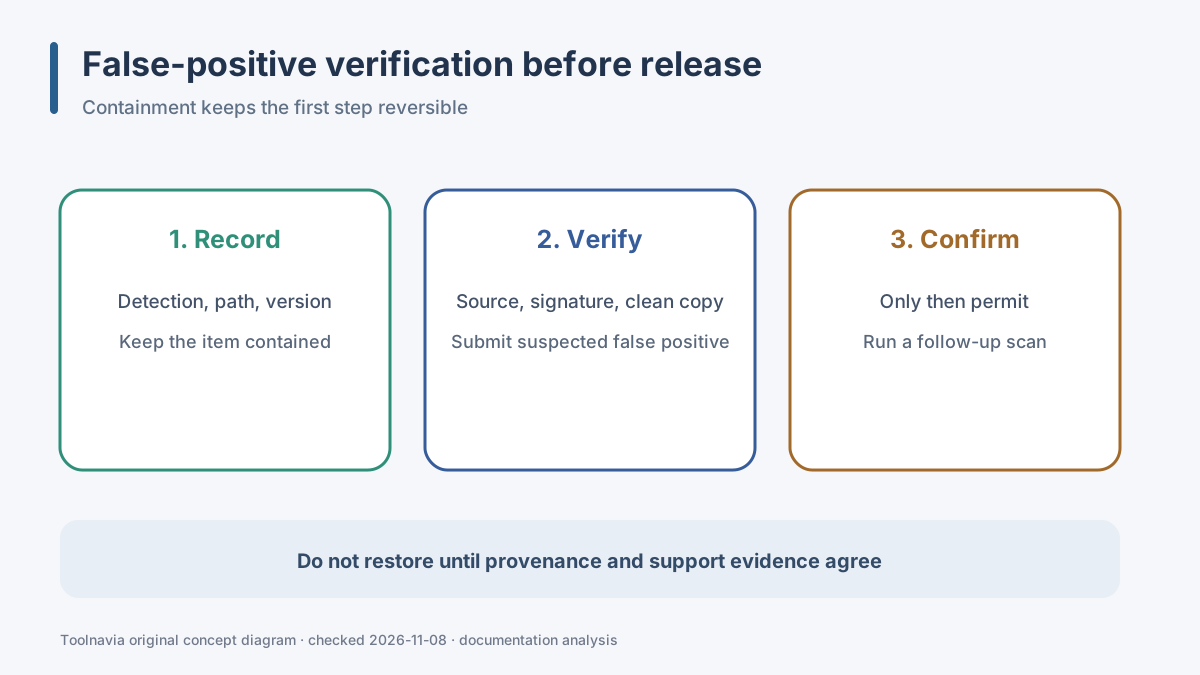
1. Record the exact detection name, file path, alert time and the VirusBarrier version. A screenshot of the alert is useful evidence, but do not publish a screenshot containing personal paths or account names. 2. Leave the item quarantined. Do not run, open, rename or move it outside the product. 3. Update VirusBarrier definitions and run the supported follow-up scan. A changed result after an update is relevant evidence. 4. Verify provenance: did the file come from the developer’s official site, the Mac App Store or another controlled channel? Check the developer signature where macOS exposes it. 5. Compare the file with a clean copy or known-good backup. For a downloadable installer, replacing it from the publisher is usually safer than restoring the quarantined copy. 6. Submit a suspected false positive to Intego using its current support procedure. Include the detection name and product version, and follow the support team’s safe-sample instructions rather than emailing a potentially harmful file casually. 7. Only after verification should you choose Trust or Ignore. Then run a follow-up scan and watch for the detection returning.
A second-opinion scanner can add context, but a disagreement between engines does not itself prove a false positive. Treat “one engine flags it” and “many engines flag it” as evidence to investigate, not as an automatic verdict.
If Repair fails or the item returns
A failed Repair is a stop sign, not permission to weaken protection. First restart the Mac if the official workflow recommends it, update definitions, and run a full supported scan. If the item reappears, record whether the path and detection name are identical. Persistent detections can indicate a file being recreated, a stale copy in an archive or a product-specific remediation problem.
Do not solve persistence by trusting a parent folder, excluding a whole volume, or turning off real-time scanning. Those steps broaden the exception far beyond the single file. Contact Intego support with the detection record and product version. If the file is replaceable, delete the quarantined copy and obtain a new verified copy instead of forcing Repair.
For a work Mac, preserve incident evidence and follow the organisation’s security process before deletion. For a personal Mac, keep a clean backup but do not restore the same suspect file until the false-positive question is resolved.
Version boundaries matter
Intego’s current ONE guidance, X9 manual and Scanner manual describe the same broad decision—contain, remediate, or permit—but the visible buttons differ. Current ONE pages may offer **Repair, Ignore and Trust**. X9 guidance describes automatic quarantine and can expose **Repair, Delete and Trust** in the quarantine zone. Scanner documentation also has its own control set.
That difference is unresolved at the documentation level, so this guide does not pretend one screenshot applies to every edition. Follow the labels shown in your installed build. If your screen does not match a support article, use the in-product help or Intego support before choosing a destructive action.
The comparison pages from Malwarebytes, Bitdefender and Avast show a common industry pattern: quarantine is a reversible holding state, restore is appropriate only for verified safe items, and deletion is the final action. They are context, not evidence that their buttons or outcomes apply to VirusBarrier.
Evidence map for this decision: current ONE quarantine actions and its false-positive warning; automatic quarantine and Repair/Delete/Trust consequences; X9 quarantine controls; Intego's false-positive escalation; repair-failure troubleshooting; the current X9 manual mirror; official checkout boundaries; Malwarebytes quarantine and false-positive context; Bitdefender and Avast quarantine context; and Apple's platform-malware baseline. These sources support four product advantages—**Reversible first response**, **Repair path for needed files**, **False-positive escalation**, and **Follow-up verification**—but none can determine whether a particular file is safe.
Offer and checkout boundary
The approved association is **Intego ONE Essential for one Mac / one-year subscription / official USD reference**. The direct CJ URL is approved, enabled and market-confirmed in the fresh native index. It is still a merchant-homepage referral, so it may not open a cart with that exact plan preselected.
Before purchase, confirm the product name, Mac count, subscription term, currency, tax, renewal price and cancellation route. This article quotes no stable price. The purchase case is not “it catches everything”; it is that the buyer values a documented real-time and quarantine workflow and accepts the need for cautious false-positive verification.
Buy, wait, or choose another route
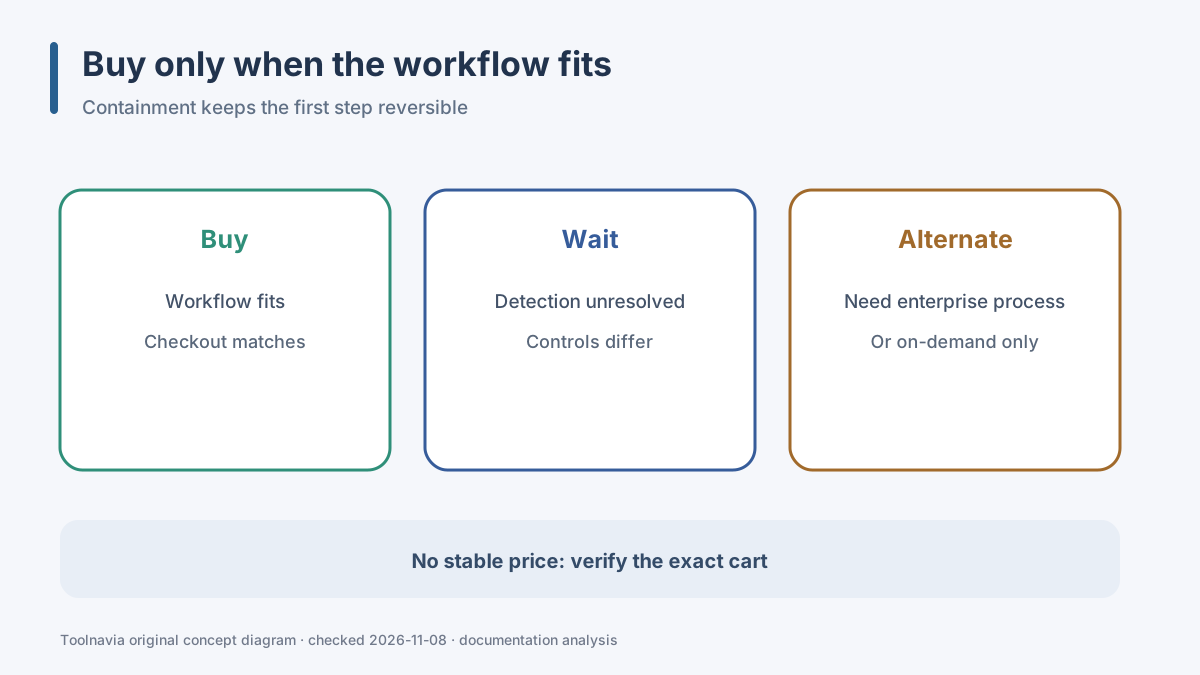
**Buy** when you need continuous Mac protection, want a contained quarantine workflow, can follow a cautious verification process, and the exact checkout matches the intended plan.
**Wait** when you are already handling an unresolved detection, the installed controls do not match the documentation, or you cannot verify a critical file. Resolve the incident before changing security products or paying for a longer term.
**Choose another route** when you only want occasional on-demand scanning, need a centrally managed enterprise incident process, or require a vendor-independent lab comparison that this documentation review does not provide.
The practical rule is simple: quarantine first, verify second, make the smallest justified change, and preserve the ability to recover.