TOOLNAVIA / BUYING GUIDE
Intego Real-Time vs Scheduled Scans: Test Mac Performance Before Paying
The short answer
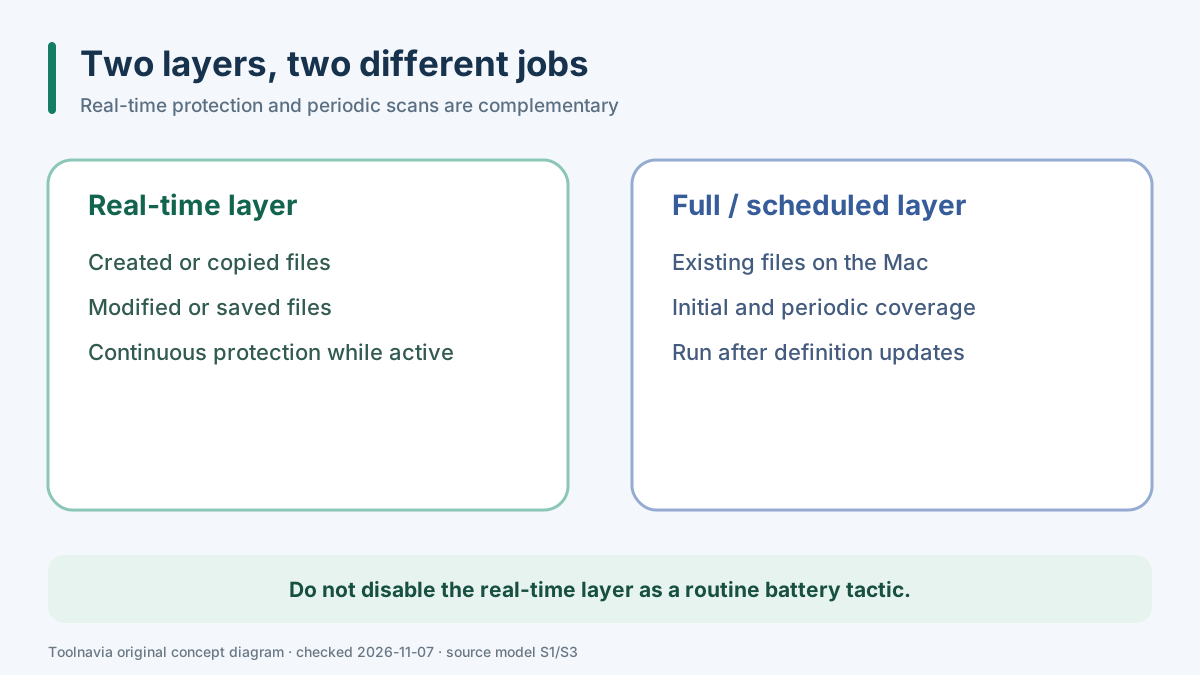
Intego ONE Essential can make sense when you want a dedicated Mac antivirus layer, but the buying question is not “real-time or scheduled scans?” VirusBarrier documents them as complementary. Real-time protection watches files as they are created, copied, modified or saved; an initial full scan and later periodic scans cover files already present on the Mac. Keep the real-time layer on, place heavier scans in an awake low-conflict window, and test CPU pressure, fan noise and battery behavior on the Mac you will actually use.
*Documentation analysis checked November 7, 2026 UTC. Toolnavia did not install Intego, run a battery benchmark, scan a real Mac, or complete checkout. No universal battery percentage is claimed.*
At a glance
- Best for
- A Mac buyer who needs continuous protection and can test heavy scans in an awake low-conflict window.
- Price model
- No stable price quoted; verify plan, one-Mac term, currency, tax and renewal at checkout.
- Check first
- No universal battery figure; full scans vary and a sleeping Mac is not awakened for a schedule.
Short verdict: do not choose one layer and abandon the other
If you are buying Essential for continuous file protection, disabling real-time scanning whenever you use the battery defeats the reason for paying. Intego's manual says the real-time scanner checks files when they are created, copied, modified or saved. That is different from scanning every file already stored on the machine. The same documentation recommends a full scan after installation and again after malware definitions change.
The practical design is therefore two-layered:
- leave real-time protection enabled for new and changed files; - run the first full scan before judging normal performance; - schedule later full or quick scans during a predictable awake period; - move the heavy scan away from video export, large builds, gaming or another resource-intensive job; - test the exact Mac rather than copying somebody else's battery figure.
This conclusion also matches the structure of competing Mac security products. Malwarebytes treats paid real-time protection as an always-on layer and exposes separate CPU controls for scanning. Bitdefender describes Shield as the real-time layer and documents Quick and System scans separately. Those products are not interchangeable with Intego, but their controls reinforce the distinction between continuous monitoring and on-demand coverage.
What real-time protection covers—and what it does not
VirusBarrier's manual describes real-time scanning around file events: creation, copying, modification and saving. That is valuable when downloads, email attachments, shared folders or installers change during the day. It does not mean that every pre-existing file has already been inspected. A Mac with years of archives, mounted drives or transferred folders still needs a deliberate initial scan.
Do not turn this into a claim that one layer catches every threat. Toolnavia has not tested detection quality. The narrower purchase question is whether the workflow is tolerable: can the background layer remain active without disrupting your normal work, and can periodic scans finish in a window that does not compete with that work?
Use Activity Monitor during a representative session. Record the Mac model, macOS version, energy mode, connected displays, foreground app and whether a definition update or first scan is running. A single high-CPU moment during the initial scan does not describe steady-state real-time behavior. Conversely, a quiet ten-minute session does not prove that a full scan will be invisible.
Why the first full scan still matters
Intego recommends an initial full scan because real-time monitoring begins with new or changed files, not a guaranteed retrospective pass over everything already on disk. Definition updates can also justify another scan. If you judge Essential before the first full scan completes, you may confuse one-time setup cost with normal daily cost.
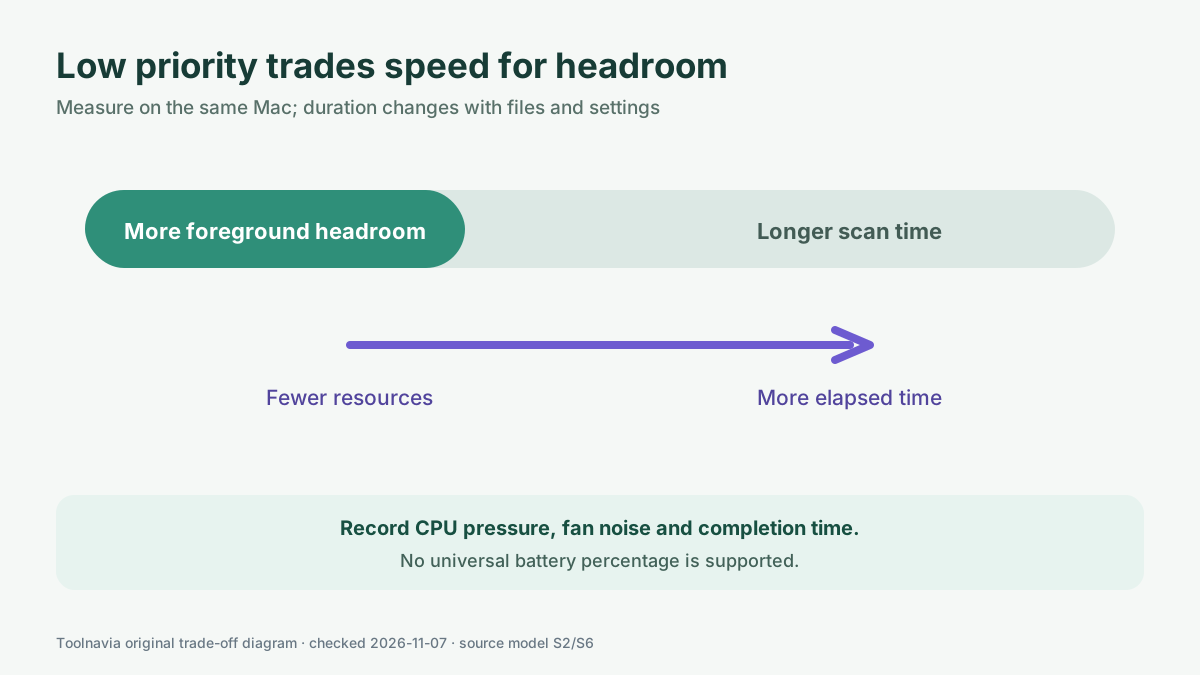
The duration is not fixed. Intego says it varies with file count, file type and selected settings. Scanning archives, Windows malware or external volumes can extend the job. Low-priority scanning uses fewer resources but may take longer. That trade-off is useful, but it is not free: a scan that occupies less foreground capacity can remain active for more elapsed time.
A sensible trial has three checkpoints:
1. **Before the first full scan:** note free storage, battery state, energy mode and the foreground workload. 2. **During the scan:** note CPU pressure, memory pressure, fan behavior, battery change and whether the foreground task stays responsive. 3. **After completion:** note total elapsed time and repeat a normal session without the full scan running.
The comparison separates setup from steady state. It also reveals whether low priority improves usability enough to justify the longer run.
Scheduled scans have an awake-Mac boundary
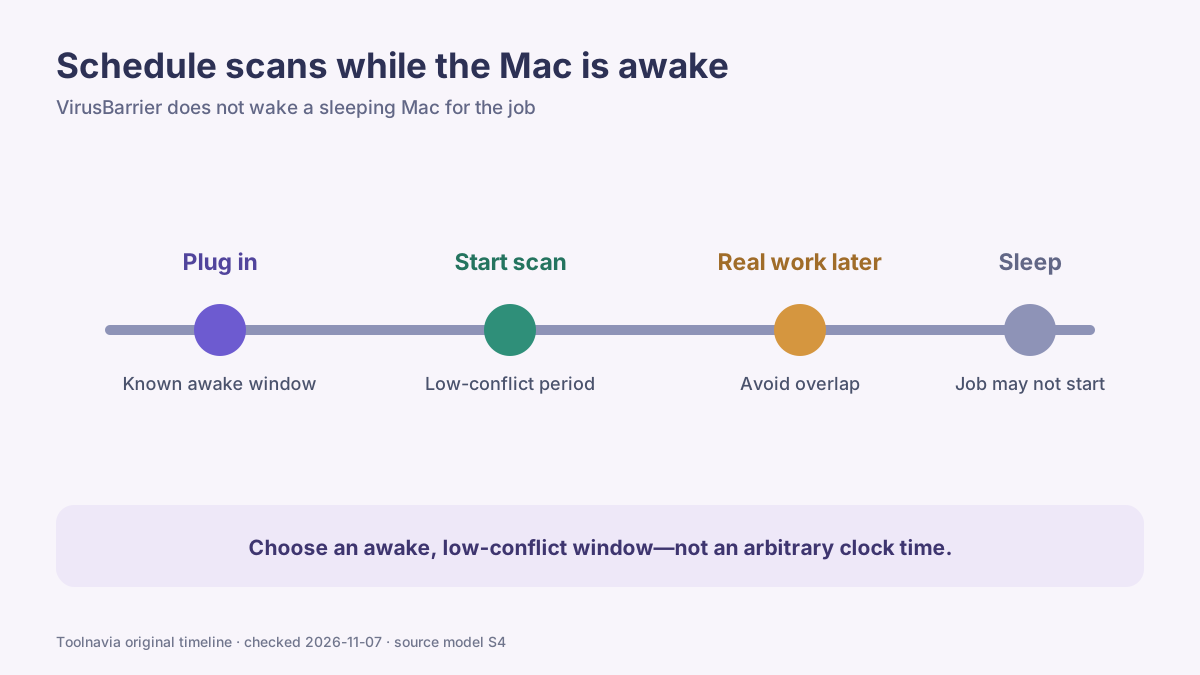
A clock time is not enough. Intego's support page says VirusBarrier does not wake a sleeping Mac for a scheduled scan. If the MacBook lid is closed overnight, a 2 a.m. schedule may not run as expected. Select a time when the machine is normally awake, preferably connected to power and not already handling another heavy task.
For a work Mac, a lunch break or the end of an office session may be more reliable than an overnight schedule. For a home MacBook, an early-evening plugged-in period may be better. Confirm that the scan started and completed; do not assume that a calendar entry equals coverage.
Bitdefender's same-intent guidance likewise advises against running a full System Scan during other resource-intensive activity. That is not an Intego setting instruction, but it supports the purchase principle: heavy security work needs a low-conflict window.
Run a same-Mac performance and battery test
No official source in this research gives a universal battery cost for VirusBarrier, so this article will not invent one. Battery drain varies with hardware, battery health, energy mode, storage contents, scan type, connected drives, foreground apps and update activity.
Use a repeatable 30–45 minute trial:
1. Start at the same charge range and use the same macOS energy mode. 2. Fix brightness, external displays and connected drives. 3. Wait for unrelated cloud sync and operating-system updates to settle. 4. Run one representative foreground task with real-time protection active but no full scan. 5. Repeat with the planned full or quick scan, using low priority if that is your intended setting. 6. Record start/end battery, elapsed time, CPU pressure, fan noise and foreground responsiveness. 7. Repeat once more on another day before treating the result as a buying signal.
Do not disable real-time protection merely to make the comparison look better. The relevant question is whether the paid protection workflow fits the Mac, not whether the Mac is quieter after removing the protection you intended to buy.
Malwarebytes' CPU setting page gives the same basic trade-off in a different product: higher CPU can shorten the scan while lower CPU leaves more resources for other activity but extends the scan. Use it as comparison context, not as an Intego setting promise.
Pricing and the approved offer boundary
Toolnavia's fresh native index associates this article with the approved, enabled and market-confirmed Intego ONE Essential one-Mac, one-year offer. The direct CJ tracking link is an English merchant referral and may not preselect the Essential cart. Verify the product name, one-Mac entitlement, term, currency, tax and renewal price on the official checkout before paying. The article does not freeze a price or promise a discount.
Essential is the relevant plan here because the decision concerns VirusBarrier's protection and scan workflow. It does not follow that a higher Intego tier will reduce CPU use or battery drain. Plan comparisons, SmartClean value, permissions, external-drive scanning and renewal economics already have separate Toolnavia guides and are not repeated here.
Buy, wait, or use another route
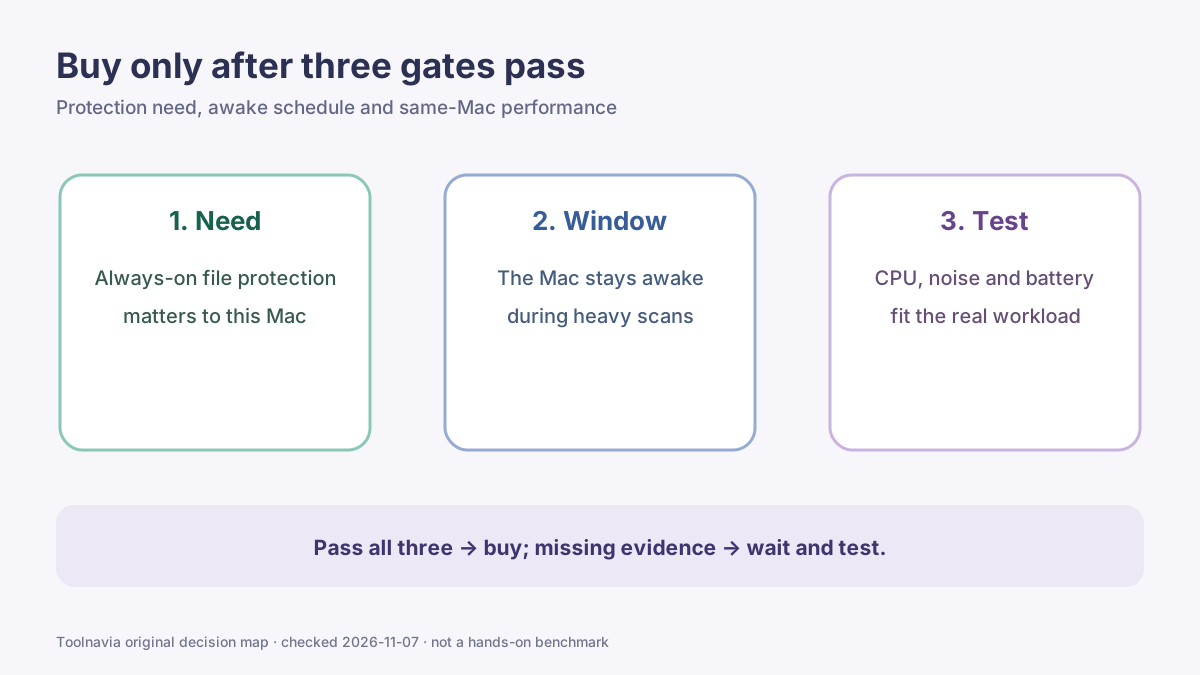
**Buy Essential** when you want continuous Mac file protection, can keep real-time scanning active, have an awake low-conflict window for periodic scans, and the same-Mac test shows acceptable responsiveness, noise and battery behavior.
**Wait and test longer** when the first full scan has not finished, the Mac is usually asleep during the planned schedule, the workload overlaps with long scans, or one short run produced an alarming result that may be caused by updates or indexing.
**Use another route** when you only want an occasional manual scanner, cannot tolerate any always-on security layer, or cannot create a reliable awake window for full scans. Compare the product's protection model and device entitlement rather than assuming a lighter scan always means better protection.
Use the approved Intego link only after all three gates pass: the protection layer is needed, the schedule can actually run, and the same-Mac trial fits your workload.
*Affiliate disclosure: Toolnavia may earn a commission if you purchase through its approved Intego ONE Essential link. The commission does not change the recommendation to keep real-time protection on, schedule heavy scans while the Mac is awake, and verify the exact checkout before paying.*