TOOLNAVIA / BUYING GUIDE
EverDoc Print Archive: Will You Still Have the Editable Source?
The short answer
EverDoc can make printed records easier to find, but a searchable archive is not a substitute for editable originals. Before paying, prove that you can retrieve the representation you need: a readable copy, the original Office file, or both. Keep your source documents until capture, independent access and recovery are verified.
At a glance
- Best for
- A searchable archive alongside independent editable originals.
- Price model
- Official headline €29.95; 30-day trial. Verify the selected license, term and renewal.
- Check first
- Printed PDF copies do not prove source-file or metadata portability.
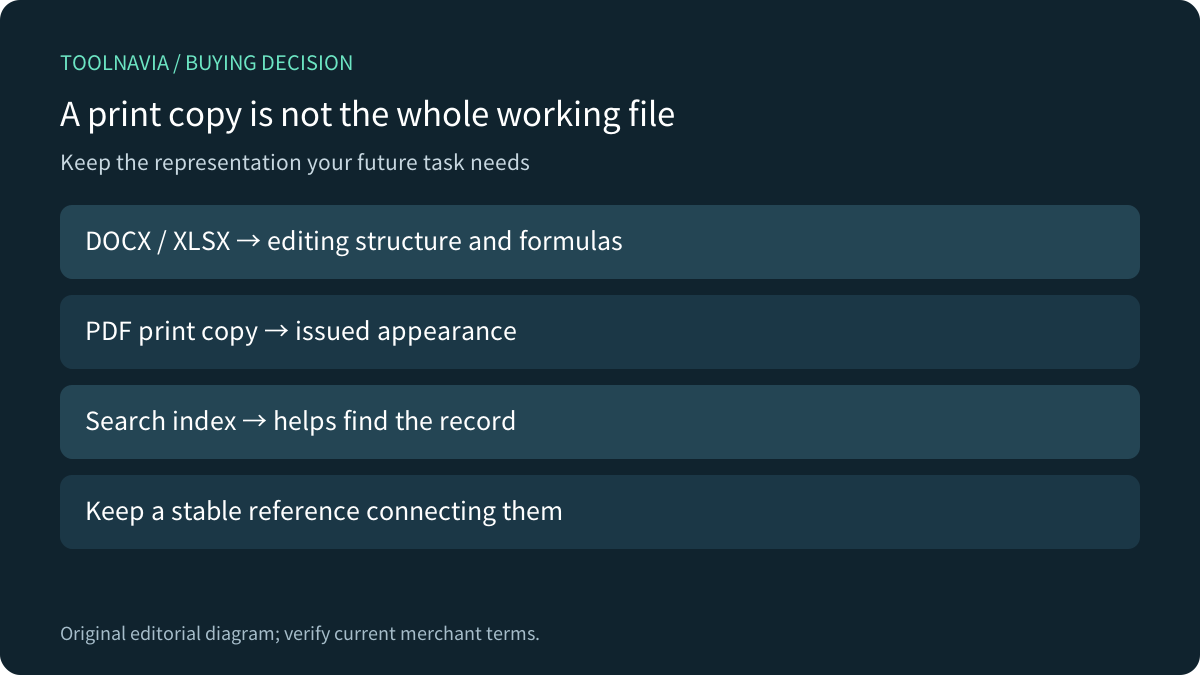
A printed copy and a working source serve different jobs
An invoice PDF preserves what was issued; its spreadsheet may also contain formulas, linked sheets and calculations needed next month. A printed letter can preserve its appearance without preserving the editing workflow behind it. Microsoft's Word guidance explicitly recommends retaining an editable DOCX copy for future changes.
Office can create PDF files without EverDoc. Microsoft also notes conversion boundaries, including spreadsheet internal links that need checking. The purchase question is therefore not whether a PDF can be created. It is whether EverDoc's retrieval convenience saves enough work while your source and recovery requirements remain satisfied.

What the current pages actually establish
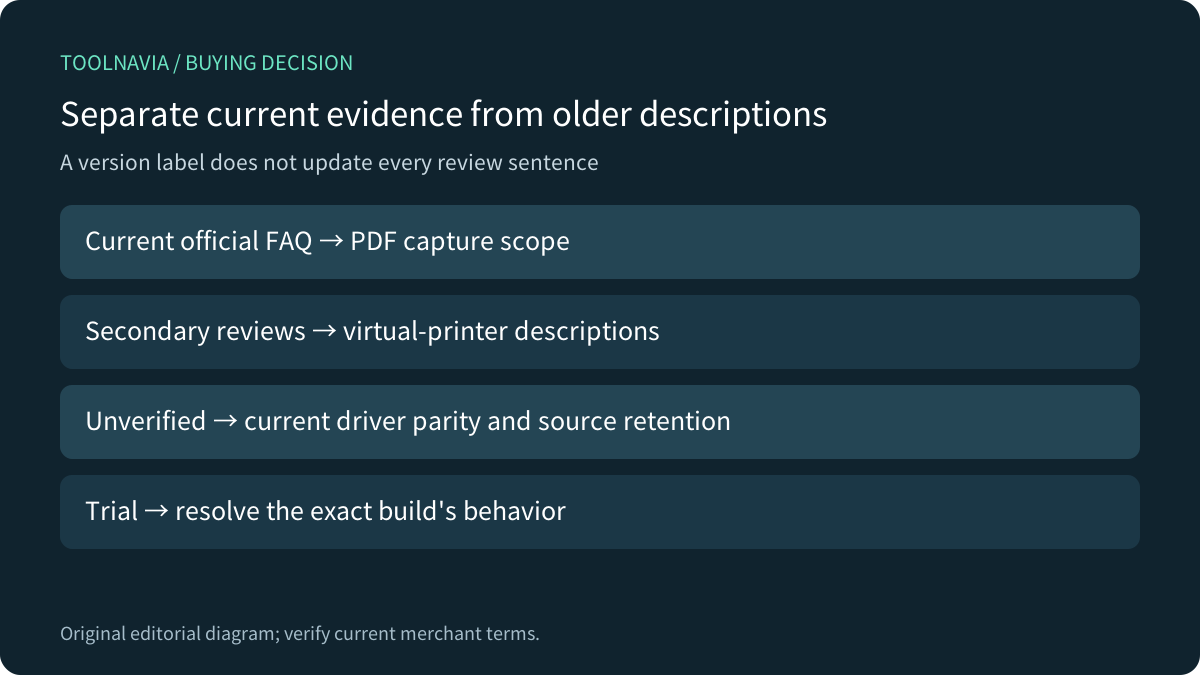
The current official English page lists Office and image formats, keyword/full-text retrieval, OCR, WIA scanning and a backup function. Its German FAQ additionally explains using Microsoft Print to PDF and storing printed files as PDFs in the archive. That establishes a print-copy workflow, not a promise that every captured copy retains its editable source.
Downloadcrew and Softpedia describe virtual-printer interception and manual imports. Those reviews help identify what to test, but a current version label on a download page does not date every sentence of its review. Do not buy solely because an older description says a driver captures everything automatically.
There is a version-scope gap: current official PDF-capture guidance does not prove identical driver behavior or original-file retention. This guide does not claim either has been tested. Treat those as acceptance gates in the current build.

Keep two lanes for documents
Use one lane for working sources and another for issued or received records. Give related files a stable reference, such as an invoice number, so a search result can lead back to the correct original. Preserve the original file extension and the folder containing linked material.
EverDoc's date, title, keyword and full-text tools can help locate records; OCR can help with supported image documents. Neither ability proves that a workbook still calculates or that an imported document remains editable. Open the source in its original application to answer that question.
The backup feature is useful for archive recovery, but do not infer a documented open export standard, preserved folder hierarchy or transferable tags from the word “backup.” Check those separately. This is about the capture contract; our separate [new-PC migration guide](/software/everdoc-backup-restore-new-pc-migration) covers reinstall preparation.
Run a small capture-and-exit test
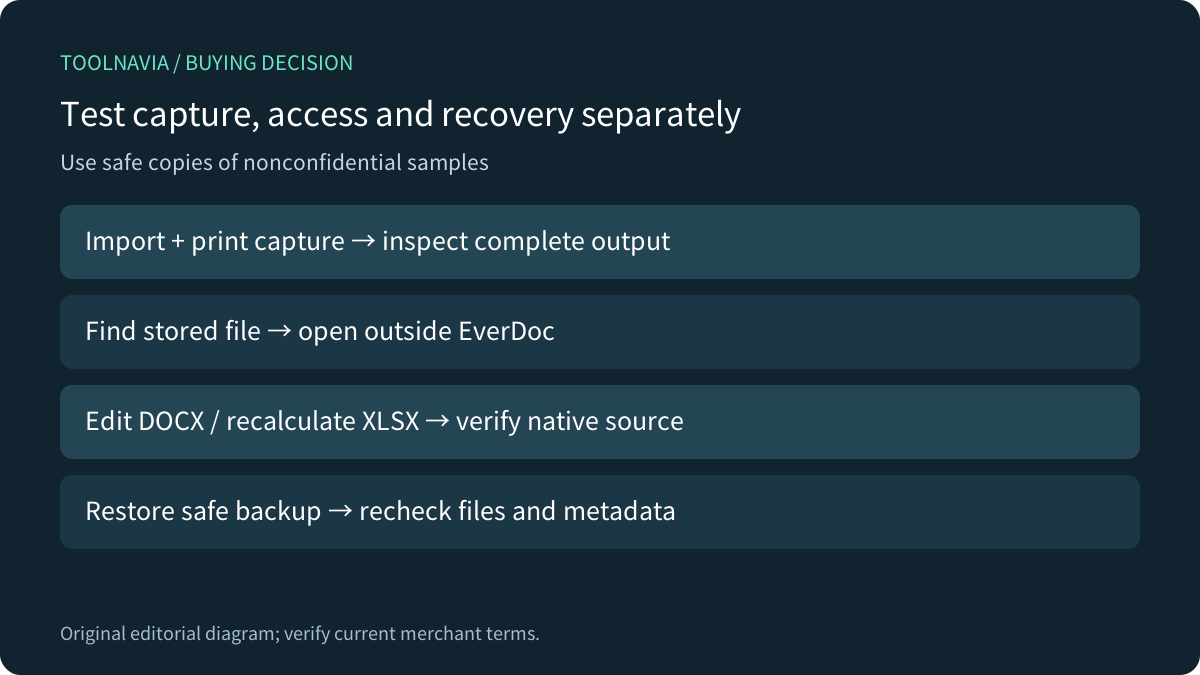
Use nonconfidential test files: a DOCX with a table, an XLSX with formulas and linked sheets, a multipage PDF, and a scanned image. Keep untouched originals elsewhere.
Import each supported source, then create a print capture using the route actually available in the current build. Search for a distinctive phrase and reference number. Open the result and inspect later pages, page order, images and totals.
Next locate the stored file using the application or Windows. With EverDoc closed, open a copy in an ordinary viewer or its original editor. Record whether you have the native file, a PDF representation, both, or an application-dependent object. Test the formula and edit the document; a familiar filename is insufficient.
Finally, make an archive backup and restore it into a safe test profile following the current instructions. Check references, search, tags and file access again. Do not delete production sources or uninstall the only working archive to conduct the experiment.

Compare the full price with a free baseline
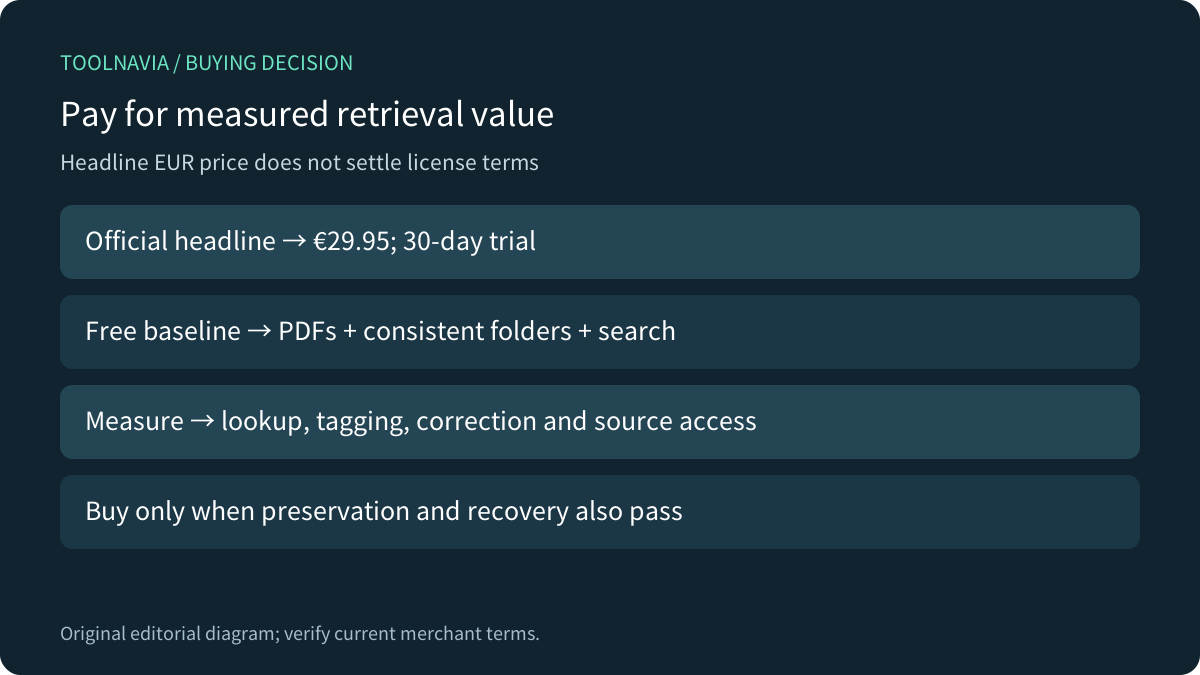
The official English page currently shows €29.95 and a 30-day trial. That headline alone does not settle the license option, renewal, covered devices or update entitlement; inspect the selected order.
Your baseline can be Office-generated PDFs, a consistent folder structure and ordinary search. EverDoc's potential value is reduced retrieval work and a more convenient archive interface, not exclusive ownership of PDF creation.
Measure ten realistic lookups in each workflow. Include time spent tagging, correcting recognition and locating originals, not just the fastest search. If the archive saves five minutes per week, that is about 4.3 hours per year—an illustrative calculation, not measured savings. Compare your observed result with the actual license and maintenance costs.

Buy for retrieval, not assumed preservation
Consider EverDoc when the current trial captures your real inputs, search reliably finds them, originals remain accessible through a separate workflow, and recovery passes. Keep testing when driver behavior or stored-file location is unclear.
Skip the purchase if a consistent folder workflow is already adequate or the only copy you would retain is an unverified print capture. View the [approved EverDoc offer](https://www.kqzyfj.com/click-101895278-15402688?url=https%3A%2F%2Fwww.abelssoft.de%2Fen%2Fwindows%2Fhelpers%2Feverdoc) after the acceptance test, and save the selected license terms.
*Affiliate disclosure: Toolnavia may earn a commission from eligible EverDoc purchases. This documentation review includes no current Windows capture, restore or paid-order test.*