TOOLNAVIA / BUYING GUIDE
Disk Drill Recovery: Image the Drive Before Paying for PRO?
The short answer
For a stable, readable drive, a Disk Drill image can matter more than an immediate PRO purchase. This documentation-based guide separates preserving the source, previewing important files and paying for export. Hardware instability changes that decision: clicking or repeated disconnections warrant specialist assessment before more DIY reads.
At a glance
- Best for
- A stable readable source and important files that can be previewed.
- Price model
- PRO displayed $89/year or $149 lifetime; imaging/preview first
- Check first
- Clicking, physically damaged or repeatedly disappearing drives; guaranteed recovery expectations.
Separate preservation from paid recovery
Disk Drill offers imaging tools without requiring a PRO purchase. Basic can scan and preview files; the current PRO page sells unlimited recovery for one user on up to three devices across Windows and macOS. An image is therefore a preparation step, not evidence that a paid license will succeed.
Start by checking existing backups and cloud version history. If they contain the needed file, buying a recovery tool adds cost without improving that result. If they do not, define a short list of indispensable files instead of treating every item found in a scan as equally valuable.
Four capabilities help answer different questions
**Sector imaging preserves a working source.** For a readable external disk, a disk image can become the target for later scans, reducing the need to revisit the original. It cannot contain bytes the drive could not read.
**File preview tests the actual target.** Open the specific photo, document or video you need. A familiar filename alone is weak evidence; inspect content and completeness before deciding whether export is worth paying for. No preview is a universal recovery guarantee.
**Combined scanning reduces method selection.** Disk Drill can use filesystem metadata and deeper analysis in sequence. That helps when the loss mechanism is uncertain, but signature recovery may lose original names and folders.
**Result filtering narrows the workload.** Type, date and size filters help focus on important files. A filename search may miss files reconstructed with generic names, so inspect likely types rather than assuming an empty name search means nothing remains.
Budget the healthy disk before the license
A full disk image is based on source capacity, not merely the files you remember using. Plan space for the image, filesystem overhead and recovered output. As an editorial example, a nearly empty 1 TB source is still a roughly 1 TB imaging job; a nominal 1 TB destination is a poor budget for both the image and exported files.
PRO currently displays $89 for a yearly subscription or $149 for a lifetime license. The annual option renews; neither displayed price is a checkout receipt or guaranteed future renewal. Verify tax, discount and license wording in the actual order. The current direct-purchase policy generally excludes refunds after delivery, subject to applicable consumer rights; cancellation stops renewal while access continues through the paid year. For this incident, extra storage may be the first necessary purchase, while PRO remains conditional.
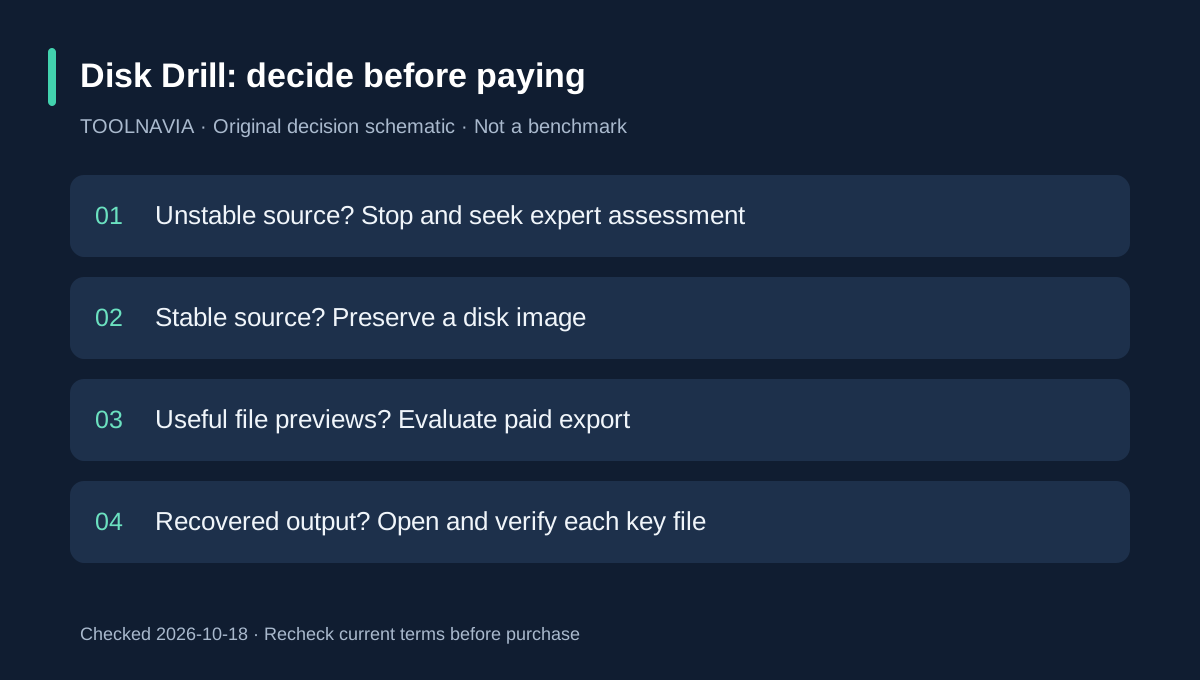
A proposed image-to-preview workflow
Install the tool away from the affected disk. Select the correct source by model and capacity, create the byte-to-byte backup on healthy separate storage, then attach the image for scanning. Do not format or repair the source just to make it mount.
Inspect several indispensable results, including different file types. Export only to healthy storage, then open the recovered files in their normal applications. Record unreadable areas and missing files; a completed imaging progress bar does not mean every sector was preserved. This is a suggested acceptance process, not a result Toolnavia has obtained.
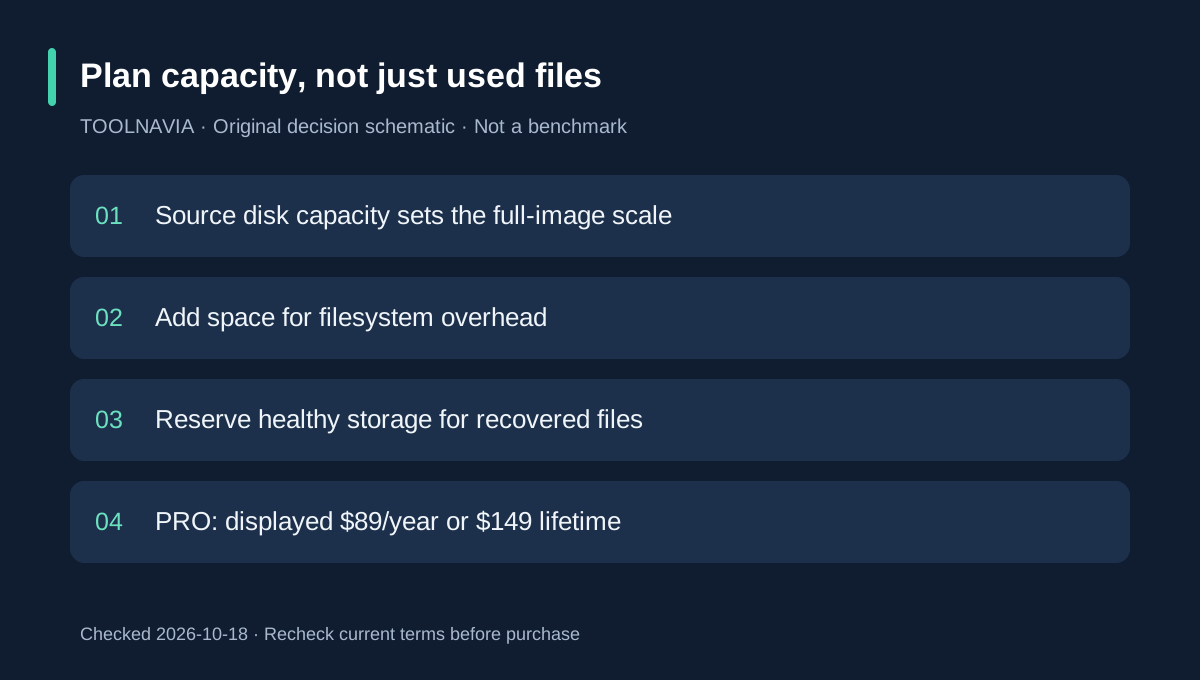
Decide by recoverable value
Buy PRO when the readable source or image yields useful previews and paid export solves a real need. Stay with existing backups when they work. Stop and seek specialist assessment when hardware instability changes the risk. Overwritten or trimmed data is not restored by buying a higher tier.
Toolnavia has not verified an approved CleverFiles tracking link, so affiliate tracking remains disabled. The next useful action is a recoverability check, not a rushed annual-versus-lifetime decision.
For a separate license-term comparison, see the [Disk Drill annual and Lifetime guide](/en/software/disk-drill).