TOOLNAVIA / BUYING GUIDE
CorelDRAW Linked Files: Sync Can Discard Edits Made in the Document
The short answer
At a glance
- Best for
- Repeated layouts with owned source revisions and controlled sync.
- Price model
- LiveUS/Canada cart required;annual,monthly and2026one-time options have different entitlements.
- Check first
- Corelhelp warns source sync loses document-side linked-content changes.
Verdict: buy for deliberate source-controlled revisions
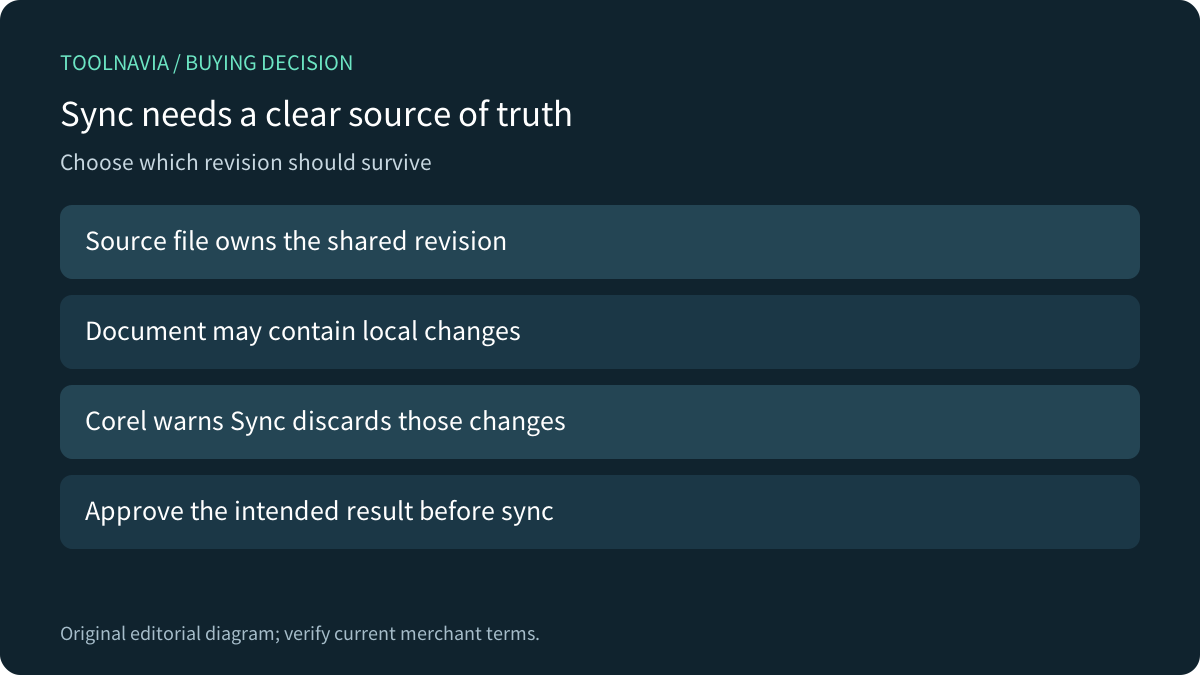
CorelDRAW can fit recurring layouts that reuse externally maintained material. Its current Windows help offers linked import, source editing, synchronization and breaking the relationship. The important purchase question is who owns the revision: Corel explicitly warns that syncing a linked file loses changes made to that linked content inside the document.
Do not expect Sync to merge every local adjustment with the latest source. This guide analyzes documentation; no artwork, source file, import, sync or export was operated.
Review the exact Graphics Suite offer. Toolnavia may earn a commission on eligible US/Canada purchases through this approved direct link; translation does not extend the market.
Decide which copy owns each change
Use a simple revision map. A shared product image may belong to a master source, while a one-off treatment belongs only to one campaign. Record which changes should propagate and which should remain local before refreshing the layout.
Corel's Sources docker can open the source and sync the linked content with its latest version. The help says to make the intended changes in the source before syncing if those changes must be retained. That is a workflow responsibility, not merely a missing-file problem.
A visibly correct layout today does not answer what the next refresh should replace. Preserve a recoverable master and a review reference before changing the dependency structure of a real job.
Link for reuse, break the relationship for independence
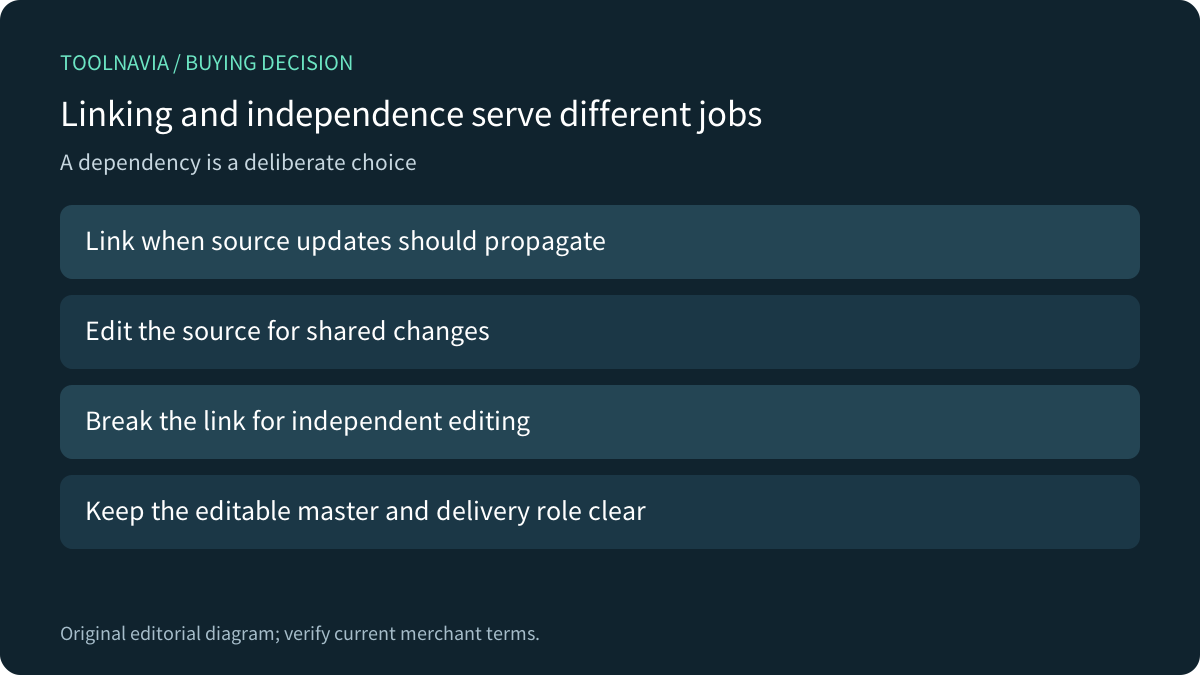
The four relevant strengths are importing an external source, opening it for editing, syncing its current content and breaking the link for independent editing. Corel's bitmap overview also describes source edits updating imported material and reports size, resolution and color mode in the status bar.
Choose linking when maintained source revisions should reach the layout. Choose an independent copy when a delivery variant should stop following the source. Verify the exact installed operation rather than assuming every action labeled Break Link means the same thing across editors.
This is not a promise that every asset or interchange format becomes self-contained. Inspect the recipient deliverable and respect the rights attached to source material. A convenient link does not grant permission to redistribute an image.
Compare the operation, not only the label
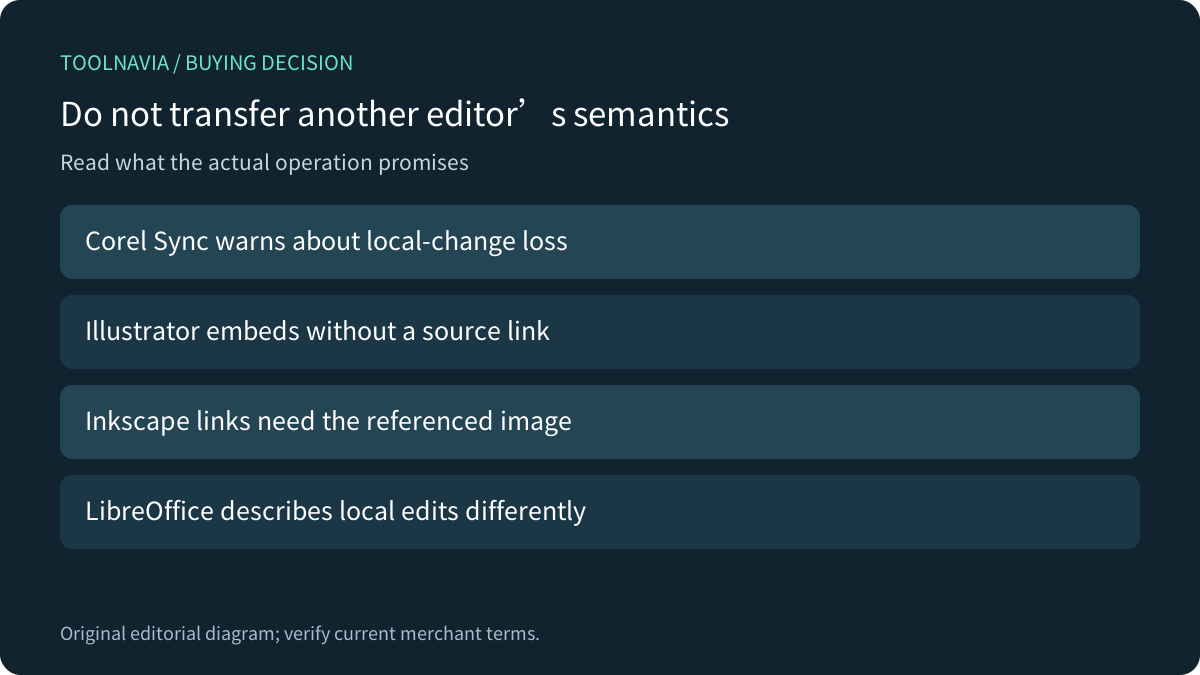
Adobe says embedding an Illustrator file removes its source relationship, so the panel no longer reports source changes. The official Inkscape beginner guide instead highlights portability: linked raster images depend on the referenced location, while embedding increases the document size and carries the image with it. Those are their own workflows.
LibreOffice's current help describes linked-image reloads reapplying local document edits, and separately says image-bar filters affect the local copy rather than the original. Do not import that behavior into Corel's Sync operation, whose help has an explicit local-change warning. Different products can use similar words for materially different revision rules.
These comparisons do not rank output quality. They identify what a representative exercise must establish before a team switches software.
Rehearse both the shared and independent results
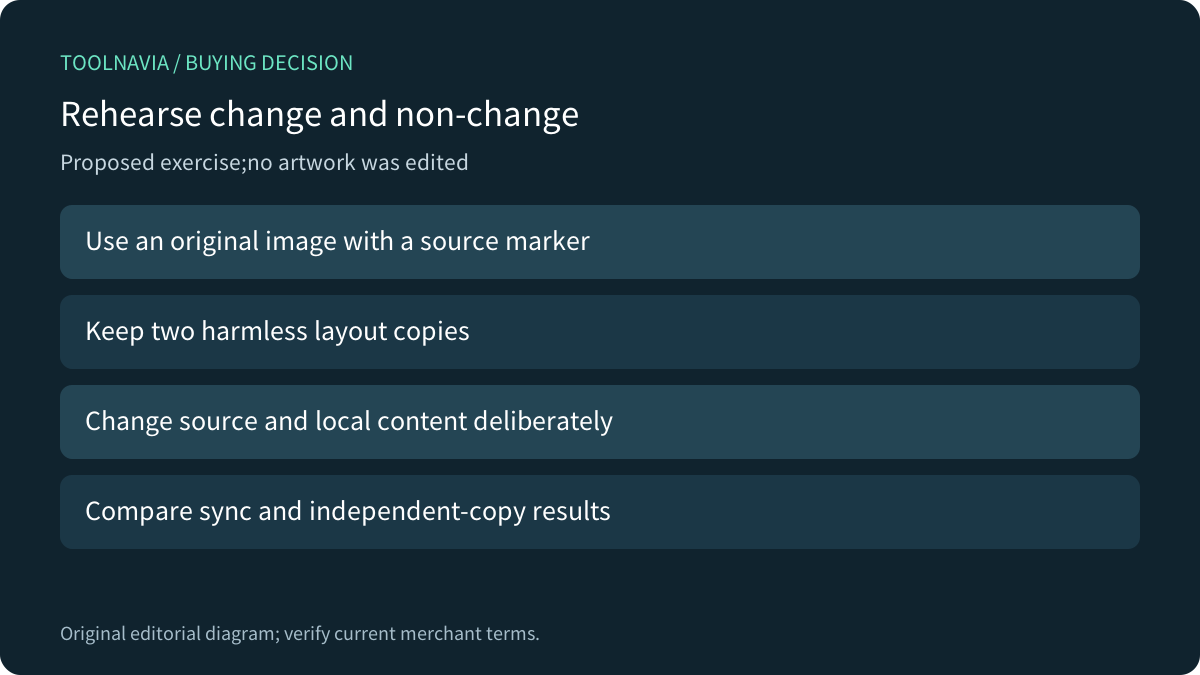
Use an original harmless image with a clear source marker, and keep two disposable layout copies. Introduce a deliberate source revision and a separately identifiable document-side change. Record the expected outcome before using the installed sync operation on one copy.
On the other copy, evaluate the documented independent-editing route. Save, reopen and inspect the required delivery file in the recipient workflow. Compare what changed, what stayed independent and whether required assets remain available. No such exercise was performed here, and no data-loss incident or time-saving result is claimed.
Confirm the license after the revision model fits
The current product page presents annual, monthly and 2026 one-time choices, but localized numeric prices did not appear in the readable text. Confirm the full US/Canada charge, renewal and actual feature entitlement in the selected cart. Current help warns that some documented features can be subscriber-exclusive; do not assume Standard, Essentials or Web parity.
Choose the suite when repeated source-controlled revisions and the wider design work justify it. Keep a suitable existing editor when it already meets the required update and handoff behavior. A well-defined source of truth matters more than the presence of a Sync button.