TOOLNAVIA / BUYING GUIDE
CorelDRAW Graphics Suite 2026 PHOTO-PAINT RAW vs Lightroom: Is the Bundled Editor Enough?
The short answer
Corel PHOTO-PAINT is already included with CorelDRAW Graphics Suite, so a designer who only needs to develop occasional RAW photos for a brochure, sign or social asset may not need a second editor. But inclusion is not the same as replacing Lightroom or Capture One. Buy the suite for its combined vector, layout and bitmap workflow only after your own camera files open correctly and a representative batch finishes cleanly.
At a glance
- Best for
- Designers who need occasional RAW development inside recurring CorelDRAW production and whose exact camera files pass the trial.
- Price model
- Annual, monthly and 2026 one-time routes; no dependable selected-cart total rendered. Verify live US/Canada checkout.
- Check first
- Not a replacement for specialist catalog, cloud, custom-profile or tethered workflows unless representative testing proves otherwise.
Start with the real job, not the RAW badge
Corel's current product page presents CorelDRAW Graphics Suite 2026 as a toolkit for vector illustration, page layout, photo editing and typography. PHOTO-PAINT is the pixel editor inside that toolkit, and Corel says it supports layer-based adjustments, reversible effects and RAW work through Camera Raw Lab or AfterShot HDR.
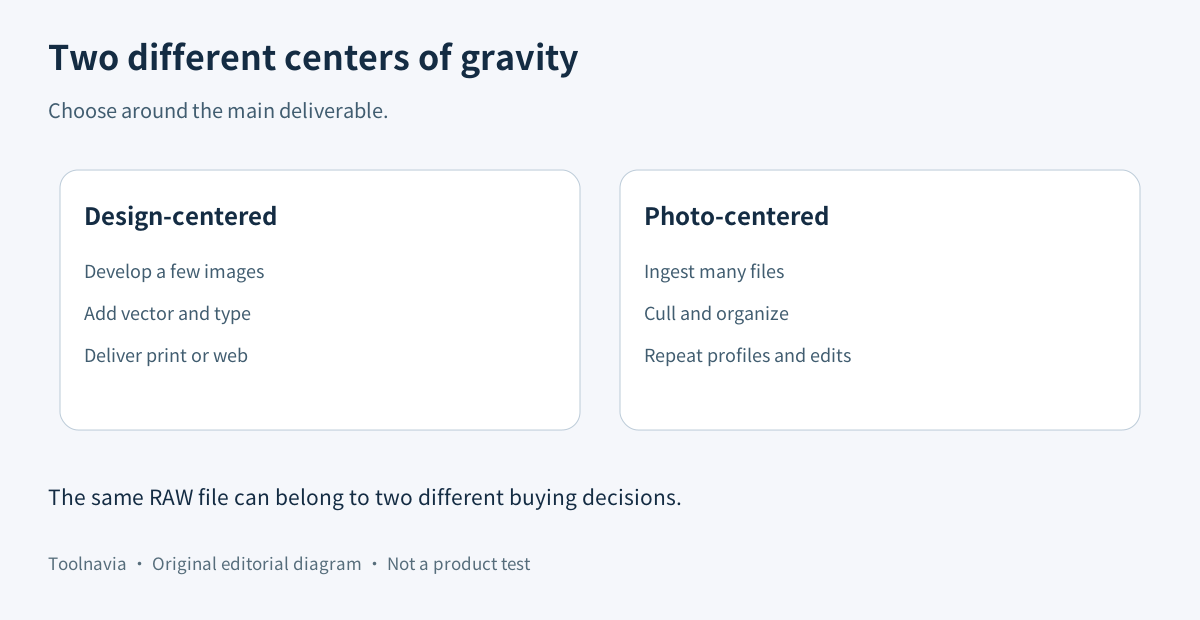
That makes the suite attractive when the end product is a designed asset: develop one or a few photographs, remove a background, add type or vector elements, and prepare print or web output. It does not automatically make PHOTO-PAINT a catalog-first photography system.
Confirm that your camera is supported before paying
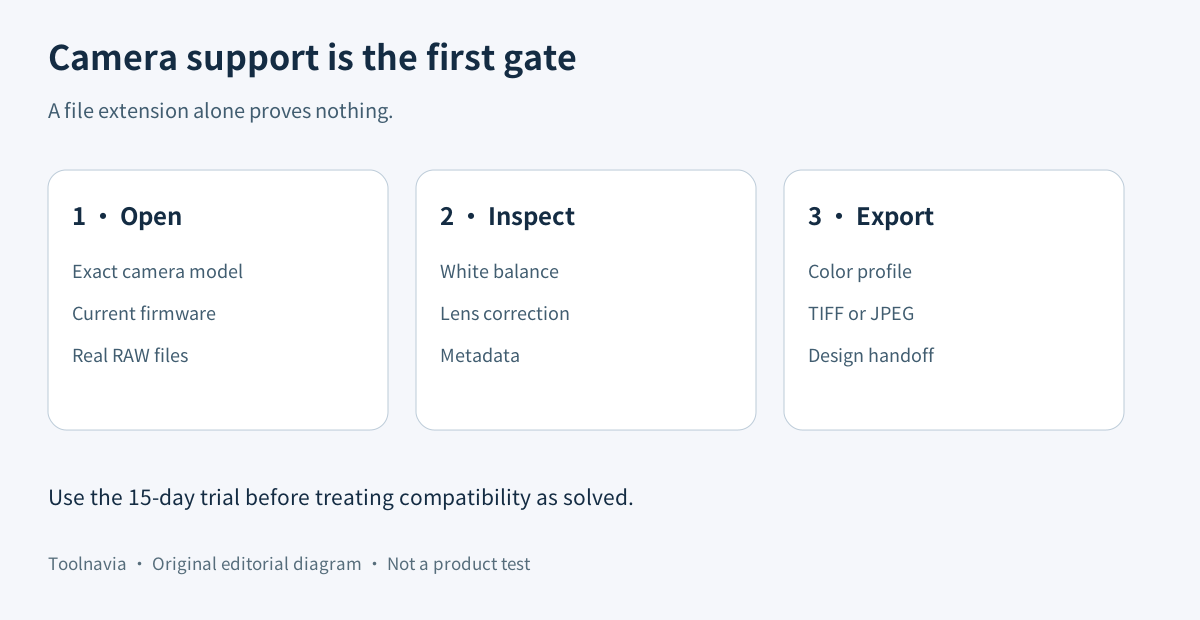
Corel's 2026 help says PHOTO-PAINT can open and import RAW files from supported camera models. The same page exposes a specific model list rather than a blanket promise for every current camera. A file extension such as CR3, NEF, ARW or RAF is therefore not enough evidence by itself.
Use the 15-day trial shown on Corel's current product page. Test RAW files from the exact camera and firmware you use, including a high-ISO image, a difficult white-balance scene and a file that relies on lens correction. Record whether the file opens, whether metadata survives and whether the developed TIFF or JPEG matches your expected color.
If one critical camera is missing or the default rendering requires more correction than your current editor, postpone the purchase or keep a dedicated RAW converter. A graphics-suite license cannot repair an unsupported decoder.
Know what Camera Raw Lab can and cannot replace
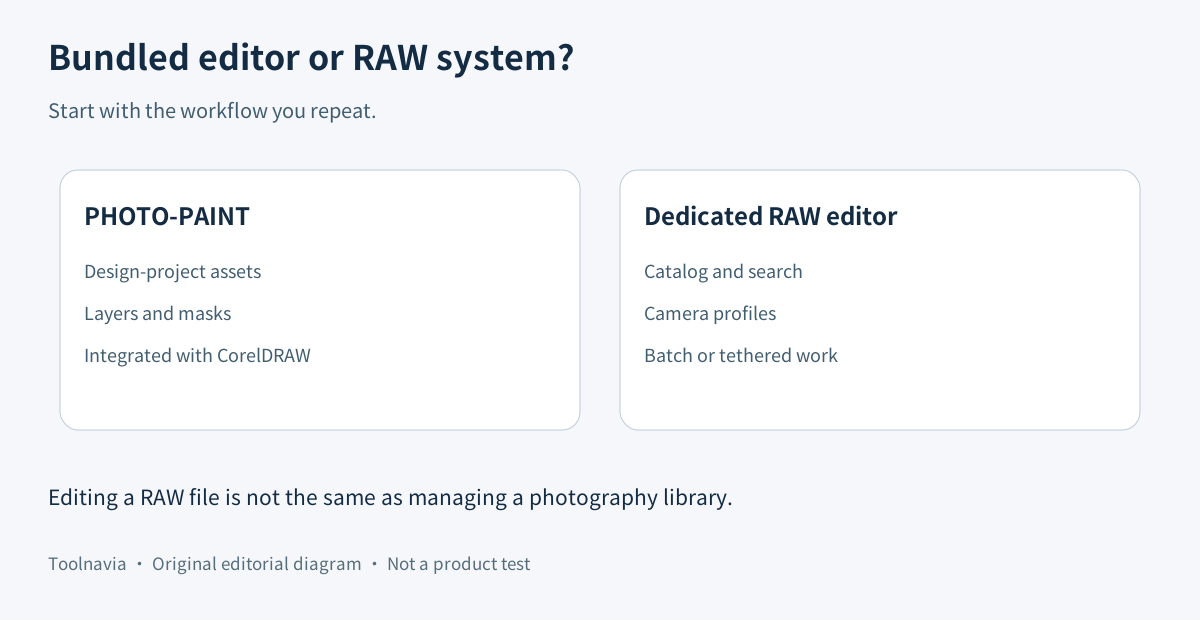
Corel's own tutorial says Camera Raw Lab appears when RAW files are imported. This is useful for developing photographs before they enter a PHOTO-PAINT document. It is a different workflow from managing a large persistent library.
Adobe Lightroom's current feature page emphasizes Raw Details, cloud-accessible libraries, intelligent search, presets, cross-device access and HDR export. Capture One highlights custom camera profiles, precision color work and tethered capture with Live View and next-capture adjustments. Those are not merely extra sliders; they change how a photographer ingests, organizes, reviews and repeats work across many shoots.
Choose PHOTO-PAINT when the job is centered on one design project and its bitmap assets. Keep Lightroom or Capture One when the job is centered on thousands of photographs, repeatable camera profiles, fast culling, location-independent libraries or studio tethering.
Treat independent RAW concerns as a trial requirement
One Creative Bloq review found PHOTO-PAINT adequate for feeding raster images into CorelDRAW but reported that the tested Sony RAW files appeared darker, softer and less accurate in white balance than Adobe Camera Raw. That is useful evidence, but it is one reviewer's camera-and-file test, not a universal verdict on every supported model.
TechRadar's 2026 review similarly frames PHOTO-PAINT as one component of a broad creative suite. Capterra maintains a direct CorelDRAW-versus-Lightroom comparison, while a Digital Camera World buying guide treats Lightroom and other RAW editors as a specialist category. Together these sources support a boundary, not a blanket winner: Corel is strongest when the buyer values the whole design suite; specialist editors are stronger when RAW throughput is the primary purchase.
Run a representative workflow test
Create a small test set of the situations you actually shoot: daylight, mixed light, high ISO, clipped highlights and a lens that needs correction. The test is not a benchmark unless you record the same files, export settings and viewing conditions.
For each file, check camera and lens recognition; starting white balance and color; highlight and shadow recovery; noise reduction and sharpening; metadata and color-profile handling; export quality into the CorelDRAW document; and the time needed to repeat the adjustments across the set.
Then repeat one normal design revision. If the developed bitmap can be updated without breaking the layout, the bundled workflow may remove real handoff friction. If you must rebuild corrections one file at a time or maintain a separate catalog anyway, count that cost honestly.
Match the purchase route to the broader suite
On November 11, 2026, Corel's canonical product page showed annual, monthly and 2026 one-time purchase routes plus a 15-day trial. The retrieved page did not expose a dependable selected-cart total, so this guide does not reuse an old promotion or invent a numeric comparison. Confirm region, platform, billing term, tax, renewal, update rights and subscriber-only features in the live US/Canada checkout.
A one-time license can be sensible for a stable design workstation, but Corel says it excludes some subscriber or maintenance features and does not guarantee support for future operating systems, devices or technologies. Subscription or maintenance may suit buyers who need current compatibility. The RAW decision should therefore include camera and OS longevity, not only today's successful import.
Buy, keep both, or postpone
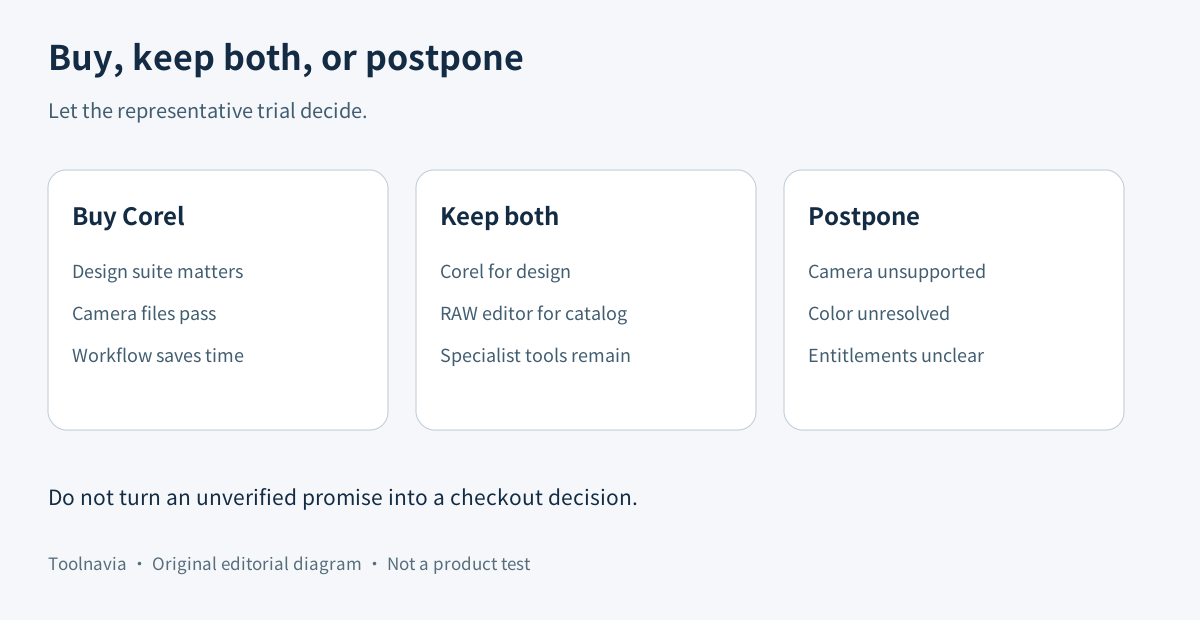
Buy CorelDRAW Graphics Suite when vector, layout and PHOTO-PAINT work belong in the same recurring production process, your exact camera files pass the trial, and the combined workflow saves enough revision time to justify the live license total.
Keep Corel plus a dedicated RAW editor when CorelDRAW is already valuable for design but photography still requires cataloging, camera profiles, cross-device access or tethering. Keep your current editor alone when RAW photography is the main job and Corel's vector or layout tools add little repeated value. Postpone when camera support, color rendering or entitlement details remain unresolved.
[Review the current CorelDRAW offer](https://www.anrdoezrs.net/click-101895278-17254962). Toolnavia may earn a commission from an eligible purchase. This is a documentation-based buying guide: no CorelDRAW purchase, camera import, colorimetric test, catalog migration or tethered shoot was performed.