TOOLNAVIA / BUYING GUIDE
CorelDRAW PowerTRACE: Is It Worth Buying for Repeated Logo Cleanup?
The short answer
CorelDRAW is a stronger purchase candidate when bitmap-to-vector conversion is recurring work, not a single awkward logo. PowerTRACE supplies adjustable tracing inside a full design application. Its value depends on how much cleanup remains before the result is usable. Test that complete job before committing to Graphics Suite.
At a glance
- Best for
- Recurring logo conversion with clear references and time to inspect editable paths.
- Price model
- Live cart plus renewal/upgrade, learning and remaining cleanup; compare per accepted job.
- Check first
- One-off work, ambiguous brand lettering or expectations of unattended production readiness.
Define what a successful trace must preserve
Choose artwork you own or have permission to process. Write down the spelling, distinctive corners, gaps inside letters, approved colors and final physical size. Request the original vector or a clearer source from the client first: a missing file is sometimes an administrative problem rather than a reason to buy new software.
A successful output should meet your delivery requirement and remain practical to edit. A file extension alone is not an acceptance test. Keep the untouched bitmap beside a working copy so you can identify changes in the silhouette rather than relying on memory.
Four useful controls and their limits
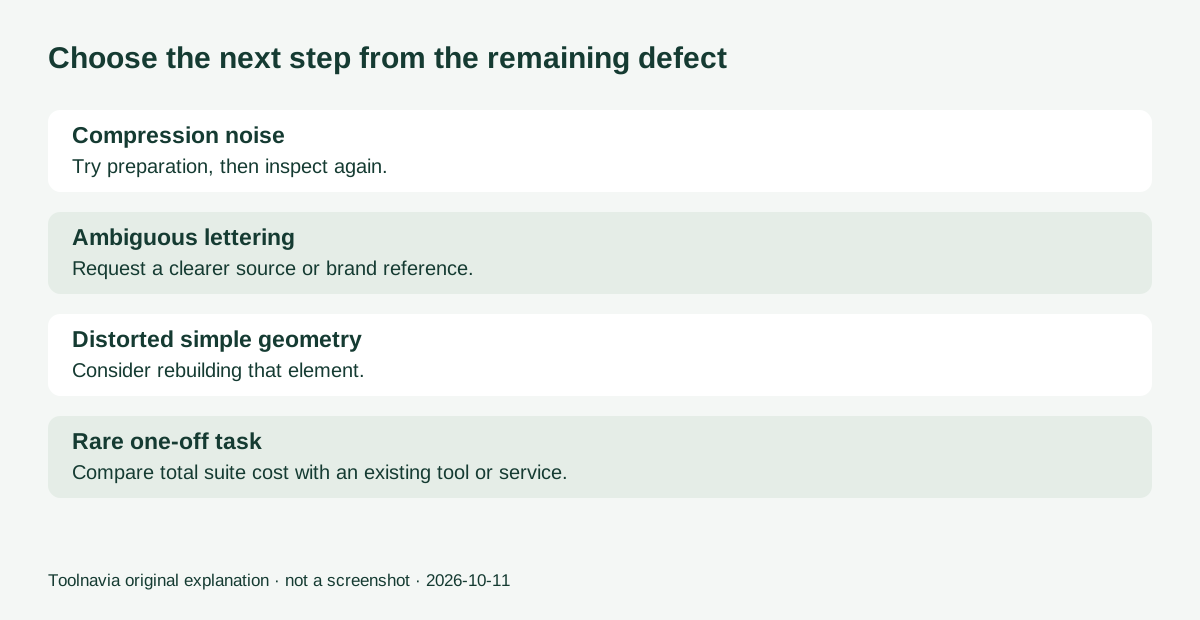
Image preparation can address JPEG noise and resampling before tracing. Corel's current help distinguishes illustration and photographic upsampling. These options can assist a difficult source, but they do not prove the client's intended geometry. The documented automatic background-removal option also requires internet and an eligible version.
Trace profiles let you begin with a method appropriate to the input. Corel's tutorial demonstrates importing a bitmap and adjusting a trace preview. Treat its illustrated interface as guidance: menu labels can vary by release and platform.
Detail and structure controls address node density, smoothness, overlaps and grouping. They matter when a visually plausible trace leaves too many awkward pieces to revise. More detail is not automatically a better production file.
Color refinement can reduce or merge unwanted shades. This is useful when compression noise creates colors you did not intend, but merging similar colors can also erase an intentional distinction. Judge the result against approved artwork, not merely a smaller color count.
Run a repeatable cleanup exercise
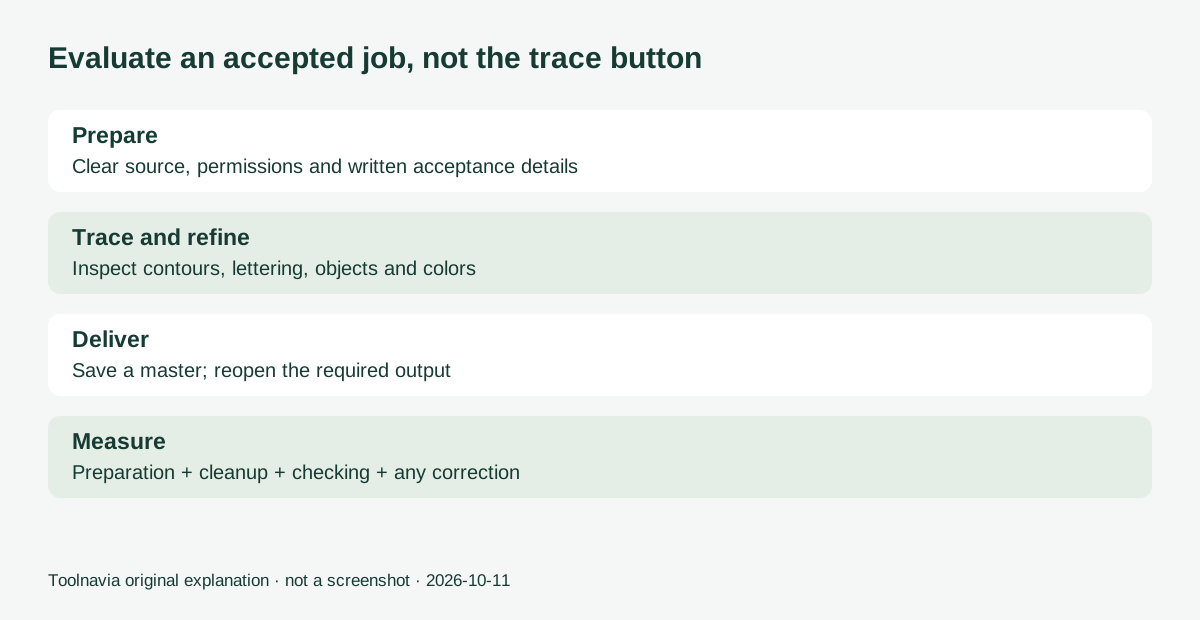
Prepare three authorized samples: one clean simple mark, one compressed image with lettering and one detailed illustration. Give each a written acceptance checklist before using the trial. Keep this small set consistent when comparing your current method.
Import a copy, choose a suitable trace profile, and change one setting at a time while inspecting the preview. Preserve the source for comparison. After accepting the trace, inspect the objects independently and correct obvious stray pieces or distorted details. Save an editable master, export the required delivery format and reopen that export.
Record total active time: preparation, tracing, manual cleanup, export checking and any supplier correction. Do not record only the seconds taken by the automatic operation. This is a proposed evaluation, not a benchmark performed by Toolnavia.
Know when to redraw or outsource
An unreadable letter needs a better reference, not an increasingly confident guess. If a geometric shape repeatedly emerges unevenly, rebuilding that element may be more practical than tuning the whole trace again. A logo that looks acceptable at large zoom also needs inspection at its intended size.
For one isolated job, compare the suite's full cost with your existing editor or a clearly specified conversion service. For repeated jobs, consistent editable results can matter more than the shortest first preview. Do not promise machine-ready embroidery or cutting instructions merely because the artwork is vector.
Purchase for the recurring workload
The official trial page separates browser trial access from the full Windows or Mac suite trial. Use the desktop trial route when validating desktop controls; the browser trial excludes some features and companion applications. The stated trial period is fifteen days without a credit card.
Use the live localized cart for the license price, then add tax, renewals or upgrades, training and remaining cleanup time. A useful worksheet is total software and learning cost divided by your observed saving per accepted job; leave it blank if the trial shows no saving. PowerTRACE itself is listed among Corel's tools that do not consume generative AI credits, so do not buy credit packs solely for tracing.
Our approved Graphics Suite purchase link serves US and Canadian customers. Confirm the version and required features before checkout. Toolnavia may earn a commission from qualifying purchases; no tracing-speed or accuracy guarantee is implied.