TOOLNAVIA / BUYING GUIDE
Close Essentials Templates: Shared Messages Without Workflows
The short answer
Close Essentials can fit a small team that wants reusable, shared sales messages while representatives still review and send individual emails. The current pricing page includes dynamic template tags but explicitly excludes Workflows. A shared template is therefore a useful writing tool, not an automated follow-up sequence included with this plan.
At a glance
- Best for
- Shared manually reviewed sales emails with owner-run template governance.
- Price model
- Verify current Essentials annual seat commitment and usage extras.
- Check first
- Essentials excludes Workflows; shared copy does not prove approval gates or complete private-template export.
Put shared copy under an owner's care
Close lets users create, duplicate and share email templates, then insert them in the composer. Tags can pull lead, contact and custom-field data into a message. This can reduce repeated typing, provided the underlying records and shared copy are maintained.
Assign a template owner, intended audience and review date. Separate an approved baseline from a representative's temporary variation, and retire outdated pricing or promises deliberately. These are proposed team practices, not a claim that Essentials includes a mandatory approval system or native version-control repository.
Ask who can see, change and retire each shared template in your actual account. Do not buy on the assumption that the word shared settles edit permissions, approval gates or template-performance reporting. A team can have consistent wording and still need an external review record.

Test missing data and the rendered message
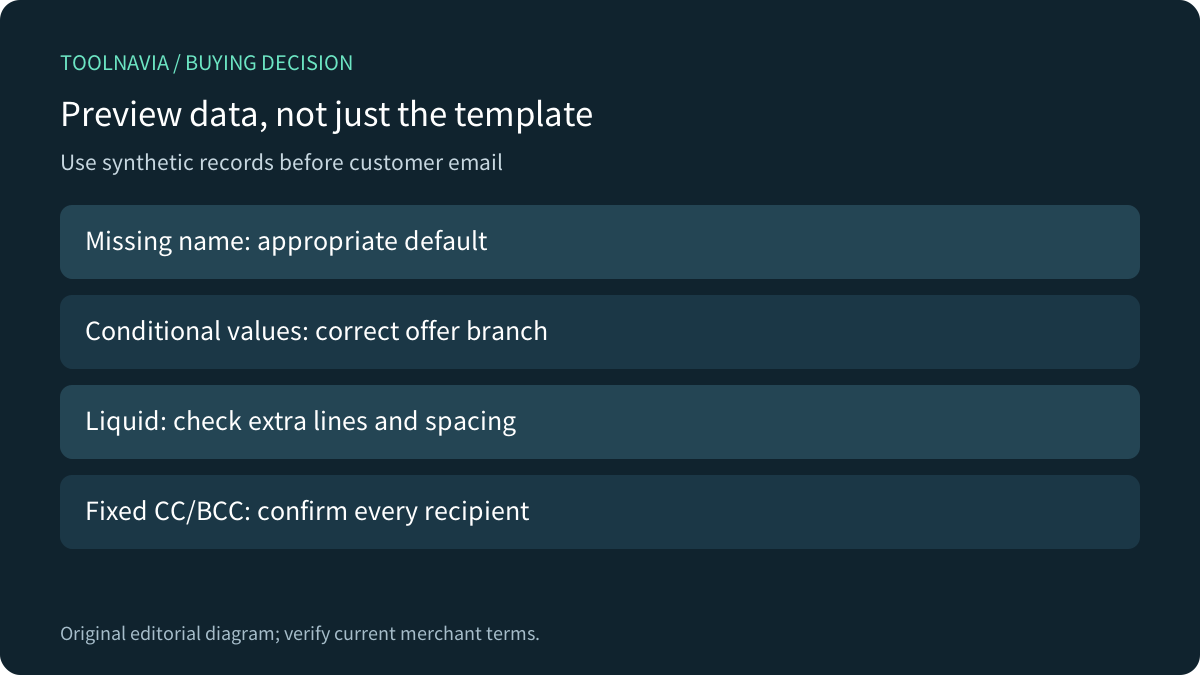
Close uses Liquid for defaults, capitalization, date formatting and conditionals. Its documentation also states that Liquid syntax renders on its own line and that the editor does not support Liquid whitespace control. A correct condition can therefore produce an unexpected layout.
Before using a template, prepare synthetic records with a missing name, an ordinary complete record and the alternative condition values the team expects. Inspect the rendered greeting, body, spacing and destination links. A friendly default should avoid awkward empty text; it should not conceal a field whose absence makes the offer unsuitable.
Review any fixed recipients too: Close documents CC/BCC fields in templates. Treat an old colleague address or copied attachment as part of the content review, not decoration. Do not send test messages to customers or place sensitive customer data into a demonstration merely to verify formatting.
Check the sender's link and signature
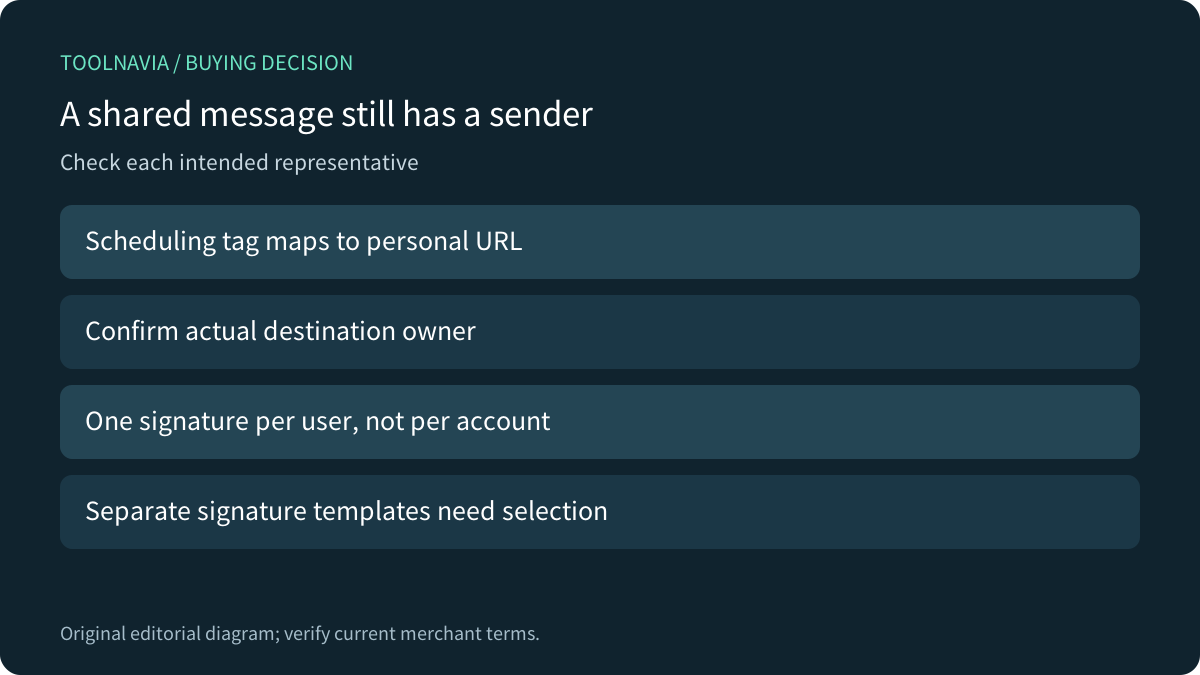
Close's shared scheduling-link tags map to each user's personal scheduling URL. Admins with Manage Customizations can create and manage those shared tags. A reusable invitation can therefore point to a different representative's actual booking page without hard-coding one person's address throughout the library.
That mapping needs acceptance for every intended sender. A copied template that looks correct for its author may still contain a fixed URL or an incomplete mapping for someone else. Use a controlled preview and confirm the destination's owner before making a template the team default.
Close also documents one email signature per user, rather than a unique signature per connected account. Its suggested workaround is separate templates for different signatures with the general signature left blank. Evaluate whether that manual choice fits a multi-brand team; do not assume switching the From address switches every piece of identity content automatically.

Keep the Workflow boundary explicit
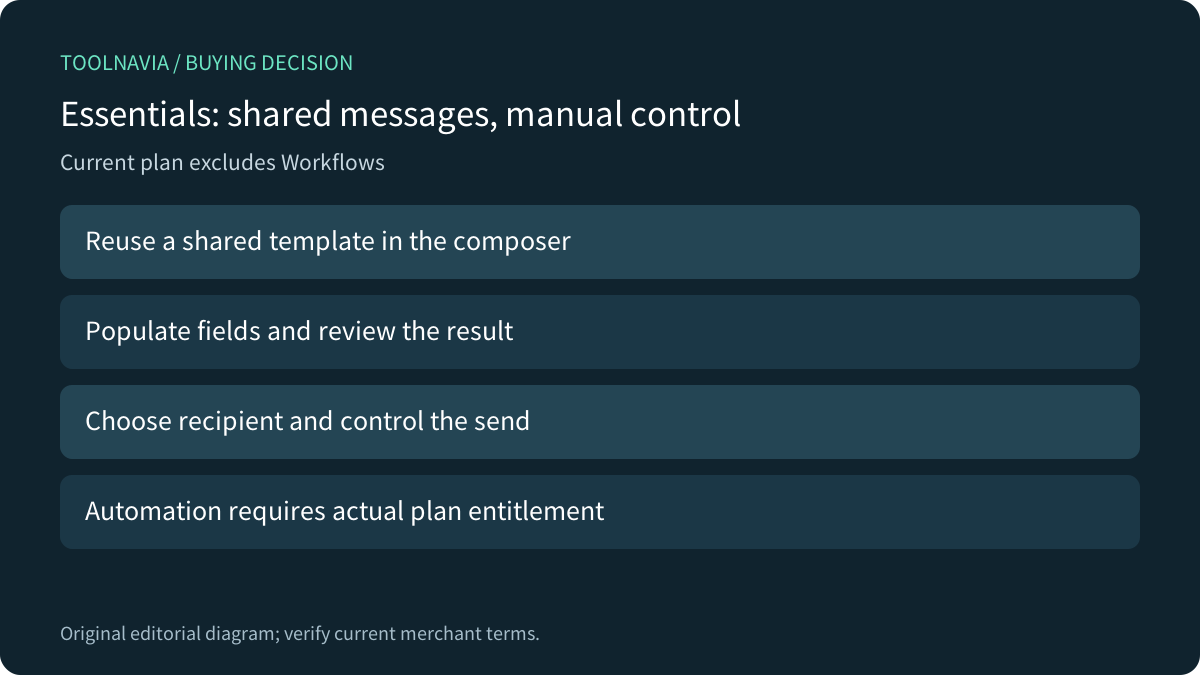
The general Emailing guide says templates can also be used in Workflow steps, and the Workflow documentation requires a shared template for email steps. Those statements describe the feature's prerequisites on eligible plans. They do not override the current pricing page, which excludes Workflows from Essentials.
Buy Essentials for this use case when people will choose the recipient, inspect the populated message and control the send. If the requirement is scheduled multi-step automation, evaluate a plan that actually includes it. Sharing more templates or adding Liquid conditions does not itself add an automation engine.
Keep sending limits, account configuration and the recipient's communication preferences in the operating process. A reusable message does not guarantee delivery or permission to contact someone. The separate [email-limits guide](/en/software/close-essentials-connected-email-sending-limits) addresses the sending side.

Compare governance and portability, not only merge fields
Pipedrive's current template guide distinguishes private/shared visibility and says regular users can edit only templates they created; adapting another user's shared template requires a new copy. That explicit ownership rule is a useful question to bring to a Close demonstration, not a rule to import into Close.
HubSpot supports personalization tokens and shared or private templates, but access depends on subscriptions and assigned seats. Zoho's documentation adds module-specific templates, folder organization and version-oriented analytics. Those functions may matter to a buyer with stronger governance needs; verify the exact competitor tier instead of assuming every account includes them.
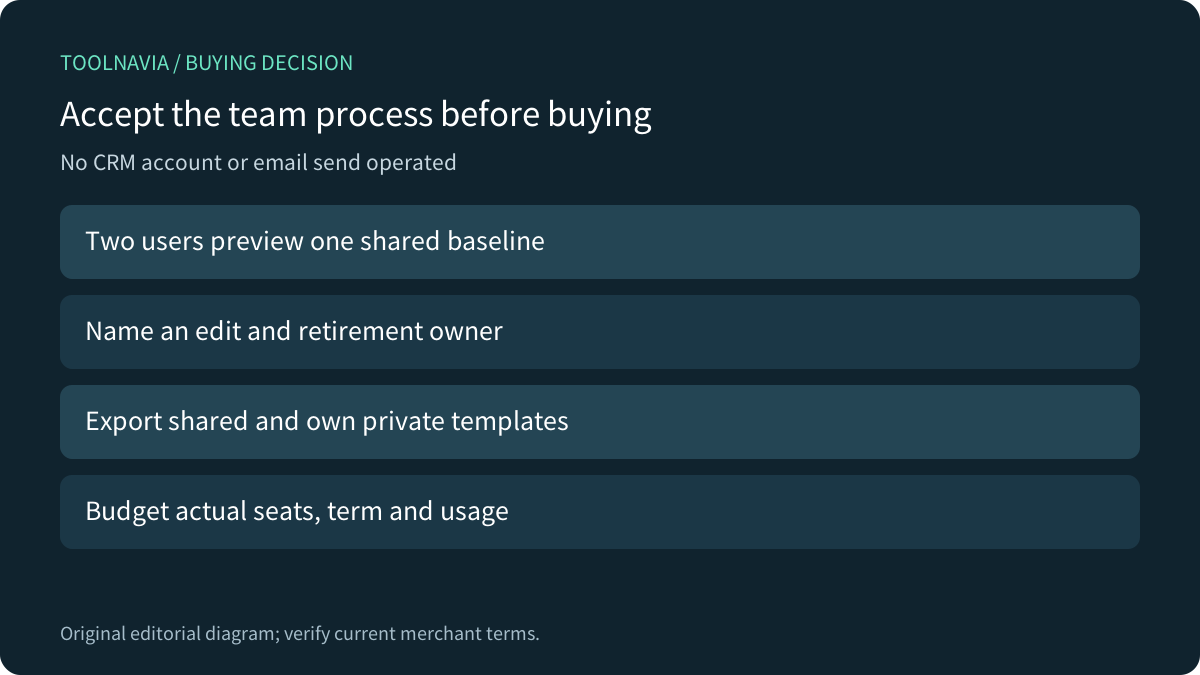
For portability, Close's export documentation offers CSV export of shared templates and the current user's private templates, excluding other users' private templates. An administrator's single export should not be described as a complete collection of everyone's personal library. Plan an authorized owner-by-owner handoff where needed and verify the exported content.
Make the buying test a small team rehearsal
Have two authorized users preview one shared baseline against synthetic records. Check the default and conditional text, spacing, sender-specific scheduling destination, signature and any fixed recipients. Then identify the process for approving an edit, retiring old copy and preserving an export. These are proposed acceptance steps; Toolnavia did not operate a Close account or send email.

Confirm the current annual seat commitment, total recurring charge and applicable usage costs on the canonical pricing page. Template convenience alone does not justify extra automation spend, while a genuine sequencing requirement should not be squeezed into a manual-template plan.
Choose Essentials when shared, reviewed one-to-one messages and a clear owner process solve the actual problem. After confirming that fit, [review Close's current Essentials offer](https://refer.close.com/qrcyqrkrw8i6). Toolnavia may earn a commission from eligible purchases.