TOOLNAVIA / BUYING GUIDE
Close Essentials vs Growth: Can Automation Recover $768 per Seat?
The short answer
**Quick verdict:** stay on Essentials when manual follow-up is reliable. Upgrade only if Growth automation can recover its **$768 annual per-seat uplift**; the worked model below converts that cost into time.
At a glance
- Best for
- Teams deciding whether repeatable automation can recover Growth's $768 annual per-seat premium.
- Price model
- Essentials $35 annual / $49 monthly; Growth $99 annual / $109 monthly per user; live terms control
- Check first
- The break-even is illustrative; calling, SMS, AI overages, setup and Scale-only controls remain separate.
Price difference: annual and monthly
Close lists Essentials at **$35 per user per month billed annually** or **$49 month-to-month**. Growth is **$99 per user per month billed annually** or **$109 month-to-month**.
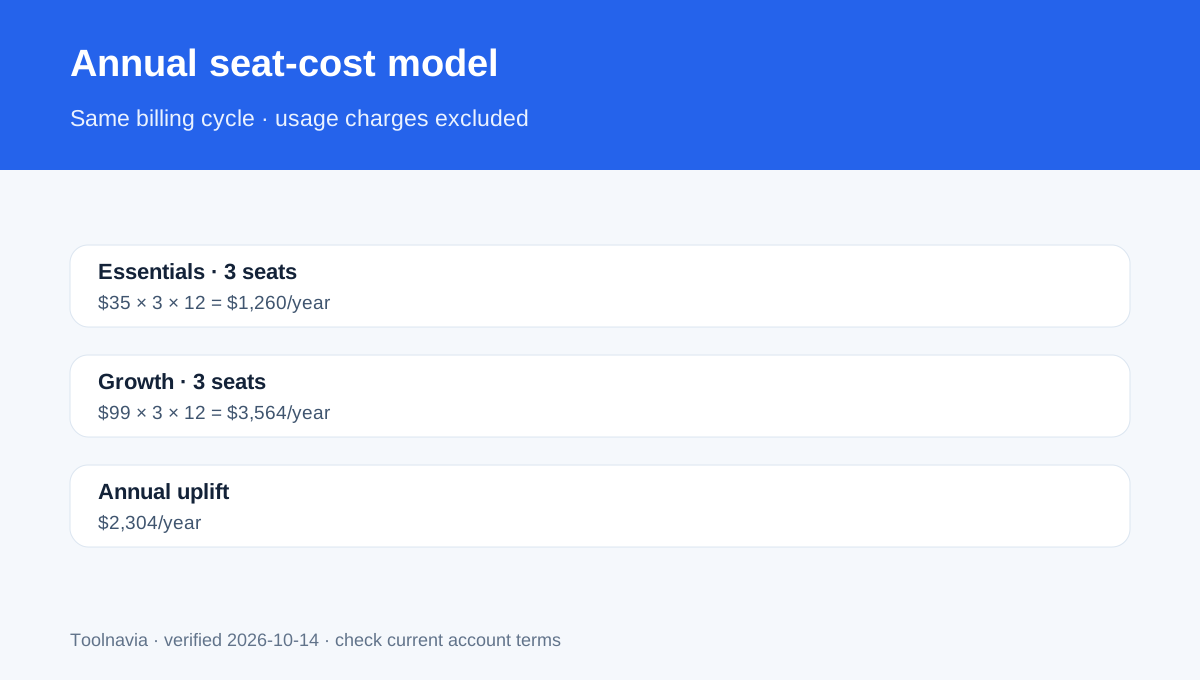
On annual billing, the upgrade is $64 per user per month, or **$768 per user per year**. A three-seat team moves from $1,260 to $3,564 per year, a **$2,304 annual uplift**. Five seats move from $2,100 to $5,940, a **$3,840 uplift**.
Month-to-month, the difference is $60 per user per month, or $720 over 12 months. That looks lower than the annual-billing uplift only because Essentials receives a much larger annual discount. Compare total invoices for the same billing cycle; do not mix the $35 annual Essentials price with the $109 monthly Growth price.
Only Essentials has an approved exact Toolnavia route: [check Close Essentials](/go/close-essentials-annual-official-usd). Growth is discussed for planning, but its CTA stays hidden until an exact approved offer exists.
What the upgrade actually unlocks
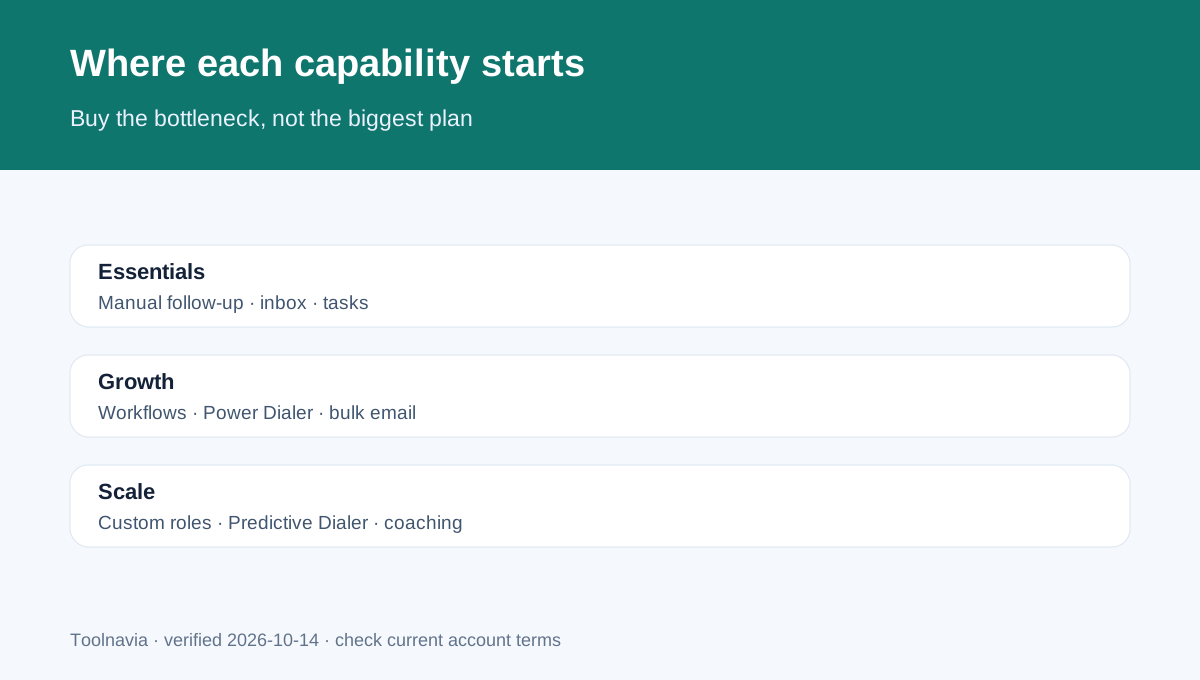
Essentials includes unlimited contacts and leads, team collaboration, built-in forms, email, calling, SMS, a centralized inbox and task list. It explicitly does **not** include Workflows.
Growth adds automated Workflows, Chloe inside Workflows, Power Dialer, custom activities and bulk email. Workflows can update records, assign leads, create opportunities and run scheduled email, SMS, task or call sequences after a trigger. They are useful when a team repeats the same follow-up logic across enough leads to justify setup, monitoring and error handling.
The Power Dialer automatically moves to the next number in a saved Smart View after a call ends or fails. It is not the Predictive Dialer, which dials multiple numbers and remains a Scale-level feature. Growth therefore improves sequential calling efficiency without delivering every high-volume dialer capability.
Independent pricing and review pages consistently identify Workflows and Power Dialer as the Essentials-to-Growth buying boundary, while corroborating the current annual references. Their recommendations are directional; Close's official pricing and help pages control every exact price, limit and feature gate here.
Break-even worksheet, not an ROI promise
Use this formula:
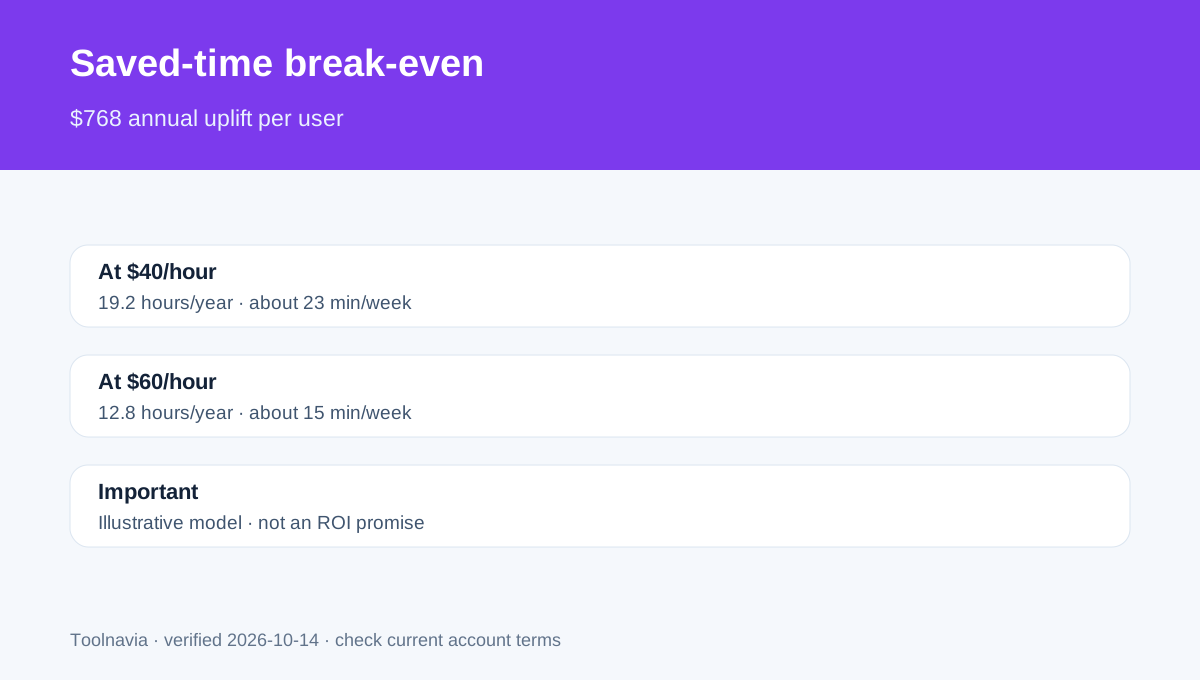
**Annual Growth uplift per user ÷ loaded hourly cost = hours that must be saved each year.**
At $40 per hour, $768 ÷ $40 = **19.2 hours per year**, about 23 minutes per week. At $60 per hour, the threshold is **12.8 hours per year**, roughly 15 minutes per week. For a five-seat team at $40 per hour, the $3,840 uplift still requires 96 team-hours saved annually.
This is an illustrative labor-cost model, not proof of return. It ignores implementation time, workflow maintenance, training, lead quality, conversion rates and the value of faster response. If the team does not use Workflows, Power Dialer, bulk email or custom activities every week, the upgrade can become an expensive unused feature set.
A practical test is to log four weeks of manual work: lead assignment, sequence enrollment, record updates, next-call selection and campaign sending. Multiply the recurring minutes by 52, then compare the credible time saving—not the total task time—with the upgrade threshold.
AI credits and usage charges
Essentials includes **1,000 AI credits per user per month**, pooled up to 10,000. Growth includes **1,500 per user**, pooled up to 15,000. Credits reset monthly and do not roll over. Growth also gates lead and email-thread summaries and other advanced AI assistance on the current help table.
The extra 500 credits per seat are useful only if the account consumes them. Do not value unused credits at their theoretical purchase price. Close separates CRM seats, telephony usage and AI credits into different billing areas. Calling, SMS, phone numbers, carrier registration or additional AI usage can increase the invoice on either plan.
Build the budget in three lines: seat subscription, communication usage and AI overage. The $35-versus-$99 comparison covers only the first line.
What Growth still does not include
Growth does not unlock every control. Essentials and Growth both use four predefined roles; **custom roles and permissions are Scale-only**. Predictive Dialer and call-coaching capabilities also sit above Growth on the current comparison.
That matters for teams with strict territory, data-access or coaching requirements. Paying for Growth to obtain Workflows does not solve a custom-permissions requirement. Price Scale separately rather than assuming Growth is the final tier.
Bulk email and automated outreach also remain subject to sending limits, consent, deliverability and communication windows. Automation can reproduce a mistake faster, so test on a small segment, define stop conditions and audit results before expanding.
Stay or upgrade?
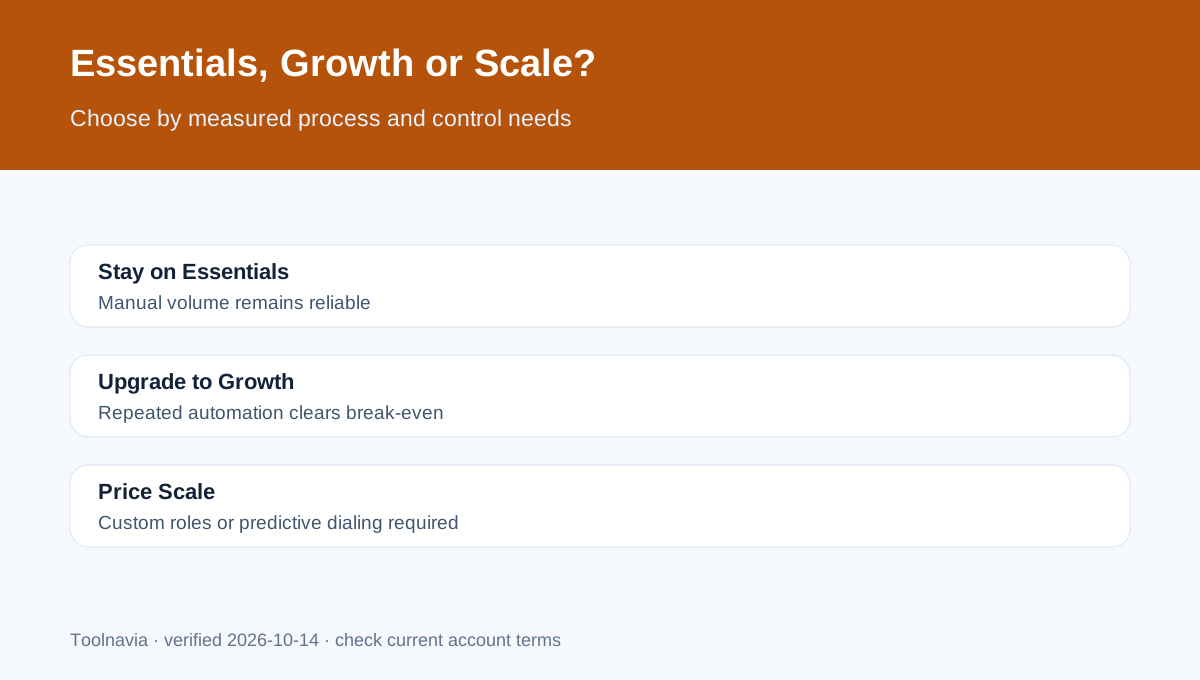
**Stay on Essentials** when:
- reps handle a manageable lead volume manually; - Smart Views, inbox and task lists already keep follow-up reliable; - the team does not run repeatable multi-step sequences; - calling and email volume do not justify automation; - the $768 annual per-seat uplift would not recover credible saved time.
**Upgrade to Growth** when:
- the same assignment and follow-up rules repeat every week; - reps spend measurable time choosing the next lead or dialing manually; - bulk email and custom activities are part of the real process; - workflow ownership, testing and monitoring are assigned; - measured savings exceed the break-even threshold after setup and usage costs.
Choose Scale instead when custom roles, predictive dialing or higher-level coaching controls are mandatory.
Final decision
Essentials is the lower-risk choice for small teams with disciplined manual follow-up. Growth is a workflow purchase, not merely a larger CRM plan. Its value depends on replacing repeated operational work with reliable automation.
Start with [Close Essentials](/go/close-essentials-annual-official-usd) when manual execution still works. Before upgrading, record one month of repeated tasks, model the $768 per-seat annual uplift, add telephony and AI usage, and verify that Growth's specific automation—not a Scale-only feature—is what removes the bottleneck.